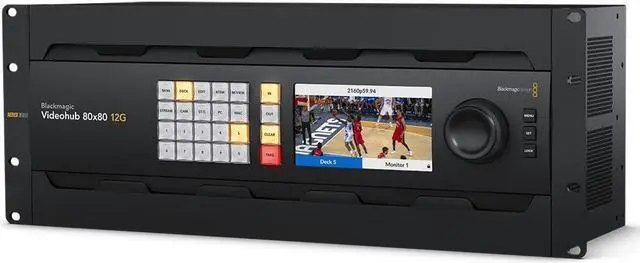
The new Blackmagic Videohub 12G-SDI video routers let you connect all your equipment without creating a complex cable mess! Blackmagic Videohub routers support 12G-SDI so they allow you to connect and route any combination of SD, HD and Ultra HD on the same router at the same time. Plus they have zero latency so are perfect for live production and broadcast! The design features an elegant front panel with LCD for labels and even live video, shortcut buttons and a machined metal spin knob with soft rubber coating that lets you browse video sources. Ethernet is also included so you can remotely control the router using a range of external hardware or software control panels.
Eliminates Complex Cable Mess
Blackmagic Videohub 12G eliminates cable mess because you can plug all your SDI equipment into the router, then do connections electronically! You don't need complex system diagrams for your studio because you can connect any video input to any video output, or even a single video input to multiple video outputs. This means monitors can view any source in the studio! You get total flexibility to handle constant change or even emergencies. It lets you use multiple HyperDeck recorders for redundant mastering. Or you can route video to multiple streaming processors for all broadcast platforms. Blackmagic Videohub 12G is also great for adding extra inputs to an ATEM switcher!
Videohub 80x80 12G
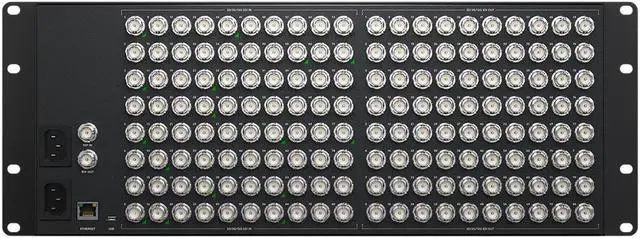
Massive 80x80 model zero latency 12G-SDI video router supports any combination of SD, HD and Ultra HD on the router at the same time. Features control panel, re-clocking and external Ethernet control.
Elegantly Designed Front Panel
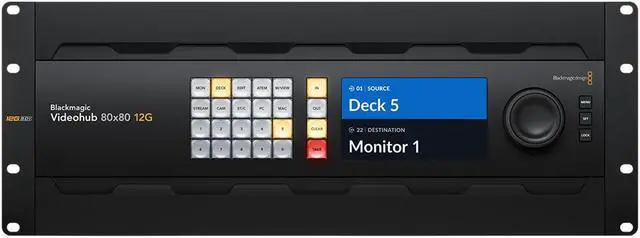
The built in front control panel lets you route video, so you get the perfect solution for live production racks that don't have the space for extra hardware panels. The front panel is similar to a Videohub Master Control Pro and it features a spin knob for browsing, direct entry buttons for speed and an LCD for displaying labels. However because the panel is built into the router, you can also see live video on the LCD! The LCD also has menus so it lets you change router settings.
Shortcut Buttons
The shortcut buttons allow direct entry of sources and destinations. They can also be used with the numeric keys. Plus if a button uses a dedicated input label, then they will act like a cut bus!
In Button
The in button switches the panel over so the spin knob and shortcut buttons will be selecting from the list of input video sources. By rolling the spin knob, you can see all your inputs.
Clear Button
The clear button is similar to undo and it lets you clear a new routing selection. It's the alternative to the take button, and it will clear the route to retain the current routing without change.
LCD for Labels and Video
The LCD has large and easy to read labels that show the connection between inputs and outputs. Plus the LCD features live video so you can scroll sources based on viewing the content of the input.
Numeric Keypad
The numerical keypad has a range of numbers marked 0 through to 9. It allows multiple labels, such as Mon 1, Mon 2, Mon 3 etc. You would select one of the shortcut buttons first and then the number.
Out Button
The out button switches the panel to selecting the output. Normally you do this first, so you know what output you are going to change. You will then see the current input, before changing it.
Take Button
The take button is the final conformation that you want to accept the new input selection. This eliminates mistakes! You can also disable the take function for specific outputs for live routing.
Spin Knob
The spin knob has a machined metal design, soft rubber coating and an electronic clutch. You can scroll labels in alphabetical order and then the clutch will stop the knob at the end of the list.