

Your Browsing History

Meet Your Seller

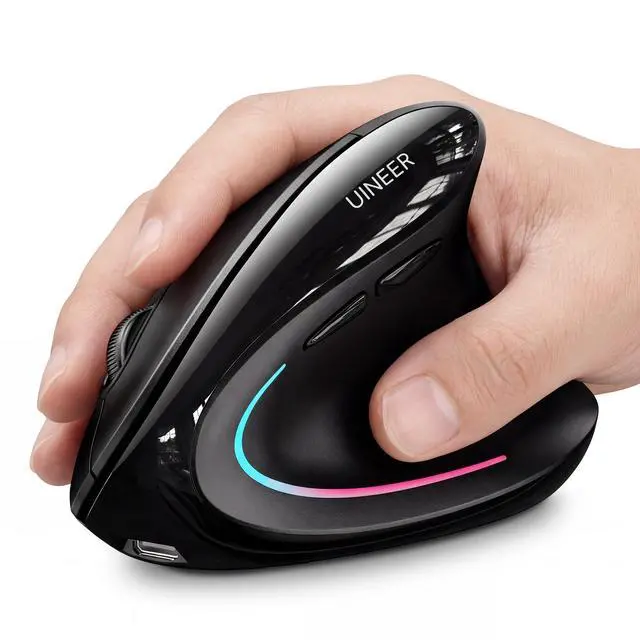





Wireless Ergonomic Mouse, Wireless Bluetooth Rechargeable Vertical Mouse, 7 Color LED, 4 DPI Adjustable, USB-A Receiver, Wrist Strain Relief,Optical Mice for Computer/PC/Laptop, Black (Black)
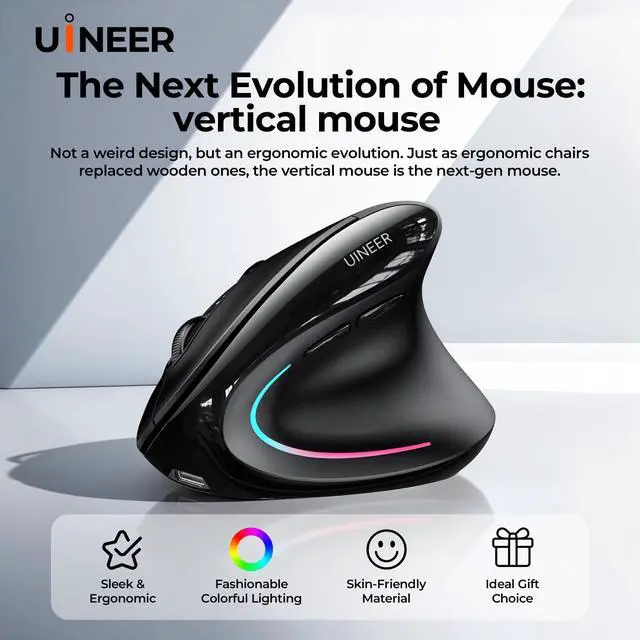
- Ergonomic Vertical Mouse, Relieve Wrist Strain + 7-Color Ambient LightThis wireless vertical mouse features a natural handshake grip to keep wrist straight and forearm relaxed, effectively reducing discomfort from prolonged use and preventing repetitive strain injuries. Stunning 7-color ambient light boosts visual experience; a global bestseller trusted by users in 10+ countries with rave reviews. Note: Ideal for small-medium handsmeasure hand size before ordering.
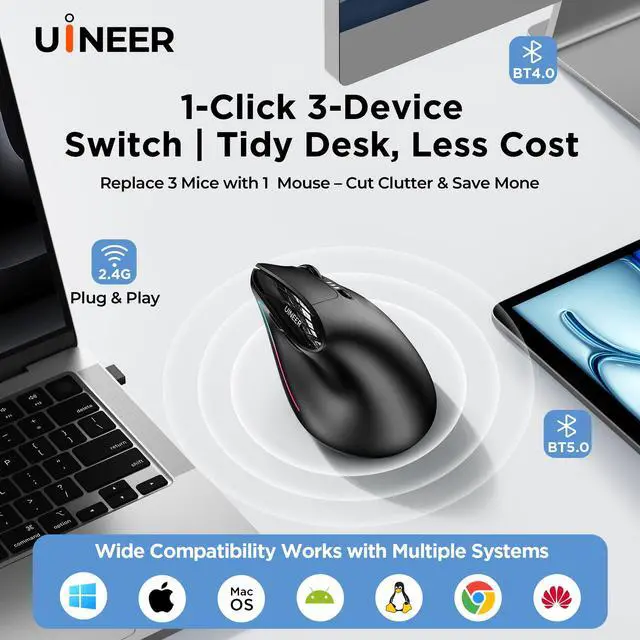
- Dual BT 5.0/4.0 + 2.4G Wireless, Sync 3 DevicesUINEER wireless mouse delivers zero click latency for instant command execution, no lag or unresponsiveness. Supports stable dual wireless modes, connects up to 3 devices (laptop/PC/phone/tablet) simultaneously, seamless switching without re-pairingperfect for office and daily use.
- 4-Level Adjustable DPI, Multi-Scenario AdaptationEquipped with high-performance chip, this ergonomic wireless mouse has 4 adjustable DPI (800/1200/1600/2400) for documents, design, casual gaming. Upgraded tracking ensures smooth operation on various surfaces for all usage needs.
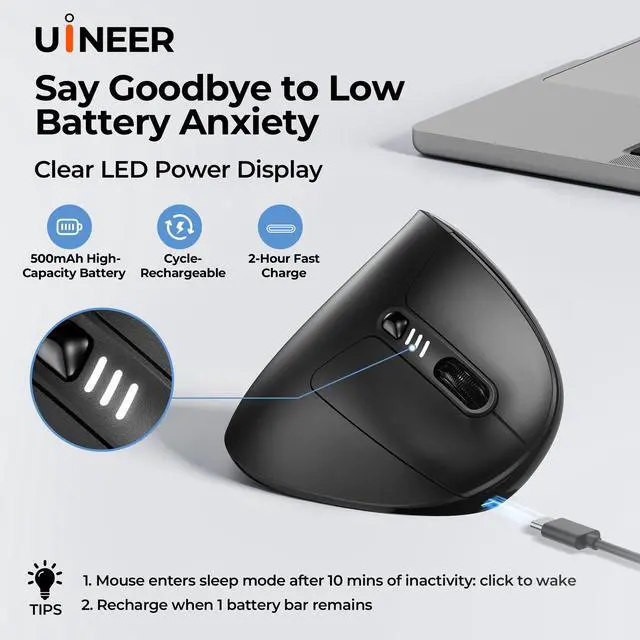
- Responsive Clicks & Smart Power-Saving with Low Battery AlertThis ergonomic mouse features crisp, precise left/right clicks for work and gaming. Intelligent power-saving: auto-sleep after 10-30 mins inactivity, one-click wake-up. Low-battery LED reminder avoids sudden power outages for the wireless mouse.
+
+
Overview
Specs
Reviews

Any questions? Our AI beta will help you find out quickly.
Try me now
How to Use
USB Receiver Connection
1. Before first use, charge the mouse for about 2 hours.
2.Turn on the mouse
3.Press the MODE button and select 2.4G (red light)
4. Remove the USB receiver and Insert it into the USB port of your device
Bluetooth Connection
1. Before first use, charge the mouse for about 2 hours.
2. Switch the mouse mode to BT5.0 (the blue light flashes rapidly) or BT4.0 (the blue light flashes rapidly) mode. (If the indicator light is flashing slowly, long - press the "MODE" button to enter the fast - flash pairing state.)
3. Enable the Bluetooth function on your device, search for and select the Bluetooth name "UineerBT5.0" or "UineerBT4.0" to connect.
Notes
1. If your computer has a Type - C port, you may need to add an extra Type - C adapter to connect the mouse to your device.
2. If you find that the mouse cursor moves slowly or stops working, try charging the mouse.
3. It is recommended to use the USB interface of the computer to charge the wireless mouse.
Warranty & Returns
Warranty, Returns, And Additional Information
Warranty
- Please contact the Seller directly for warranty information. Warranty information may also be found on the Manufacturer's website.
- CONTACT
Return Policies
- Return for refund within: 30 days
- Return for replacement within: 30 days
- This item is covered by Eirtinkylle Return Policy
Manufacturer Contact Info
- For a directory of all our manufacturers, please click below.
- Manufacturers Directory
LOADING...