






Bluetooth Rechargeable Wireless Ultra-Slim Mouse:
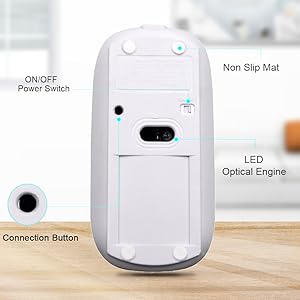
- Turn on the Bluetooth mouse (switch to “on”position)
- Press the black circle “Bluetooth connection” button over 5 seconds .
- Turn on the Bluetooth on your device( such as tablet ,cellphone or notebook)
- Searching for the Bluetooth device, the”Bluetooth mouse” should appear in the list of the discovered Bluetooth device.
- Slect the “ Bluetooth Mouse”,and then click Contiune to begin the pairing process. (Note: Please put "0000" ,"1234" or"1111" when ask for a four-digit code.)
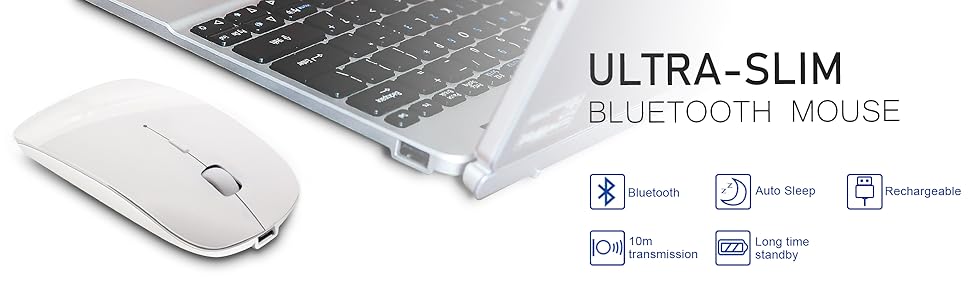
* The mouse will kick into auto sleep mode if not work in few minutes,just press any key or move the mouse ,after a while,it will wake up.
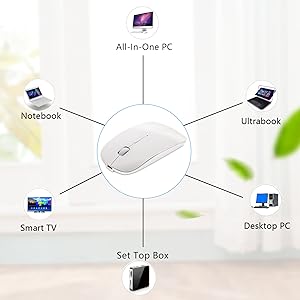
Compatible with most system:
iOS SYSTEM CONNECTION METHOD: please upgraded to the latest software version of iOS13
1. Open Settings
2. Choose Accessibility
3. In Accessible, tap Touch
4. In Touch, toggle AssistiveTouch on
5. In Touch, Devices
6. Choose Bluetooth Devices
7. Set your mouse Bluetooth to discoverable and select the mouse (Bluetooth Mouse 4.0) when it appears
8. Mouse should be connected
Convenient and Nice Appearance:
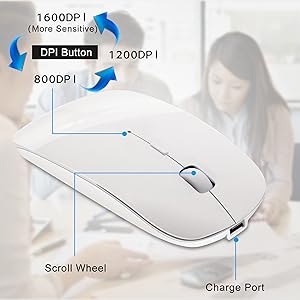
- Sensitive scroll wheel for 3 Grade DPIs: 800DPI,1200DPI,1600DPI, can be applicable to works and games.
- On/Off switch, helps to save power when you do not use it .
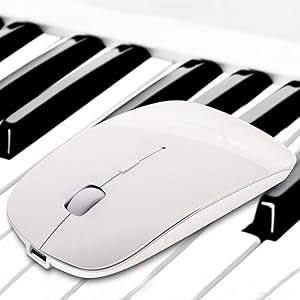
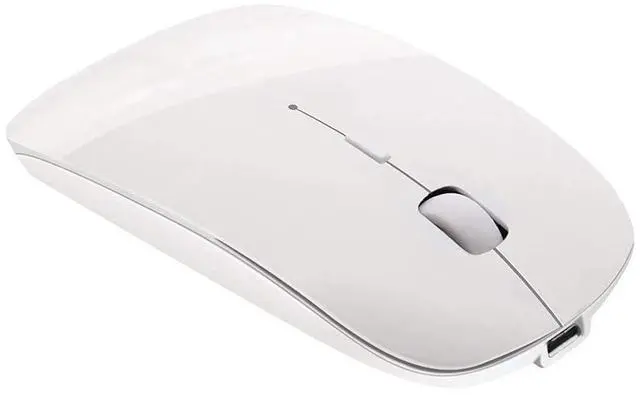
- Top piano lacquer appearance,beautiful shape and with comfortable feel.
- Full paint with mirror effect, never fading
- Ultra-slim,just 112*58*20mm(L x W x H)
- Light Weight, only 100g/pc
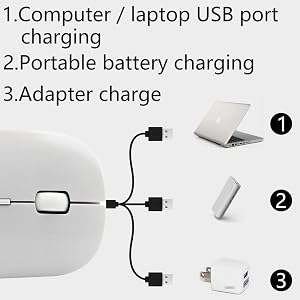
- Switch the mouse to "ON" position when charging ,charging time: 2- 4 hours, blue light shine when charging, blue light automatically extinguished after full charged.
Bluetooth Rechargeable Wireless Ultra-Slim Mouse:
- Turn on the Bluetooth mouse (switch to “on”position)
- Press the black circle “Bluetooth connection” button over 5 seconds .
- Turn on the Bluetooth on your device( such as tablet ,cellphone or notebook)
- Searching for the Bluetooth device, the”Bluetooth mouse” should appear in the list of the discovered Bluetooth device.
- Slect the “ Bluetooth Mouse”,and then click Contiune to begin the pairing process. (Note: Please put "0000" ,"1234" or"1111" when ask for a four-digit code.)
* The mouse will kick into auto sleep mode if not work in few minutes,just press any key or move the mouse ,after a while,it will wake up.
Compatible with most system:
iOS SYSTEM CONNECTION METHOD: please upgraded to the latest software version of iOS13
1. Open Settings
2. Choose Accessibility
3. In Accessible, tap Touch
4. In Touch, toggle AssistiveTouch on
5. In Touch, Devices
6. Choose Bluetooth Devices
7. Set your mouse Bluetooth to discoverable and select the mouse (Bluetooth Mouse 4.0) when it appears
8. Mouse should be connected
Convenient and Nice Appearance:
- Sensitive scroll wheel for 3 Grade DPIs: 800DPI,1200DPI,1600DPI, can be applicable to works and games.
- On/Off switch, helps to save power when you do not use it .
- Top piano lacquer appearance,beautiful shape and with comfortable feel.
- Full paint with mirror effect, never fading
- Ultra-slim,just 112*58*20mm(L x W x H)
- Light Weight, only 100g/pc
- Switch the mouse to "ON" position when charging ,charging time: 2- 4 hours, blue light shine when charging, blue light automatically extinguished after full charged.