



![Main image of Sports Car Mouse [Updated] with LED Headlights, 1600 DPI Wireless Car Shaped Mouse for Mac & Computers, Blue](https://c1.neweggimages.com/productimage/nb640/C85SD2608020LY2UI5E.jpg)
![Alt view image 2 of 6 - Sports Car Mouse [Updated] with LED Headlights, 1600 DPI Wireless Car Shaped Mouse for Mac & Computers, Blue](https://c1.neweggimages.com/productimage/nb640/C85SD2608020LY2W531.jpg)
![Alt view image 3 of 6 - Sports Car Mouse [Updated] with LED Headlights, 1600 DPI Wireless Car Shaped Mouse for Mac & Computers, Blue](https://c1.neweggimages.com/productimage/nb640/C85SD2608020LY2Z0CA.jpg)
![Alt view image 4 of 6 - Sports Car Mouse [Updated] with LED Headlights, 1600 DPI Wireless Car Shaped Mouse for Mac & Computers, Blue](https://c1.neweggimages.com/productimage/nb640/C85SD2608020LY30943.jpg)
![Alt view image 5 of 6 - Sports Car Mouse [Updated] with LED Headlights, 1600 DPI Wireless Car Shaped Mouse for Mac & Computers, Blue](https://c1.neweggimages.com/productimage/nb640/C85SD2608020LY32M4E.jpg)
![Alt view image 6 of 6 - Sports Car Mouse [Updated] with LED Headlights, 1600 DPI Wireless Car Shaped Mouse for Mac & Computers, Blue](https://c1.neweggimages.com/productimage/nb640/C85SD2608020LY30KAB.jpg)



BKLNOG Sports Car Shaped Mouse
Stylish & Smooth Movement
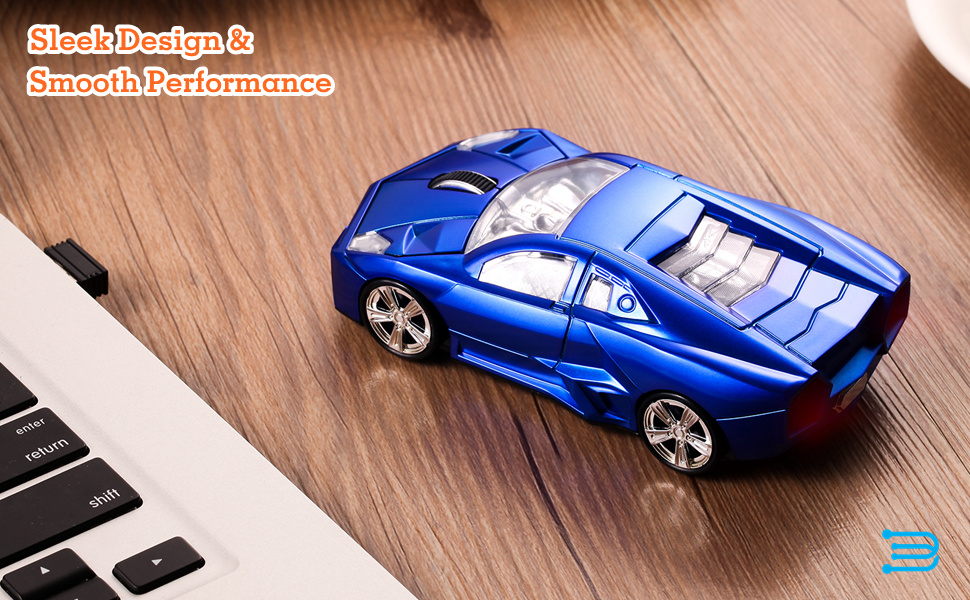
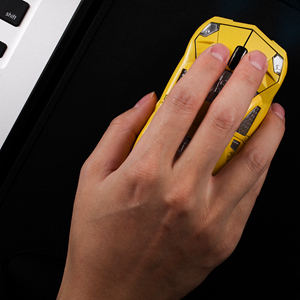
BKLNOG H123 wireless mice comes with a sports car shape, it not only has an eye-catching appearance, but also provides stable performance and comfortable hand feeling. Plug the receiver into your computer's USB port and you're ready to go. The Auto-sleep mode ensures real long battery life, perfect for both home and office applications and it's also a great choice as housewarming gift for friends and especially for kids.
How to Start:
- Take off the car roof cover and take out the mini USB receiver.
- Insert 2 AAA batteries (NOT included) with correct polarity (+/-), then turn on the power switch.
- Insert the mini receiver into your computer's any USB port. You can use this sport car mouse directly after inserting the receiver. (Suggestion: It will be better if plug the USB receiver and turn on the Mouse at same time)
Specifications:
- Power Source: 1 x AA Battery (Not included)
- Interface: USB 2.0
- Frequency: 2.4 GHz Operating Distance: Up to 10M
- Sensitivity: 1600 DPI Buttons: Left / Right Buttons + 1 Scroll Wheel
- Operating Life: 5 million cycles, automatic power on / sleep
- Compatible Systems: Windows 10 / 8 / 7 / XP / Vista / NT, Mac OS, Linux
Warm Tips:
- Requires 1 x AA batteries.
- Recommended to use with a mouse pad to move for precise optical tracking.
- The USB receiver is placed beside the battery slot, just take off the cover under the mouse, and then you will find it there.
- Cute design with LED light, as it has no individual switch for the LED light, the light is formed because of light transmission, so the light is not strong, this could also save battery power.
- It will be better by plugging the USB receiver and turning on the mouse at same time. If it's not working, please turn off the switch, pull out the receiver then try again.
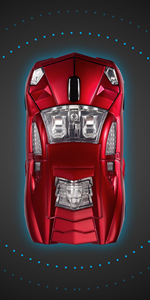 H123 | 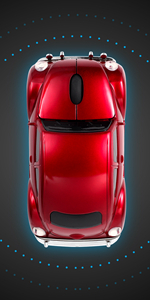 H120 | 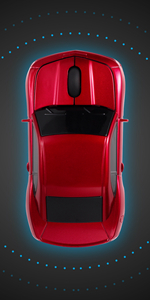 H121 | 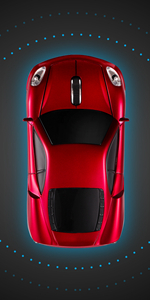 H122 | |
|---|---|---|---|---|
| Customer Reviews | — | — | — | — |
| Price | — | — | — | — |
| Wireless connection: | USB/2.4G | USB/2.4G | USB/2.4G | |
| DPI Level: | 1600 | 1600 | 1600 | 1600 |
| Battery Used: | 1xAA | 2xAAA | 2xAAA | 1xAA |
| Available Colors: | Red / Yellow / Blue | Red / Yellow / Blue / Black | Red / Yellow / Blue | Red / Grey / Blue |
| Dimensions: | 4.5 x 2.3 x 1.2 in | 4.6 x 2.3 x 1.7 in | 4.8 x 2.9 x 1.9 in | 4.5 x 2.3 x 1.2 in |
| Net Weight: | 2.24 oz | 2.29 oz | 1.94 oz | 2.89 oz |
BKLNOG Sports Car Shaped Mouse
Stylish & Smooth Movement
BKLNOG H123 wireless mice comes with a sports car shape, it not only has an eye-catching appearance, but also provides stable performance and comfortable hand feeling. Plug the receiver into your computer's USB port and you're ready to go. The Auto-sleep mode ensures real long battery life, perfect for both home and office applications and it's also a great choice as housewarming gift for friends and especially for kids.
How to Start:
- Take off the car roof cover and take out the mini USB receiver.
- Insert 2 AAA batteries (NOT included) with correct polarity (+/-), then turn on the power switch.
- Insert the mini receiver into your computer's any USB port. You can use this sport car mouse directly after inserting the receiver. (Suggestion: It will be better if plug the USB receiver and turn on the Mouse at same time)
Specifications:
- Power Source: 1 x AA Battery (Not included)
- Interface: USB 2.0
- Frequency: 2.4 GHz Operating Distance: Up to 10M
- Sensitivity: 1600 DPI Buttons: Left / Right Buttons + 1 Scroll Wheel
- Operating Life: 5 million cycles, automatic power on / sleep
- Compatible Systems: Windows 10 / 8 / 7 / XP / Vista / NT, Mac OS, Linux
Warm Tips:
- Requires 1 x AA batteries.
- Recommended to use with a mouse pad to move for precise optical tracking.
- The USB receiver is placed beside the battery slot, just take off the cover under the mouse, and then you will find it there.
- Cute design with LED light, as it has no individual switch for the LED light, the light is formed because of light transmission, so the light is not strong, this could also save battery power.
- It will be better by plugging the USB receiver and turning on the mouse at same time. If it's not working, please turn off the switch, pull out the receiver then try again.
H123 | H120 | H121 | H122 | |
|---|---|---|---|---|
| Customer Reviews | — | — | — | — |
| Price | — | — | — | — |
| Wireless connection: | USB/2.4G | USB/2.4G | USB/2.4G | |
| DPI Level: | 1600 | 1600 | 1600 | 1600 |
| Battery Used: | 1xAA | 2xAAA | 2xAAA | 1xAA |
| Available Colors: | Red / Yellow / Blue | Red / Yellow / Blue / Black | Red / Yellow / Blue | Red / Grey / Blue |
| Dimensions: | 4.5 x 2.3 x 1.2 in | 4.6 x 2.3 x 1.7 in | 4.8 x 2.9 x 1.9 in | 4.5 x 2.3 x 1.2 in |
| Net Weight: | 2.24 oz | 2.29 oz | 1.94 oz | 2.89 oz |