

Your Browsing History

Meet Your Seller

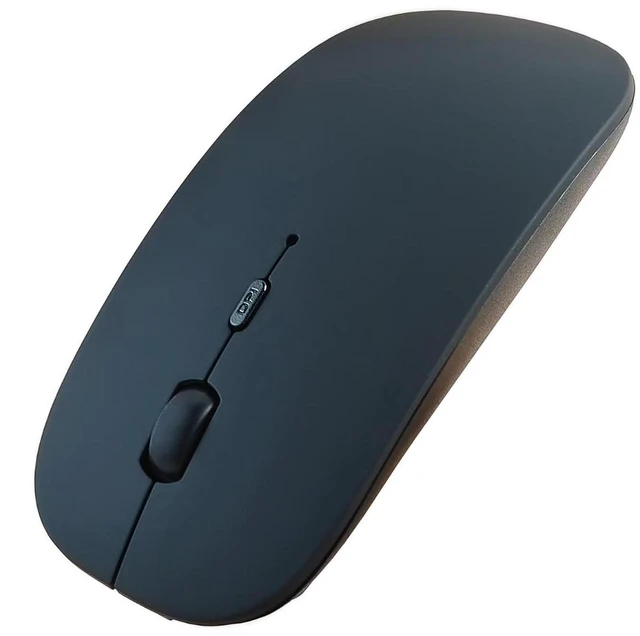


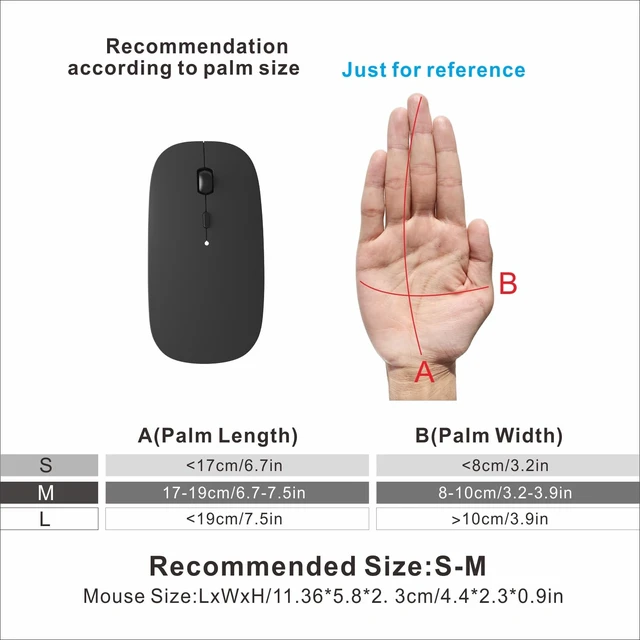




Bluetooth Wireless Slim Rechargeable Silent Mouse Matte Black | Bluetooth,USB C Charging, Portable, Quiet Click,wireless, for Laptop/Mac
- New Upgrade Working Modes: Bluetooth mouse is compatible with Windows, iPad/iPhone/ operating systems (Only Bluetooth), Android, and Linux. Tablets, Lenovo, Asus, HP, Surface, etc. If you are using a wireless mouse on your iPad/iPhone, upgrade your device first. If you can not connect, please contact after-sales service in time, we will solve your problem.
- compatible with most system including PC,Notebook,Desktop,Pad,Laptop; Support Win7 Win8 Win10 Linux or Android Tablet.Not for Mac,MacBook
- [Adjustable DPI]: 3 adjustable DPI levels, using high-performance optical chips, up to 1600 DPI (800/1200/1600) accurately tracking. Advanced optical tracking technology with quick click and responsiveness.
- Rechargeable Bluetooth Wireless Mouse and Hassle-free Services]:rechargeable bluetooth wireless mouse built-in durable Li-polymer rechargeable battery, 3 hours full charge, lasting use time, work above 3-4 weeks. It will go into sleep mode to save energy. 12-month worry-free warranty.this mouse has TPC charger spot usb-c.
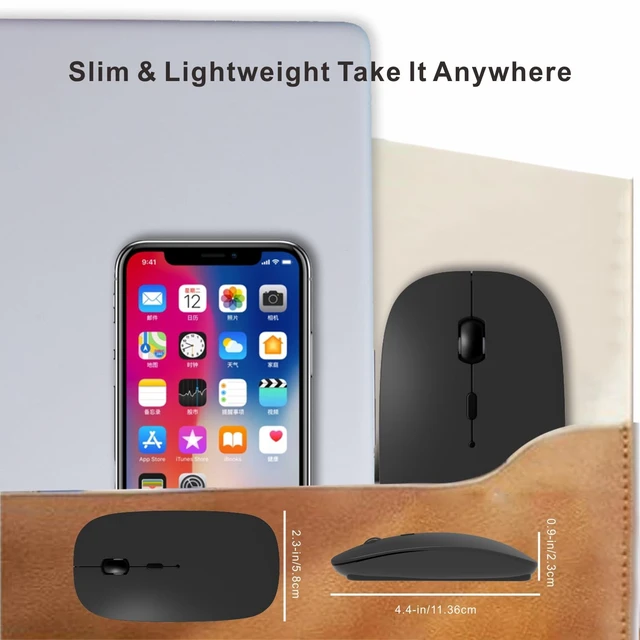
- Silent Click & Portable design: The mute button reduces noise. Suitable for offices, meetings, cafes, libraries and bedrooms. The flat design is suitable for traveling.
+
+
Overview
Specs
Reviews

Any questions? Our AI mode will help you find out quickly.
Try me now
HOTDREAM Bluetooth wireless mouse is more conducive to our connection and use on computer device, (Only Bluetooth)
>>How to charge?
Charge the mouse for about 2 hours before use it for the first time.with 5v adapter for charging.
When the cursor doesn't move, or suddenly disconnects during use, need to charge the mouse.
>>How to use Bluetooth mouse mode:
1.slide the switch to BT mode, 2.open system preferences settings,turn on Bluetooth function , 3.when laptop Bluetooth is searching for nearby Bluetooth devices,press and hold the connect button at the bottom of the mouse for 3 seconds, The light flashes . 4.Bluetooth search there appears BT mouse, click to connect "Bluetooth mouse 4.0" , connection is OK
>>Note: This mouse cannot be connected Mac Book,MacBook air,MacBook pro.
>>How to use the bluetooth mouse on iPad: First, open iPad settings, find accessibility, turn on touch controls,>find assistive touch controls, turn on assistive touch controls, >pull down to find the device, turn on the Bluetooth device,> turn on the mouse switch, press and hold the button on the bottom of the mouse for 3seconds, iPad will search BT5.2 mouse and click "Connect". Pairing password: 0000, (if you can't find the mouse, please restart the mouse,restart iPad Bluetooth function, restart the iPad)
>>Packing list:
HOTDREAM Bluetooth mouse *1
USB charging line *1
NO USB2.4G receiver/Type C adapter(only bluetooth mouse)
Instructions*1.
Mouse M03 silver(rechargeable)
Warranty & Returns
Warranty, Returns, And Additional Information
Warranty
- Please contact the Seller directly for warranty information. Warranty information may also be found on the Manufacturer's website.
- CONTACT
Return Policies
- Return for refund within: 30 days
- Return for replacement within: 30 days
- This item is covered by ReachAll Trading Shop Return Policy
Manufacturer Contact Info
- For a directory of all our manufacturers, please click below.
- Manufacturers Directory
LOADING...