here!
here!
I’m your shopping assistant for PC builds, upgrades, and everything tech.
Got questions? Ask away!
Start a conversation
here!
I’m your shopping assistant for PC builds, upgrades, and everything tech.
Got questions? Ask away!
Start a conversation



Any questions? Ask CelesteSM will help you find out quickly.

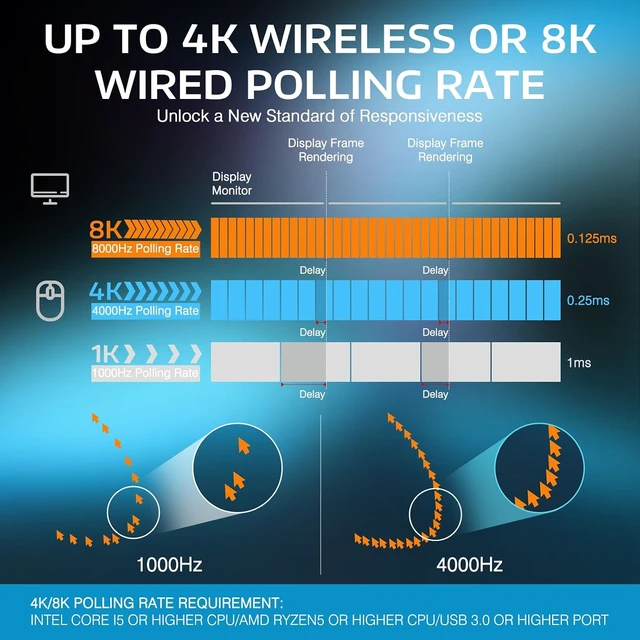
Achieve a polling rate of up to 4000Hz in wireless mode or 8000Hz in wired mode, the response time is reduced from 1ms at 1000Hz to as low as 0.125ms

Unrivaled precision with 1-to-1 tracking brings you absolute control, capable of 650 IPS speed, 50g acceleration, 26,000 programmable DPI, up to 8000Hz polling rate.

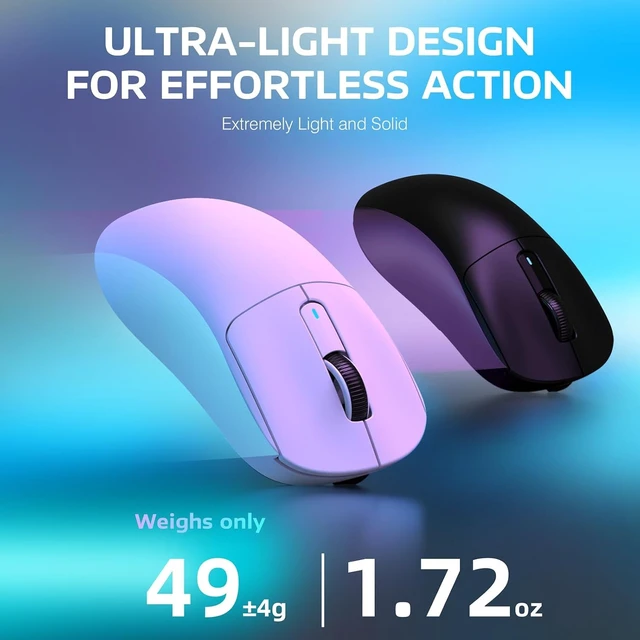
Extremely Light and Solid
A lower weight allows you to move, accelerate, and stop the mouse with more precision.

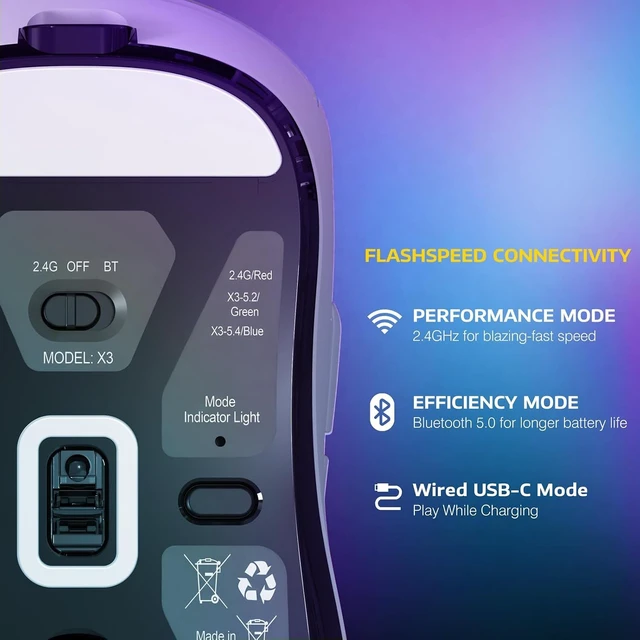
Connect the way you like
2.4G Wireless | Bluetooth 5.0 | Type-c Wired

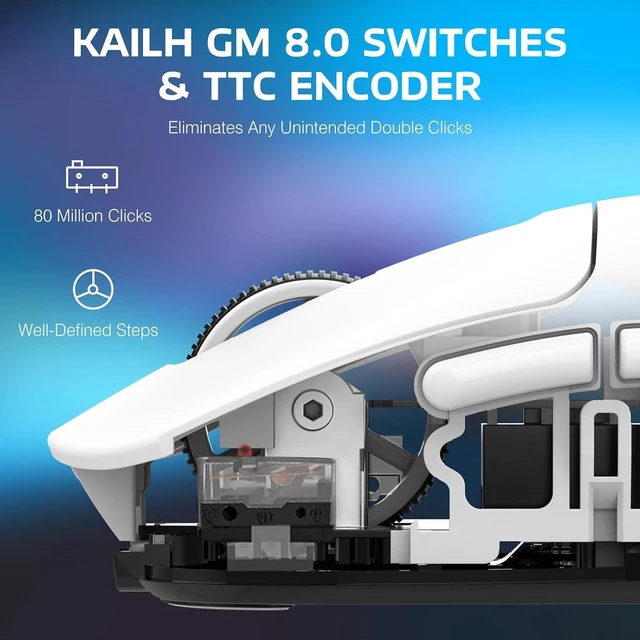
Better feedback
Over 80 million cycles by using the top-end Kailh GM 8.0 switches


The symmetrical ergonomics of the X3 is designed for a player’s highest demand for precision and comfort using claw, fingertip or palmgrip styles.

To program your buttons, DPI, polling rate, lift-off distance, debounce time, macros and more. (Note: During the download and installation process, risk messages may appear due to language and system issues, please rest assured that our software is safe)
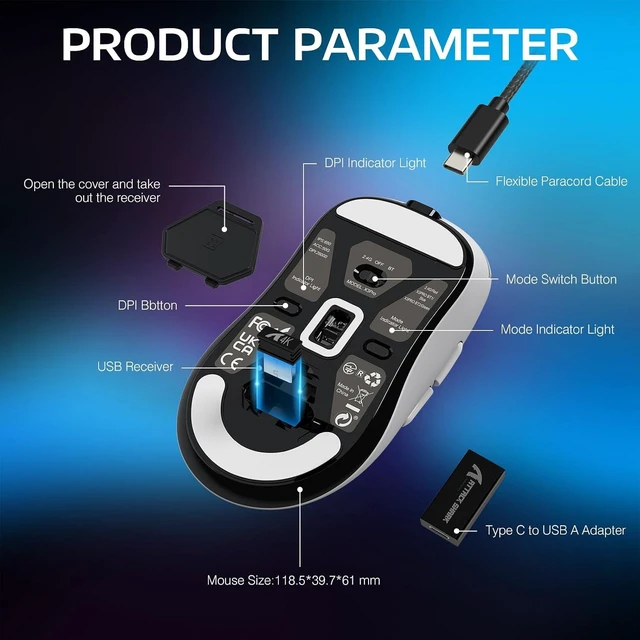
Precautions for first-time use and the location of the USB receiver
1. Please open the cover on the back of the mouse and take out the USB receiver.
2. Please tear off the protective film of the feet to get the best experience.
How to precisely adjust the DPI value?
You can enter the required value under the DPI setting of the software and click the save button to apply it. Supporting minimum 50 DPI step setting.
How to use 2.4G wireless connection?
Turn the switch on the back of the mouse to 2.4G, and plug the USB receiver into the computer to use it.
How to use Bluetooth connection?
a) Toggle the switch on the back to Bluetooth.
b) Long press the Bluetooth button for 3 seconds
b) Turn on the Bluetooth switch of the device, find the device named "X3PRO BT1/X3PRO BT2", click to connect.

Achieve a polling rate of up to 4000Hz in wireless mode or 8000Hz in wired mode, the response time is reduced from 1ms at 1000Hz to as low as 0.125ms

Unrivaled precision with 1-to-1 tracking brings you absolute control, capable of 650 IPS speed, 50g acceleration, 26,000 programmable DPI, up to 8000Hz polling rate.
A lower weight allows you to move, accelerate, and stop the mouse with more precision.
2.4G Wireless | Bluetooth 5.0 | Type-c Wired
Over 80 million cycles by using the top-end Kailh GM 8.0 switches


The symmetrical ergonomics of the X3 is designed for a player’s highest demand for precision and comfort using claw, fingertip or palmgrip styles.
To program your buttons, DPI, polling rate, lift-off distance, debounce time, macros and more. (Note: During the download and installation process, risk messages may appear due to language and system issues, please rest assured that our software is safe)
| Product Model | X3PRO |
|---|---|
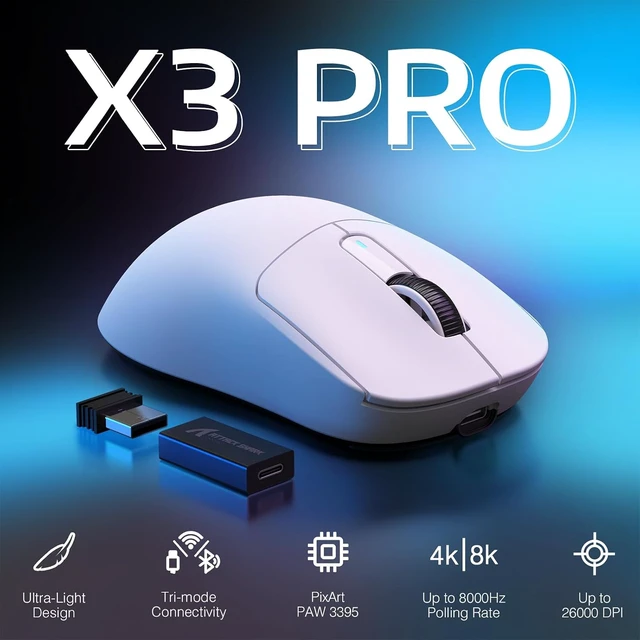
| Sensor Model | PixArt PAW 3395 |
| Switches Model | Kailh GM8.0 Switches, 80 Million Click |
| Connection Method | 2.4Ghz Wireless/Bluetooth/USB-C Wired |
| Polling Rate | Up to 4000Hz in wireless or 8000Hz in wired mode |
| DPI | 26,000 DPI, Programmable |
| Acceleration | 50G ACC |
| Theoretical Battery Life | Up to 200Hrs |
| Bluetooth Name | X3PRO BT1/X3PRO BT2 |
| System Support | Window7/8/10/11/Mac Os |
| Supported devices | PC, Mac, Smartphone, Tablet |
| Mouse Size | 118.5*61*39.7 mm |
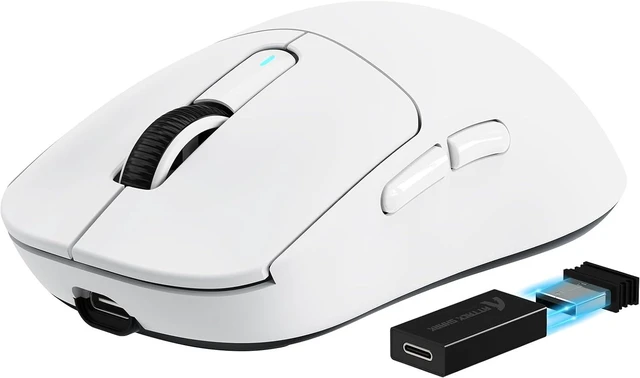
| What's in the package | X3PRO Mouse *1, 2.4G Receiver *1, USB-C Cable *1, USB C to USB A extender*1, Manual *1 |
Precautions for first-time use and the location of the USB receiver
1. Please open the cover on the back of the mouse and take out the USB receiver.
2. Please tear off the protective film of the feet to get the best experience.
How to precisely adjust the DPI value?
You can enter the required value under the DPI setting of the software and click the save button to apply it. Supporting minimum 50 DPI step setting.
How to use 2.4G wireless connection?
Turn the switch on the back of the mouse to 2.4G, and plug the USB receiver into the computer to use it.
How to use Bluetooth connection?
a) Toggle the switch on the back to Bluetooth.
b) Long press the Bluetooth button for 3 seconds
b) Turn on the Bluetooth switch of the device, find the device named "X3PRO BT1/X3PRO BT2", click to connect.