




 here!
I’m your shopping assistant for PC builds, upgrades, and everything tech.
Got questions? Ask away!
Start a conversation
here!
I’m your shopping assistant for PC builds, upgrades, and everything tech.
Got questions? Ask away!
Start a conversation
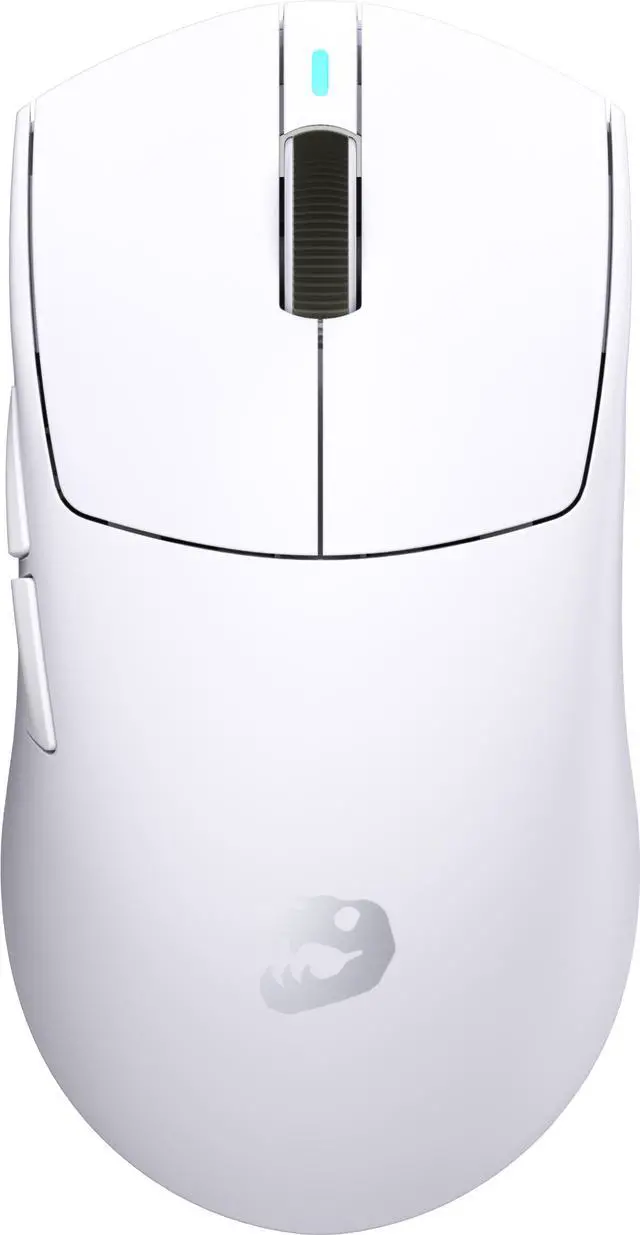
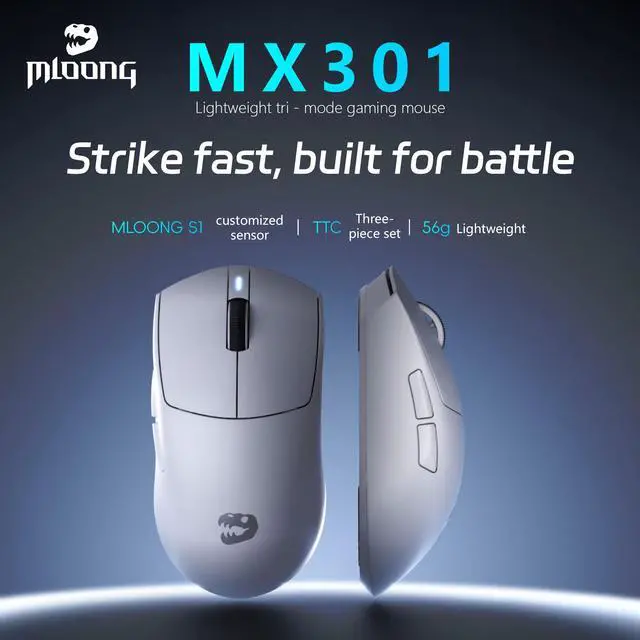



Any questions? Ask CelesteSM will help you find out quickly.


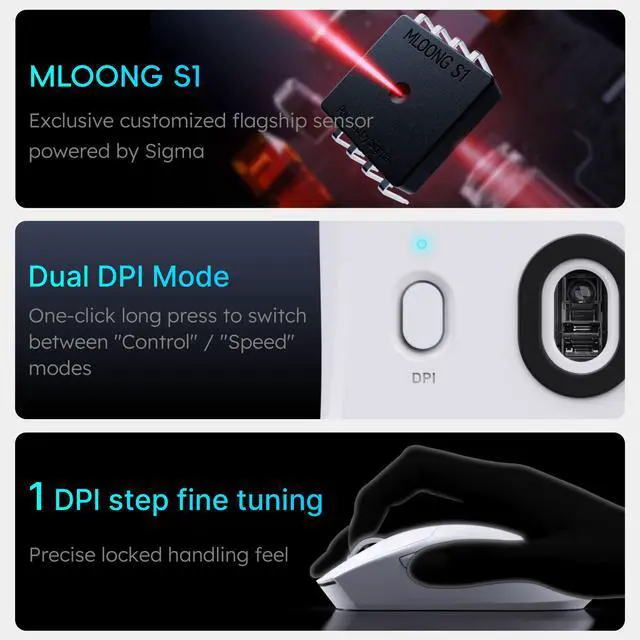
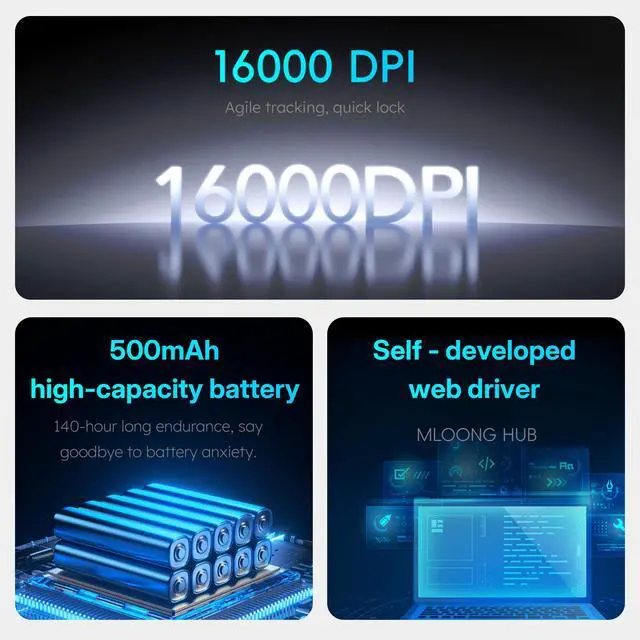
This PC gaming mouse features the MLOONG S1 sensor, delivering exceptional precision and responsiveness with tracking speeds exceeding 300 IPS and sensitivity up to 16,000 DPI.
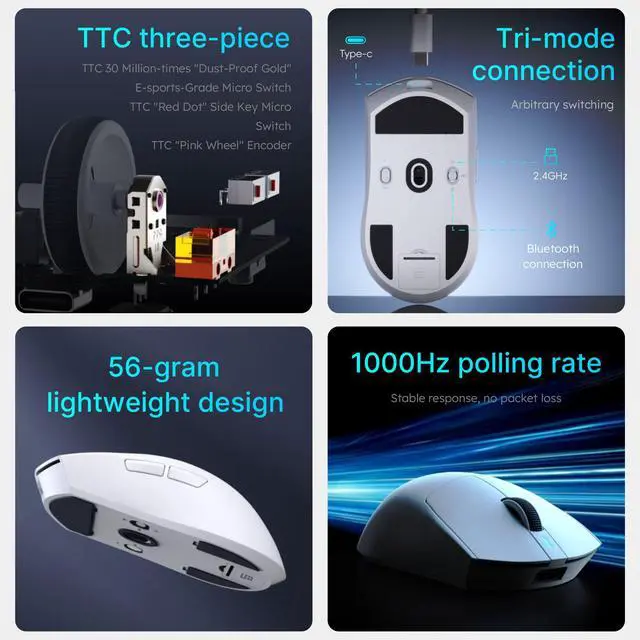
Ultra-high-speed wireless technology paired with a 1kHz polling rate ensures a zero-latency gaming experience, offering swift, stable, and reliable responsiveness.
The 500mAh battery supports up to 140 hours of continuous gaming.
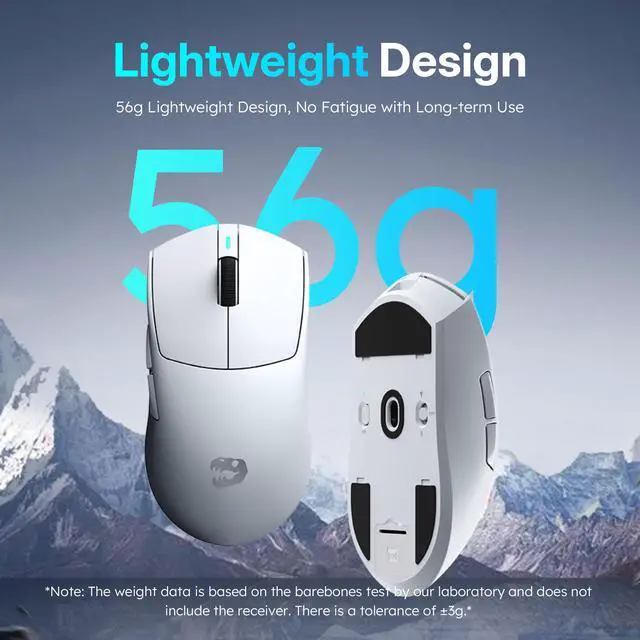
Its lightweight symmetrical design weighs just 55 grams. The low-profile shape with a rounded back provides a comfortable grip and flexible control, accommodating various gaming styles.
Built for durability and portability, it includes an integrated USB receiver storage slot.
The MX301 stores 10 DPI presets in onboard memory and supports 5 programmable buttons, enabling full customization via MLOONG HUB.
Mechanical key tension adjustment technology enhances button consistency, reduces actuation force, and delivers crisp, reliable operation.
The MLOONG MX301 is a lightweight wireless gaming mouse for PC and Mac, combining a 16,000 DPI MLOONG S1 sensor, 1kHz wireless polling, five programmable buttons, and onboard memory for competitive players who want fast, customizable control.
| Attribute | Value |
|---|---|
| Best For | PC and Mac gaming users seeking a wireless mouse with high-DPI precision and programmable controls |
Q: Should I buy the MLOONG MX301 or the Razer Viper V3 Pro for competitive FPS gaming?
A: Choose the MLOONG MX301 if you prioritize a 56-gram design and longer claimed battery life of up to 140 hours at a 1kHz polling rate. Choose the Razer Viper V3 Pro if you want a lighter 54- to 55-gram mouse, an 8kHz polling option, a higher-specification optical sensor, optical switches, and a more established competitive-gaming software ecosystem. The MX301 is the more battery-focused option, while the Viper V3 Pro is the performance-first choice for users who specifically want high polling rates and premium controls.
Q: Is the MLOONG MX301 a better choice than the Logitech G Pro X Superlight 2?
A: The MLOONG MX301 is the better fit if you want a slightly lighter mouse and longer claimed battery life: 56 grams and up to 140 hours versus 60 grams and 95 hours for the Logitech G Pro X Superlight 2. The Logitech is the stronger choice if you want its HERO 2 sensor, up to 8kHz polling, LIGHTFORCE hybrid switches, POWERPLAY compatibility, and Logitech G HUB support. Choose the MX301 for battery endurance and portability; choose the Superlight 2 for higher-end sensor and ecosystem features.
Q: Should I choose the MLOONG MX301 or the cheaper VXE R1?
A: Choose the VXE R1 when the lower-cost entry point and widely discussed budget value matter most. Choose the MLOONG MX301 when you prefer a documented 56-gram design, up to 140 hours of claimed battery life, onboard DPI memory, and a low-profile symmetrical shape. VXE R1 models vary by version, so buyers should verify the exact sensor, battery, polling rate, and weight before comparing prices. The MX301 offers a clearer battery-focused specification, while the R1 is the more price-sensitive alternative.
Q: Is the MLOONG MX301 worth upgrading to from the MLOONG MX301 Pro?
A: The MX301 is the better fit if you want a simpler, lighter wireless mouse with a 56-gram design and up to 140 hours of claimed battery life. The MX301 Pro is the upgrade-oriented option when its higher battery rating, composite-carbon-fiber construction, adjustable lift-off distance, and wired, 2.4GHz wireless, and Bluetooth modes are more important. Because the MX301 Pro has been reported with different sensor and battery specifications across listings, compare the exact regional configuration before upgrading.
Q: Is the MLOONG MX301 suitable for long gaming sessions or travel?
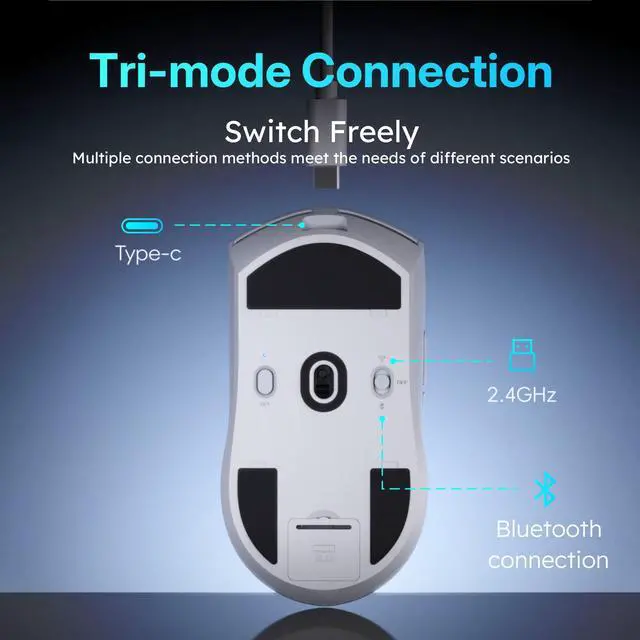
A: Yes. Its 500mAh battery is rated for up to 140 hours of continuous gaming, although actual battery life varies with usage. The built-in USB receiver storage slot also makes it easier to carry. The product information identifies wireless receiver connectivity but does not list Bluetooth support.
Q: Is the MLOONG MX301 good for both gaming and everyday office work?
A: Yes. The MX301 supports PC and Mac use and has a lightweight 56-gram symmetrical design suited to general navigation and gaming. Its five programmable buttons and ten stored DPI presets are useful for users who want customized controls. MLOONG HUB is required for customization, and Mac support for that software is not specified in the provided product information.
Q: Can I customize the MX301's buttons and DPI settings?
A: Yes. MLOONG HUB supports customization of the five programmable buttons, and the mouse can store ten DPI presets in onboard memory. This is useful for switching between sensitivity settings or control layouts without relying on software every time, provided the desired settings are saved to the mouse.
Q: Who is the MLOONG MX301 best suited for?
A: It is best suited for PC or Mac users who prefer a lightweight, symmetrical mouse for gaming, everyday computing, or both. The 56-gram weight, low-profile rounded shape, 16,000 DPI sensor, 1kHz polling rate, and five programmable buttons favor users who value fast movement and moderate customization. It may be less suitable for users who prefer a large ergonomic shape or many dedicated side buttons.
Q: Does the MLOONG MX301 connect by Bluetooth?
A: Bluetooth support is not listed in the provided specifications. The product is described as a wireless mouse with an integrated USB receiver storage slot, so buyers should plan to use its wireless USB receiver unless MLOONG confirms Bluetooth compatibility separately.
Q: Is the MLOONG MX301 suitable for competitive gaming and fast flicks?
A: Yes, its 16,000-DPI sensor, tracking speed above 300 IPS, and 1 kHz polling rate are appropriate for competitive PC gaming. A Reddit user reported no tracking problems while playing Valorant, but independent user testing is still limited.
Q: Is the MLOONG MX301 a good choice for work, documents, or coding?
A: It can handle documents, coding, and general computer use, especially if you prefer a lightweight 56-gram mouse. Its five-button gaming layout and low-profile shape may be less suitable if you prioritize office ergonomics or need many productivity shortcuts.
Q: How long does the MLOONG MX301 battery last in real-world use?
A: The listed battery capacity is rated for up to 140 hours, but actual runtime depends on usage and wireless settings. A Reddit report described roughly two to three days of continuous use, so buyers should treat 140 hours as a maximum estimate rather than a guaranteed runtime.
Q: Is the MLOONG MX301 worth buying as a budget wireless gaming mouse?
A: It is worth considering if you want a lightweight wireless mouse with long advertised battery life, onboard memory, five programmable buttons, and a symmetrical design. The main trade-offs are limited long-term community feedback, reliance on MLOONG HUB for customization, and fewer buttons than productivity-focused mice.


