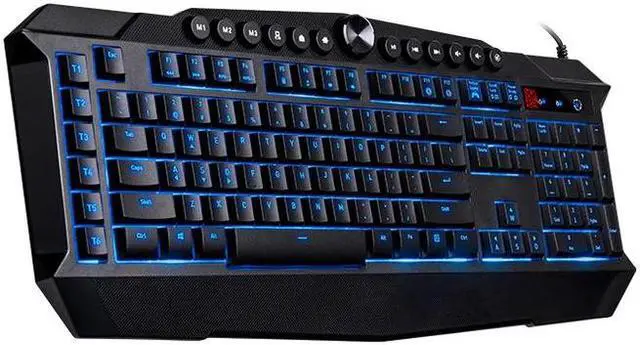
The Thermaltake Challenger Prime V2 is a membrane gaming keyboard with three-color backlighting, macro and media controls, switchable keys, and anti-ghosting, suited to PC gamers who want gaming-focused controls and lighting in a membrane keyboard.
Recommended For
- PC gamers who use repeated commands in RPGs or strategy games and want six dedicated macro keys plus software for mapping keys and macros.
- Players who want a wired keyboard with anti-ghosting for pressing several keys together during gameplay; the V2 supports up to 19-key anti-ghosting.
- Desk-based PC users who want dedicated media and profile controls, game mode, and a brightness dial without relying on a compact keyboard layout.
- Gamers who prefer a membrane keyboard and want simple backlighting in blue, red, or purple, with static or pulse effects.
Real-World Use Scenarios
- In games that use several simultaneous movement or action keys, a player can press combinations without ordinary multi-key input blocking getting in the way; this can help keep movement and actions registered together.
- For games with repetitive commands, a player can assign macros to the dedicated keys in the software, making those commands easier to trigger without memorizing a longer key sequence.
- When gaming or watching videos at a desk, users can adjust volume or control media from the keyboard, reducing the need to switch windows or reach for separate controls.
- In a dim room, users can choose the keyboard’s red, blue, or purple backlight and adjust its brightness to make the keys easier to see; the lighting is limited to those colors rather than per-key RGB customization.
- For a gaming setup shared across different games or users, the profile keys let users switch among saved configurations instead of reapplying their preferred settings each time.




 here!