




 here!
I’m your shopping assistant for PC builds, upgrades, and everything tech.
Got questions? Ask away!
Start a conversation
here!
I’m your shopping assistant for PC builds, upgrades, and everything tech.
Got questions? Ask away!
Start a conversation






Any questions? Ask CelesteSM will help you find out quickly.

Engage in the dynamic glow of the F75's RGB backlight, presenting a rich spectrum of 16.8 million colors for a personalized typing environment. Tailor lighting patterns to suit your preferences, creating a desktop atmosphere that adapts to your mood.

Can the charging light be turned off?
Yes, press "FN+L_Shfit" to switch the charge indicator until the LED is off.
How do you make the the knob adjust volume?
The knob has two functions, If you find that rotating the knob cannot adjust the volume. Long press the "knob" until the LEDs of the "Win" and "Caps Lock" keys flash 3 times, indicating a successful mode switch. Then you can adjust the volume
Can you re-program the keys for Mac users?
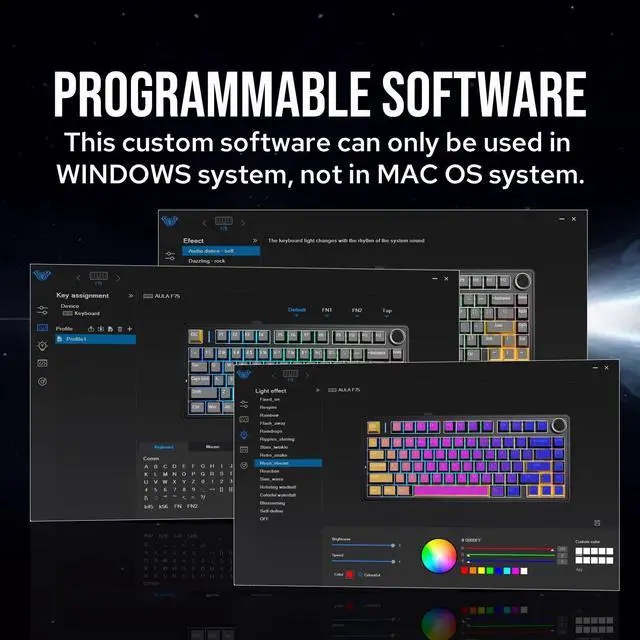
This keyboard is Mac and Windows compatible, but the driver only supports Windows, so Mac users will not be able to re-program the keys.
Why doesn't the "WIN" key work?
The "FN+WIN" combination can lock or unlock the "WIN" key. When the "WIN" key is locked, it will light up in white. In the locked state, the "WIN" key will be disabled.

F65 |

TH80 V2 |

F75 Ultra |

F75 |
TH85 |

F75 MAX |

F99 PRO |
|
|---|---|---|---|---|---|---|---|
|
Customer Reviews
|
— | — | — | — | — | — | — |
|
Price
|
— | — | — | — | — | — | — |
|
Layout&Key
|
65% Layout &67 Keys | 75% Layout &79+1 Keys | 75% Layout &80+1 Keys | 75% Layout &80+1 Keys | 75% Layout &84 Keys | 75% Layout &80+1 Keys | 1800 Layout &99 Keys |
|
Mount Type
|
Gasket Mounted | Gasket Mounted | Gasket Mounted | Gasket Mounted | Gasket Mounted | Gasket Mounted | Gasket Mounted |
|
Connectivity
|
BT/2.4Ghz/USB-C | BT/2.4Ghz/USB-C | BT/2.4Ghz/USB-C | BT/2.4Ghz/USB-C | BT/2.4Ghz/USB-C | BT/2.4Ghz/USB-C | BT/2.4Ghz/USB-C |
|
Battery Capacity
|
4000mAh | 8000mAh | 10000mAh | 4000mAh | 4000mAh | 4000mAh | 8000mAh |
|
Keycap Material&Profile
|
PBT&Cherry | PBT&Cherry | PC&Cherry | PBT&Cherry | PBT&Cherry | PBT&Cherry | PBT&Cherry |
|
Polling Rate
|
1000hz (USB/2.4G), 125hz(BT) | 1000hz (USB/2.4G), 125hz(BT) | 1000hz (USB/2.4G), 125hz(BT) | 1000hz (USB/2.4G), 125hz(BT) | 1000hz (USB/2.4G), 125hz(BT) | 1000hz (USB/2.4G), 125hz(BT) | 1000hz (USB/2.4G), 125hz(BT) |
|
NKRO/Anti-ghosting
|
? | ? | ? | ? | ? | ? | ? |
|
Hot Swappable
|
? | ? | ? | ? | ? | ? | ? |
|
RGB Backlight
|
? | ? | ? | ? | ? | ? | ? |
|
Stabilizer Type
|
Plate-mounted | Plate-mounted | Plate-mounted | Plate-mounted | Plate-mounted | Plate-mounted | Plate-mounted |
|
KickStand
|
No | Adjustable | Adjustable | Adjustable | Adjustable | Adjustable | Adjustable |
|
Size&Weight
|
32.5*11.6*4.4 cm&0.8kg | 32.3*14.1*4.4cm & 0.9kg | 32.3*14.3*4.3cm & 1kg | 322.7*143.2*43.1mm&0.98kg | 350*140*42mm&0.94kg | 328*143*44mm&0.96kg | 405*136*32mm&1.2kg |


Composed of a team of young gamers, software engineers, and product designers who love tech gadgets, we set out to develop the best products that encapsulate personality, functionality, and affordability. Unsatisfied with the keyboards currently out there, we have created our ultimate sturdiness, wireless, and fully-customizable mechanical keyboard. Our promise is to deliver a keyboard that meets all of your workflow needs.
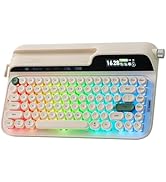
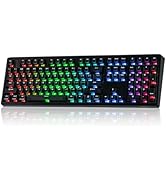

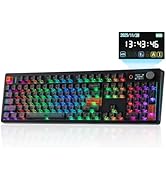
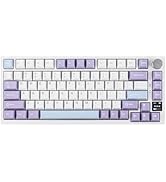
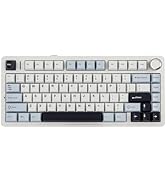
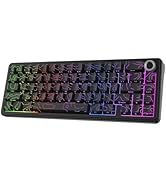
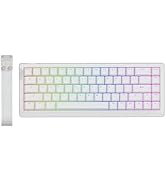
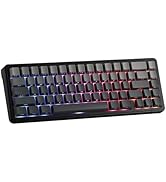
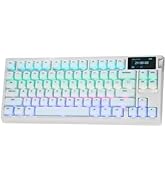
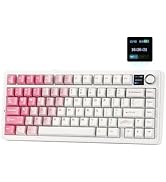
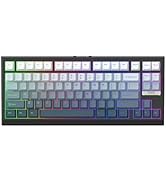
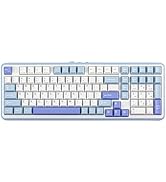
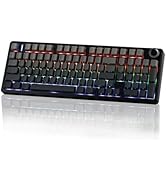
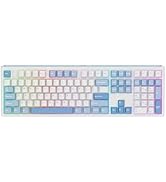
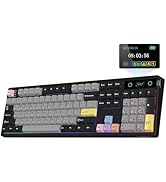
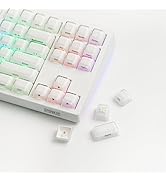
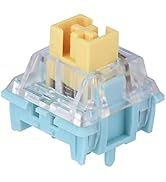
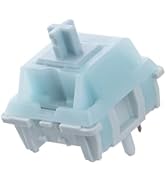
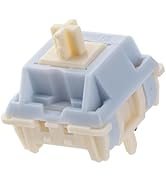
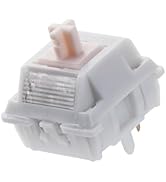


Indulge in the creamy, smooth melody of F75, composed by the rhythmic thud of every keystroke. Factory lubed and tuned, the stabilizers and linear switches sound as incredible as they feel, with the right amount of creamy and thockey combined.
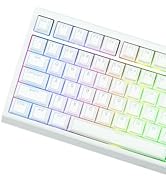
Engage in the dynamic glow of the F75's RGB backlight, presenting a rich spectrum of 16.8 million colors for a personalized typing environment. Tailor lighting patterns to suit your preferences, creating a desktop atmosphere that adapts to your mood.
Can the charging light be turned off?
Yes, press "FN+L_Shfit" to switch the charge indicator until the LED is off.
How do you make the the knob adjust volume?
The knob has two functions, If you find that rotating the knob cannot adjust the volume. Long press the "knob" until the LEDs of the "Win" and "Caps Lock" keys flash 3 times, indicating a successful mode switch. Then you can adjust the volume
Can you re-program the keys for Mac users?
This keyboard is Mac and Windows compatible, but the driver only supports Windows, so Mac users will not be able to re-program the keys.
Why doesn't the "WIN" key work?
The "FN+WIN" combination can lock or unlock the "WIN" key. When the "WIN" key is locked, it will light up in white. In the locked state, the "WIN" key will be disabled.
|
F65 |
TH80 V2 |
F75 Ultra |
F75 |
TH85 |
F75 MAX |
F99 PRO |
|---|---|---|---|---|---|---|
| Customer Reviews | ||||||
| — | — | — | — | — | — | — |
| Price | ||||||
| — | — | — | — | — | — | — |
| Layout&Key | ||||||
| 65% Layout &67 Keys | 75% Layout &79+1 Keys | 75% Layout &80+1 Keys | 75% Layout &80+1 Keys | 75% Layout &84 Keys | 75% Layout &80+1 Keys | 1800 Layout &99 Keys |
| Mount Type | ||||||
| Gasket Mounted | Gasket Mounted | Gasket Mounted | Gasket Mounted | Gasket Mounted | Gasket Mounted | Gasket Mounted |
| Connectivity | ||||||
| BT/2.4Ghz/USB-C | BT/2.4Ghz/USB-C | BT/2.4Ghz/USB-C | BT/2.4Ghz/USB-C | BT/2.4Ghz/USB-C | BT/2.4Ghz/USB-C | BT/2.4Ghz/USB-C |
| Battery Capacity | ||||||
| 4000mAh | 8000mAh | 10000mAh | 4000mAh | 4000mAh | 4000mAh | 8000mAh |
| Keycap Material&Profile | ||||||
| PBT&Cherry | PBT&Cherry | PC&Cherry | PBT&Cherry | PBT&Cherry | PBT&Cherry | PBT&Cherry |
| Polling Rate | ||||||
| 1000hz (USB/2.4G), 125hz(BT) | 1000hz (USB/2.4G), 125hz(BT) | 1000hz (USB/2.4G), 125hz(BT) | 1000hz (USB/2.4G), 125hz(BT) | 1000hz (USB/2.4G), 125hz(BT) | 1000hz (USB/2.4G), 125hz(BT) | 1000hz (USB/2.4G), 125hz(BT) |
| NKRO/Anti-ghosting | ||||||
| ? | ? | ? | ? | ? | ? | ? |
| Hot Swappable | ||||||
| ? | ? | ? | ? | ? | ? | ? |
| RGB Backlight | ||||||
| ? | ? | ? | ? | ? | ? | ? |
| Stabilizer Type | ||||||
| Plate-mounted | Plate-mounted | Plate-mounted | Plate-mounted | Plate-mounted | Plate-mounted | Plate-mounted |
| KickStand | ||||||
| No | Adjustable | Adjustable | Adjustable | Adjustable | Adjustable | Adjustable |
| Size&Weight | ||||||
| 32.5*11.6*4.4 cm&0.8kg | 32.3*14.1*4.4cm & 0.9kg | 32.3*14.3*4.3cm & 1kg | 322.7*143.2*43.1mm&0.98kg | 350*140*42mm&0.94kg | 328*143*44mm&0.96kg | 405*136*32mm&1.2kg |
Composed of a team of young gamers, software engineers, and product designers who love tech gadgets, we set out to develop the best products that encapsulate personality, functionality, and affordability. Unsatisfied with the keyboards currently out there, we have created our ultimate sturdiness, wireless, and fully-customizable mechanical keyboard. Our promise is to deliver a keyboard that meets all of your workflow needs.
Specifications
Product Name: EPOMAKER x AULA F75
Transmission Modes: Bluetooth, 2.4G Wireless, Wired
Number of Keys: 80 Keys
Key Total Travel Distance: 4.0mm
Rated Voltage: DC 3.7V (Fully Charged 4.2V)
Voltage/Current: DC 5V700mA
Battery Capacity: 4000mAh Rechargeable Lithium Battery
Charging Interface: Type-C Port
Hot Swappable: yes, compatible with 3/5 pin switches
Keycaps: Cherry profile double shot PBT keycaps
Structure: Innovative Leaf-Spring Gasket Structure
Product Weight: Approx. 1023g (Including Cable/Receiver)
Product Dimensions: 322.7 x 143.2 x 43.1 ± 1 mm
Whats in the Package?
-F75 Keyboard x1
-2.4G Dongle x1
-Type-C Cable x1
-2-in-1 Keycap/Switch Puller x1
-User Manual x 1
The EPOMAKER x Aula F75 is a 75% wireless mechanical gaming keyboard with hot-swappable linear switches, a rotary knob, RGB lighting, and gasket mounting, making it a strong fit for gamers and everyday users who want a compact desk setup with flexible Bluetooth, 2.4GHz, and USB-C connectivity.
| Attribute | Value |
|---|---|
| Best For | Gaming and compact-desk users who want a 75% mechanical keyboard with linear switches and RGB lighting, suitable for ambidextrous setups and battery-powered use |
| Layout And Design | 75% compact layout with 80 buttons in a classic design and black gradient color, ambidextrous orientation for left- or right-handed use |
| Switches And Keying | Linear mechanical switch type for smooth, non-tactile keystrokes |
| Backlighting | RGB backlit keys for multi-color illumination |
| Connectivity And Power | USB interface with battery-powered operation |
| Physical Attributes | Polybutylene Glycol construction with dimensions 32.27 in x 14.32 in x 4.31 in |
| Brand And Identification | EPOMAKER brand keyboard |
Q: Should I buy the EPOMAKER x Aula F75 or a cheaper wired keyboard like the Keychron C1 Pro?
A: Choose the EPOMAKER x Aula F75 if you want a smaller 75% layout, wireless connectivity, hot-swappable switches, and a softer gasket-mounted typing feel out of the box. A cheaper wired option like the Keychron C1 Pro makes more sense if your priority is a simpler wired setup and lower cost over wireless flexibility and a more cushioned typing experience.
Q: Is the EPOMAKER x Aula F75 a better pick than a 60% keyboard like the Royal Kludge RK61?
A: The EPOMAKER x Aula F75 is the better choice for most users who want a compact keyboard without giving up arrow keys, a function row, and a volume knob. A 60% board like the RK61 is easier to fit into very tight setups or travel bags, but the F75 is usually the more practical option for mixed gaming, typing, and everyday desktop use.
Q: EPOMAKER x Aula F75 vs Keychron K2 Max: which one should I choose?
A: Choose the EPOMAKER x Aula F75 if you want a lower-cost wireless 75% keyboard with a softer, more springy gasket feel and strong out-of-box acoustics. Choose the Keychron K2 Max if you value broader ecosystem support, QMK-based customization, and a more traditional, firmer typing feel. The Keychron also has explicit macOS support and web-based configuration, so it is the safer choice for users who care more about remapping flexibility than value.
Q: EPOMAKER x Aula F75 or Ajazz AK820 Pro for a budget 75% keyboard?
A: Pick the EPOMAKER x Aula F75 if your priority is a more refined stock typing feel and stronger community perception for build and sound without immediate mods. Pick the Ajazz AK820 Pro if you care more about tweakability, easier disassembly, and features like its screen-focused design. Community comparisons often frame the F75 as the better out-of-box board, while the AK820 Pro appeals more to buyers who expect to modify or repair the keyboard later.
Q: Should I step up from the EPOMAKER x Aula F75 to the Rainy 75?
A: Move up to the Rainy 75 if you want a heavier aluminum chassis and a more premium construction focus. Stay with the EPOMAKER x Aula F75 if you want a lighter, more affordable wireless 75% board that already includes hot-swap support, multiple wireless modes, and a soft gasket typing profile. In practice, the Rainy 75 is the better fit for buyers prioritizing case material and premium feel, while the F75 is the stronger value choice for feature-per-dollar.
Q: Is the EPOMAKER x Aula F75 a good fit for office work, note-taking, and meetings?
A: Yes, if you want a compact mechanical keyboard with dedicated arrow keys, wireless connectivity, and a quieter typing profile than many bare mechanical boards. Its 75% layout keeps function-row access while saving desk space, and the five-layer internal padding is designed to reduce resonance. The trade-off is that it still uses linear mechanical switches, so it will not be as quiet or low-profile as a slim office keyboard.
Q: Is it worth buying as a travel or hybrid-work keyboard?
A: It can work well for travel between home and office because it combines a smaller 75% layout with Bluetooth, 2.4GHz, and USB-C modes. That makes it more versatile than a wired-only keyboard for laptops and tablets. The main trade-off is portability versus weight and thickness: this is a full mechanical board with gasket structure and padding, so it is more carryable than a full-size keyboard, but less pack-friendly than ultra-slim travel models.
Q: Who is the Aula F75 most suitable for?
A: It is best suited to users who want one keyboard for both work and gaming, especially people who prefer a compact layout, wireless flexibility, a volume knob, and the option to swap switches later. It is a stronger fit for enthusiasts and everyday users who care about typing feel and sound than for buyers who just want the lightest, simplest office keyboard.
Q: What are the main trade-offs versus a slimmer 75% alternative like Keychron K3?
A: The Aula F75 offers a more traditional mechanical experience: gasket structure, pre-lubed switches, hot-swap support, and heavier sound dampening. A slim alternative like the Keychron K3 is easier to carry and often feels more familiar for laptop users, but it is less focused on deep switch customization and cushioned typing feel. In short, choose the F75 for typing feel and mod potential, and choose a slim 75% board for maximum portability.
Q: Is the Aula F75 a better choice than a basic wireless office keyboard?
A: It is a better choice if you value typing feel, switch replacement, RGB, and multi-mode connectivity. It is not the better choice if your priority is minimum noise, minimum weight, or a low-cost plug-and-play office setup. Compared with a basic office keyboard, the F75 gives more customization and a richer mechanical feel, but asks you to accept more size, more visual styling, and typically more typing sound.
Q: Is the EPOMAKER x Aula F75 worth buying as a budget 75% mechanical keyboard?
A: Yes, if your priority is getting a compact 75% keyboard with wireless options, hot-swap support, a knob, and a quieter prebuilt typing experience at a lower price than many enthusiast boards. Based on repeated Reddit and YouTube discussion, the main reason people consider it is value: it offers strong stock sound and feel for the price. The trade-off is that buyers also repeatedly raise quality-control and long-term reliability concerns, so it makes the most sense for budget-focused buyers who accept some risk.
Q: Who is the EPOMAKER x Aula F75 best suited for?
A: It is best suited for buyers who want a smaller desk footprint than a full-size keyboard, but still need dedicated arrows and most essential keys. Its 75% layout, wireless modes, linear switches, knob, RGB, and hot-swappable PCB make it a practical fit for mixed gaming and everyday desktop use. It is less ideal for buyers who need a full navigation cluster, guaranteed premium build consistency, or a more established software and support reputation.
Q: Is the EPOMAKER x Aula F75 good for work, typing, and note-taking?
A: Generally yes, if you prefer a compact mechanical keyboard and do not need a number pad. The product's five-layer internal padding, pre-lubed linear switches, and 75% layout align with the most common discussion points around comfortable stock typing feel and relatively muted sound. For work use, the main trade-off is layout: you keep arrows and core keys, but some users specifically note missing or rearranged navigation keys compared with larger keyboards.
Q: What are the main trade-offs of choosing the EPOMAKER x Aula F75?
A: The main trade-offs are reliability uncertainty, variant confusion, and some design compromises. Repeated discussion mentions that different F75 versions can differ in LED orientation and layout details, and some users specifically criticize the knob feel and the lack of spacing around arrow keys on certain versions. The product still offers strong stock features for the price, but it is not the safest choice for buyers who want the most predictable long-term ownership experience.
Q: Should you buy the EPOMAKER x Aula F75 instead of spending more on a better-known keyboard?
A: Buy it if you want a feature-rich prebuilt at a lower cost and are comfortable prioritizing value over reputation. Skip it if long-term dependability, software confidence, and brand support matter more than getting strong stock acoustics and hot-swap features for the money. In short, it is a sensible budget buy, but not the conservative choice.


