

Your Browsing History

Meet Your Seller

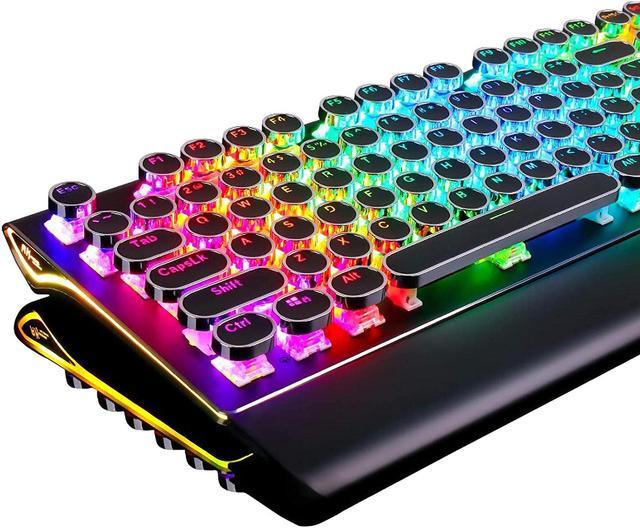
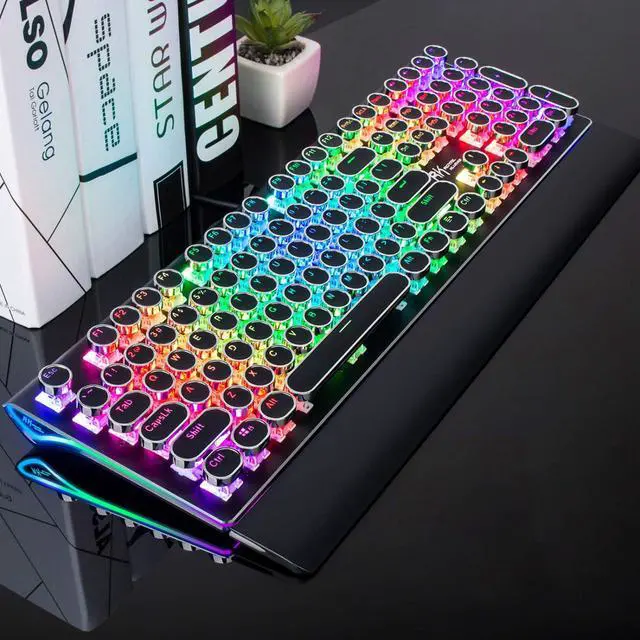


DoubleW Typewriter Style Mechanical Gaming Keyboard with True RGB Backlit, Detachable Wrist Rest, 108-Key Anti-Ghosting Blue Switch Retro Steampunk Vintage Round Keycaps, Black
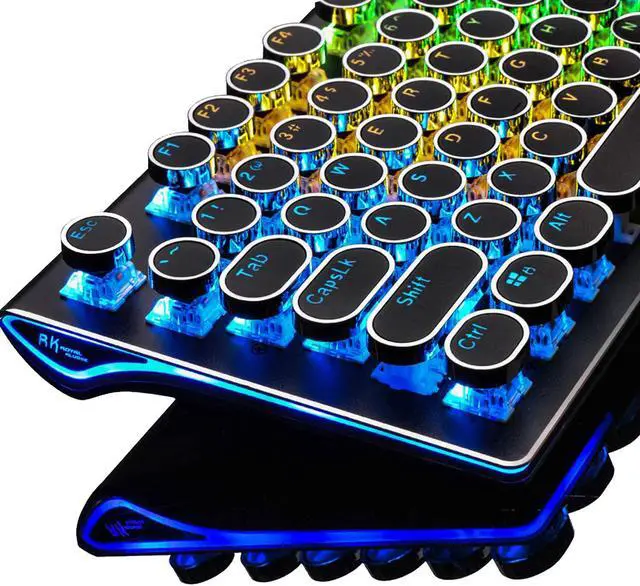
- Retro Typewriter Style with Mechanical Keys: Mechanical blue switch for ultimate gaming performance. The mechanical keys offer medium resistance, audible click sound & tactile feedback. Vintage steampunk round keycaps looks like a classical typewriter, brings you comfortable typing feeling & stable clicking touch.
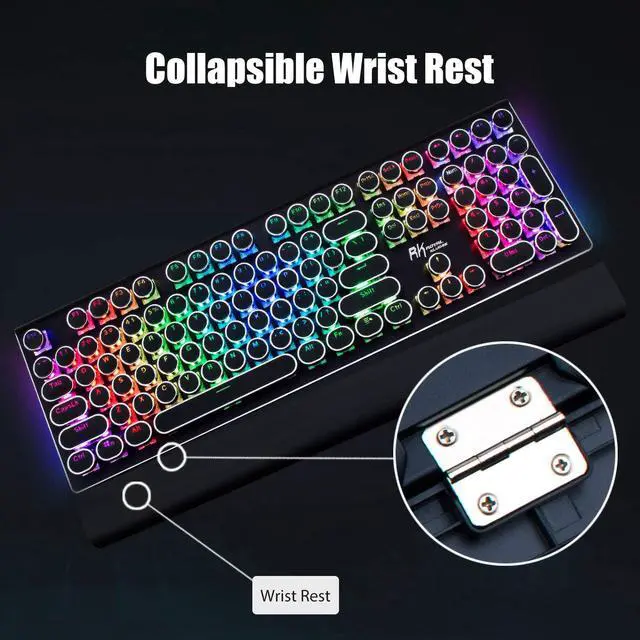
- Ergonomic Design with Detachable Wrist Rest: The ergonomic ABS palm rest provides firm support that alleviates pressure on your wrist from gaming at an elevated angle.
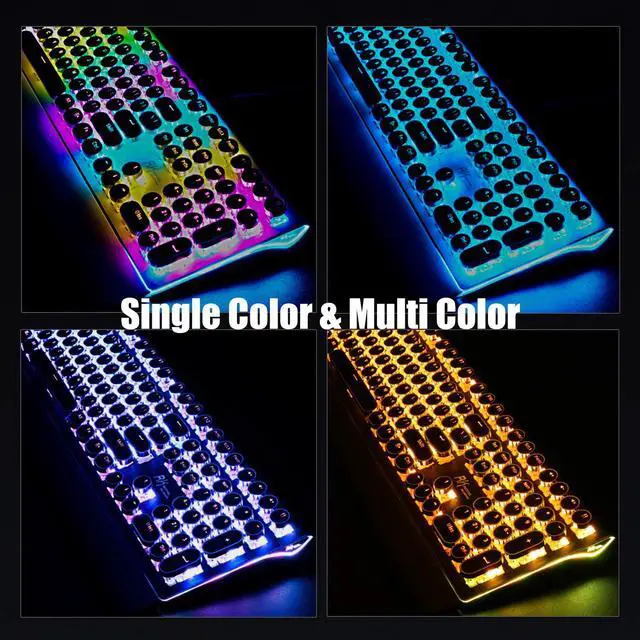
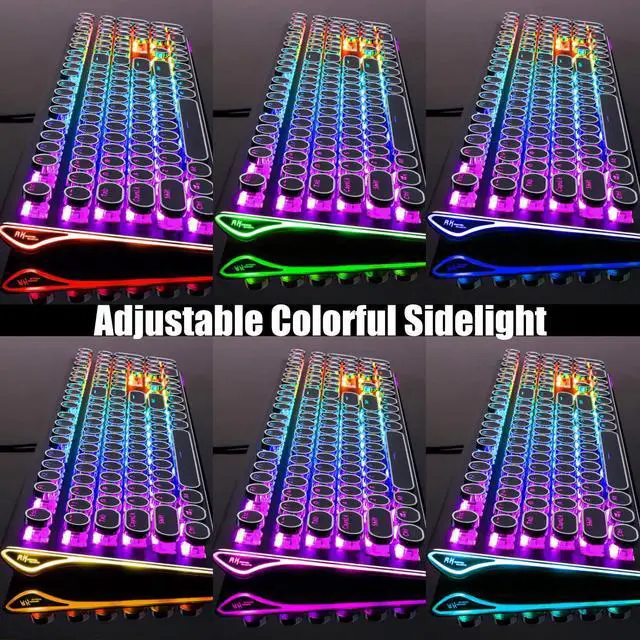
- True RGB LED Backlit Light Up Keyboard:This RGB illuminated keyboard has up to 168 LED backlit modes and 7 color sidelight. Press "Fn+Pause" to change the global backlight color, supports single color mode and RGB color mode. You can also adjust the backlit brightness and speed. And you can create 1 customized backlight as you like.
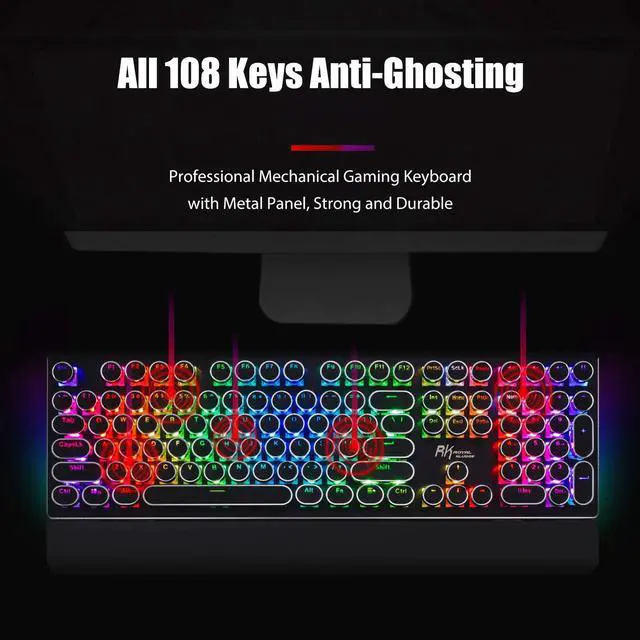
- Metal Panel & 108-Key Anti-Ghosting:The keyboard panel was made of top-grade aluminium alloy material, with matte-finish texture, sturdy and robust enough to protect it from scratch
+
+
Overview
Specs
Reviews (3)

Any questions? Our AI mode will help you find out quickly.
Try me now
Specification:
Dimension: 440*182*42mm, 17.4 * 7.2 * 1.6 inch
Net Weight: 0.9 kg
Backlit Lighting Effect: 168 lighting effects
Dynamic Sidelight Rim: 7 lighting effects
Number of Keys: 108 keys
Switch: Blue Switch
Switch Lifespan: >50 million
Actuation Force: 60gf±5gf
Keystroke Travel: 2.0 mm
Keycaps: Double-color injection
Connection: Wired USB
USB Cable Length: 1.8 m
Voltage: 5V
Current: 200mA
Convenient Shortcuts:
FN+F1: My Computer
FN+F2: Browser
FN+F3: Calculator
FN+F4: Music
FN+F5: Previous
FN+F6: Play/Pause
FN+F7: Next
FN+F8: Stop
FN+F9: Search
FN+F10: Favorite
FN+F11: None
FN+F12: Email
FN+Win: Win Key Lock/Unlock
Fn+Esc: Hold 3 seconds to reset
Lighting Effects Shortcuts:
Fn+Pause: Global backlight color switch
Fn+Del: Switch the dynamic backlight effects (10 dynamic backlight effects)
Fn+Ins: Switch the interactive backlight effects (6 interactive backlight effects)
Fn+Home: Switch the breathing backlight effects
Fn+PgUp: Switch the Stars Backlight / 7-Color Gradient Backlight
Fn+PgDn: Switch the dynamic sidelight effects
Fn+1: Switch the customized backlight
FN+"?
": Lighting Effects Speed Up
FN+"?
": Lighting Effects Speed Down
FN+"?
": Lighting Brightness Up
FN+"?
": Lighting Brightness Down
How to customize the backlight:
1. Press Fn+1 to start customize mode.
2. Press Fn+11 to start recording the LED lights of backlight (The Caps, Win and Scrlk keys are flashing)
3. Press any key by any need to LED ON/OFF. Press same key multiple times to change color.
4. Press Fn+11 again to save it. (The Caps, Win and Scrlk keys stop flashing)
5. Press Fn+1 switch to the customized backlight.
Dimension: 440*182*42mm, 17.4 * 7.2 * 1.6 inch
Net Weight: 0.9 kg
Backlit Lighting Effect: 168 lighting effects
Dynamic Sidelight Rim: 7 lighting effects
Number of Keys: 108 keys
Switch: Blue Switch
Switch Lifespan: >50 million
Actuation Force: 60gf±5gf
Keystroke Travel: 2.0 mm
Keycaps: Double-color injection
Connection: Wired USB
USB Cable Length: 1.8 m
Voltage: 5V
Current: 200mA
Convenient Shortcuts:
FN+F1: My Computer
FN+F2: Browser
FN+F3: Calculator
FN+F4: Music
FN+F5: Previous
FN+F6: Play/Pause
FN+F7: Next
FN+F8: Stop
FN+F9: Search
FN+F10: Favorite
FN+F11: None
FN+F12: Email
FN+Win: Win Key Lock/Unlock
Fn+Esc: Hold 3 seconds to reset
Lighting Effects Shortcuts:
Fn+Pause: Global backlight color switch
Fn+Del: Switch the dynamic backlight effects (10 dynamic backlight effects)
Fn+Ins: Switch the interactive backlight effects (6 interactive backlight effects)
Fn+Home: Switch the breathing backlight effects
Fn+PgUp: Switch the Stars Backlight / 7-Color Gradient Backlight
Fn+PgDn: Switch the dynamic sidelight effects
Fn+1: Switch the customized backlight
FN+"?
": Lighting Effects Speed Up
FN+"?
": Lighting Effects Speed Down
FN+"?
": Lighting Brightness Up
FN+"?
": Lighting Brightness Down
How to customize the backlight:
1. Press Fn+1 to start customize mode.
2. Press Fn+11 to start recording the LED lights of backlight (The Caps, Win and Scrlk keys are flashing)
3. Press any key by any need to LED ON/OFF. Press same key multiple times to change color.
4. Press Fn+11 again to save it. (The Caps, Win and Scrlk keys stop flashing)
5. Press Fn+1 switch to the customized backlight.
Warranty & Returns
Warranty, Returns, And Additional Information
Warranty
- Please contact the Seller directly for warranty information. Warranty information may also be found on the Manufacturer's website.
- CONTACT
Return Policies
- Return for refund within: 30 days
- Return for replacement within: 30 days
- This item is covered by restar Return Policy
Manufacturer Contact Info
- For a directory of all our manufacturers, please click below.
- Manufacturers Directory
LOADING...
LOADING...