

Your Browsing History



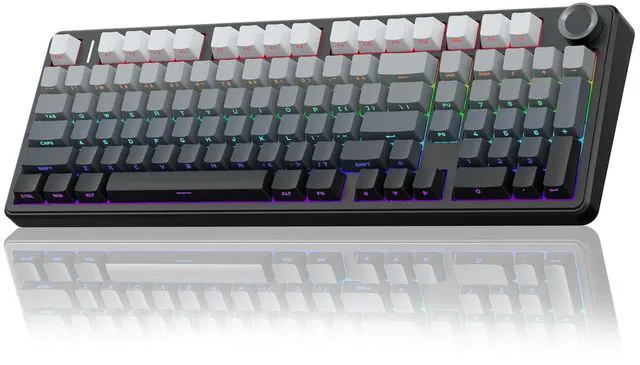


F99 Pro Wireless Mechanical Keyboard with Number Pad, Knob, 99 Keys
Limited time offer, ends 09/28 By Truespan Living
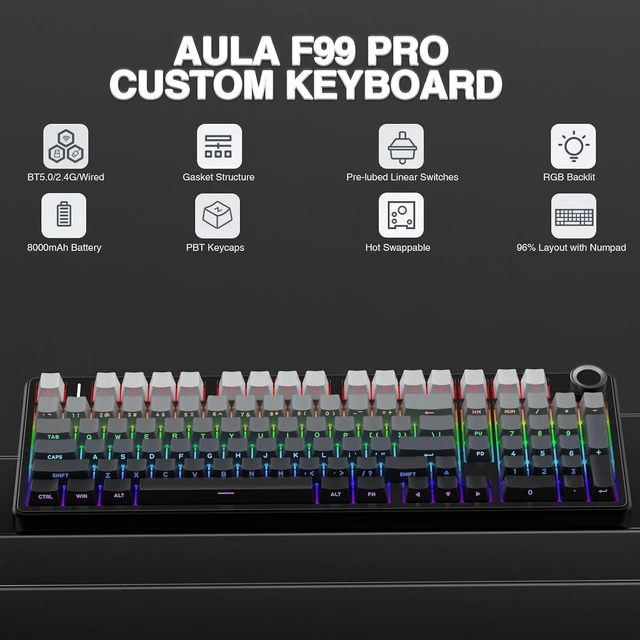
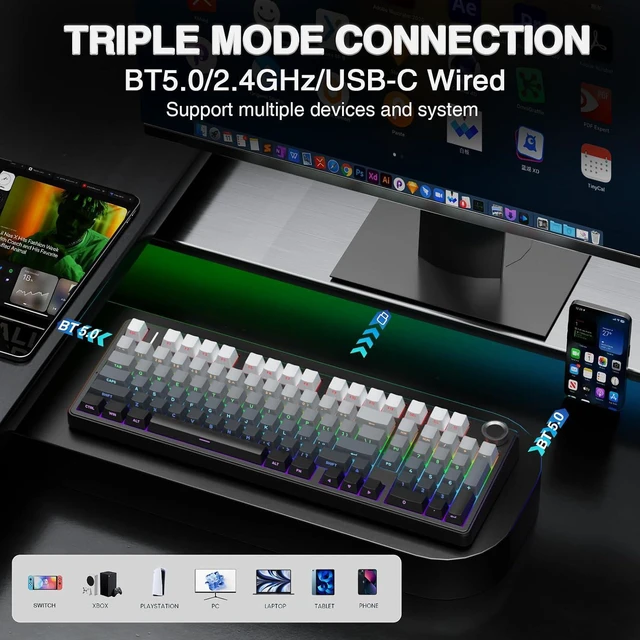
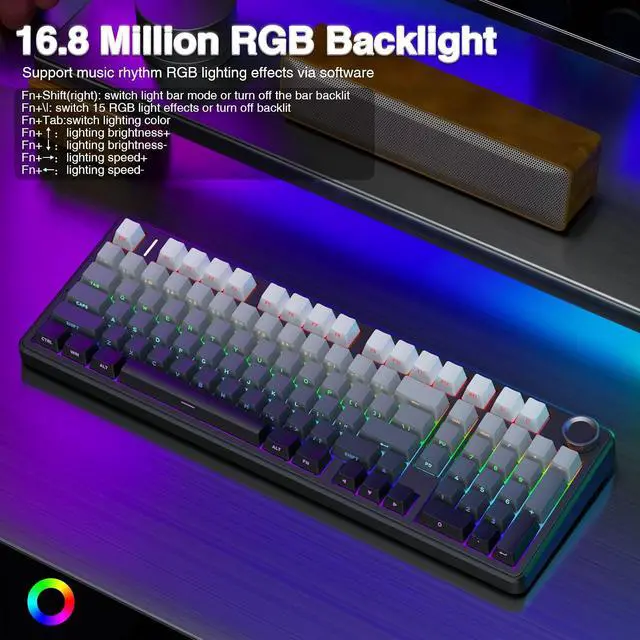
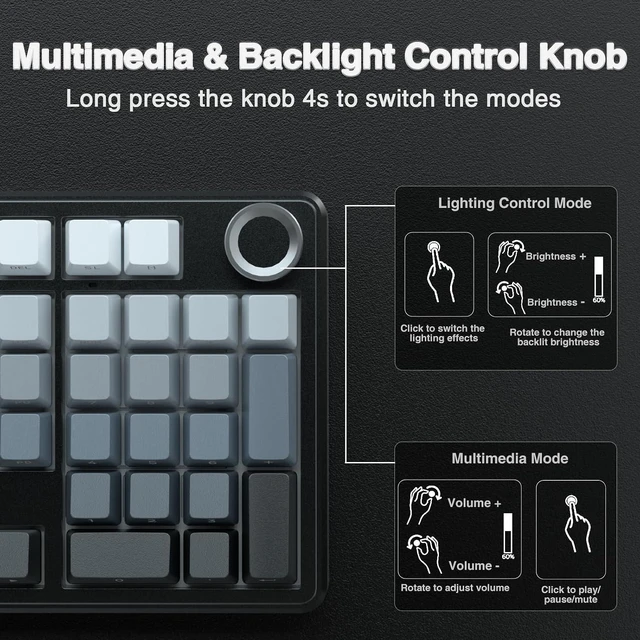
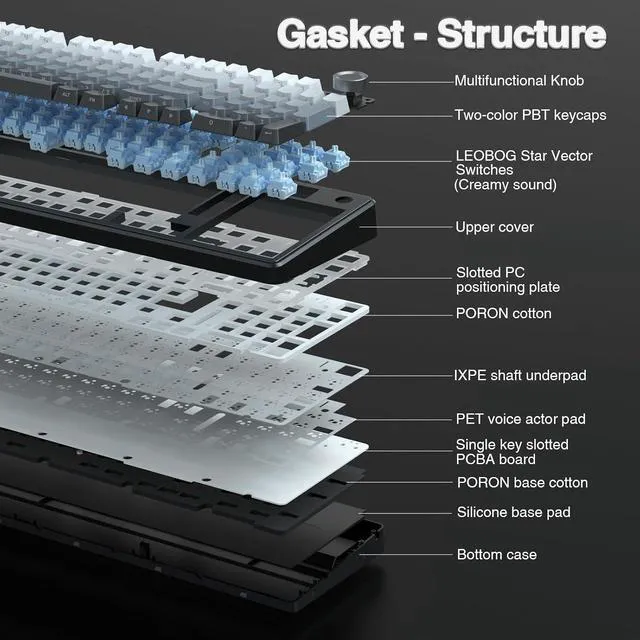
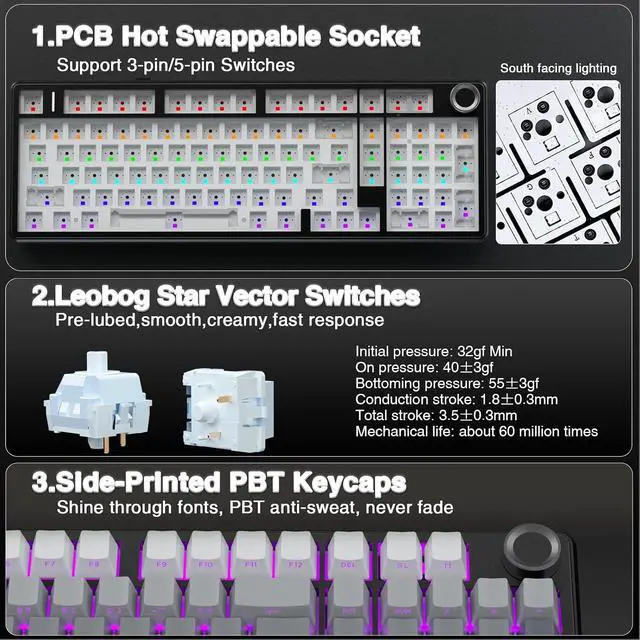
- Multi-Device Connection: AULA F99 Pro wireless mechanical keyboard provides three connection methods, including BT5.0, 2.4GHz wireless mode, and USB wired mode. It can be connected to up to five devices at the same time, and switch between them easily by FN and key combination keys and side button. No limits about your keyboard connection to meet the needs of work, gaming, and study; Multi-function Control Knob: This AULA 96% wireless gaming keyboard is equipped with functional knob to switch backlit mode or multimedia mode. In backlit mode, you can rotate the knob to adjust the brightness of the lights, and click the knob to switch the lighting effects easily; in multimedia mode, rotate the knob to adjust the volume, and click the knob to play or pause. Long press the knob for about 5 seconds to switch modes; Hot-swappable Custom Keyboard: The switches and keycaps can be freely replaced(keycap/switch puller are included in the package).This customizable keyboard with hot-swap PCB allows users to replace 3 pins/5 pins switches easily without soldering issue. F99 Pro mechanical keyboards equipped with pre-lubed linear switches, bring smooth typing feeling and pleasant creamy mechanical sound, provide fast response for exciting game; Gasket Structure and PCB Single Key Slotting: This computer keyboard features a advanced structure, extended integrated silicone pad, and PCB single key slotting, better optimizes resilience and stability, making the hand feel softer and more elast
+
+
Overview
Specs
Reviews

Any questions? Our AI mode will help you find out quickly.
Try me now
Product description More
ESC: Press and hold for 4-5 seconds until the keyboard backlight flashes to restore factory settings FN +
WIN: Lock/unlock windows key (WIN key cannot be used when locked) FN + 1 = BT device 1# | FN + 2 = BT device 2# | FN + 3 = BT device 3# Supports simultaneous connection of 3 devices in BT mode, and can switch devices via shortcut keys FN + W = Windows system | FN + E = Mac system | FN + Q = Android system | FN + R = IOS system In order to use some shortcut key functions normally, users can use shortcut keys to switch the keyboard to the same system mode as your device. The keyboard shortcut functions are different in different systems. For details, please refer to the instructions included in our package.
Product Details
Tri-mode Connection Connect via BT 3.0 / 5.0, 2.4GH z, or USB-C, and toggle between them instantly with a dedicated side switch. 8000mAh Battery The large battery capacity extends wireless life. For optimal battery health, please avoid using fast-charging cables. PBT Keycaps Double-shot PBT keycaps fuse two colors into one, ensuring legends stay vibrant and wear-resistant. Adjustable Kickstand The keyboard has an adjustable kickstand for a more comfortable typing angle. Partial FN+ Shortcut Key Functions Introduction FN + Scroll = PRTSC FN + DEL = INS FN + Home = END FN +ESC: Press and hold for 4-5 seconds until the keyboard backlight flashes to restore factory settings FN +
WIN: Lock/unlock windows key (WIN key cannot be used when locked) FN + 1 = BT device 1# | FN + 2 = BT device 2# | FN + 3 = BT device 3# Supports simultaneous connection of 3 devices in BT mode, and can switch devices via shortcut keys FN + W = Windows system | FN + E = Mac system | FN + Q = Android system | FN + R = IOS system In order to use some shortcut key functions normally, users can use shortcut keys to switch the keyboard to the same system mode as your device. The keyboard shortcut functions are different in different systems. For details, please refer to the instructions included in our package.
Warranty & Returns
Warranty, Returns, And Additional Information
Warranty
- Please contact the Seller directly for warranty information. Warranty information may also be found on the Manufacturer's website.
- CONTACT
Return Policies
- Return for refund within: 30 days
- Return for replacement within: non-replaceable
- This item is covered by Truespan Living Return Policy
Manufacturer Contact Info
- For a directory of all our manufacturers, please click below.
- Manufacturers Directory
LOADING...