




 here!
here!
I’m your shopping assistant for PC builds, upgrades, and everything tech.
Got questions? Ask away!
Start a conversation
here!
I’m your shopping assistant for PC builds, upgrades, and everything tech.
Got questions? Ask away!
Start a conversation



Any questions? Ask CelesteSM will help you find out quickly.
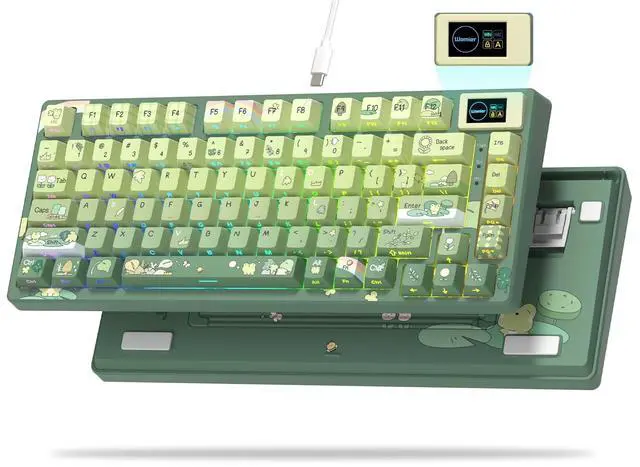
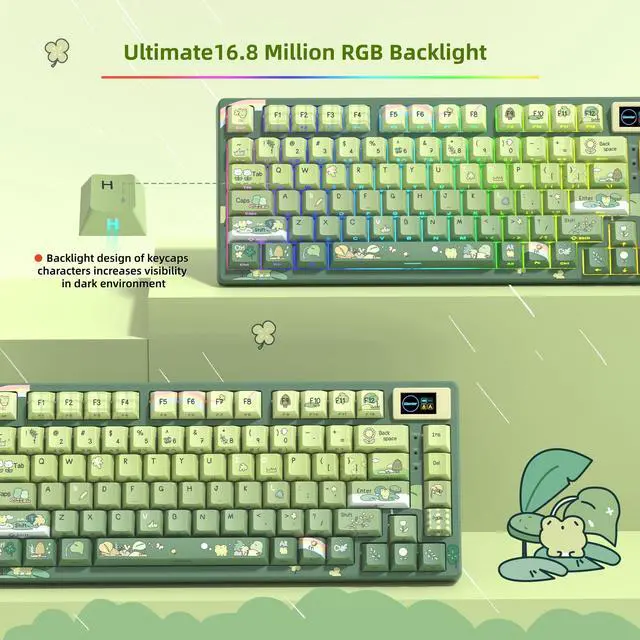
Frog Green Cut 75% Keyboard – A Full-Sensory Typing Escape,Whether you're working, streaming and gaming, or simply enjoying your setup, the Frog Green Keyboard turns every session into a visually and tactilely satisfying experience


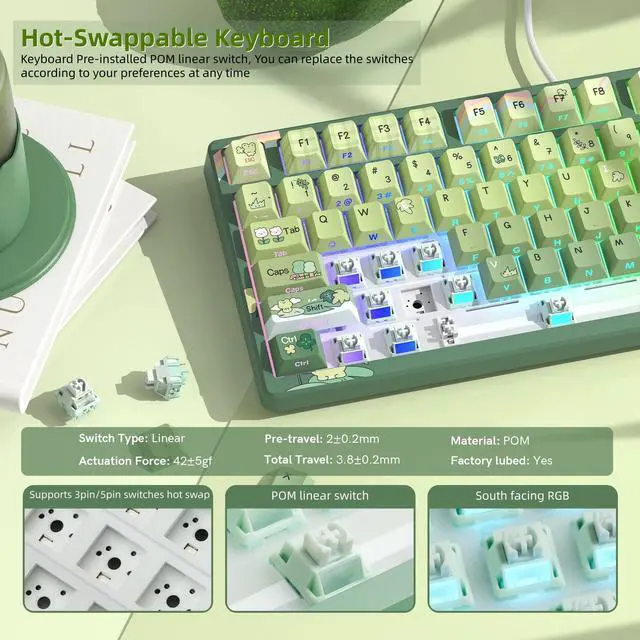
Womier POM linear switches. Coming factory-lubed and Precision structured, the Womeir linear switch can be self-lubed when being typed, which is especially helpful for maintaining a smooth feeling

2 Stage Adjustable Feet. The ergonomic tilt design makes typing more comfortable

WIN and MAC system switch button

3-sided conductor grooveBraided connecting line


Frog Green Cut 75% Keyboard – A Full-Sensory Typing Escape,Whether you're working, streaming and gaming, or simply enjoying your setup, the Frog Green Keyboard turns every session into a visually and tactilely satisfying experience


Womier POM linear switches. Coming factory-lubed and Precision structured, the Womeir linear switch can be self-lubed when being typed, which is especially helpful for maintaining a smooth feeling
2 Stage Adjustable Feet. The ergonomic tilt design makes typing more comfortable
WIN and MAC system switch button
3-sided conductor grooveBraided connecting line


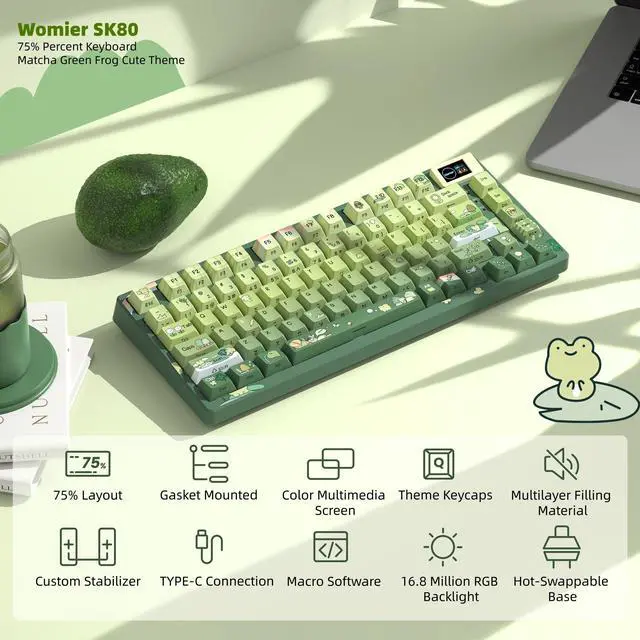
Womier S-K80 75% Keyboard with Color Multimedia Display Mechanical Gaming Keyboard, Wired Hot Swappable Keyboard, Gasket Mount RGB Custom Cute Keyboard, Pre-lubed Stabilizer for Mac/Win, Green Frog Theme
| Connectivity Technology | USB-C |
| Built-In Media / 0 | Keycap Puller |
| Built-In Media / 1 | USB Cable |
| Built-In Media / 2 | User Manual |
| Switch Type | Linear |
| Package Quantity | 1 |
| Brand | Womier |
| Number of Items | 0 |
| Item Package Dimensions | 5.9944 L x 17.0942 W x 37.211 H centimeters |
| Antenna Location | Gaming |
| Style Name | Green Frog |
| Color | Green |
| Water Resistance Level | not_water_resistant |
| Button Quantity | 82 |
| Package Weight | 0.889 kilograms |
| Manufacturer | Womier |
| Theme | Frog |
| Keyboard Layout | qwerty |
| Additional Features / 0 | Backlit |
| Additional Features / 1 | Hot-Swappable |
| Additional Features / 2 | Green Frog Keycaps |
| Additional Features / 3 | RGB Keyboard |
| Additional Features / 4 | Color Multimedia Display |
| Keyboard Backlighting Color Support | rgb |
| Keyboard Description | Mechanical |
| Are Batteries Required | false |
| Power Source | Wired |
| Compatible Devices | PC |
| Enclosure Material | Plastic |
| Unit Count Type | Count |
| Unit Count | 1 |
| Are Batteries Included | false |
| Hand Orientation | Ambidextrous |
The Womier SK80 is a wired 75% mechanical gaming keyboard with a frog-green design, gasket mount, RGB lighting, hot-swappable 3-pin/5-pin switches, and a color multimedia display. It suits gamers, streamers, and customization-focused users who want compact layouts, tactile typing, and visual setup personalization.
| Attribute | Value |
|---|---|
| Best For | Gaming and desktop use for users who want a compact 75% wired keyboard with tactile switches and RGB lighting |
| Layout And Controls | Compact 75% layout with 12 function keys and five buttons |
| Switch And Typing | Tactile key switches for responsive physical feedback while typing or gaming |
| Lighting And Design | RGB lighting, plastic construction, and an ambidextrous design |
| Compatibility And Power | Wired operation with support for Windows 98 or later |
| Model Identifiers | Womier SK80 75% Gaming Keyboard |
Q: Should I buy the Womier SK80 or the Womier SK80 Pro?
A: Choose the Womier SK80 for a desk-based setup that only needs wired USB-C connectivity. Choose the SK80 Pro if you need Bluetooth or 2.4GHz wireless for laptops, tablets, or multiple devices. The SK80 Pro also adds a 4,000mAh battery while retaining the 75% layout, gasket mount, hot-swappable PCB, and multimedia display.
Q: Is the Womier SK80 or Womier SK75 better for wireless use?
A: The Womier SK75 is the better choice for wireless use because it supports wired, 2.4GHz, and Bluetooth connections, while the standard SK80 is wired-only. The SK75 also uses an aluminum case and supports VIA, making it more suitable for users who want wireless flexibility, a heavier build, and deeper key remapping. Choose the SK80 when the color multimedia display and simpler wired setup matter more.
Q: Should I get the Womier SK80 or AULA F75?
A: Choose the Womier SK80 if you want a customizable color display, a 75% gasket-mounted layout, and a hot-swappable PCB compatible with 3-pin and 5-pin switches. Choose the AULA F75 if stock typing sound is the main priority, since comparisons commonly describe its factory sound profile as deeper and more pronounced. Both models target users who want a compact mechanical keyboard with gasket mounting and hot-swap support.
Q: Is the Womier SK80 or Womier SK75 TMR better for gaming?
A: Choose the Womier SK75 TMR for competitive gaming features such as adjustable actuation, Rapid Trigger, Snap Key, and high polling rates. Choose the Womier SK80 for conventional mechanical-keyboard gaming, standard switch customization, and its integrated color multimedia display. The SK75 TMR is focused on adjustable magnetic-switch performance, while the SK80 uses a more traditional hot-swappable mechanical design.
Q: Does the Womier SK80 work with both Windows and Mac?
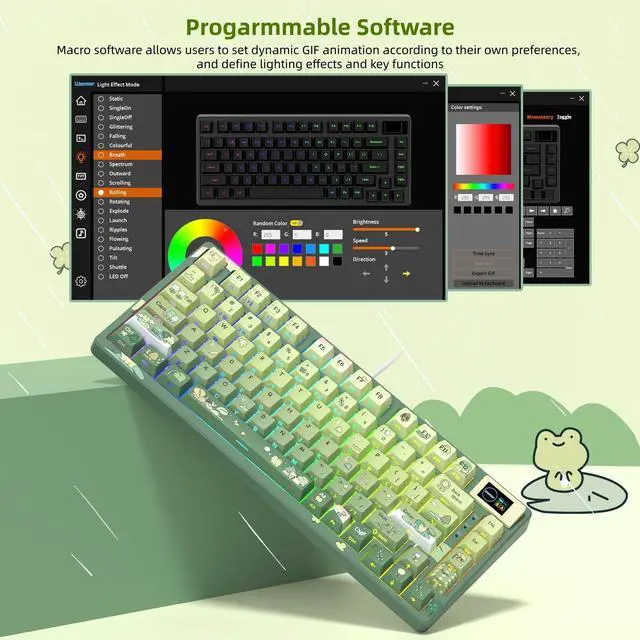
A: Yes. The keyboard works with Windows and Mac systems when connected by USB. Its customization software for RGB effects, macros, and GIF display settings is available only on Windows, so Mac users may have limited software-based customization.
Q: Can I replace the switches without soldering?
A: Yes. The SK80 has hot-swappable sockets that support both 3-pin and 5-pin mechanical switches, allowing users to change switches without soldering. This makes it suitable for buyers who want to customize key feel or sound over time.
Q: Is the SK80 suitable for office work, note-taking, and long typing sessions?
A: It can work well for office use and note-taking if you prefer tactile mechanical switches and a compact 75% layout. The gasket mount is designed to soften keystrokes and reduce some typing resonance, but the keyboard is still mechanical rather than silent. Buyers who need a quiet meeting-room keyboard should consider the switch sound before purchasing.
Q: Is the Womier SK80 a good keyboard for travel or mobile work?
A: It is more travel-friendly than a full-size keyboard because the 75% layout saves desk space, but it is not designed for wireless mobile use. The SK80 is wired, so it requires a USB connection and cable wherever it is used.
Q: Can I customize the RGB lighting and multimedia display?
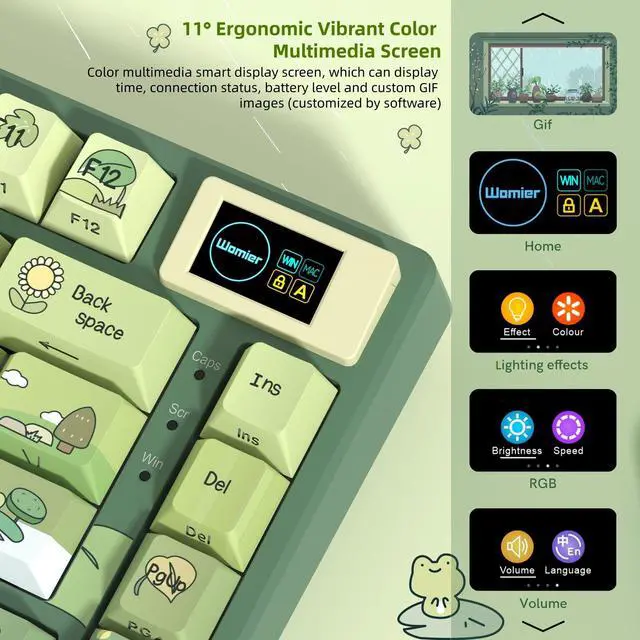
A: Yes. The RGB backlight, macros, and GIF images shown on the color multimedia display can be customized through the keyboard driver. The driver is supported on Windows only, so Mac users should expect more limited customization options.
Q: Is the Womier SK80 worth buying as a budget 75% keyboard?
A: It can be a reasonable budget choice if you want a wired 75% layout, hot-swappable switches, RGB, and a customizable display. Community reports describe it as acceptable for beginners and casual gaming, but not as a premium keyboard. The value depends heavily on the purchase price and whether you accept a mostly plastic build. ([reddit.com](https://www.reddit.com/r/BudgetKeebs/comments/1jxtcbc?utm_source=openai)
Q: What are the main trade-offs of the Womier SK80's build and typing feel?
A: The SK80 offers a gasket-mounted, hot-swappable design, but community testing describes the case as lightweight and plasticky, with a potentially hollow sound and a relatively stiff gasket feel. Modifying the switches, adding foam, or adding weight may improve the experience, but those changes are not included in the basic product configuration. ([reddit.com](https://www.reddit.com/r/BudgetKeebs/comments/1jxtcbc?utm_source=openai)
Q: Who is the Womier SK80 best suited for?
A: It is best suited for buyers who want a compact 75% layout with a dedicated function row, wired operation, hot-swappable switches, RGB, and a decorative multimedia screen. It is less suitable for users who need a numpad, wireless connectivity, a sturdy premium case, or advanced open firmware such as QMK or VIA. ([reddit.com](https://www.reddit.com/r/keebgirlies/comments/1tnk596/75_keeb_with_alll_the_buttons_3/?utm_source=openai)
Q: Is the Womier SK80's screen and software easy to use?
A: The screen supports custom GIFs and status information, but user reports indicate that getting the mini display working can require troubleshooting. The keyboard software provides customization on Windows, while the product information states that software-based customization is not supported on macOS. Users who prioritize simple setup or broad firmware support should treat the display as an extra feature rather than a core benefit. ([reddit.com](https://www.reddit.com/r/keebgirlies/comments/1tnk596/75_keeb_with_alll_the_buttons_3/?utm_source=openai)


