



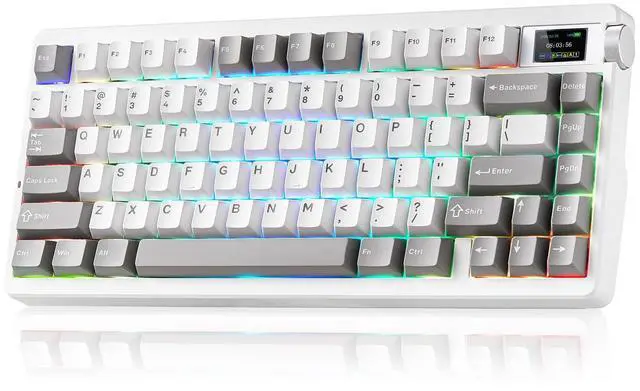
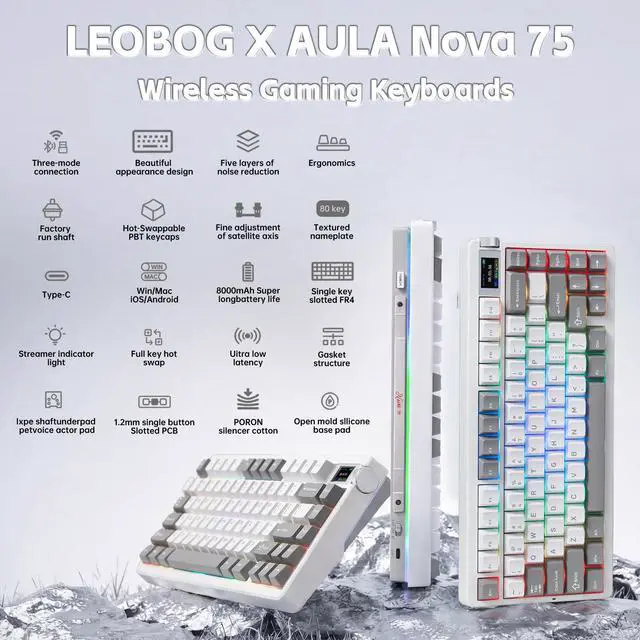


LEOBOG x AULA Nova75 Gaming Keyboard Introduce
Switches Parameter Comparison
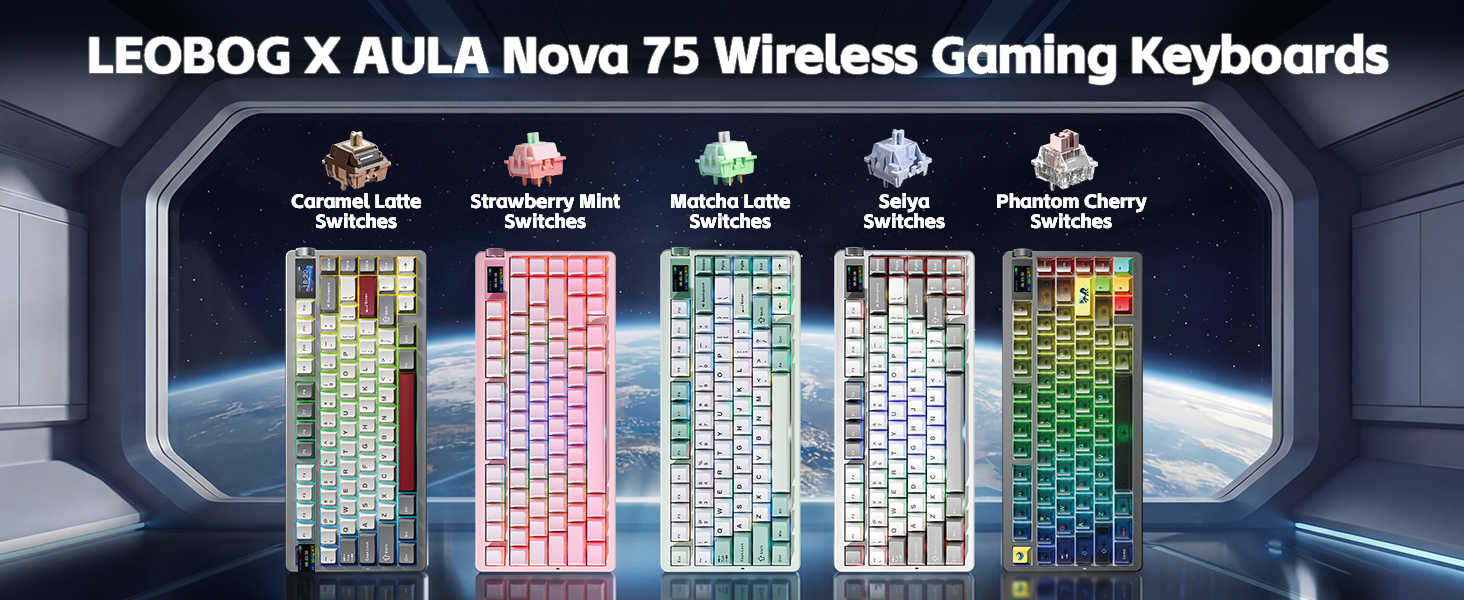
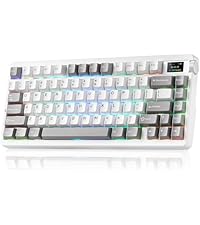 Nova75 Black&White&Grey | 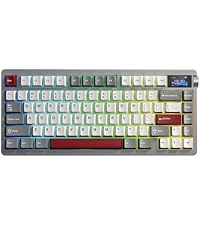 Nova75 Red&Whtie&Grey | 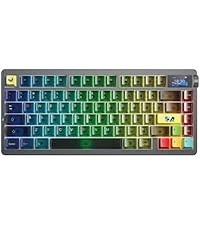 Nova75 Misty Black | 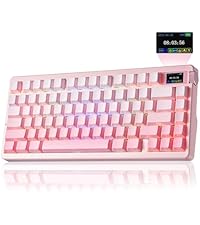 Nova75 Gradient Pink |  Nova75 White&Green | 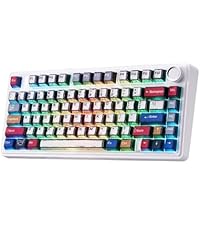 Aula F75 Keyboard | |
|---|---|---|---|---|---|---|
Customer Reviews | — | — | — | — | — | — |
Price | — | — | — | — | — | — |
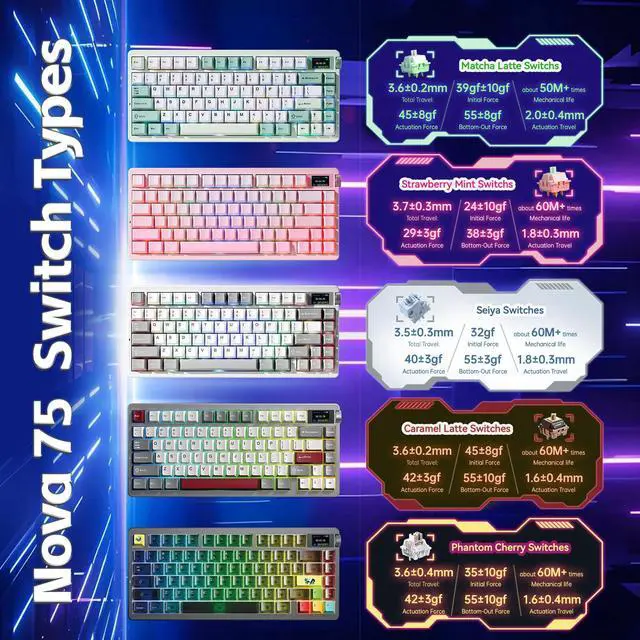
Switches Name | Seiya Switches | Caramel Latte Switches | Phantom Cherry Switches | Strawberry Mint Switches | Matcha Latte Switches | Reaper Switches |
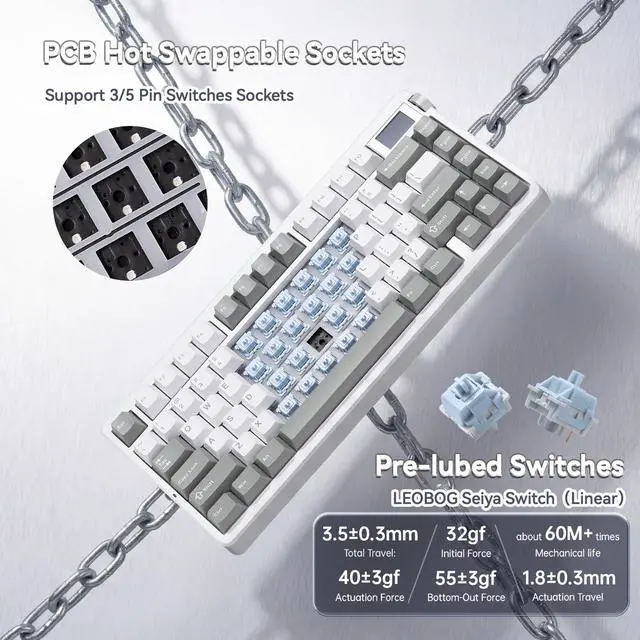
Total Travel | 3.5±0.3mm | 3.6±0.2mm | 3.6±0.4mm | 3.7±0.3mm | 3.6±0.2mm | 3.6±0.3mm |
Actuation Force | 40±3gf | 42±3gf | 42±3gf | 29±3gf | 42±3gf | 45±3gf |
Initial Force | 32gf | 45±8gf | 35±10gf | 24±10gf | 35±10gf | 36gf |
Bottom-Out Force | 55±3gf | 55±10gf | 55±10gf | 38±3gf | 55±8gf | 55±3gf |
Actuation Travel | 1.8±0.3mm | 1.6±0.4mm | 1.6±0.4mm | 1.8±0.3mm | 1.8±0.3mm | 1.8±0.3mm |
Main Purpose | Gaming | Office | Gaming | Gaming | Office | Gaming |
Compatible Applications | Office | Gaming | Office | Office | Gaming | Office |
Battery Capacity | 8000mAh | 8000mAh | 8000mAh | 8000mAh | 8000mAh | 4000mAh |
Positioning Board Material | FR4 Positioning Board | FR4 Positioning Board | FR4 Positioning Board | FR4 Positioning Board | FR4 Positioning Board | Single key slotted PC board |


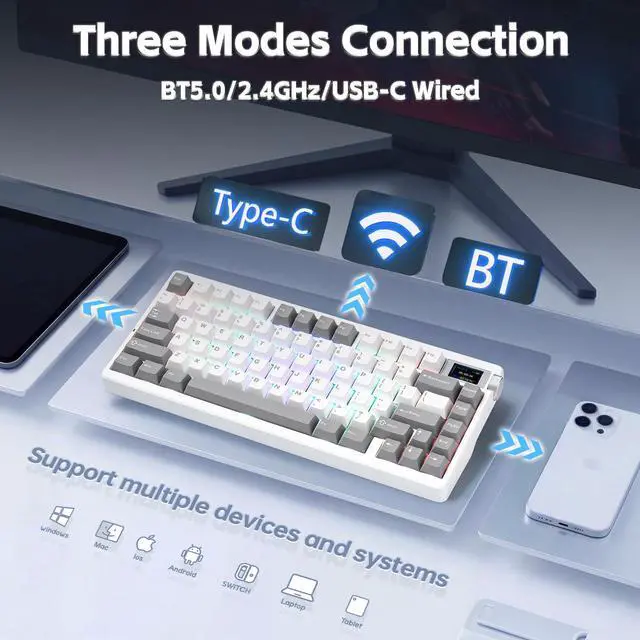
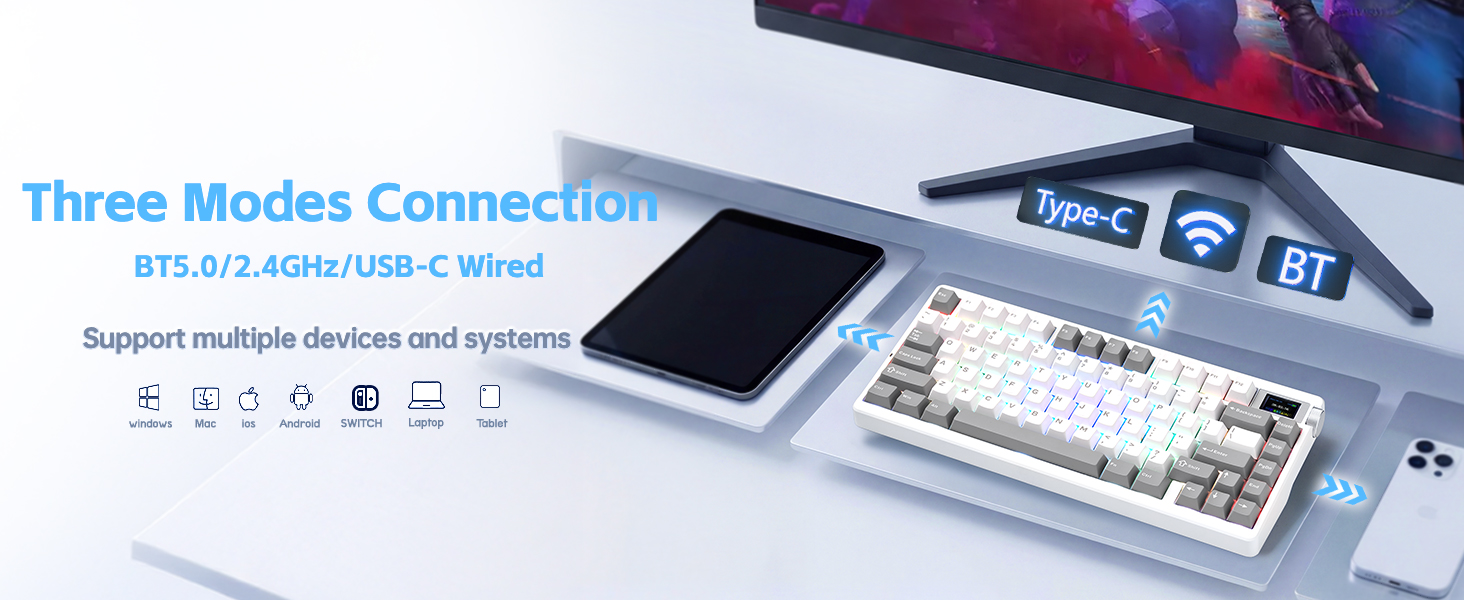
Three Modes Connection

8000mAH
The large battery capacity increases the battery life in wireless mode. Please note that don't use a fast charging cable to charge this keyboard.

PBT Keycaps
Double shot PBT keycaps, made from many colors material molded into each others, make the keycaps characters maintain the vibrance and saturation.

Side Function Keys
Support BT 3.0/5.0, 2.4GHZ wireless and USB-C wired connection. Users can quickly switch between connection modes using the mode switch on the side.

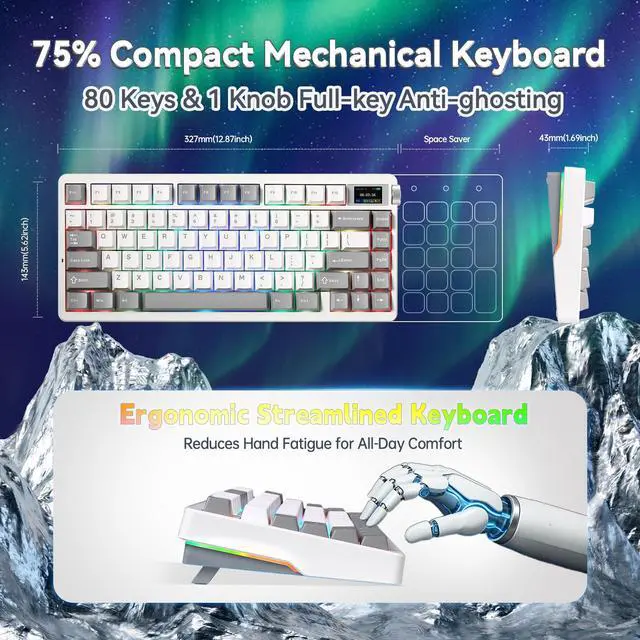
Ergonomic Kickstand
It adjustable Keyboard Stand has 2 adjustable height levels and can make users adjust the keyboard tilt according to their own requirements.
How do I connect the keyboard?
Toggle the side button to 2.4G/BT/Wired mode, then:
2.4G mode: press FN+’~ key for 3s, then plug in the receiver.
BT mode: press FN+1/2/3, search for the device named AULA-F75 3.0KB/AULA-F75 5.0 KB on your pc/tablet/phone, select it to connect.
How do I customize the keyboard?
Download the AULA Nova75 driver software on the website , switch the keyboard's side button to wired mode, then open the software to customize settings via the interface.
Is the keyboard compatible with Mac OS?
Yes, the keyboard is compatible with Mac OS, Windows and Laptop After connectivity, press FN+E = Mac system (the light of E key red flashes for 3s).
Note: driver software only supports Window system in wired mode.
How can I put the keyboard into sleep mode when not in use?
The keyboard will automatically enter sleep mode after 1 minute(you can reset the time via the Driver) of inactivity. To wake it up, simply press any key.
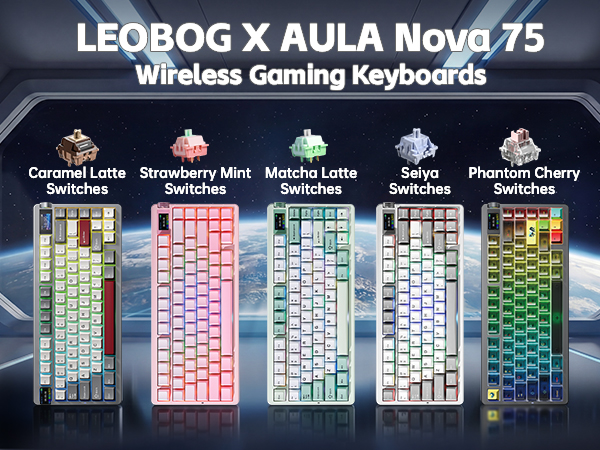
LEOBOG x AULA Nova75 Gaming Keyboard Introduce
Switches Parameter Comparison
Nova75 Black&White&Grey | Nova75 Red&Whtie&Grey | Nova75 Misty Black | Nova75 Gradient Pink | Nova75 White&Green | Aula F75 Keyboard |
|---|---|---|---|---|---|
| Customer Reviews | |||||
| — | — | — | — | — | — |
| Price | |||||
| — | — | — | — | — | — |
| Switches Name | |||||
| Seiya Switches | Caramel Latte Switches | Phantom Cherry Switches | Strawberry Mint Switches | Matcha Latte Switches | Reaper Switches |
| Total Travel | |||||
| 3.5±0.3mm | 3.6±0.2mm | 3.6±0.4mm | 3.7±0.3mm | 3.6±0.2mm | 3.6±0.3mm |
| Actuation Force | |||||
| 40±3gf | 42±3gf | 42±3gf | 29±3gf | 42±3gf | 45±3gf |
| Initial Force | |||||
| 32gf | 45±8gf | 35±10gf | 24±10gf | 35±10gf | 36gf |
| Bottom-Out Force | |||||
| 55±3gf | 55±10gf | 55±10gf | 38±3gf | 55±8gf | 55±3gf |
| Actuation Travel | |||||
| 1.8±0.3mm | 1.6±0.4mm | 1.6±0.4mm | 1.8±0.3mm | 1.8±0.3mm | 1.8±0.3mm |
| Main Purpose | |||||
| Gaming | Office | Gaming | Gaming | Office | Gaming |
| Compatible Applications | |||||
| Office | Gaming | Office | Office | Gaming | Office |
| Battery Capacity | |||||
| 8000mAh | 8000mAh | 8000mAh | 8000mAh | 8000mAh | 4000mAh |
| Positioning Board Material | |||||
| FR4 Positioning Board | FR4 Positioning Board | FR4 Positioning Board | FR4 Positioning Board | FR4 Positioning Board | Single key slotted PC board |


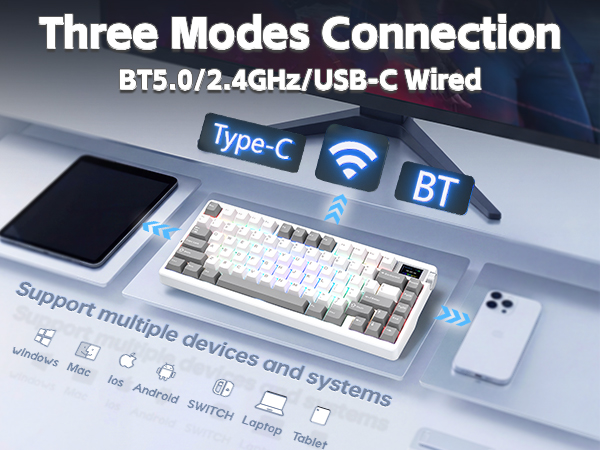
Three Modes Connection
8000mAH
The large battery capacity increases the battery life in wireless mode. Please note that don't use a fast charging cable to charge this keyboard.
PBT Keycaps
Double shot PBT keycaps, made from many colors material molded into each others, make the keycaps characters maintain the vibrance and saturation.
Side Function Keys
Support BT 3.0/5.0, 2.4GHZ wireless and USB-C wired connection. Users can quickly switch between connection modes using the mode switch on the side.
Ergonomic Kickstand
It adjustable Keyboard Stand has 2 adjustable height levels and can make users adjust the keyboard tilt according to their own requirements.
How do I connect the keyboard?
Toggle the side button to 2.4G/BT/Wired mode, then:
2.4G mode: press FN+’~ key for 3s, then plug in the receiver.
BT mode: press FN+1/2/3, search for the device named AULA-F75 3.0KB/AULA-F75 5.0 KB on your pc/tablet/phone, select it to connect.
How do I customize the keyboard?
Download the AULA Nova75 driver software on the website , switch the keyboard's side button to wired mode, then open the software to customize settings via the interface.
Is the keyboard compatible with Mac OS?
Yes, the keyboard is compatible with Mac OS, Windows and Laptop After connectivity, press FN+E = Mac system (the light of E key red flashes for 3s).
Note: driver software only supports Window system in wired mode.
How can I put the keyboard into sleep mode when not in use?
The keyboard will automatically enter sleep mode after 1 minute(you can reset the time via the Driver) of inactivity. To wake it up, simply press any key.