

Your Browsing History

Meet Your Seller

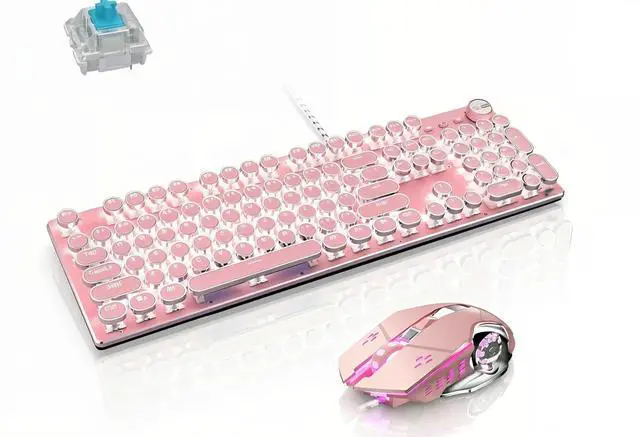


Mechanical Gaming Keyboard and Mouse Combo, Pink
Limited time offer, ends 07/30 By The Qin Hub Discount Store
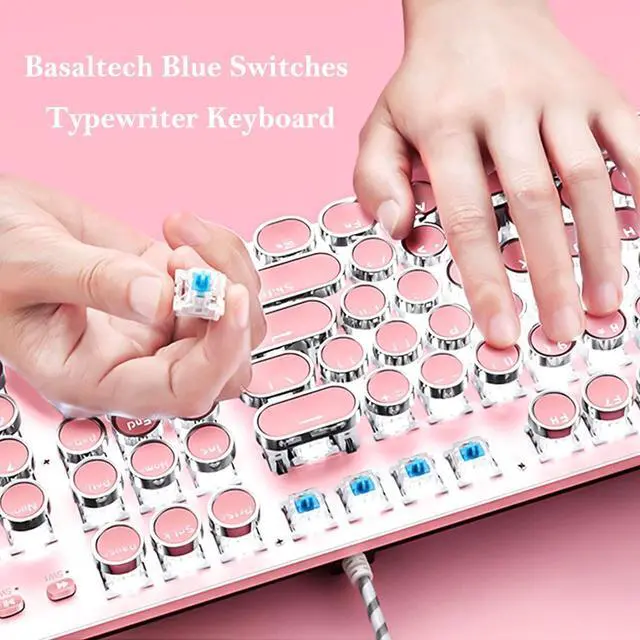
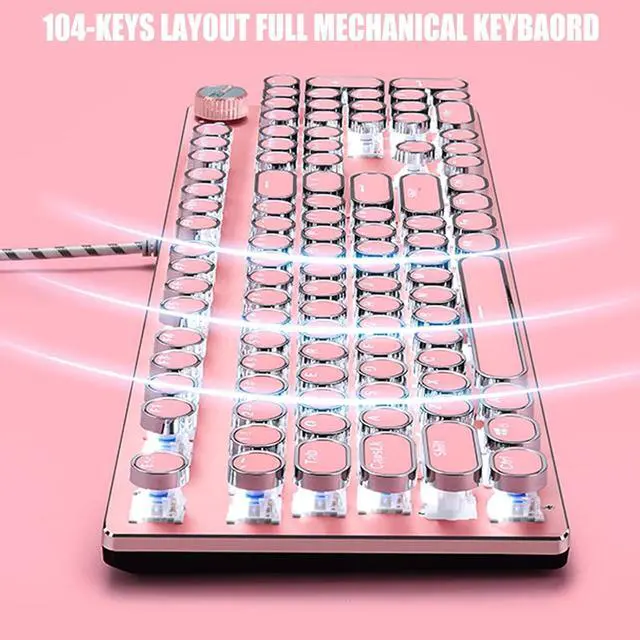
- Mechanical Blue Switch Gaming Keyboard: Mechanical Blue Switch Gaming Keyboard (Cherry Blue Equivalent) for ultimate gaming performance. Retro keycap looks like a classical typewriter, brings you comfortable typing feeling and stable clicking touch. The Mechanical Keyboard Keys offer medium resistance, audible Click Sound and Tactile Feedback. Sensitive and Responsive. Easy to press and fast response
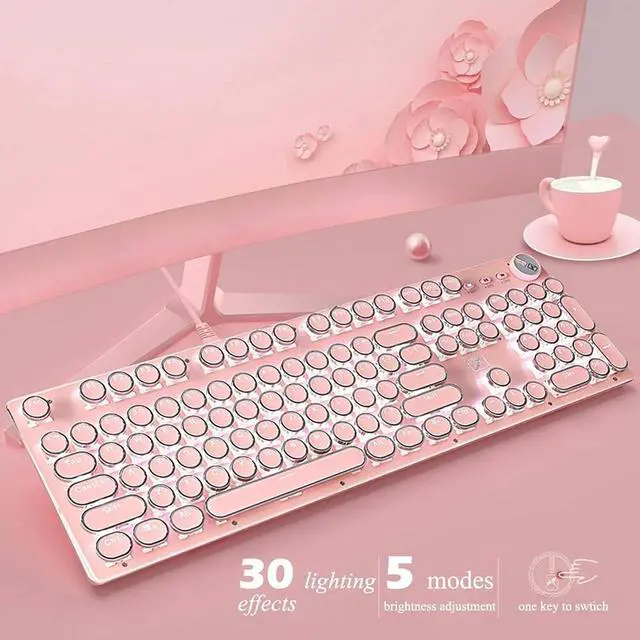
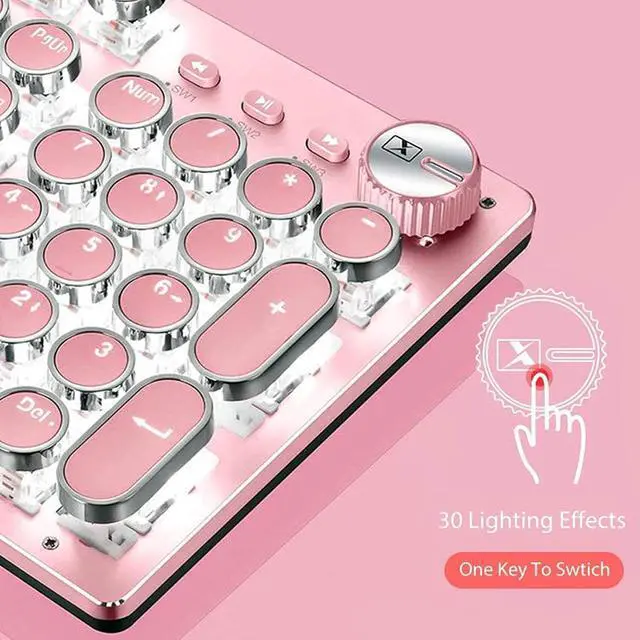
- 30 Lighting Effects and Volume Control Setting: This white led backlit mechanical gaming keyboard has 30 LED backlit modes, you can hold the volume control knob in 3 seconds to switch the backlit mode, and rotate it to adjust the lighting settings brightness
- All 104-Key Anti Ghosting Keyboard: typewriter keyboard is a Full-Size keyboard, and all 104 keys non-conflict. N-key rollover. Allows multiple keys to work simultaneously with high speed. Let you enjoy high-grade games with fast response. 12 easy-to-reach multimedia keys
- Metal Panel and Removable Keycaps: typewriter keyboard is made of top-grade metal panel and heavy-duty plastic body, with matte-finish texture, sturdy and robust enough to protect it from scratch. The blue switch mechanical keys stand up to hardcore gaming
+
+
Overview
Specs
Reviews

Any questions? Our AI beta will help you find out quickly.
Try me now
How to use the keyboard on Mac OS System 1.Shortcuts Command-Z Undo = WIN-Z Command-X Cut = WIN-X Command-C Copy (Copy) = WIN-CCommand-V Paste = WIN-V Command-A Select All (All) = WIN-A Select All Command-S Save (Save) = WIN-S Command-F Find= WIN-F Command-Shift-4 Capture the selected screen area to a file=WIN-Shift-4 Command-Shift-3 Capture all screen to file=WIN-Shift-2 2.Multimedia FN+F9=Mute FN+F10=Sound- FN+F11=Sound+ SCRLK=Decrease screen brightness PAUBRK=Increase screen brightnessSpecification: Dimensions: 445*144*30mm Weight: 700¡À10g Switch lifespan: >50 million Cable length: 1.6m Customizable Light Setup Instructions: 1. Press FN+9 or FN+0 for customizable mode, press FN+End to start recording. 2. Customize keys' lightand press FN+End to save it. 3. Press FN+9 or FN+0 to light the customizable lighting zone.
Product information
| Brand | |
| Color | Pink-Combo |
| Connectivity Technology | Usb |
| Special Feature | Backlit |
| Compatible Devices | Laptop, Personal Computer |
| Other Special Features of the Product | Backlit |
| Are Batteries Required | No |
| Power Source | Corded Electric |
| Keyboard Layout | QWERTY |
| Mechanical Keyboard Switch Model | Cherry MX Blue |
| Compatible Operating System Family | MacOS, Windows |
| Minimum Required Operating System Version | Mac OS 14 Sonoma |
| Hand Orientation | Ambidextrous |
| Operating System | Mac OS |
| Number of Keys | 108 |
| Keyboard Description | Gaming |
| Antenna Location | daily use |
| Manufacturer | |
| Unit Count | 1.0 Count |
| UPC | 713145710061 |
| Item Weight | 700 Grams |
Additional Features
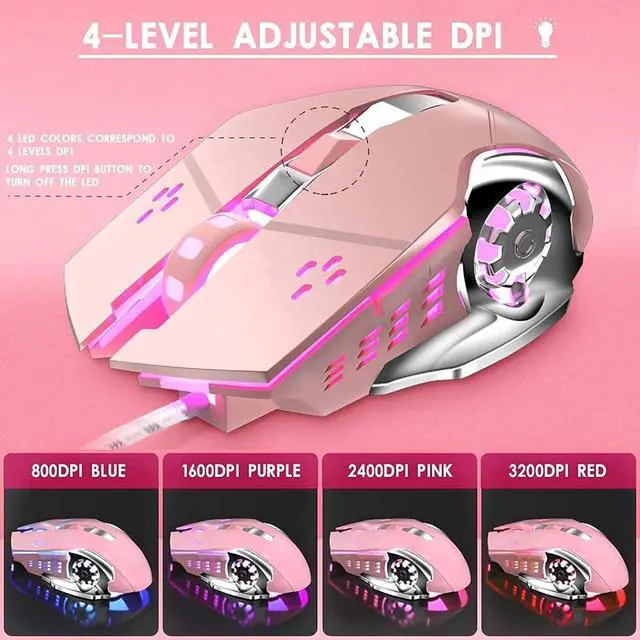
- 4 Color Lighting and 4 Levels DPI Gaming Mouse: This gaming mouse supports 4 color lighting and 4 levels DPI With 800-1600-2400-3200. Gaming keyboard and mouse combo for FPS, also combo for MOBA/RTS/CF games. Computer gaming keyboard mouse combo contains an adorable pink gaming mouse. Press middle button to switch the DPI and the backlit color change
Warranty & Returns
Warranty, Returns, And Additional Information
Warranty
- Please contact the Seller directly for warranty information. Warranty information may also be found on the Manufacturer's website.
- CONTACT
Return Policies
- Return for refund within: 30 days
- Return for replacement within: 30 days
- This item is covered by The Qin Hub Discount Store Return Policy
Manufacturer Contact Info
- For a directory of all our manufacturers, please click below.
- Manufacturers Directory
LOADING...