




 here!
here!
I’m your shopping assistant for PC builds, upgrades, and everything tech.
Got questions? Ask away!
Start a conversation
here!
I’m your shopping assistant for PC builds, upgrades, and everything tech.
Got questions? Ask away!
Start a conversation





Any questions? Ask CelesteSM will help you find out quickly.


Why doesn't the keyboard work after I plug in the USB receiver?
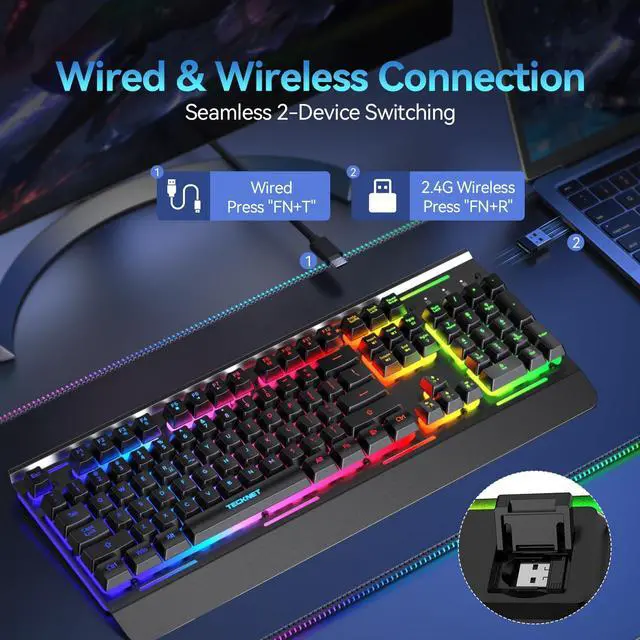
Please ensure the USB receiver is fully plugged into your device, then press the “FN+R” keys. The connection is successful when the status indicator [W] shows a solid yellow light.
How do I switch from wireless USB to wired mode?
Please connect the keyboard to your device using the included cable, then briefly press “FN+T”. The status indicator [W] will turn solid red when the wired connection is successful.
How can I turn on / off the backlight?
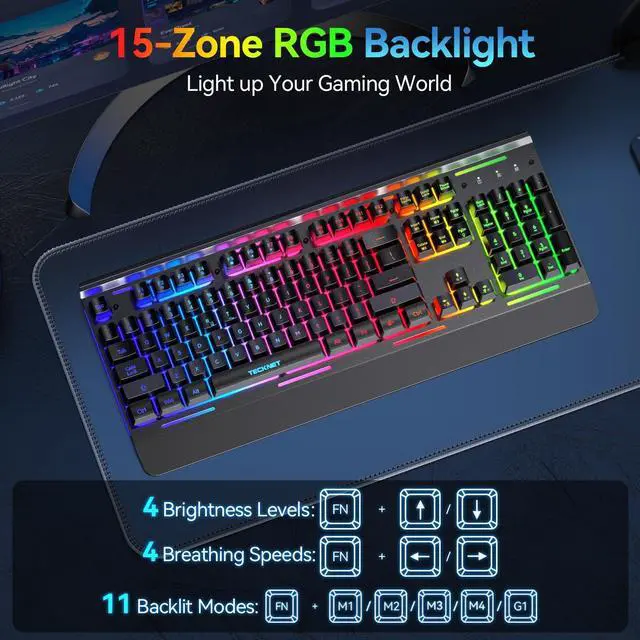
Just press the "FN+ PgDn" Key to turn on/ off the backlight.
How to adjust the brightness and breathing speed?
You can hold the "FN+? / ?" to adjust the brightness and hold the "FN+? / ?" to adjust the breathing speed.
How do I adjust the 11 lighting modes?
You can press the "FN+Insert / Home / PgUp / Delete / End" to select your favorite illumination mode.


Why doesn't the keyboard work after I plug in the USB receiver?
Please ensure the USB receiver is fully plugged into your device, then press the “FN+R” keys. The connection is successful when the status indicator [W] shows a solid yellow light.
How do I switch from wireless USB to wired mode?
Please connect the keyboard to your device using the included cable, then briefly press “FN+T”. The status indicator [W] will turn solid red when the wired connection is successful.
How can I turn on / off the backlight?
Just press the "FN+ PgDn" Key to turn on/ off the backlight.
How to adjust the brightness and breathing speed?
You can hold the "FN+? / ?" to adjust the brightness and hold the "FN+? / ?" to adjust the breathing speed.
How do I adjust the 11 lighting modes?
You can press the "FN+Insert / Home / PgUp / Delete / End" to select your favorite illumination mode.





