




 here!
here!
I’m your shopping assistant for PC builds, upgrades, and everything tech.
Got questions? Ask away!
Start a conversation
here!
I’m your shopping assistant for PC builds, upgrades, and everything tech.
Got questions? Ask away!
Start a conversation
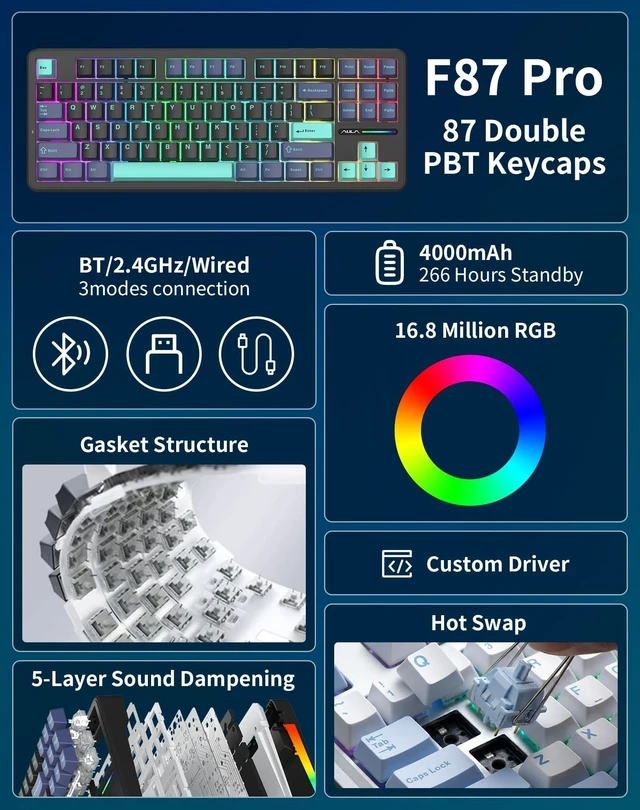
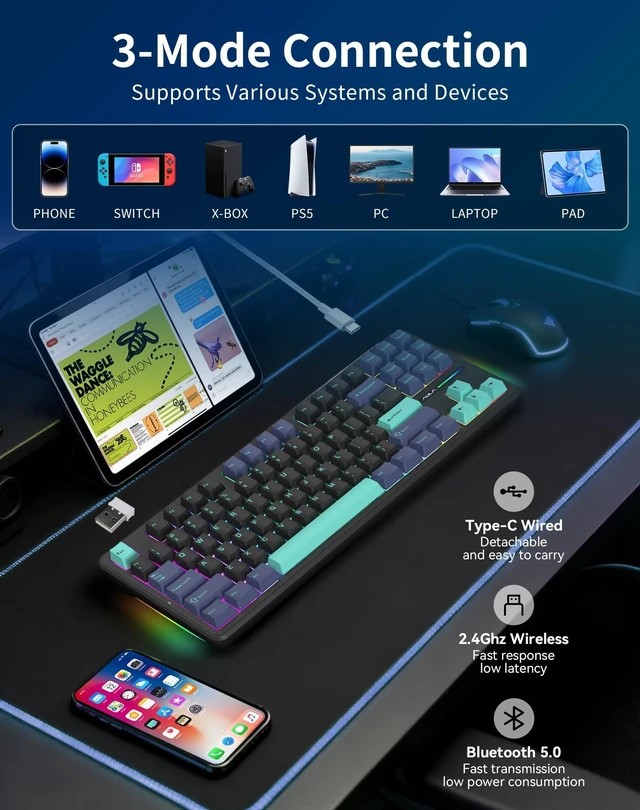
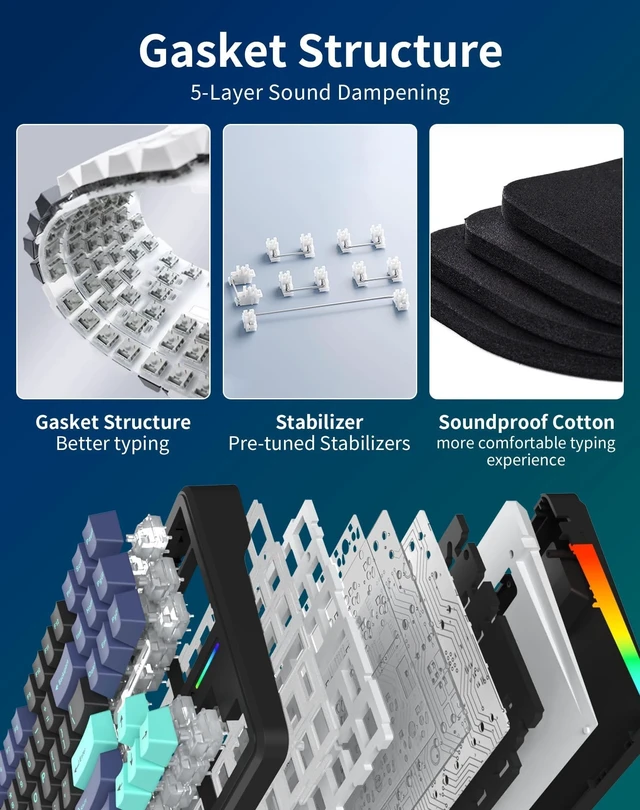
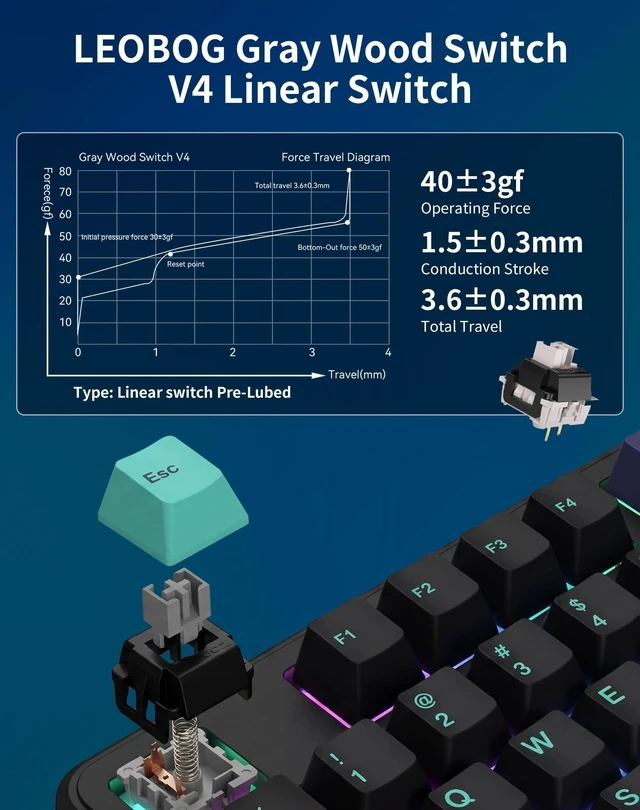



Any questions? Ask CelesteSM will help you find out quickly.


Do I need special software to control the RGB lighting, key settings, and macros?
Yes. Dedicated software allows full control over macros, per-key RGB, and profiles. Please search for "F87 Pro driver download" on the official aulastar website to get the latest version.
Is the keyboard compatible with Mac and how do I switch between operating systems?
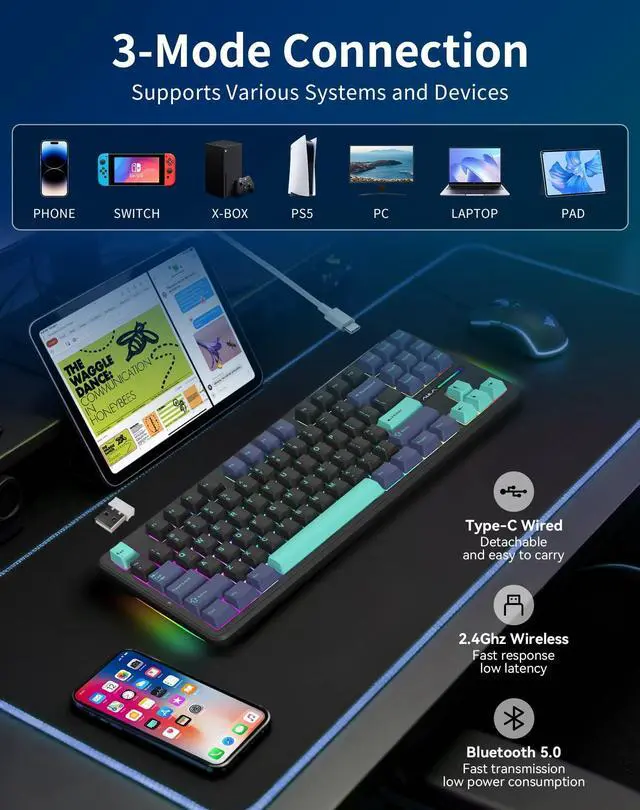
Yes, it supports Windows, Mac, and iOS. Press FN + R to switch the layout to Mac mode (ensuring Command/Option keys work). Press FN + W to return to Windows mode.
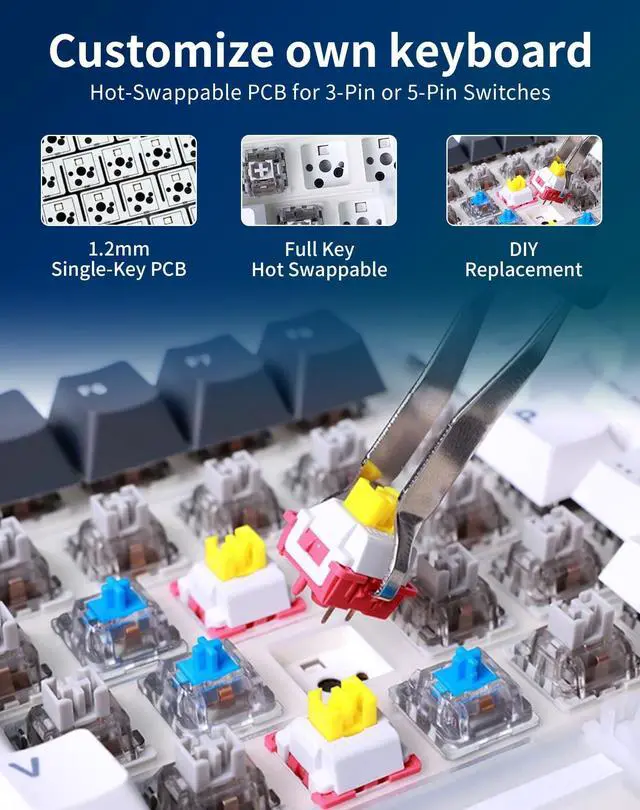
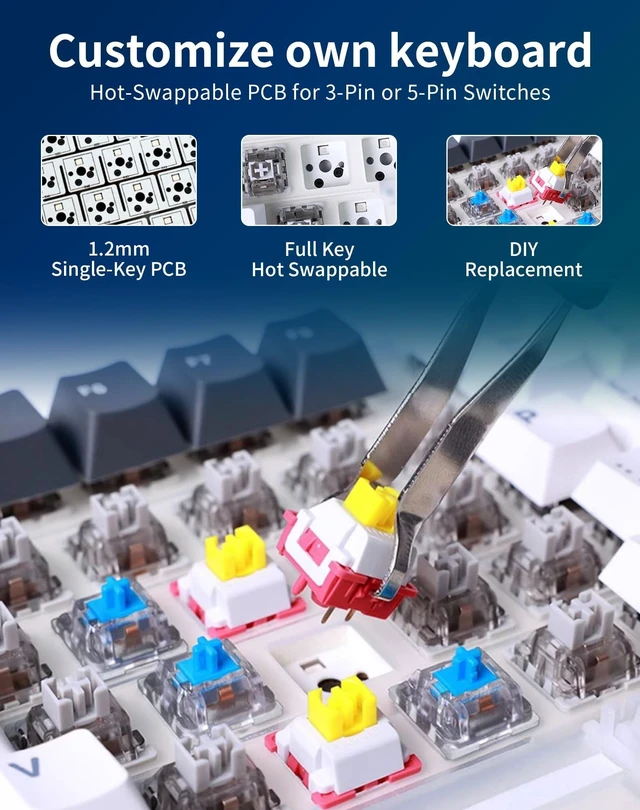
Is the F87 Pro truly hot-swappable? What types of switches can I install?
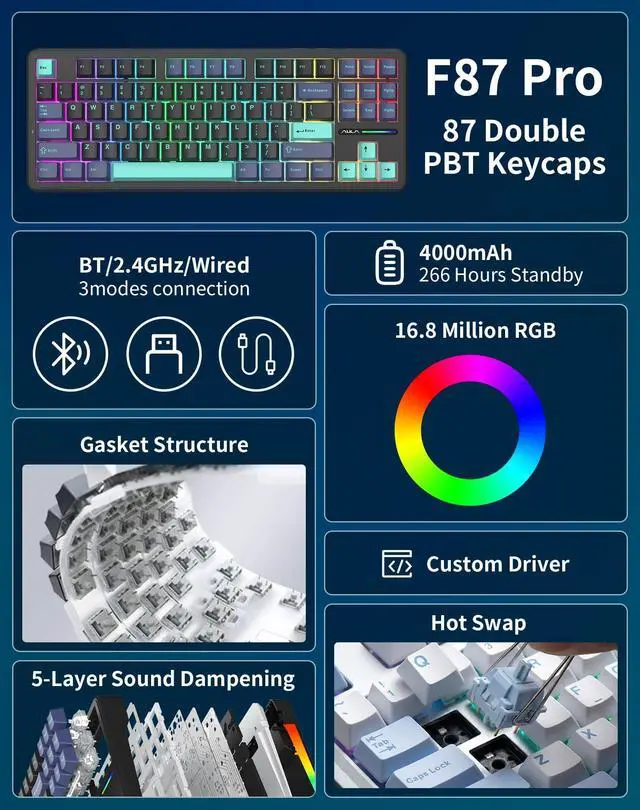
Absolutely. It features a 5-Pin Hot-Swappable PCB. You can easily swap the switches with almost any 3-pin or 5-pin mechanical switch (e.g., Cherry, Gateron, Akko) without soldering.
As a gamer, how do I prevent accidentally minimizing my game by hitting the Windows key?
Yes, you can lock the Windows key to prevent interruptions. Simply press FN + WIN to lock it. Press the same combination again to unlock it.
How do I factory reset the keyboard if I encounter connection or lighting issues?
It is simple. Press and hold FN + ESC for about 3 seconds until the backlight flashes. This restores the keyboard to factory settings and solves most connection issues.


The BlueEnss Pact: When Cold Precision Meets the Apex Predator
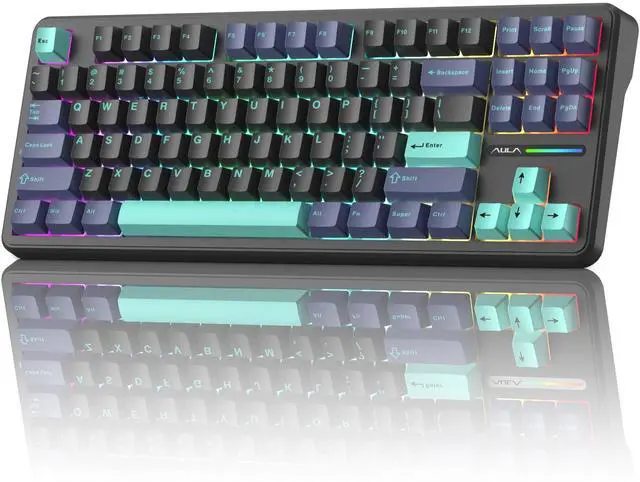
This is the union of two legendary forces. BlueEnss, with its glacial calm and engineered precision, joins the Apex Predator, AULA, a born tactician who strikes with thunderous speed from absolute silence.
This is more than a collaboration; it is a destined fusion. We have forged the predator's soul into our very blue bloodline.


Do I need special software to control the RGB lighting, key settings, and macros?
Yes. Dedicated software allows full control over macros, per-key RGB, and profiles. Please search for "F87 Pro driver download" on the official aulastar website to get the latest version.
Is the keyboard compatible with Mac and how do I switch between operating systems?
Yes, it supports Windows, Mac, and iOS. Press FN + R to switch the layout to Mac mode (ensuring Command/Option keys work). Press FN + W to return to Windows mode.
Is the F87 Pro truly hot-swappable? What types of switches can I install?
Absolutely. It features a 5-Pin Hot-Swappable PCB. You can easily swap the switches with almost any 3-pin or 5-pin mechanical switch (e.g., Cherry, Gateron, Akko) without soldering.
As a gamer, how do I prevent accidentally minimizing my game by hitting the Windows key?
Yes, you can lock the Windows key to prevent interruptions. Simply press FN + WIN to lock it. Press the same combination again to unlock it.
How do I factory reset the keyboard if I encounter connection or lighting issues?
It is simple. Press and hold FN + ESC for about 3 seconds until the backlight flashes. This restores the keyboard to factory settings and solves most connection issues.
The BlueEnss Pact: When Cold Precision Meets the Apex Predator
This is the union of two legendary forces. BlueEnss, with its glacial calm and engineered precision, joins the Apex Predator, AULA, a born tactician who strikes with thunderous speed from absolute silence.
This is more than a collaboration; it is a destined fusion. We have forged the predator's soul into our very blue bloodline.


