Gaming Keyboard and Mouse Combo, Wired Full Size Keyboard Mouse | RGB Backlit Mechanical Feeling Keyboard, Adjustable DPI and 4 Colors Breathing Mouse for PC Laptop Computer Game and Work
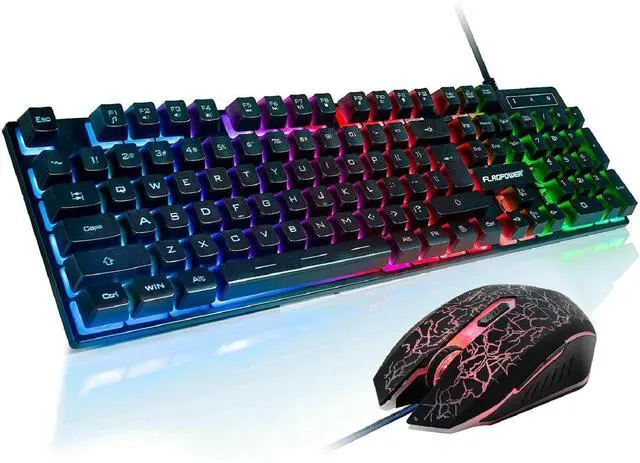
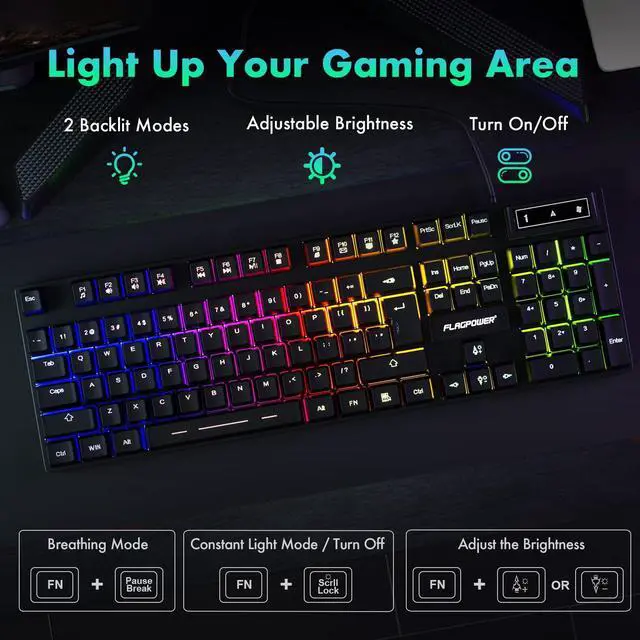
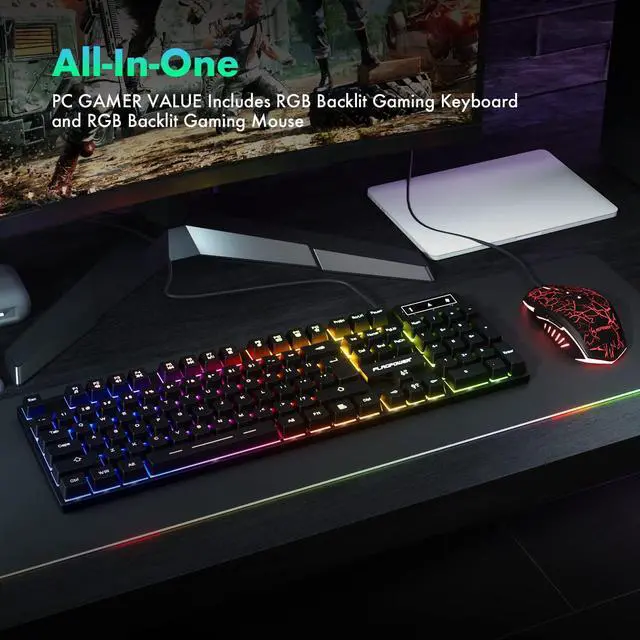
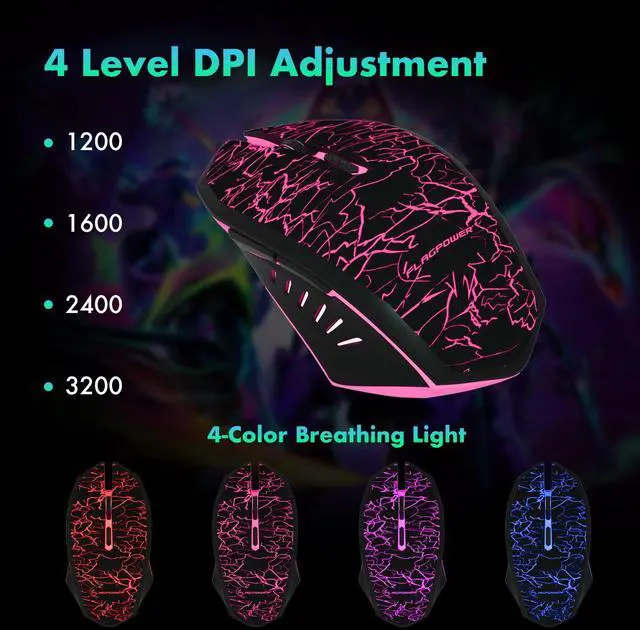
Gaming Keyboard and Mouse: 3 colors changeable backlit gaming keyboard with 3 grade adjust brightness and 2 breathing mode, 4 colors circular breathing led gaming mouse, 4 adjustable DPI (1200, 1600, 2400, 3200). There are manually permanent lighting mode, automatically/manually breathing mode. Pressing Fn and could get brightness increasing/decreasing. (The backlight will be closed after pressingFn andthree times.)
19 Keys Anti-Ghosting: The latest illuminated gaming keyboard with 104 keys, 19 keys non-conflict keys allows you to press or hold multiple keys simultaneously without fear of missing or unexpected key presses. Gaming Keyboard and Mouse are super responsive which could take you into a pretty cool gaming atmosphere quickly.
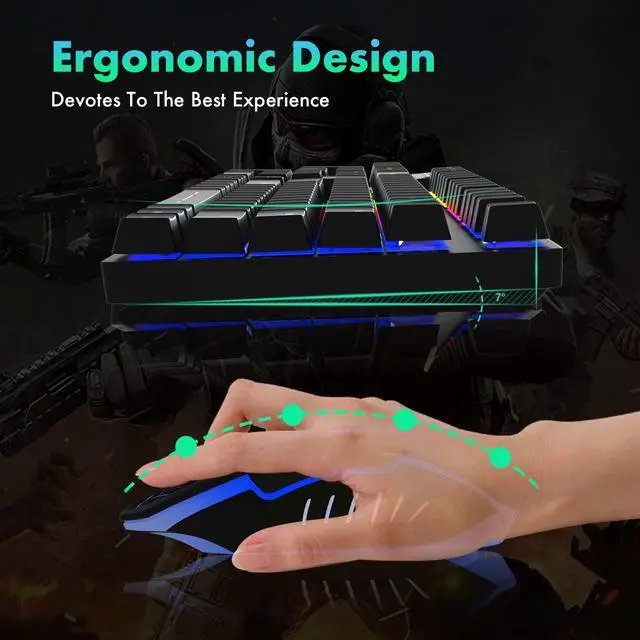
Ergonomic Design: Led keyboard has natural angle tilt, big and arcuated double injection ABS keycaps design, effectively reduce hand fatigue, feel more comfortable. It also fits the kids small hands, great gifts for kids.
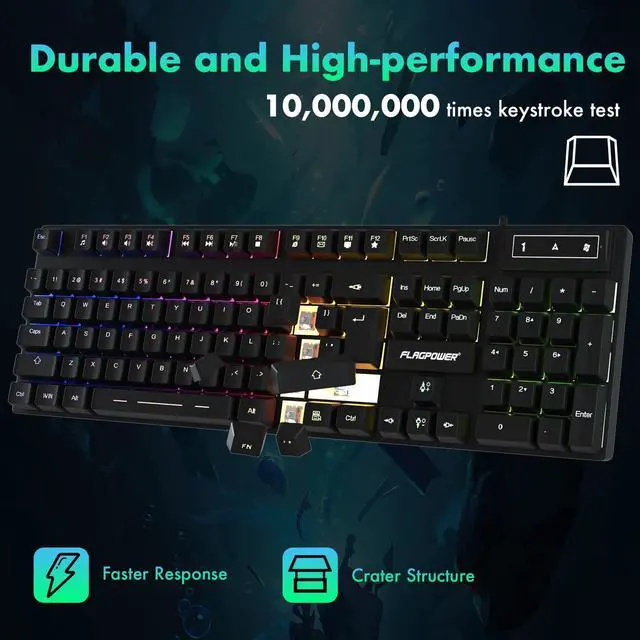
Simple and Sturdy: The keyboard and mouse were easy to install and go, no need for any extra software. Easier plug it into your laptop and the mouse works instantly. Removable keycaps, easy to clean dust. Don't have to worry about stuff getting inside or under the keys.
Friendly Reminder: Your 100% satisfaction is our goal. Full 1 year manufacturer's support, 24h friendly service team. The keyboard combo support system: Win 7/Win 8/Win 10/XP/Vista/Mac OS.
+
+
Overview
Specs
Reviews
Any questions? Ask CelesteSM will help you find out quickly.
Try me now
Mechanical Feeling Keyboard for Gaming and Working
FLAGPOWER Professional USB backlit gaming keyboard for gaming and working. Backlighting design is perfectly for any working/gaming place especially at night time
Features:
Professional gaming keyboard design, adjustable multicolor backlit
2-level high-strength supporting foot
Non-slip design for the best gaming performances and comfort
19 anti-ghosting keys, enable free control
The keyboard can auto sleep if it is not in use for 3-5 minutes. To reactive, just press any key
Kind tips: Click the CPI button to quickly switch the mouse sensitivity. Press and hold the CPI button for 5 seconds to activate the scroll wheel's "secondary function"—such as volume control. Press and hold the button for another 5 seconds to switch the scroll wheel back to its normal mode.
What's in the Box ?
1 x Wired Gaming Keyboard with Mouse Combo, 1 x User Manual
Some Usage Suggestions:
Please ensure your keyboard and mouse receive sufficient and stable power. For desktop computers, connect them to USB ports on the back of the computer case. Do not connect them via USB hubs, extenders, switches, or other types of expansion devices
To save power, Windows may put the keyboard and mouse into "hibernation" mode when not in use, causing a delay in waking up. You can choose to disable the "USB power saving" feature
Please ensure that the drivers for the mouse and keyboard that came with your computer are working correctly. If not, uninstall the drivers and then restart your computer. The system will automatically reinstall the drivers upon restart
Mechanical Feeling Keyboard for Gaming and Working
FLAGPOWER Professional USB backlit gaming keyboard for gaming and working. Backlighting design is perfectly for any working/gaming place especially at night time
Features:
Professional gaming keyboard design, adjustable multicolor backlit
2-level high-strength supporting foot
Non-slip design for the best gaming performances and comfort
19 anti-ghosting keys, enable free control
The keyboard can auto sleep if it is not in use for 3-5 minutes. To reactive, just press any key
Kind tips: Click the CPI button to quickly switch the mouse sensitivity. Press and hold the CPI button for 5 seconds to activate the scroll wheel's "secondary function"—such as volume control. Press and hold the button for another 5 seconds to switch the scroll wheel back to its normal mode.
What's in the Box ?
1 x Wired Gaming Keyboard with Mouse Combo, 1 x User Manual
Some Usage Suggestions:
Please ensure your keyboard and mouse receive sufficient and stable power. For desktop computers, connect them to USB ports on the back of the computer case. Do not connect them via USB hubs, extenders, switches, or other types of expansion devices
To save power, Windows may put the keyboard and mouse into "hibernation" mode when not in use, causing a delay in waking up. You can choose to disable the "USB power saving" feature
Please ensure that the drivers for the mouse and keyboard that came with your computer are working correctly. If not, uninstall the drivers and then restart your computer. The system will automatically reinstall the drivers upon restart
Gaming Keyboard and Mouse Combo, Wired Full Size Keyboard Mouse | RGB Backlit Mechanical Feeling Keyboard, Adjustable DPI and 4 Colors Breathing Mouse for PC Laptop Computer Game and Work
Learn more about the Generic Brand FPCP-KBD-003
Model
Brand
FLAGPOWER
Series
FPCP-KBD-003
Model
FPCP-KBD-003
Keyboard
Keyboard Interface
USB
Design Style
Contemporary
Palm Rest
No
Normal Keys
Gaming
Function Keys
1
Mechanical Keyboard
Gaming
Keycaps
Backlit
Keyboard Color
Black
Backlit
Ergonomic
Dimensions
4.699 cm x 21.14373103448276 cm x 44.92673103448276 cm
Type
Usb, Corded Electric
Mouse
Mouse Interface
USB
Hand Orientation
Right
Mouse Grip Style
Right
Tracking Method
Optical
Mouse Color
Black
Wireless
Power Source
Corded Electric, false
Operating Time
Corded Electric, false
Distance
Usb
OS / System Requirement
Operating System Supported
windows_2000_professional
System Requirement
1 USB Port
Features
Features
Ergonomic, Anti-Ghosting, Backlit
Additional Information
First Listed on Newegg
September 13, 2026
Customer Reviews of the Generic Brand FPCP-KBD-003
There are no reviews yet.
Do you own this product?
Warranty & Returns
Warranty, Returns, And Additional Information
Warranty
Please contact the Seller directly for warranty information. Warranty information may also be found on the Manufacturer's website.





 here!
here!