here!
here!
I’m your shopping assistant for PC builds, upgrades, and everything tech.
Got questions? Ask away!
Start a conversation
here!
I’m your shopping assistant for PC builds, upgrades, and everything tech.
Got questions? Ask away!
Start a conversation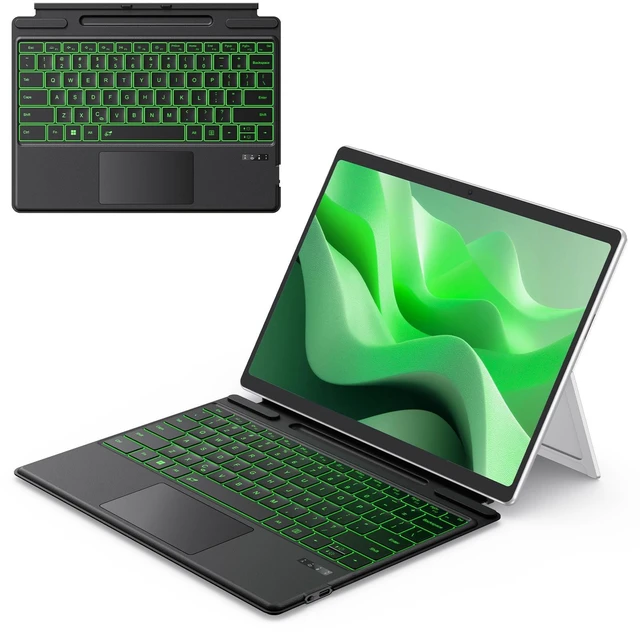



Any questions? Ask CelesteSM will help you find out quickly.


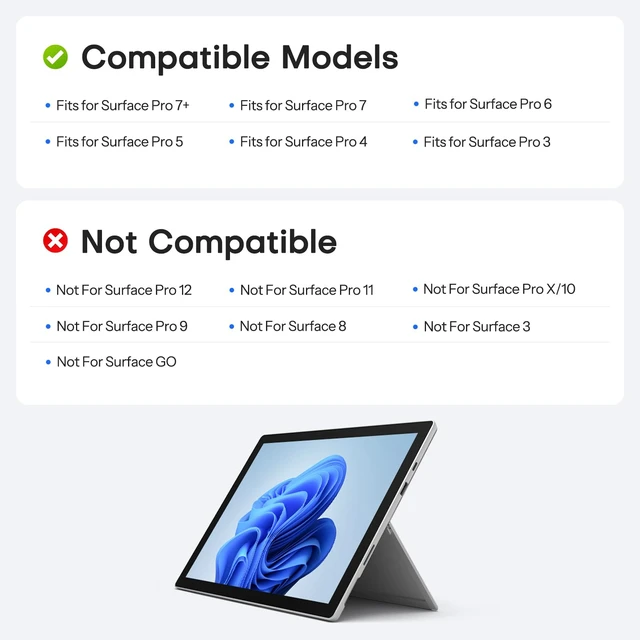
What devices is this Bluetooth keyboard compatible with?
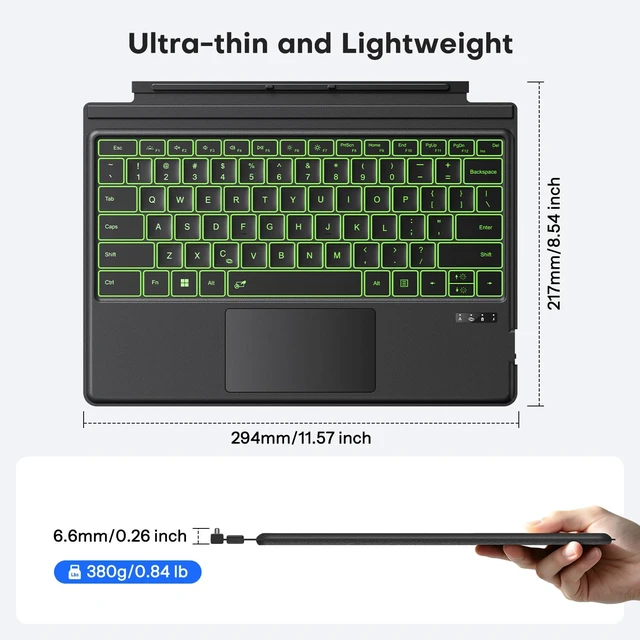
Only compatible with Surface Pro 7/7+/6/5/4/3 (12.3 inch), not work with other models.
How to connect keyboard ? Does it support magnetic automatic connection?
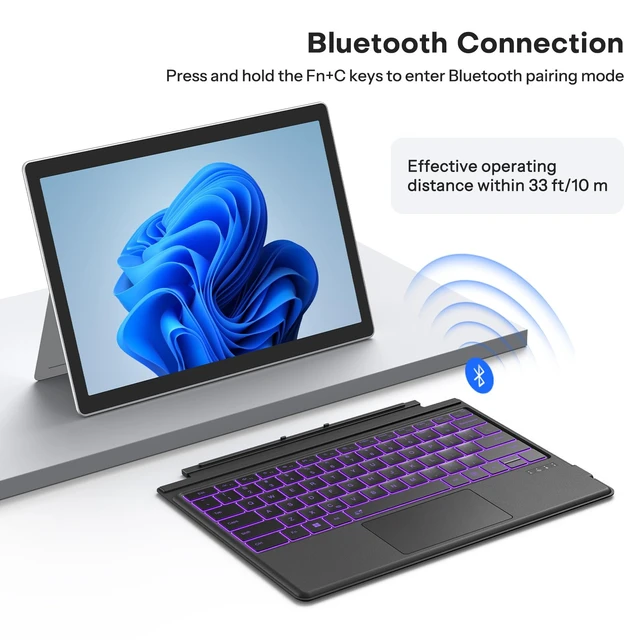
It only supports Bluetooth connection and requires manual pairing. Magnetic automatic connection is not supported. Press F+C keys to active Bluetooth of Keyboard >Turn Bluetooth on in Settings on your device >Select"Bluetooth Keyboard"for pairing.
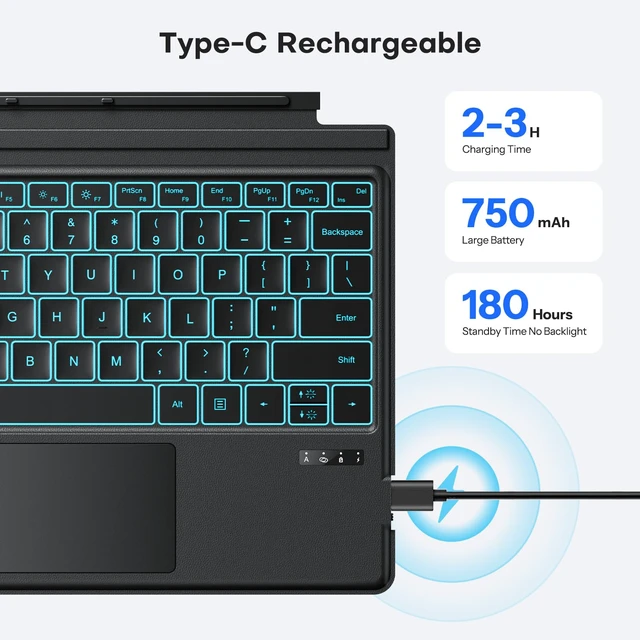
How to charge the keyboard?
Charging is via Type-C port, with built-in 750mAh lithium battery achieves a full charge in merely 2 efficient hours, then provides exceptional 50-hour continuous operation (charging cable is included in the package)
Does the touchpad support sensitivity adjustments?
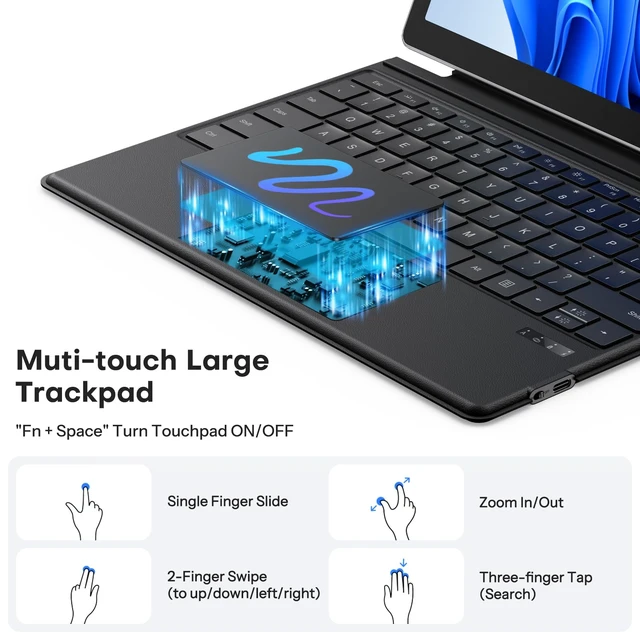
Yes. Go to Settings > Bluetooth & devices>Touchpad> Cursor speed.


What devices is this Bluetooth keyboard compatible with?
Only compatible with Surface Pro 7/7+/6/5/4/3 (12.3 inch), not work with other models.
How to connect keyboard ? Does it support magnetic automatic connection?
It only supports Bluetooth connection and requires manual pairing. Magnetic automatic connection is not supported. Press F+C keys to active Bluetooth of Keyboard >Turn Bluetooth on in Settings on your device >Select"Bluetooth Keyboard"for pairing.
How to charge the keyboard?
Charging is via Type-C port, with built-in 750mAh lithium battery achieves a full charge in merely 2 efficient hours, then provides exceptional 50-hour continuous operation (charging cable is included in the package)
Does the touchpad support sensitivity adjustments?
Yes. Go to Settings > Bluetooth & devices>Touchpad> Cursor speed.