



  • $97.99
  • Free 30-day Returns
  • Sold by Aenyutor Caa

    Shipped by Aenyutor Caa

    Price alert
    Shop it at NeweggBusiness.

    Meet Your Seller

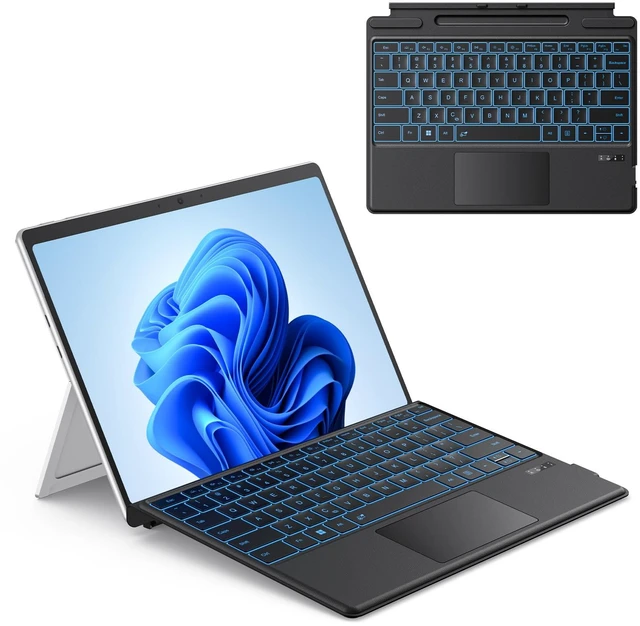
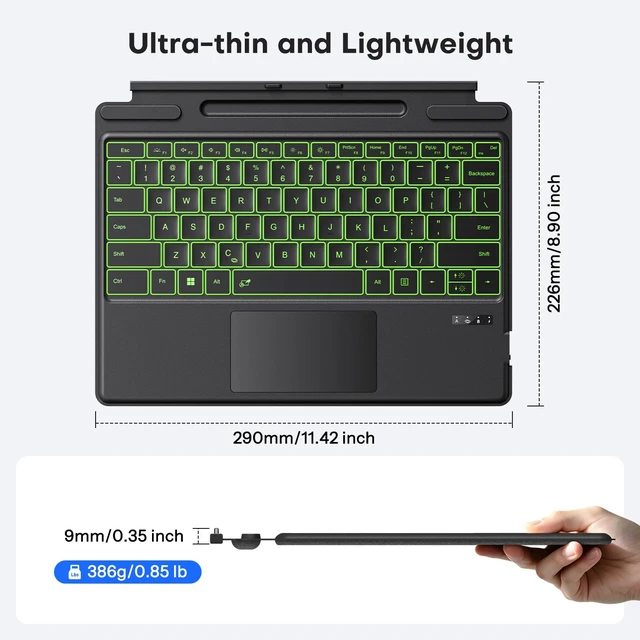
    Bluetooth Keyboard for Microsoft Surface Pro 11/10/9/8/X 13 inch | Magnetic Wireless Bluetooth Keyboard, 7-Color Backlit, Ultra-Slim, Rechargeable Battery, Pen Holder, Multi-Touch, Black

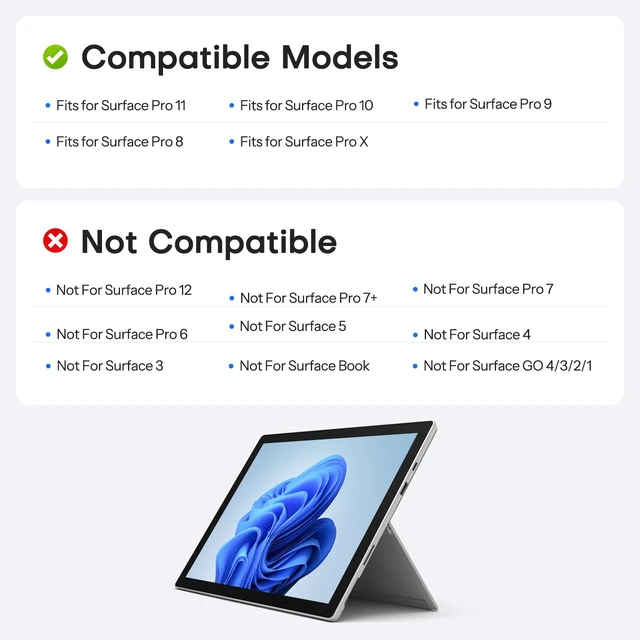
    • CompatibilityCheck compatibility before purchase! Confirm your model in Settings > System > About. This bluetooth keyboard is ONLY compatible with Microsoft Surface Pro 11/ Surface Pro 10/ Surface Pro 9/ Surface Pro 8/ Surface Pro X(13inch), and does not work with other models.
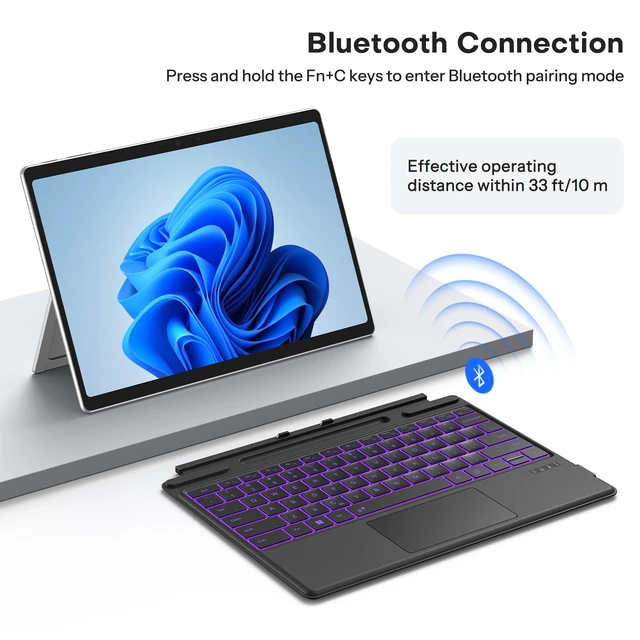
    • Bluetooth ConnectionIt only supports Bluetooth manual pairing. How to connect: Press FN+C keys to activate the Bluetooth of the keyboard >Turn Bluetooth on in Settings on your device >Select "Bluetooth Keyboard" for pairing (Note: Magnetic automatic connection is not supported).
    • Magnetic Detachable & AdjustableEasily attach or detach the keyboard to switch between laptop and tablet modes. It offers flexible angle adjustment for optimal viewing, and a secure build for comfortable use on your lap, desk, or on the go.
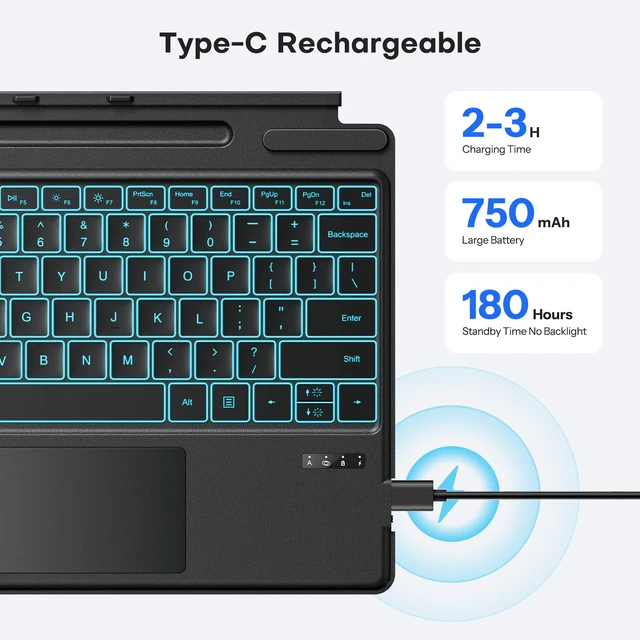
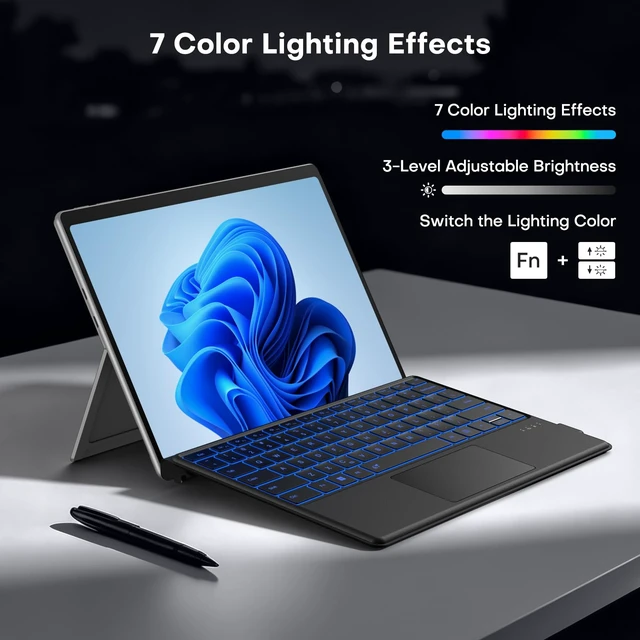
    • 7 Colors Backlit & Type-C ChargingChoose from 7 colors and 3 brightness levels for comfortable typing. You can pick your preferred light color and comfortable brightness freely, or switch off the backlight entirely. It features fast Type-C charging and over 3 months of standby time. It does NOT charge via magnetic attachment.
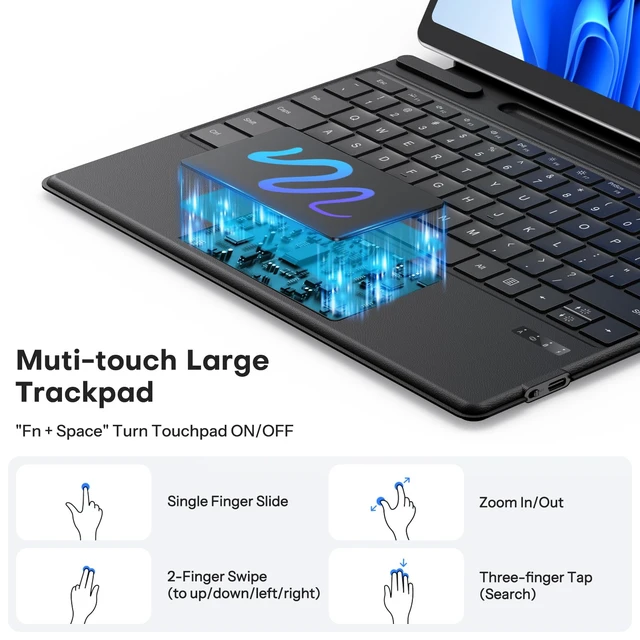
    • Precision Touchpad & Media ShortcutsEnjoy effortless navigation with our responsive touchpad, featuring smooth multi-touch gesture support and adjustable cursor sensitivity (Settings > Bluetooth & devices > Touchpad > Cursor speed), while customizable hotkeys let you adjust volume, media playback, and brightness without interrupting your workflow.
    +
    +
    Overview
    Specs
    Reviews
    avatar

    Any questions? Our AI mode will help you find out quickly.

    surface pro 9 keyboard
    surface pro 8 keyboard
    microsoft surface pro 8 keyboard
    surface pro 9 keyboard
    • Only compatible with Surface Pro 11/ Surface Pro 10/ Surface Pro 9/ Surface Pro 8 / Surface Pro X, not work with other models

    • It only supports Bluetooth connection and requires manual pairing. Magnetic automatic connection is not supported. Press F+C keys to active Bluetooth of Keyboard >Turn Bluetooth on in Settings on your device >Select"Bluetooth Keyboard"for pairing.

    • Charging is via Type-C port, with built-in 750mAh lithium battery achieves a full charge in merely 2 efficient hours, then provides exceptional 50-hour continuous operation (charging cable is included in the package)

    • No. The pen slot is designed for storage only and does not support charging (the pen is not included)

    • Yes. Go to Settings > Bluetooth & devices>Touchpad> Cursor speed.

    surface pro 9 keyboard
    surface pro 8 keyboard
    microsoft surface pro 8 keyboard
    surface pro 9 keyboard
    • Only compatible with Surface Pro 11/ Surface Pro 10/ Surface Pro 9/ Surface Pro 8 / Surface Pro X, not work with other models

    • It only supports Bluetooth connection and requires manual pairing. Magnetic automatic connection is not supported. Press F+C keys to active Bluetooth of Keyboard >Turn Bluetooth on in Settings on your device >Select"Bluetooth Keyboard"for pairing.

    • Charging is via Type-C port, with built-in 750mAh lithium battery achieves a full charge in merely 2 efficient hours, then provides exceptional 50-hour continuous operation (charging cable is included in the package)

    • No. The pen slot is designed for storage only and does not support charging (the pen is not included)

    • Yes. Go to Settings > Bluetooth & devices>Touchpad> Cursor speed.

    Bluetooth Keyboard for Microsoft Surface Pro 11/10/9/8/X 13 inch | Magnetic Wireless Bluetooth Keyboard, 7-Color Backlit, Ultra-Slim, Rechargeable Battery, Pen Holder, Multi-Touch, Black

    Warranty & Returns

    Warranty, Returns, And Additional Information

    Warranty

    • Please contact the Seller directly for warranty information. Warranty information may also be found on the Manufacturer's website.
    • CONTACT

    Return Policies

    Manufacturer Contact Info

    LOADING...