




 here!
here!
I’m your shopping assistant for PC builds, upgrades, and everything tech.
Got questions? Ask away!
Start a conversation
here!
I’m your shopping assistant for PC builds, upgrades, and everything tech.
Got questions? Ask away!
Start a conversation



Any questions? Ask CelesteSM will help you find out quickly.

Software opens but no windows appears on destop.
This is not a defect. Here are the steps to bring the software window back:
1- Look at the bottom- right corner of your Windows taskbar, near the clock.
2- Click the small upward arrow ^ .
3- Find the software icon.
4- Double- click the icon.
How many macros can the keyboard store in total?
The keyboard stores up to 10 macros total, shared across all four key layers (modes). This means you can assign macros to any keys across mode 1–4, but the combined number of macro assignments cannot exceed 10.
How many characters can I store per key using the "Text strings" function?
Each key holds up to 60 characters for text input. If you need to insert longer sentences, you could: 1. Split the text across multiple keys, or 2. Use the Macro function – macros support much longer sequences making them ideal for lengthy snippets.
My antivirus or browser blocks the download!
The software contains no virus or malware. As a small company, our software does not yet have a paid signing certificate. Thus Windows or your browser may show a warning – the software is safe, but the system does not recognise the publisher.
The download link does not work.
If both links fail, directly using the email doohoeek@outlook – we will send you
the software file within 24 hours.
Simple and straightforward, go download the K28 configuration software by go to bit.ly/Doohoeek_K28orbit.ly/Doohoeek_K28_2
Not a defect, the software is minimized to the tray.

Software opens but no windows appears on destop.
This is not a defect. Here are the steps to bring the software window back:
1- Look at the bottom- right corner of your Windows taskbar, near the clock.
2- Click the small upward arrow ^ .
3- Find the software icon.
4- Double- click the icon.
How many macros can the keyboard store in total?
The keyboard stores up to 10 macros total, shared across all four key layers (modes). This means you can assign macros to any keys across mode 1–4, but the combined number of macro assignments cannot exceed 10.
How many characters can I store per key using the "Text strings" function?
Each key holds up to 60 characters for text input. If you need to insert longer sentences, you could: 1. Split the text across multiple keys, or 2. Use the Macro function – macros support much longer sequences making them ideal for lengthy snippets.
My antivirus or browser blocks the download!
The software contains no virus or malware. As a small company, our software does not yet have a paid signing certificate. Thus Windows or your browser may show a warning – the software is safe, but the system does not recognise the publisher.
The download link does not work.
If both links fail, directly using the email doohoeek@outlook – we will send you
the software file within 24 hours.
Simple and straightforward, go download the K28 configuration software by go to bit.ly/Doohoeek_K28orbit.ly/Doohoeek_K28_2
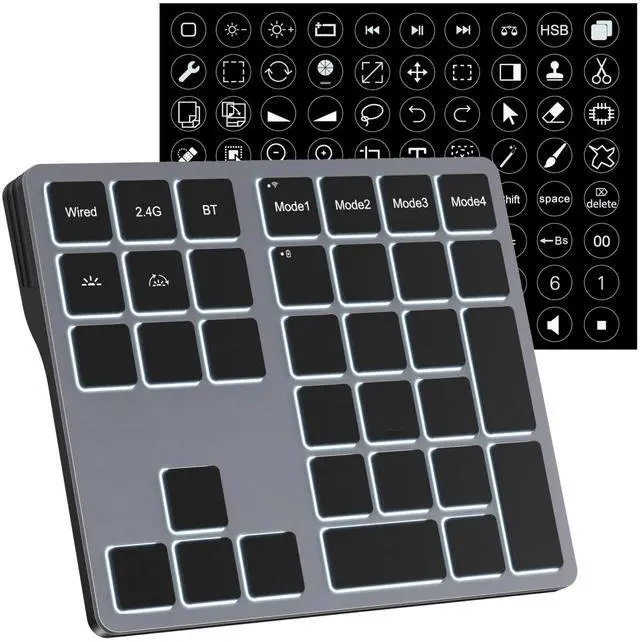
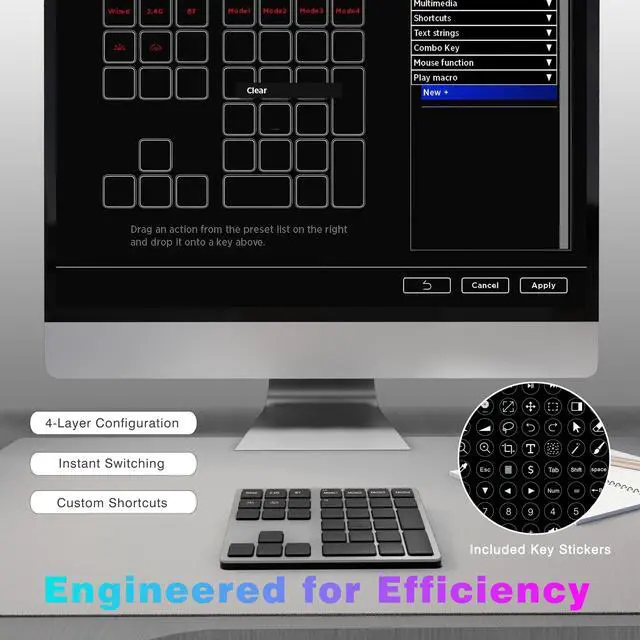
Unlock peak efficiency by customizing 25 shortcut keys to your most-used commands in any software.
Compatible with PS, AI, Premiere Pro, and many other creative applications on Windows.


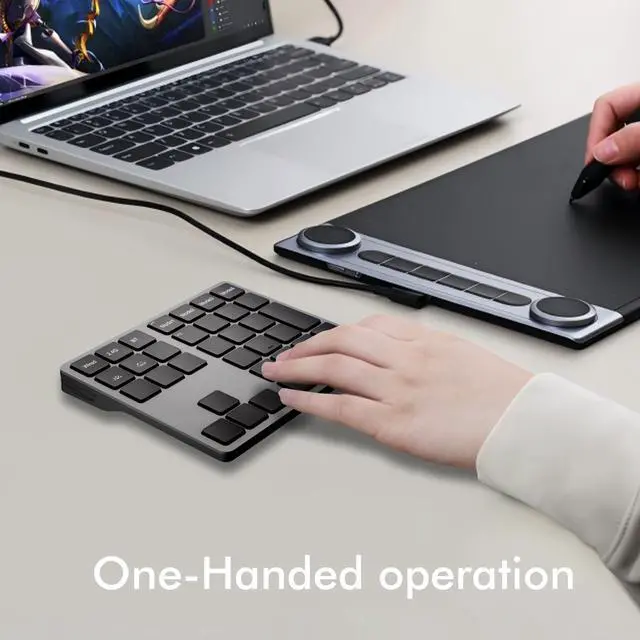
Customized for drawing and modeling.
Total control at your fingertips; Custom shortcuts for editors.
Format & write with one key; Shortcuts for modern office work.
Not a defect, the software is minimized to the tray.


