Your Browsing History
Meet Your Seller
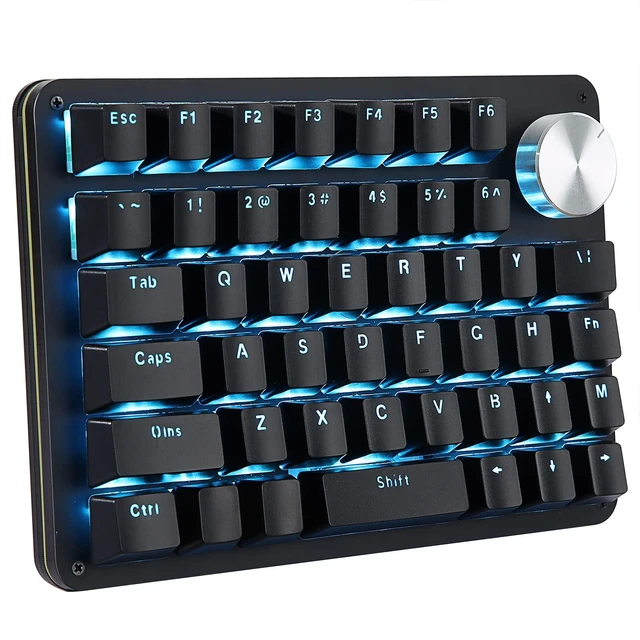
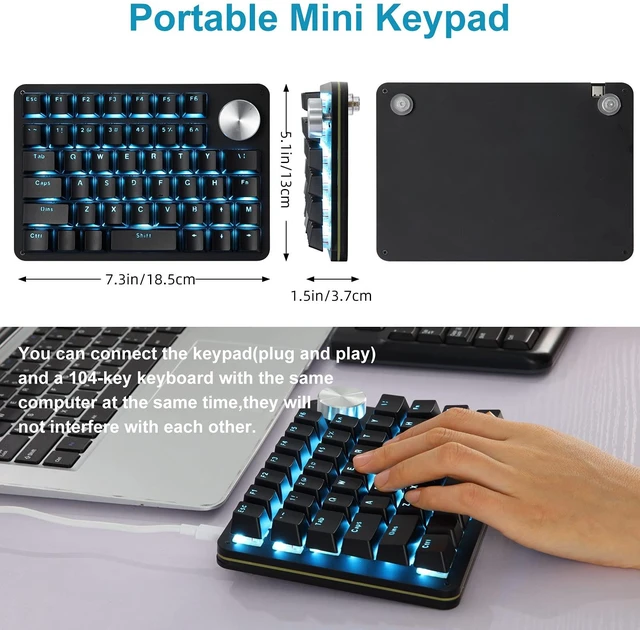
Koolertron One-Handed 45-Key Programmable Macro Keypad, Red Switch | Blue LED backlit, 24 programmable macro keys, hot-swappable red switches, plug-and-play for Windows PC gaming
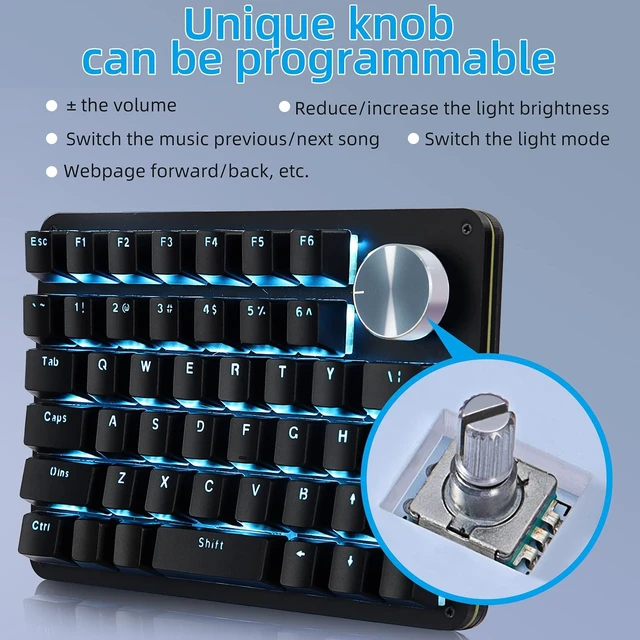
- [Updated Function]The rotating knob is not only normal rotation left and right, but also can be used as other keys when you press it. Programmable with a rotating knob. The left and right rotation can be infinitely rotated, making it easy for you to set up and down the volume, switch between previous/next music, increase or decrease light brightness, switch between light modes, and forward and backward pages
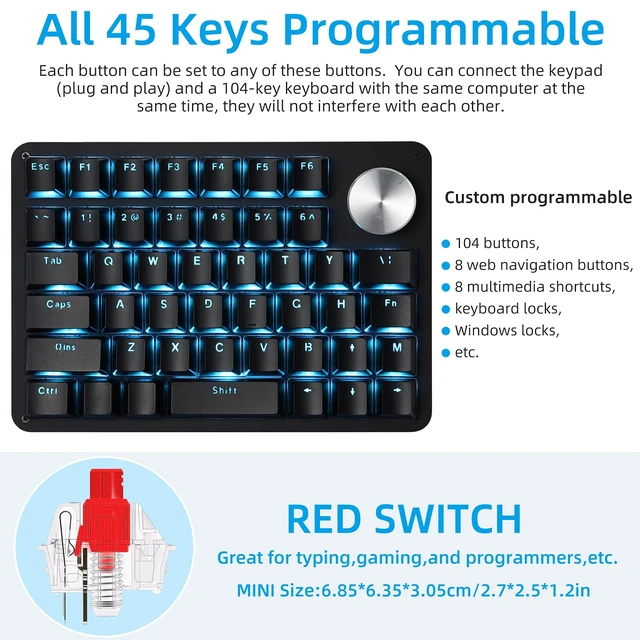
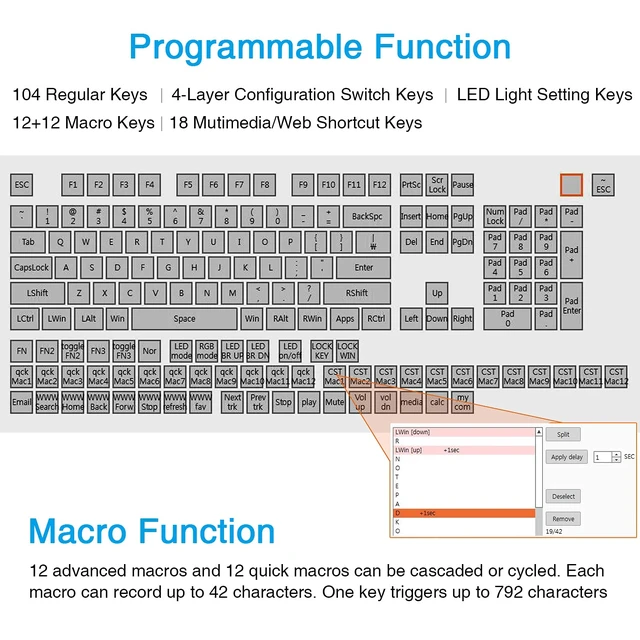
- [All 45 Key Programmable]Exclusive soft and allows you to program all keys. Customize to fit your environment Besides the normal 127 keys, you can set web navigation buttons, 19 multimedia shortcuts, keyboard locks, windows lock, etc
- [16 Macro Keys]The macro function also supports up to 349 key commands.It simplifies creative and complex editing tasks such as video and publishing,and greatly increases your work efficiency.Office software shortcuts such as Word/Excel,CAD,Adobe Ae/Pr/Ps software shortcuts and games quick tricks and programming. For example, you can set it and press it on the specific key to "ctrl + a 0.5s ctrl+c 0.5s ctrl+v"to operate this operation
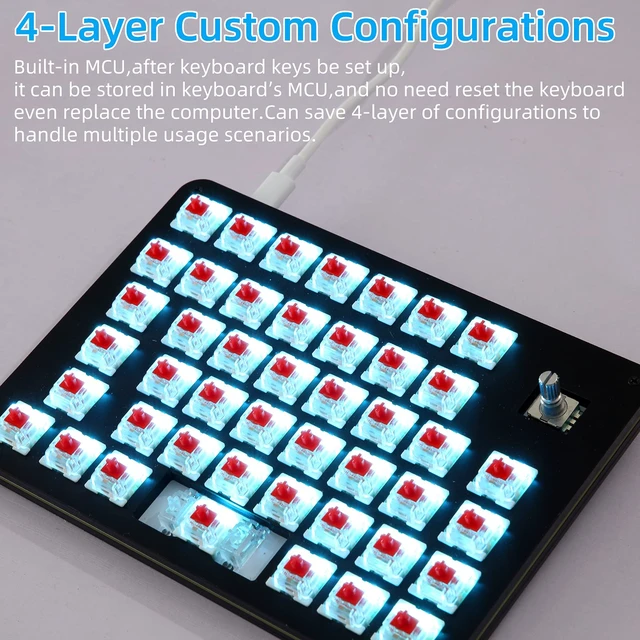
- [4-Layer Configuration]The contents of the program are stored in the built-in MCU (small CPU). 4 types of settings can be stored, so you can use them according to the situation. The settings are stored in the main unit, so you don't have to worry about resetting the keyboard every time you change the computer. Not only for gamers, but also for designers and video creators
+
+
Overview
Specs
Reviews
Any questions? Ask CelesteSM will help you find out quickly.
Try me now
Note:
Please download the keyboard's configuration software according to the URL on the manual After opening the software,
when you need to use the "Key Mapper / Custom Macro / Quick Macro / Options " function, you need to click the "Connect" in the top-left to connect the keypad.
Once set up, you need to click the "Upload" to save. Otherwise all settings are invalid. It is recommended to use "Key action tracking",
which is the key action tracking function. After checking "Key action tracking", press any key on the keyboard or turn the knob,
the software will mark the position of this key in the software, which is convenient for direct comparison.
Normal / FN / FN2 /FN3 4-Layer Configuration
You can set up Normal / FN / FN2 / FN3 4-layer configuration.
Once set up, the 45-keys keypad will be converted into more keypad.
You need to set a shortcut key of the FN layer in the Normal layer, When you need to enter a key on the FN layer, you need to press and hold the FN key on the normal layer, and then press the key of the FN layer that you want to enter.
Custom Advanced Macro
You can set up 12 advanced macros (with time delay) and 12 quick macros (without time delay). Each macro can record up to 42 characters. A total of 24 macros can be cascaded or cycled.
The user can define a key as a specified macro, and automatically trigger the macro by simply triggering the key.
When using a loop macro, press the key to trigger and press again to stop
Specifications:
Keyboard Interface: USB Type-C
Rating: DC 5V, <100mA
1.5M detachable USB cable
Compatible with Windows XP,7,8,10, Mac OS
Package Included:
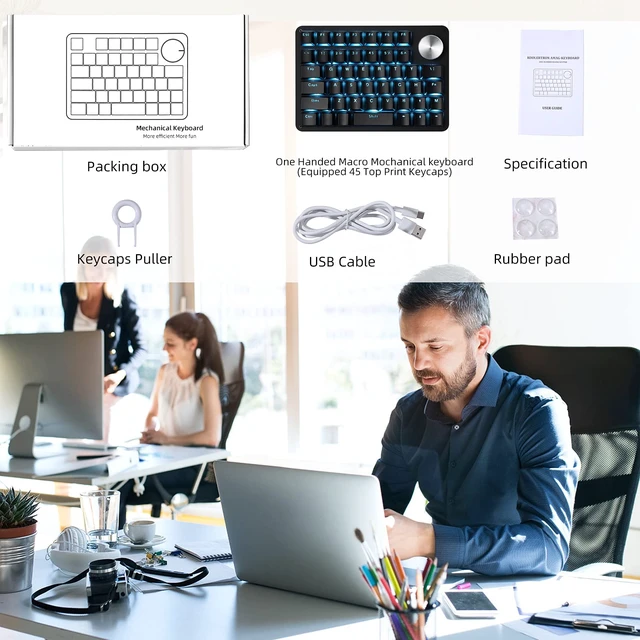
1 x One Handed Macro Mechanical Keyboard
1 x USB Cable
1 x Keycaos Puller
1 x User Manual

Please download the keyboard's configuration software according to the URL on the manual After opening the software,
when you need to use the "Key Mapper / Custom Macro / Quick Macro / Options " function, you need to click the "Connect" in the top-left to connect the keypad.
Once set up, you need to click the "Upload" to save. Otherwise all settings are invalid. It is recommended to use "Key action tracking",
which is the key action tracking function. After checking "Key action tracking", press any key on the keyboard or turn the knob,
the software will mark the position of this key in the software, which is convenient for direct comparison.
Normal / FN / FN2 /FN3 4-Layer Configuration
You can set up Normal / FN / FN2 / FN3 4-layer configuration.
Once set up, the 45-keys keypad will be converted into more keypad.
You need to set a shortcut key of the FN layer in the Normal layer, When you need to enter a key on the FN layer, you need to press and hold the FN key on the normal layer, and then press the key of the FN layer that you want to enter.
Custom Advanced Macro
You can set up 12 advanced macros (with time delay) and 12 quick macros (without time delay). Each macro can record up to 42 characters. A total of 24 macros can be cascaded or cycled.
The user can define a key as a specified macro, and automatically trigger the macro by simply triggering the key.
When using a loop macro, press the key to trigger and press again to stop
Specifications:
Keyboard Interface: USB Type-C
Rating: DC 5V, <100mA
1.5M detachable USB cable
Compatible with Windows XP,7,8,10, Mac OS
Package Included:
1 x One Handed Macro Mechanical Keyboard
1 x USB Cable
1 x Keycaos Puller
1 x User Manual
Warranty & Returns
Warranty, Returns, And Additional Information
Warranty
- Please contact the Seller directly for warranty information. Warranty information may also be found on the Manufacturer's website.
- CONTACT
Return Policies
- Return for refund within: 30 days
- Return for replacement within: 30 days
- This item is covered by Gaming on Home Return Policy
Manufacturer Contact Info
- For a directory of all our manufacturers, please click below.
- Manufacturers Directory
LOADING...