Your Browsing History
Meet Your Seller
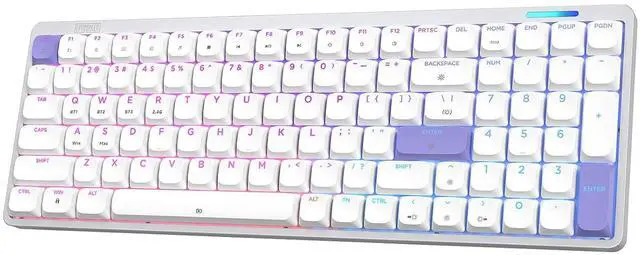
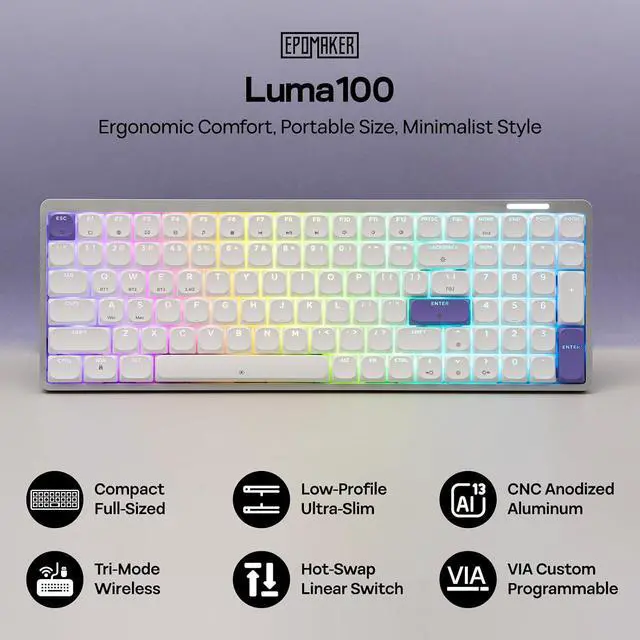
Luma100 Low Profile Aluminum Mechanical Keyboard, VIA Programmable | RGB Backlit, Hot-Swappable, Win/Mac/Linux Compatible, Wireless Portable Office Keyboard with Mac Modifier Keycaps
Limited time offer, ends 07/26 By Glovibe Tech
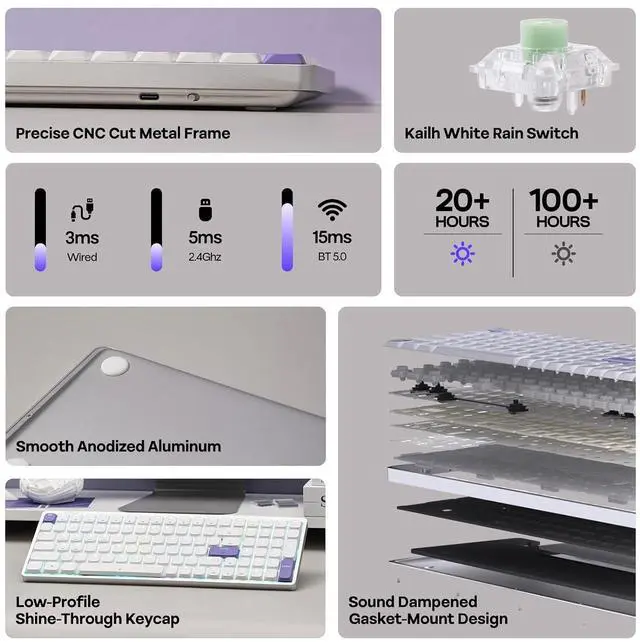
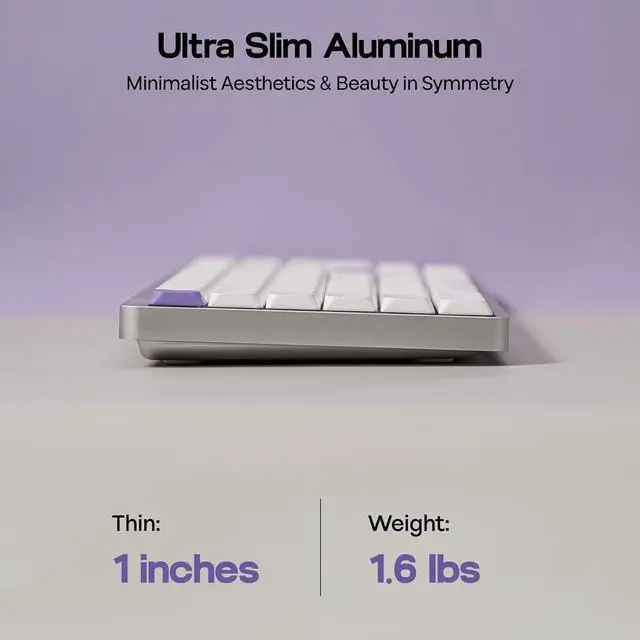
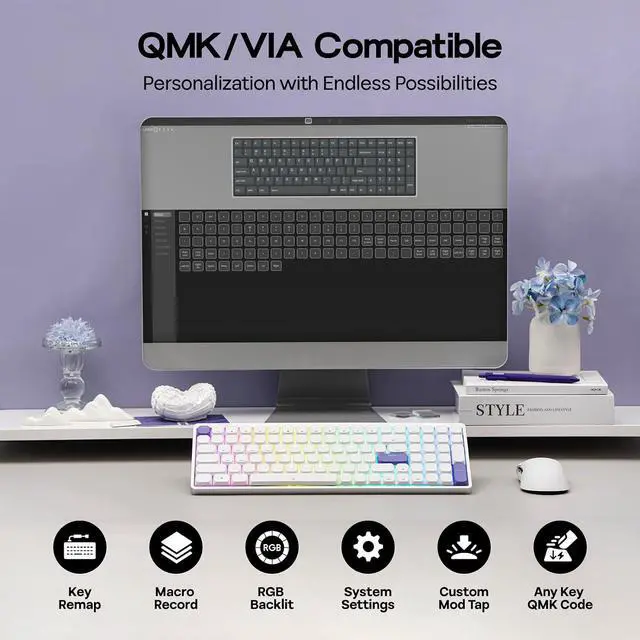
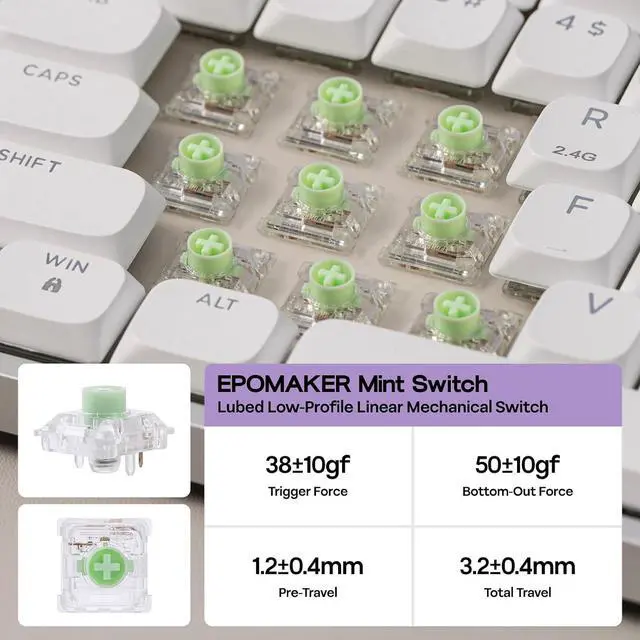
- Effortless Customization with VIA: Tired of rigid keyboard layouts that don't fit your workflow? The LUMA100 revolutionizes your productivity with full VIA software support. Unlock the potential of the compact 100-key layout by automating repetitive tasks with macros or remapping keys to suit your specific coding or office needs. Whether you are streamlining complex shortcuts or adjusting settings, the intuitive VIA interface empowers you to personalize every aspect of your device, transforming the way you work with unparalleled flexibility.; Low-Profile, High Performance: Level up your typing experience with the LUMA100, equipped with 100 time-tested Epomaker Low-profile Mint switches. Designed for both speed and comfort, these switches offer a shortened key travel distance that delivers faster response times and lightning-fast actuation. Combined with the ergonomic low-profile design, this setup allows your wrists to sit at a natural angle, significantly reducing strain during marathon gaming sessions or long workdays while providing a "creamy smooth" keystroke.
+
+
Overview
Specs
Reviews
Any questions? Our AI beta will help you find out quickly.
Try me now
Product description Low-Profile, High
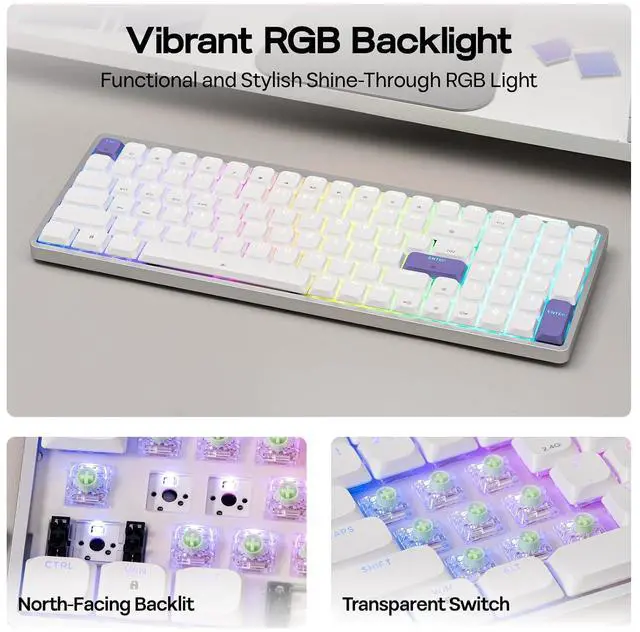
Comfort: POM-Stem Smooth Switch, Ergonomic Typing Angle & Shine-Through Letters 1 Comfortable Typing 2 POM-Stem Switch 3 Laser-Engraved Key Strudy Build, Stable Performance 1 CNC Aluminum Metal 2 Tri-Mode Multi-Setup 3 100hrs Long-Lasting Typing Sound, Custom RGB, Tri-Mode Connection, Remap with VIA, Package Content Cushioned Gasket-Mount Satisfying Typing Sound Acoustics matter in a professional environment. The LUMA100 eliminates hollow resonance and ping through a sophisticated five-layer sound-dampening system. The internal architecturecomprising Sandwich Foam, Switch Pads, Sound-Enhancement Pads, Switch Socket Foam, and Bottom Sound-Absorbing Foamfills every void. This meticulous layering delivers a solid, muted, and satisfying "thocky" melody, ensuring your typing is audibly pleasing without being distracting. Click to play video Functional and Stunning Shine-Through RGB Backlit With per-key RGB shine-through, the Luma100 low-profile keyboard delivers both style and substanceevery letter glows clearly through the keycap, so you never have to secondguess your hand placement or set up additional lamp, whether during early morning work time, or late night writing. Click to play video PC/Mac/Android Compatible Office Keyboard 2.4G hz/BT/USB Wired Transform your desk into a modern, wire-free workspace with the seamless connection Luma100 offers via BT 5.0, 2.4 GHz wireless, and USB-C for up to 5 paired devices in onboard memory.
Pairing Tips: 1). Press and hold FN+Q (or W/E) or FN+R for 5 seconds, until the light's blink quicken from slow to rapid. 2). Find Luma40 on your device's Bluetooth Setting. Or plug the 2.4G hz dongle to your device.
Paired Devices: 1). Press FN+Q (or W/E) or FN+R once. 2). BT Connected/Insert Dongle. JSON File available on Product Card VIA Software Unlock the potential of the compact 100-key layout by automating repetitive tasks with macros or remapping keys to suit your specific coding or office needs. Whether you are streamlining complex shortcuts or adjusting settings, the intuitive VIA interface empowers you to personalize every aspect of your device, transforming the way you work with unparalleled flexibility. Click to play video What's in the Package LUMA100 Keyboard, Additional Switch, Mac Keycaps and 2-in-1 Switch-and-Keycap Puller 2.4G Wireless Dongle, Detachable USB A to C Cable Multilingual Manual, Quick Start Card (Tips on JSON File) Storage Bag, Cleaning Cloth, Stick-on Stand Why WIN and Alt key are swapped? Why WIN/Alt won't work? What is VIA software? How can I custom the Luma keyboard and where can I find the JSON file? How can I charge the Luma100 safely? How to check its power?

Comfort: POM-Stem Smooth Switch, Ergonomic Typing Angle & Shine-Through Letters 1 Comfortable Typing 2 POM-Stem Switch 3 Laser-Engraved Key Strudy Build, Stable Performance 1 CNC Aluminum Metal 2 Tri-Mode Multi-Setup 3 100hrs Long-Lasting Typing Sound, Custom RGB, Tri-Mode Connection, Remap with VIA, Package Content Cushioned Gasket-Mount Satisfying Typing Sound Acoustics matter in a professional environment. The LUMA100 eliminates hollow resonance and ping through a sophisticated five-layer sound-dampening system. The internal architecturecomprising Sandwich Foam, Switch Pads, Sound-Enhancement Pads, Switch Socket Foam, and Bottom Sound-Absorbing Foamfills every void. This meticulous layering delivers a solid, muted, and satisfying "thocky" melody, ensuring your typing is audibly pleasing without being distracting. Click to play video Functional and Stunning Shine-Through RGB Backlit With per-key RGB shine-through, the Luma100 low-profile keyboard delivers both style and substanceevery letter glows clearly through the keycap, so you never have to secondguess your hand placement or set up additional lamp, whether during early morning work time, or late night writing. Click to play video PC/Mac/Android Compatible Office Keyboard 2.4G hz/BT/USB Wired Transform your desk into a modern, wire-free workspace with the seamless connection Luma100 offers via BT 5.0, 2.4 GHz wireless, and USB-C for up to 5 paired devices in onboard memory.
Pairing Tips: 1). Press and hold FN+Q (or W/E) or FN+R for 5 seconds, until the light's blink quicken from slow to rapid. 2). Find Luma40 on your device's Bluetooth Setting. Or plug the 2.4G hz dongle to your device.
Paired Devices: 1). Press FN+Q (or W/E) or FN+R once. 2). BT Connected/Insert Dongle. JSON File available on Product Card VIA Software Unlock the potential of the compact 100-key layout by automating repetitive tasks with macros or remapping keys to suit your specific coding or office needs. Whether you are streamlining complex shortcuts or adjusting settings, the intuitive VIA interface empowers you to personalize every aspect of your device, transforming the way you work with unparalleled flexibility. Click to play video What's in the Package LUMA100 Keyboard, Additional Switch, Mac Keycaps and 2-in-1 Switch-and-Keycap Puller 2.4G Wireless Dongle, Detachable USB A to C Cable Multilingual Manual, Quick Start Card (Tips on JSON File) Storage Bag, Cleaning Cloth, Stick-on Stand Why WIN and Alt key are swapped? Why WIN/Alt won't work? What is VIA software? How can I custom the Luma keyboard and where can I find the JSON file? How can I charge the Luma100 safely? How to check its power?
Warranty & Returns
Warranty, Returns, And Additional Information
Warranty
- Please contact the Seller directly for warranty information. Warranty information may also be found on the Manufacturer's website.
- CONTACT
Return Policies
- Return for refund within: 30 days
- Return for replacement within: non-replaceable
- This item is covered by Glovibe Tech Return Policy
Manufacturer Contact Info
- For a directory of all our manufacturers, please click below.
- Manufacturers Directory
LOADING...