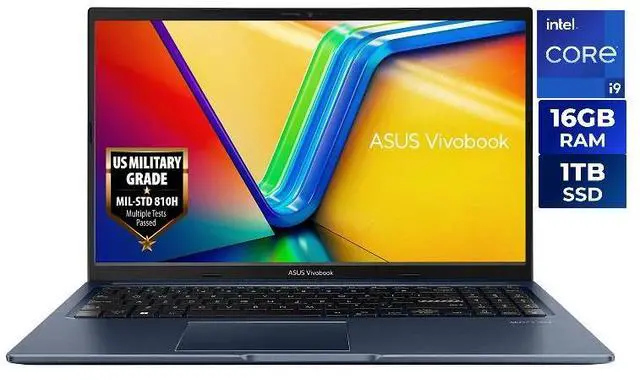
Exsurf 15.6" Business Laptop, AMD Ryzen 3250C, 16GB DDR4 RAM 1TB NVMe SSD, Windows 11 Pro Laptop Computer, Backlight Keyboard, Fingerprint Reader, Silver
  •  
  • $439.99 
  • Save: 32%
  • $1,299.99
  • $1,599.99
  • Save: $300.00 (18%)
  • Free 30-day Returns
  • Sold by Newegg

    Shipped by Newegg

    Price alert
    Shop it at NeweggBusiness.

    ASUS Vivobook S 16" 3K OLED Intel Core Ultra 7 255H - 32GB RAM - 1TB SSD Windows 11 Home (S5606CA-NS79)

    + $20 off w/ promo code EPF56699, limited offer

    #1 Best Seller
    Best Seller
    in All Laptop
    • 15.6" i9-13900H 16GB/1TB
    • 15.6" i5-1334U 16G/512GB
    • 16" Ultra 7 255H 32GB/1TB
    • Indulge in stunning visuals in breathtaking 2880 x 1800 resolution (16:10) and a 400-nit peak HDR brightness with brilliant 100% DCI-P3 color gamut and a smooth 120Hz refresh rate,180 degree lay flat hinge & full metal chassis
    • 3D performance hybrid architecture powered by 16 processor cores and 16 processor threads makes everything you do easier, faster, and better. Intel AI Boost NPU accelerator boosts AI assistants, generative AI, and more
    • Discrete-class graphics engineered for the Vivobook S16. Create and play with superior performance with up to eight Xe-cores for advanced visual technologies like XMX AI engine support and XeSS upscaling in games
    • Look great with a 1080p Full HD IR webcam with AiSense for swift face login, background blur, automatic framing and eye-tracking
    • Indulge your senses in powerful, crystal-clear sound, tuned by Harman Kardon and Dolby Atmos, feature Smart Amplifier and ASUS Audio Booster
    • Ports: 2 Thunderbolt 4 | 2 USB 3.2 Gen 1 Type-A | HDMI 2.1 TMDS | MicroSD Card Reader | Audio Combo Jack
    +
    +
    Overview
    Specs
    Reviews (14)
    See all Q & A
    avatar

    Any questions? Our AI mode will help you find out quickly.

    Warranty & Returns

    Warranty, Returns, And Additional Information

    Warranty

    • Limited Warranty period (parts): 1 year
    • Limited Warranty period (labor): 1 year
    • Read full details

    Return Policies

    LOADING...
    LOADING...

    Learn about this product

    The ASUS Vivobook S 16 is a thin-and-light 16-inch Windows laptop with a 3K 120Hz OLED display, Intel Core Ultra 7 255H, 32GB RAM, and 1TB SSD, making it a strong fit for students, professionals, and creators who want a large color-accurate screen, fast everyday performance, and modern connectivity in a portable design.

    Recommended For

    • People who want a large-screen laptop for everyday work and media without carrying a heavy 16-inch machine — the S5606 is positioned as a thin-and-light 16-inch model, and reviews repeatedly call out its low weight, OLED screen, and solid battery life for mobile daily use.
    • Students, remote workers, and office users who keep many windows open at once and value screen quality for reading, documents, spreadsheets, and streaming — the 16-inch 16:10 OLED panel and 32GB memory fit that multitasking-heavy workflow well.
    • Users doing photo work, content consumption, or light creative tasks who care more about display quality than GPU horsepower — professional coverage and community feedback consistently highlight the 3K 120Hz OLED panel as one of the main reasons to choose this model.
    • People who want one laptop for work, web, coding, and occasional casual gaming without stepping up to a heavier creator or gaming model — coverage of the S5606 line describes it as a strong everyday productivity machine with enough headroom for light graphics and mixed-use workloads.

    Real-World Use Scenarios

    • Working all day in Chrome, Office, Slack, and video calls is a natural fit; users can keep many apps and tabs open at once, and the 16-inch 16:10 OLED screen gives more room for documents and spreadsheets without feeling cramped.
    • It suits students and mobile professionals who want one larger-screen laptop for campus, home, and travel; at about 3.3 lb with USB-C charging, it is easier to carry than most 16-inch models while still offering a full-size work area.
    • For photo editing, content review, and design work, the OLED panel is the main reason to choose it; users get a large, high-resolution display with wide color coverage that is better suited to checking images, layouts, and media than a typical office laptop screen.
    • Light creative work such as Lightroom, short video edits, and multitasking across editing and media apps is realistic; the CPU, 32GB RAM, and Intel Arc graphics are generally enough for hobbyist or student projects, but this is not the right pick for heavy 3D work or sustained professional rendering.
    • It can handle casual gaming and older or less demanding titles at reduced settings, so it works for occasional play after work or school, but buyers expecting consistent AAA gaming performance should look for a laptop with dedicated graphics instead.
    • It works well as a home desk-and-go laptop with monitors, storage, and accessories because it includes Thunderbolt 4, HDMI, and USB-A ports, though some community feedback suggests checking charging and dock behavior if you plan to stay plugged into USB-C displays all day.

    Spec Summary

    AttributeValue
    Best ForUsers who want a thin-and-light 16" 3K OLED laptop for AI-assisted workflows, content creation, and mainstream gaming — pairs a 16-core Intel Core Ultra 7 CPU and Intel Arc integrated graphics with 32GB LPDDR5X and a 1TB PCIe Gen4 SSD
    Processor And Core CountIntel Core Ultra 7 255H — 16-core (6P+8E+2LPE) design with 24 MB L3 cache and an onboard AI Boost NPU rated up to 13 TOPS
    Clock SpeedsProcessor speed listed as 3.8 GHz
    GPU And VRAMIntel Arc Graphics (integrated) using shared system memory
    Display Spec16.0" OLED WQXGA+ (2880 x 1800, 16:10) 120 Hz, 100% DCI‑P3 color gamut, 400 nits peak HDR, non-touch
    Memory Configuration32 GB LPDDR5X-7500 (installed), maximum/installed 32 GB
    Storage And Expansion1 TB PCIe Gen4 NVMe SSD with Micro SD card reader for additional removable storage
    High Speed I O2 × Thunderbolt 4 (Display/Power Delivery, up to 40 Gbps), 2 × USB 3.2 Gen 1 Type‑A, HDMI 2.1, microSD card reader, 3.5mm combo audio jack
    Battery And Power75 WHrs, 4‑cell (4S1P) Li‑ion battery with up to 16 hours claimed runtime and a 65‑watt AC adapter
    Wired And Wireless NetworkingWi‑Fi 7 (802.11be) wireless and Bluetooth 5.4
    Webcam And PrivacyFHD webcam with IR support for Windows Hello and built‑in array microphone
    Keyboard And ControlBacklit chiclet keyboard with 1‑zone RGB and numeric keypad plus a precision touchpad
    Audio SetupSmart Amplifier technology with built‑in speakers and integrated microphones
    PortabilityDimensions ~13.92" × 9.72" × 0.55–0.63" and weight 3.31 lbs (thin-and-light design)
    External Display And Docking FitSupports external displays and power delivery via 2 × Thunderbolt 4 and HDMI 2.1
    Model IdentifiersASUS VivoBook S16 — Model S5606CA-NS79 (Part Number 90NB1553-M008D0); manufactured for United States region

    Reference Q&A

    Q: Should I choose the ASUS Vivobook S 16 OLED with Core Ultra 7 255H or a lower-tier Core Ultra 5 configuration?

    A: Choose the Core Ultra 7 255H version if you want more headroom for multitasking, heavier office workloads, light creator apps, and longer useful life from the 32GB RAM and 1TB SSD. A lower-tier Core Ultra 5 model is the better fit when price matters more and your workload is mostly web, school, streaming, and standard productivity. The main trade-off is that the Ultra 7 model gives you a stronger integrated Arc graphics tier and a more premium memory/storage setup, while lower-tier versions usually cover the same everyday tasks at lower cost.

    Q: Is the ASUS Vivobook S 16 OLED better than a portability-first 14-inch laptop?

    A: Choose the Vivobook S 16 if screen quality, workspace, and home-or-campus productivity matter more than minimum size. Its 16-inch 3K 120Hz OLED panel and 32GB RAM make it a better fit for split-screen work, media, coding, and content viewing. Choose a 14-inch portability-focused laptop if you carry it all day, work in tighter spaces, or want the lightest travel setup. The trade-off is simple: the Vivobook S 16 offers a larger and higher-spec work environment, while smaller 14-inch systems are easier to carry.

    Q: Should I get this Vivobook S 16 OLED or spend more on a higher-tier ASUS Zenbook S 16?

    A: Choose the Vivobook S 16 when you want a strong value balance of OLED display quality, modern Intel performance, 32GB RAM, and useful ports without moving into a more premium price tier. Choose the Zenbook S 16 if you are specifically paying for a thinner, more premium chassis, stronger battery-focused positioning, and a higher-end overall package. The trade-off is that the Zenbook line is positioned above Vivobook for materials and premium design, while the Vivobook S 16 stays focused on mainstream performance and display value.

    Q: How does the Intel Core Ultra 7 255H Vivobook S 16 compare with the Ryzen AI 9 HX 370 version?

    A: Choose the Ryzen AI version if your priority is stronger integrated graphics and a more performance-leaning configuration for GPU-heavy creator work or light gaming. Choose this Core Ultra 7 255H version if you want a balanced mainstream setup with a high-resolution OLED panel, 32GB RAM, and Intel platform features for general productivity, study, and mixed everyday use. Across reviews and community comparisons, the common trade-off is that Ryzen AI models tend to be preferred for iGPU performance, while the Intel model remains a practical choice for office, multitasking, and display-focused use.

    Q: Is the Vivobook S 16 OLED a better choice than a performance-first laptop with dedicated graphics?

    A: Choose the Vivobook S 16 if you want a thinner, lighter laptop for productivity, media, coding, and occasional light graphics work without the size and power demands of a gaming-style system. Choose a performance-first laptop with dedicated graphics if your workload includes modern gaming, 3D rendering, GPU-heavy editing, or sustained high-load work. The Vivobook's Intel Arc integrated graphics are useful for everyday acceleration and lighter gaming, but a dedicated GPU platform is the better fit when graphics performance is the main buying reason.

    Q: Is this a good travel work laptop?

    A: Yes for mobile office use, remote work, and frequent travel. The strongest fit is users who want a large but still portable 16-inch laptop with a high-resolution OLED screen, solid battery capacity, and practical I/O. The main trade-off is that it is a non-touch 16-inch model, so it is less ideal if you want tablet-style note-taking or the smallest possible carry weight.

    Q: Is it good for note-taking, meetings, and office work?

    A: Yes for typing, video meetings, spreadsheets, documents, and multitasking. The 32GB RAM, Intel Core Ultra 7 255H, 1080p IR webcam, and full port selection make it well suited for business-style productivity. The limitation is note-taking by pen: this model is non-touch, so it is not the right choice if handwritten annotation or stylus input is important.

    Q: Is this good for gaming or should I buy a laptop with dedicated graphics instead?

    A: Buy this model for productivity, media, and light creative use first, not as a gaming-first laptop. Its Intel Arc integrated graphics should handle casual and lighter games better than basic integrated graphics, but it is still not the same class as a laptop with RTX-series dedicated graphics. If gaming performance is a priority, a comparable 16-inch model with discrete GPU is the safer choice.

    Q: Who is this laptop best suited for?

    A: It is best suited for users who want a premium-looking 16-inch Windows laptop for work, study, content consumption, and general multitasking without stepping up to a heavier gaming or creator machine. It especially fits buyers who value screen quality, RAM capacity, and modern ports. It is less suitable for users who need touch input, upgradeable memory, or high-end dedicated graphics.

    Q: What are the main trade-offs versus similar 16-inch OLED alternatives?

    A: The main advantages here are 32GB RAM, a 3K 120Hz OLED display, and useful connectivity including two Thunderbolt 4 ports. The main compromises are integrated rather than dedicated graphics, non-touch input, and likely limited long-term upgrade flexibility compared with some thicker performance laptops. Compared with touch-enabled or creator-focused alternatives, this model is the more balanced choice for everyday work and display quality, not for pen input or maximum GPU power.

    Q: Is the ASUS Vivobook S16 OLED a good buy for work, study, and everyday productivity?

    A: Yes, if your priority is a large, high-quality display and strong everyday performance in a thin-and-light laptop. This configuration pairs a 16-inch 3K 120Hz OLED screen with a Core Ultra 7 255H, 32GB RAM, and 1TB SSD, which fits office work, multitasking, coding, web use, and light creative work well. It is a stronger fit for productivity and media than for specialized gaming or workstation use.

    Q: Who is this laptop best suited for?

    A: It is best suited for users who want one laptop for productivity, travel, streaming, school, and light content creation. The 32GB RAM and 1TB SSD make it especially suitable for people who keep many apps and browser tabs open, work with large documents, or want a laptop that should stay comfortable for everyday use over several years. It is less specialized for heavy 3D work or modern AAA gaming.

    Q: Is it good for programming, office work, and light editing?

    A: Yes. The Core Ultra 7 255H and 32GB of memory are well matched to programming, spreadsheets, presentations, research, and light-to-moderate photo or video editing. The OLED 16:10 display is also a practical advantage for text-heavy work and timeline-based editing. For occasional editing and general creator use, it makes sense; for sustained professional editing or 3D rendering, a laptop with stronger dedicated graphics would be the safer choice.

    Q: Is this a good replacement for a basic home or office laptop if I also want better screen quality?

    A: Yes, for buyers moving up from a standard office laptop, this is a meaningful upgrade in display quality, memory, storage, and connectivity. The main practical benefits are the sharper 3K OLED panel, 120Hz refresh rate, 32GB RAM, and modern ports including two Thunderbolt 4 ports. The trade-off is that you are paying for a premium display and higher-end configuration rather than dedicated gaming graphics.

    Q: What are the main trade-offs of choosing this model?

    A: The main trade-offs are that it uses integrated Intel Arc graphics rather than a dedicated GPU, the display is non-touch and glossy, and some community discussion raises caution about performance consistency under heavier or non-Windows workloads. In return, you get a lighter 16-inch laptop with a high-end OLED screen, 32GB RAM, 1TB SSD, Wi-Fi 7, and strong port selection. It is a better fit for premium everyday computing than for users who need maximum graphics performance or workstation-class stability.