




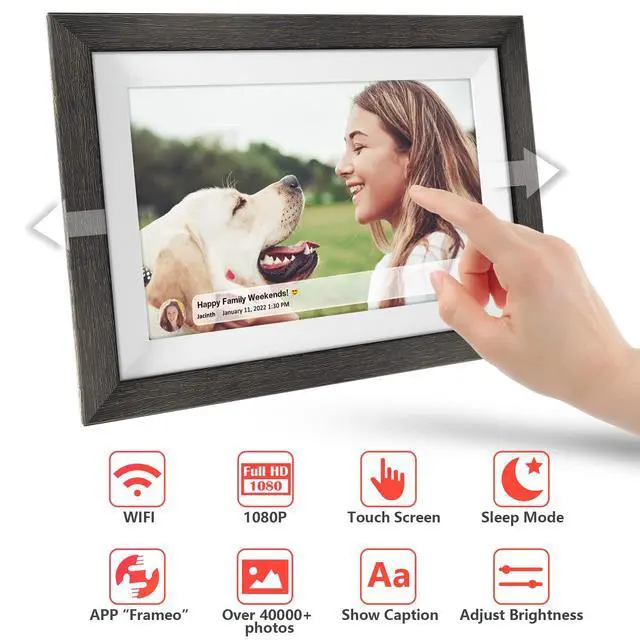





Frameo APP
- Connect your frame to WiFi (2.4 GHz)
- Download Frameo App
- Add your frame on the App
- Share from Anywhere, safely & privately
- Videos: (Max. 15s/each)

Computer Transfer
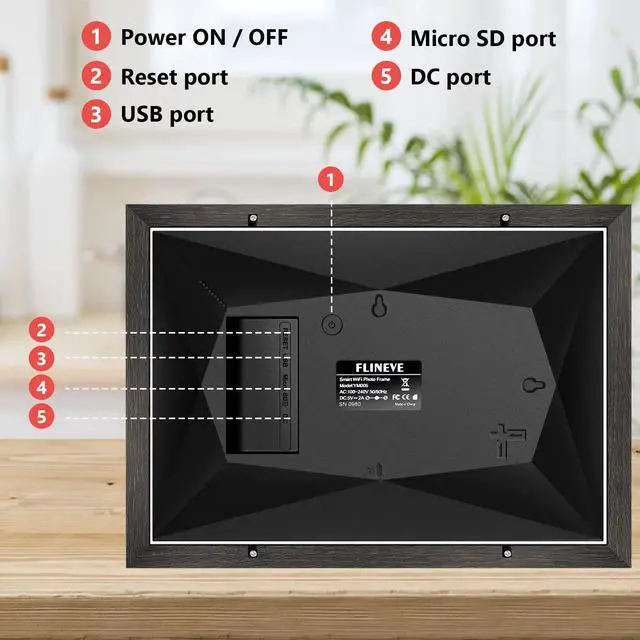
- Connect frame to PC via USB-C Cable
- Go to "Manage photos > Transfer from computer" on frame.
- Find the file on PC, send
- Videos: (Max. 5mins/each)

TF32G import steps
- Insert TF32GB into frame.
- Go to "Manage photos > Import photos" on frame, send
- Videos: (Max. 5mins/each)

TF32G export steps
- Insert TF32GB into frame.
- Go to "Manage photos > Export photos" on frame and download


MQQC is an enterprise specializing in the production and sales of digital photo frames and Bluetooth headsets, with decades of production experience and excellent engineering team. More than just a device, our digital photo frames are a loving sharing between family and friends, and it's the perfect gift for yourself or a loved one on important days and occasions




MQQC digital picture frame



digital picture frame


Frameo APP
- Connect your frame to WiFi (2.4 GHz)
- Download Frameo App
- Add your frame on the App
- Share from Anywhere, safely & privately
- Videos: (Max. 15s/each)
Computer Transfer
- Connect frame to PC via USB-C Cable
- Go to "Manage photos > Transfer from computer" on frame.
- Find the file on PC, send
- Videos: (Max. 5mins/each)
TF32G import steps
- Insert TF32GB into frame.
- Go to "Manage photos > Import photos" on frame, send
- Videos: (Max. 5mins/each)
TF32G export steps
- Insert TF32GB into frame.
- Go to "Manage photos > Export photos" on frame and download


MQQC is an enterprise specializing in the production and sales of digital photo frames and Bluetooth headsets, with decades of production experience and excellent engineering team. More than just a device, our digital photo frames are a loving sharing between family and friends, and it's the perfect gift for yourself or a loved one on important days and occasions
MQQC digital picture frame
digital picture frame