




Drawing from Your Heart
XOPPOX Graphic Drawing Tablet - Make Every Idea and Creation Come True
XOPPOX is a dynamic and innovative team with years of experience in drawing tablets.
We encourage free creation and focus on providing more functional and affordable drawing pads and top-tier after-sales service.
Our products can help artists, designers, animators realize their creations faster and more effectively.
Professional Product Support: Send us messages anytime if you have any questions, and we will reply soon.
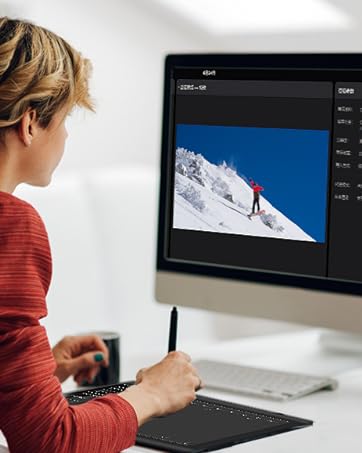
Work with Your Computer/Laptop
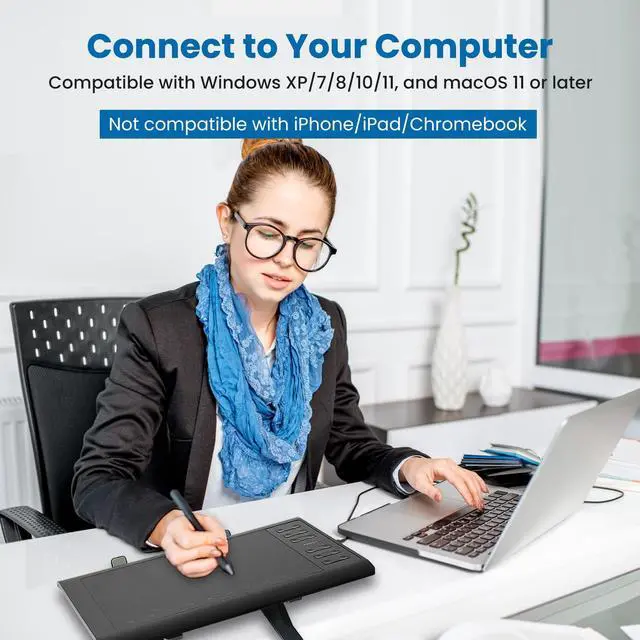
Compatible with Windows XP/7/8/10/11 and macOS 11 or later
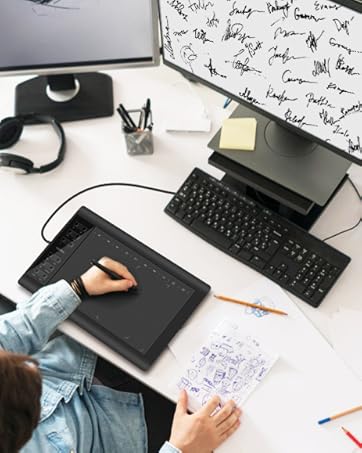
Wide Range of Use
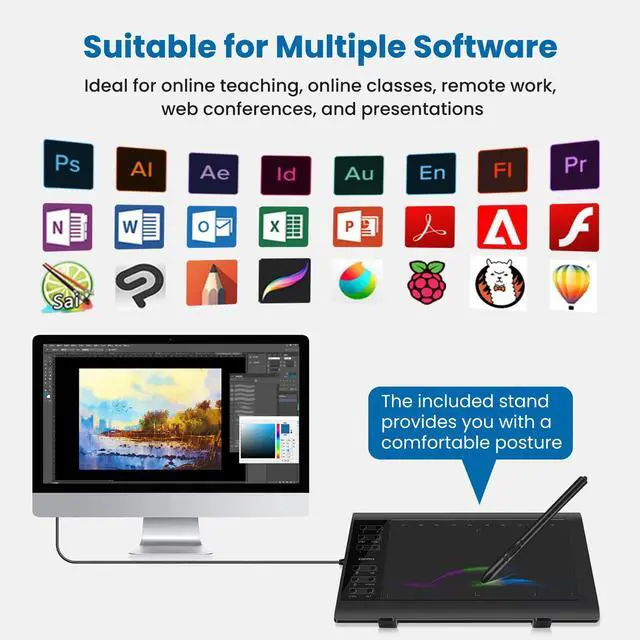
It is ideal for online teaching, online classes, remote work, web conferences, presentations and so on.
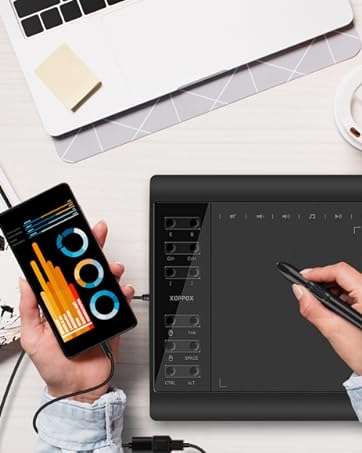
Work with Android Devices
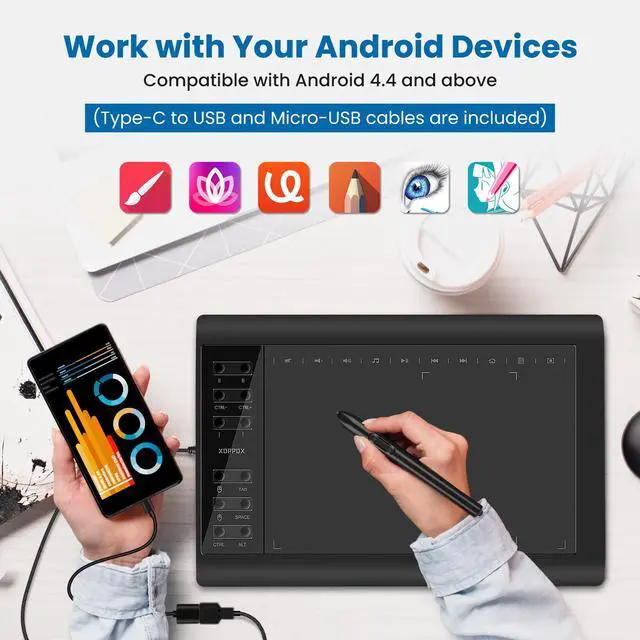
Compatible with Android 4.4 and above
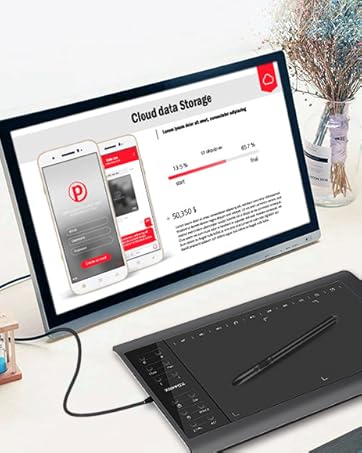
Perfect for Student, Beginners
Compatible with Microsoft Word, Excel, and PowerPoint, as well as most major design software such as Photoshop and SAI.


XOPPOX Drawing Tablet
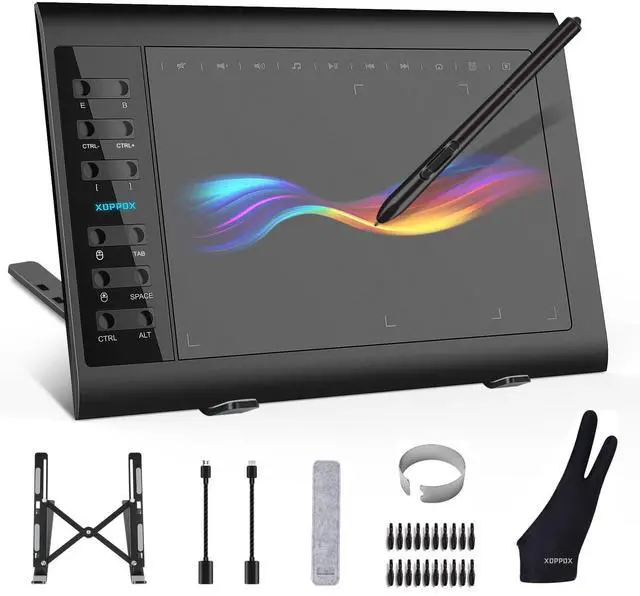
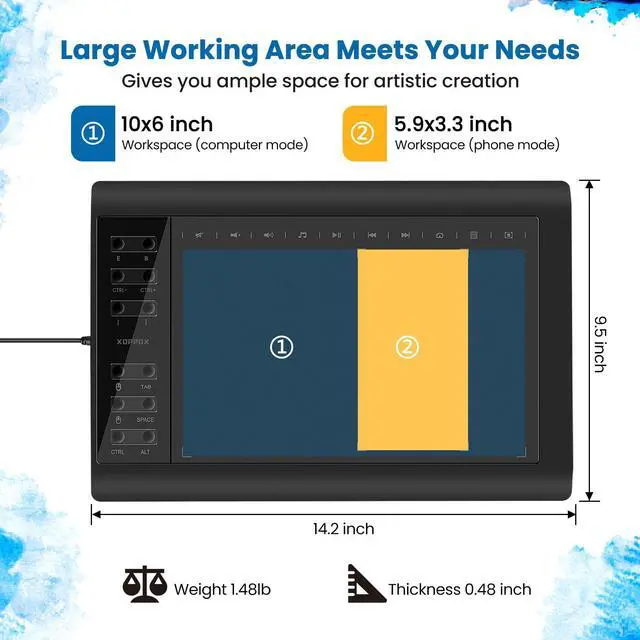
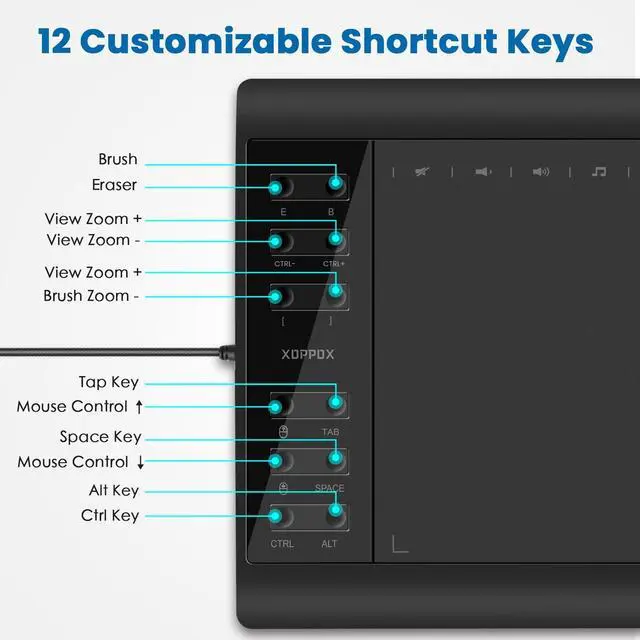
Get unsurpassed accuracy and performance from 10 × 6 inch large active area Graphic Drawing Tablet! This graphics tablet with 12 customizable press keys on the left side of the tablet allows you to set up shortcuts in accordance with your own preference (such as the eraser tool, brush tool, and so on). Equipped with 5080 LPI high resolution, 233 PPS report rate, and 8192 levels of pen pressure sensitivity for no delay or no chopping and an excellent drawing experience, you don't need to worry about the efficiency of the tablet. It's widely used by designers, artists, teachers, students, office people, sales guys, presenters, etc.
Driver Installation Tips:
1. Before installation, please uninstall other brands’ drivers and reboot your computer. Please also close all the drawing programs when installing the driver.
2. After connection, please refer to the "Driver Installation" section in the User Guide to install the driver.
Connection Tips:
Connect PC---Your computer needs to have a USB port available for the connection. If not, you need an adapter to convert for the connection.
Connect Android Phone---You have to use the OTG and USB cable to connect your Android phone.
Important Notices:
1. Kindly note that XOPPOX graphic drawing tablet is not a standalone product. It needs to be connected to a computer/laptop/Android phone to work.
2. The mouse control function of the graphic drawing pad can be used as a mouse to operate some shortcut keys quickly when using certain design software, but it is not recommended to use it directly instead of a mouse.
3. We will update the latest driver on the XOPPOX official website. If there is a problem with the previous driver or if you want to update it, contact-us or please go to our official website to download the latest driver.
4. The VIN1060Plus graphics tablet does not come with a screen. The colored handwriting in the picture is just a manifestation of the effect.


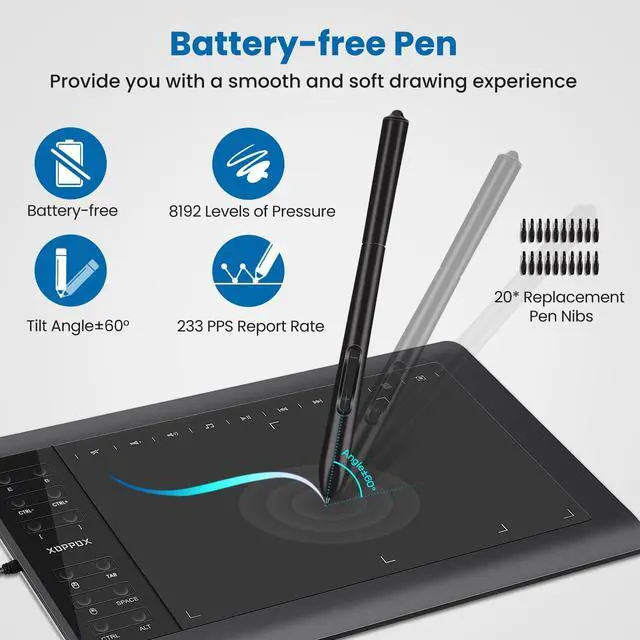
Designed with a battery-free stylus, 8192 levels of pressure and premium nibs make the strokes more delicate. It is suitable for sketching, shading, and creating stylized paintings.
- Key "-" can be customized as a button.
- Key "+" is the default right button of the mouse.
Comes with Multifunctional Tablet Stand
Efficient Hollow Cooling System
Sturdy (silver or black) metal surface, the hollow metal design maximizes heat dissipation of the equipment you are using.
Wide Range of Use
It's the best choice for the graphic tablet, and it can be also used for your laptop/tablet or other 10"–15.6" equipment.
Ergonomic Design
You can adjust the height from 1-6 levels as you need. A comfortable and correct sitting posture protects the cervical spine from oppression.
Large Active Area, Great Drawing Experience for Both Hands!

Novel Battery-free Stylus
- Created with the battery-free stylus to improve the ergonomics and reliability of the pen. It is lighter in weight and provides your hand with a more comfortable and natural feel.
- No-battery-powered stylus eliminates the risk of potential malfunctions associated with battery usage, such as hardware leakage and limited lifespan.
- The pen does not require charging and highlights your honorable environmental awareness.

Versatile Size of Active Area
- The display surface area is surrounded by an inactive border.
- With a 10×6 inch active area when connected to a computer and a 5.9×3.3 inch active area when connected to a phone, the digital drawing tablet provides you with a thinner, smarter, and more sensitive platform where you can showcase your creativity and talent.
- Supports connecting your Android phone via OTG and USB cable (included), widely used for art painting, animation, fashion design, image editing, industrial design, handwriting input, online courses, etc.

Left & Right Hand Mode
- Designed with left and right hand modes, suitable for people who are accustomed to right-handed or left-handed use. You only need to connect the graphic tablet to your device and then open the "Graphic Tablet" software to easily set the left and right hand mode.
- Includes a professional two-finger glove, which are suitable for the left or right hand. Wearing a two-finger glove can reduce the number of touches between the screen and the hand to avoid fingerprints and improve work efficiency.
XOPPOX Drawing Tablet
Get unsurpassed accuracy and performance from 10 × 6 inch large active area Graphic Drawing Tablet! This graphics tablet with 12 customizable press keys on the left side of the tablet allows you to set up shortcuts in accordance with your own preference (such as the eraser tool, brush tool, and so on). Equipped with 5080 LPI high resolution, 233 PPS report rate, and 8192 levels of pen pressure sensitivity for no delay or no chopping and an excellent drawing experience, you don't need to worry about the efficiency of the tablet. It's widely used by designers, artists, teachers, students, office people, sales guys, presenters, etc.
Driver Installation Tips:
1. Before installation, please uninstall other brands’ drivers and reboot your computer. Please also close all the drawing programs when installing the driver.
2. After connection, please refer to the "Driver Installation" section in the User Guide to install the driver.
Connection Tips:
Connect PC---Your computer needs to have a USB port available for the connection. If not, you need an adapter to convert for the connection.
Connect Android Phone---You have to use the OTG and USB cable to connect your Android phone.
Important Notices:
1. Kindly note that XOPPOX graphic drawing tablet is not a standalone product. It needs to be connected to a computer/laptop/Android phone to work.
2. The mouse control function of the graphic drawing pad can be used as a mouse to operate some shortcut keys quickly when using certain design software, but it is not recommended to use it directly instead of a mouse.
3. We will update the latest driver on the XOPPOX official website. If there is a problem with the previous driver or if you want to update it, contact-us or please go to our official website to download the latest driver.
4. The VIN1060Plus graphics tablet does not come with a screen. The colored handwriting in the picture is just a manifestation of the effect.
Comes with Multifunctional Tablet Stand
Designed with a battery-free stylus, 8192 levels of pressure and premium nibs make the strokes more delicate. It is suitable for sketching, shading, and creating stylized paintings.
- Key "-" can be customized as a button.
- Key "+" is the default right button of the mouse.
Efficient Hollow Cooling System
Sturdy (silver or black) metal surface, the hollow metal design maximizes heat dissipation of the equipment you are using.
Wide Range of Use
It's the best choice for the graphic tablet, and it can be also used for your laptop/tablet or other 10"–15.6" equipment.
Ergonomic Design
You can adjust the height from 1-6 levels as you need. A comfortable and correct sitting posture protects the cervical spine from oppression.
Large Active Area, Great Drawing Experience for Both Hands!
Novel Battery-free Stylus
- Created with the battery-free stylus to improve the ergonomics and reliability of the pen. It is lighter in weight and provides your hand with a more comfortable and natural feel.
- No-battery-powered stylus eliminates the risk of potential malfunctions associated with battery usage, such as hardware leakage and limited lifespan.
- The pen does not require charging and highlights your honorable environmental awareness.
Versatile Size of Active Area
- The display surface area is surrounded by an inactive border.
- With a 10×6 inch active area when connected to a computer and a 5.9×3.3 inch active area when connected to a phone, the digital drawing tablet provides you with a thinner, smarter, and more sensitive platform where you can showcase your creativity and talent.
- Supports connecting your Android phone via OTG and USB cable (included), widely used for art painting, animation, fashion design, image editing, industrial design, handwriting input, online courses, etc.
Left & Right Hand Mode
- Designed with left and right hand modes, suitable for people who are accustomed to right-handed or left-handed use. You only need to connect the graphic tablet to your device and then open the "Graphic Tablet" software to easily set the left and right hand mode.
- Includes a professional two-finger glove, which are suitable for the left or right hand. Wearing a two-finger glove can reduce the number of touches between the screen and the hand to avoid fingerprints and improve work efficiency.
Drawing from Your Heart
XOPPOX Graphic Drawing Tablet - Make Every Idea and Creation Come True
XOPPOX is a dynamic and innovative team with years of experience in drawing tablets.
We encourage free creation and focus on providing more functional and affordable drawing pads and top-tier after-sales service.
Our products can help artists, designers, animators realize their creations faster and more effectively.
Professional Product Support: Send us messages anytime if you have any questions, and we will reply soon.
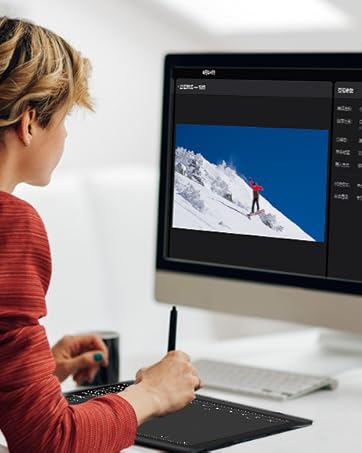
Work with Your Computer/Laptop
Compatible with Windows XP/7/8/10/11 and macOS 11 or later
Wide Range of Use
It is ideal for online teaching, online classes, remote work, web conferences, presentations and so on.
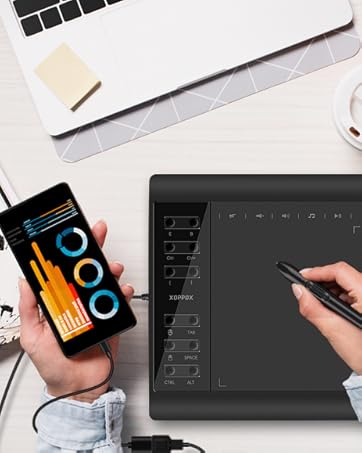
Work with Android Devices
Compatible with Android 4.4 and above
Perfect for Student, Beginners
Compatible with Microsoft Word, Excel, and PowerPoint, as well as most major design software such as Photoshop and SAI.
