• $31.99
  • Price alert
    Shop it at NeweggBusiness.

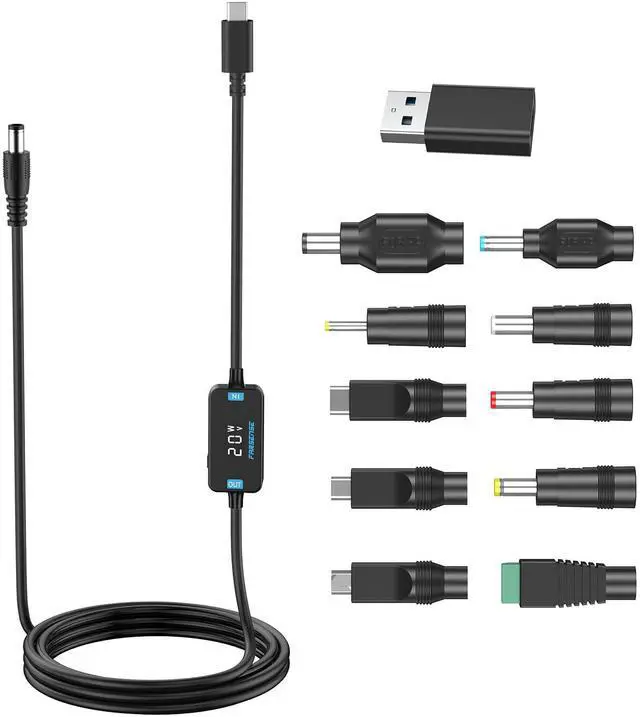
    USB C to DC Adapter,Barrel PD Trigger Cable(3.3ft) with 10 Connector Tips,USB to DC Power Cable can Switch Voltage by Pressing The Key,Support LED Display Voltage

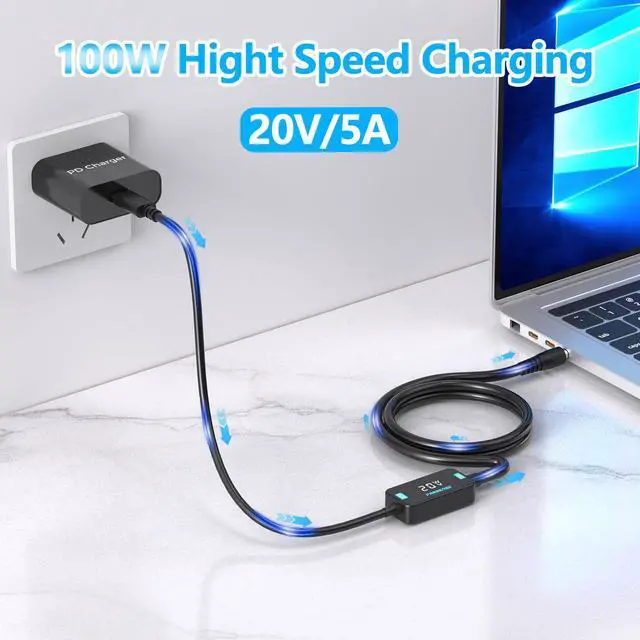
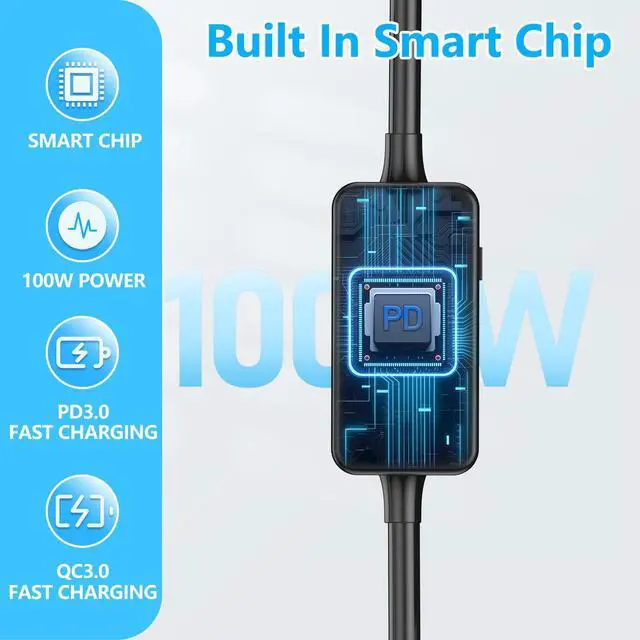
    • 2025 New Upgrades 100W Output Power & Supports Multiple Protocols USB-C to DC barrel power cable built-in PD smart chip that intelligently negotiates with PD chargers to deliver optimal power output (max 100W).Note:Power delivery only,no data transmission
    • Strong ReusabilityConvert the USB interface of the charger or power bank to 10 types of interface output,supports 5 output voltages (5V/9V/12V/15V/20V),compatible with 100W/90W/65W/45W/30W/18W and other outputs
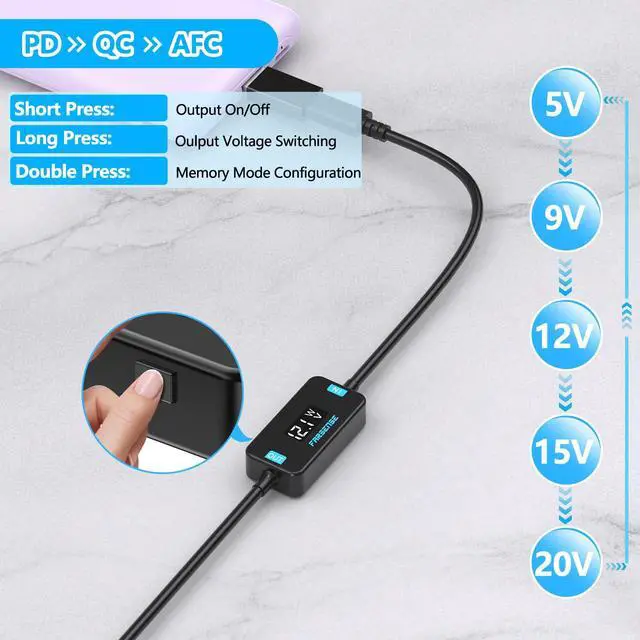
    • Voltage Switching and DisplayLong press the button to switch the voltage cyclically between 5V/9V/12V/15V/20V,and short press the button to turn on/off output,quickly double the button to switch to memory mode.High reliability, repeated use, and reduction of resource waste are the design concepts of FARSENSE. It supports multiple voltage outputs and facilitates the multiplexing of multiple devices (game consoles, telescopes, monitors, routers, etc.)
    • Memory Mode Indication When the "W" symbol is displayed, it indicates that it is in memory mode and stores the latest voltage setting; When the "W" symbol is not displayed, it is in non memory mode. When powered on again, it defaults to 5V output
    +
    +
    Overview
    Specs
    Reviews
    avatar

    Any questions? Our AI beta will help you find out quickly.

    USB C to DC Adapter
    Barrel PD Trigger Cable
    USB to DC Power Cable
    USB C to DC barrel cable
    The PD USB C charging cable

    Attention!!!

    Compatibility It must be used with a charger or power bank that supports one of the PD/QC/AFC protocols, Otherwise,only 5V can be output;
    Switching Voltage Function Long press the button to cycle the voltage between 5V/9V/12V/15V/20V. Please disconnect the power supply of the device to avoid accidental operation of the voltage switch and damage to your device;
    Output On/Off Control Short press the button to control the voltage output on and off
    Memory Mode Switching The quick double press button can switch between memory mode and non memory mode. When displayed as the 'W' symbol, it represents memory mode. When the 'W' symbol is not displayed, it indicates non memory mode. In memory mode, save the recently switched voltage. In non memory mode, the voltage will not be saved. When powered on again, it defaults to 5V. It is recommended to use non memory mode and not save the recently set voltage to avoid high voltage damaging low-voltage load equipment;
    Memory mode indication When the 'W' symbol is displayed, it is in memory mode; when the 'W' symbol is not displayed, it is in non memory mode
    Error code AF If the input voltage is much lower than 5V, an AF error code will be displayed
    Error code BF BF is a 9V voltage range switching failure error code. For example, when the current voltage range is 5V and the PD charger is long pressed to switch to 9V, it does not support 9V output and can only output 5V. This will display a cyclic display of 5V and BF error codes. If the switch is successful, only 9V voltage will be displayed and BF error code will not be displayed
    Error code CF CF is a 12V voltage level switching failure error code. For example, if the current voltage level is 9V and the switch is successful, the 9V voltage will be displayed. When long pressing to switch to 12V, the PD charger does not support 12V output, and the 9V and CF error codes will be displayed in a loop. If the switch is successful, only the 12V voltage will be displayed, and the CF error code will not be displayed
    Error code DF DF is a 15V voltage range switching failure error code. For example, if the current voltage range is 12V and the switch is successful, the 12V voltage will be displayed. When long pressing to switch to 15V, the PD charger does not support 15V output, and the 12V and DF error codes will be displayed in a loop. If the switch is successful, only the 15V voltage will be displayed, and the DF error code will not be displayed
    Error code EF EF is a failure error code for switching between 20V voltage levels. For example, if the current voltage level is 15V and the switch is successful, the 15V voltage will be displayed. When long pressing to switch to 20V, the PD charger does not support 20V output, and the 15V and EF error codes will be displayed in a loop. If the switch is successful, only the 20V voltage will be displayed, and the EF error code will not be displayed
    Replacing Connector When replacing different connector,please cut off the power.
    Voltage Check Before purchasing, please check if your charger or power bank supports the required voltage of the load power device to avoid wasting time;
    Power Load Inspection To supply power to high-power equipment,check that the power of your charger or power bank is greater than the required power supply equipment;
    Operating instructions There are operating instructions on the back of the product
    USB C to DC Adapter
    Barrel PD Trigger Cable
    USB to DC Power Cable
    USB C to DC barrel cable
    The PD USB C charging cable

    Attention!!!

    Compatibility It must be used with a charger or power bank that supports one of the PD/QC/AFC protocols, Otherwise,only 5V can be output;
    Switching Voltage Function Long press the button to cycle the voltage between 5V/9V/12V/15V/20V. Please disconnect the power supply of the device to avoid accidental operation of the voltage switch and damage to your device;
    Output On/Off Control Short press the button to control the voltage output on and off
    Memory Mode Switching The quick double press button can switch between memory mode and non memory mode. When displayed as the 'W' symbol, it represents memory mode. When the 'W' symbol is not displayed, it indicates non memory mode. In memory mode, save the recently switched voltage. In non memory mode, the voltage will not be saved. When powered on again, it defaults to 5V. It is recommended to use non memory mode and not save the recently set voltage to avoid high voltage damaging low-voltage load equipment;
    Memory mode indication When the 'W' symbol is displayed, it is in memory mode; when the 'W' symbol is not displayed, it is in non memory mode
    Error code AF If the input voltage is much lower than 5V, an AF error code will be displayed
    Error code BF BF is a 9V voltage range switching failure error code. For example, when the current voltage range is 5V and the PD charger is long pressed to switch to 9V, it does not support 9V output and can only output 5V. This will display a cyclic display of 5V and BF error codes. If the switch is successful, only 9V voltage will be displayed and BF error code will not be displayed
    Error code CF CF is a 12V voltage level switching failure error code. For example, if the current voltage level is 9V and the switch is successful, the 9V voltage will be displayed. When long pressing to switch to 12V, the PD charger does not support 12V output, and the 9V and CF error codes will be displayed in a loop. If the switch is successful, only the 12V voltage will be displayed, and the CF error code will not be displayed
    Error code DF DF is a 15V voltage range switching failure error code. For example, if the current voltage range is 12V and the switch is successful, the 12V voltage will be displayed. When long pressing to switch to 15V, the PD charger does not support 15V output, and the 12V and DF error codes will be displayed in a loop. If the switch is successful, only the 15V voltage will be displayed, and the DF error code will not be displayed
    Error code EF EF is a failure error code for switching between 20V voltage levels. For example, if the current voltage level is 15V and the switch is successful, the 15V voltage will be displayed. When long pressing to switch to 20V, the PD charger does not support 20V output, and the 15V and EF error codes will be displayed in a loop. If the switch is successful, only the 20V voltage will be displayed, and the EF error code will not be displayed
    Replacing Connector When replacing different connector,please cut off the power.
    Voltage Check Before purchasing, please check if your charger or power bank supports the required voltage of the load power device to avoid wasting time;
    Power Load Inspection To supply power to high-power equipment,check that the power of your charger or power bank is greater than the required power supply equipment;
    Operating instructions There are operating instructions on the back of the product
    USB C to DC Adapter, Barrel PD Trigger Cable( 3.3 ft) with 10 Connector Tips, USB to DC Power Cable can Switch Voltage by Pressing The Key, Support LED Display Voltage

    Warranty & Returns

    Warranty, Returns, And Additional Information

    Warranty

    • Please contact the Seller directly for warranty information. Warranty information may also be found on the Manufacturer's website.
    • CONTACT

    Return Policies

    Manufacturer Contact Info

    LOADING...