




???????????? ??????????????????

???????????? ????????????????????
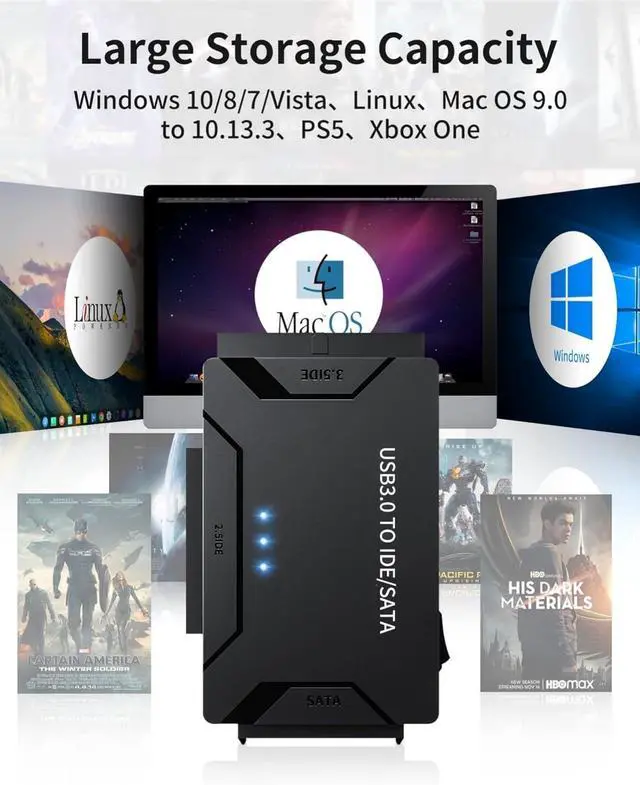
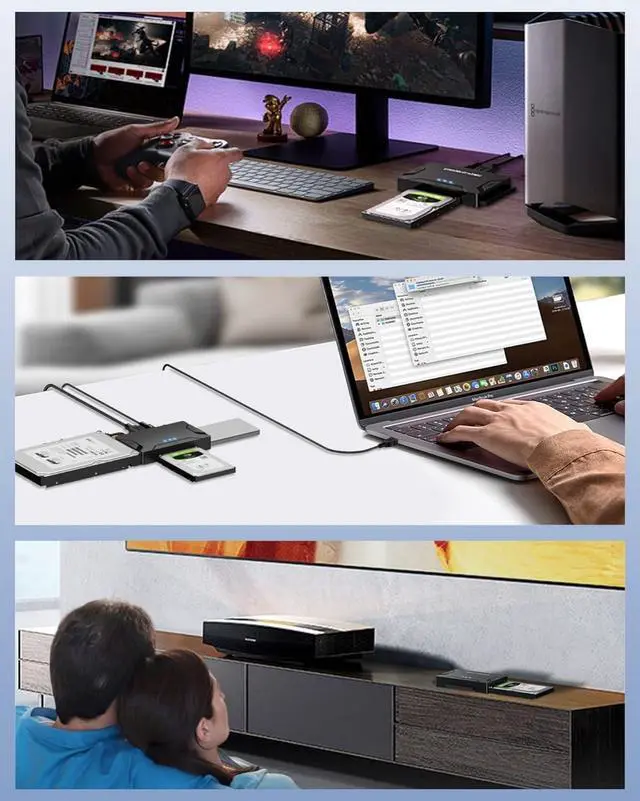
The hard drive data recovery kit supports Windows 10/8/7 Vista, Linux, Mac OS 9.0 to 10.13.3, PS4, Xbox One.The USB 3.0 hard drive to usb adapter is largely compatible with 2.5.3.5 inch SATA IDE hard drives and SSD HDD up to 6TB.

?????????? ??????????????????
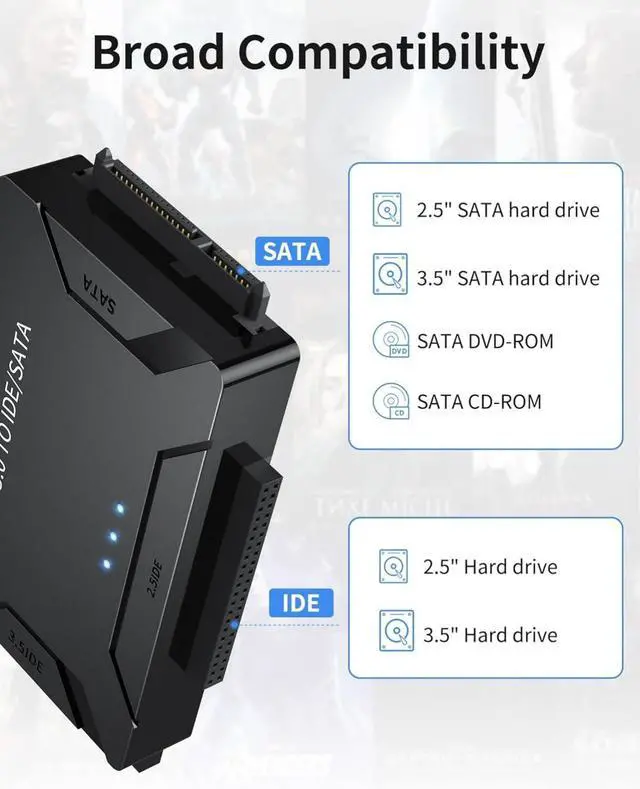
Applicable hard disks include Western Digital, Seagate, Toshiba, Samsung and others. It is also suitable for DVD-ROM, CD-ROM, CD-RW, DVD-RW, DVD, RW, and so on. The wide range of compatibility makes him superbly practical and great value for money.

?????????? ???????? & ?????????? ????????????????
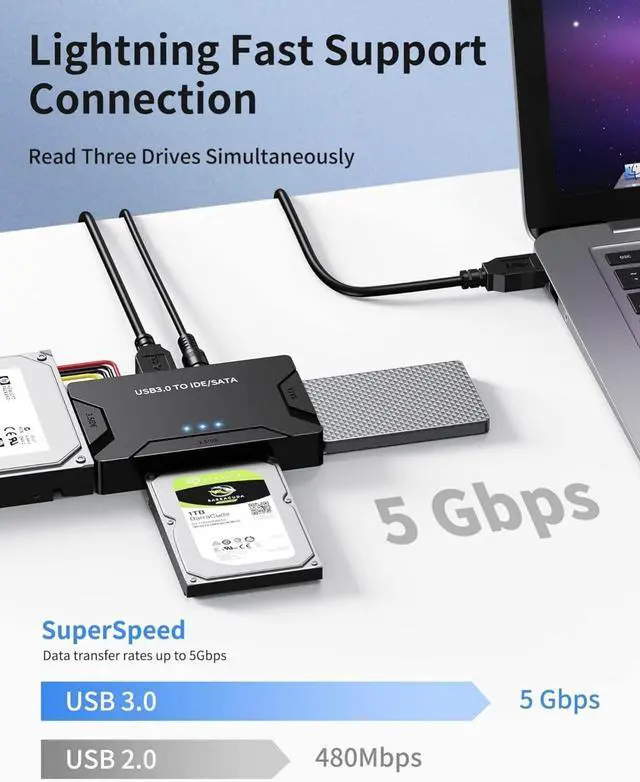
The compact size includes plenty of storage space. Carrying the handbag with you at work is both convenient and portable. It stores data anywhere, anytime for office entertainment, simple and stress free.

?????????????? ????????
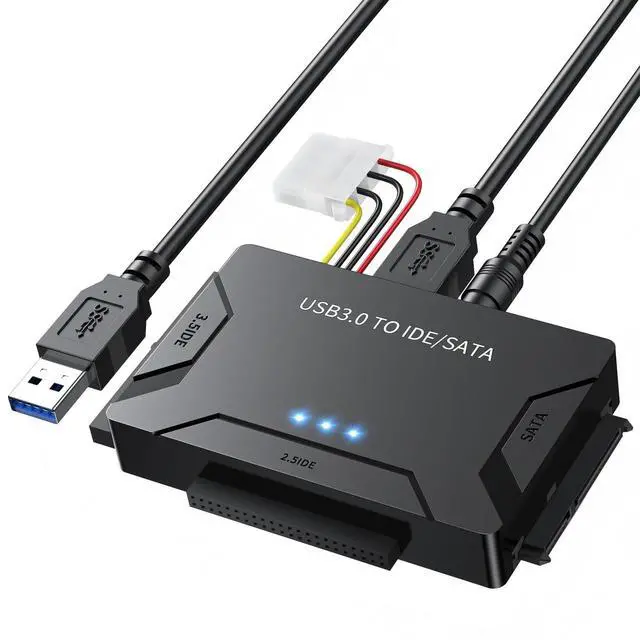
1*USB 3.0 to IDE to SATA Converter
1*USB 3.0 Data Cable
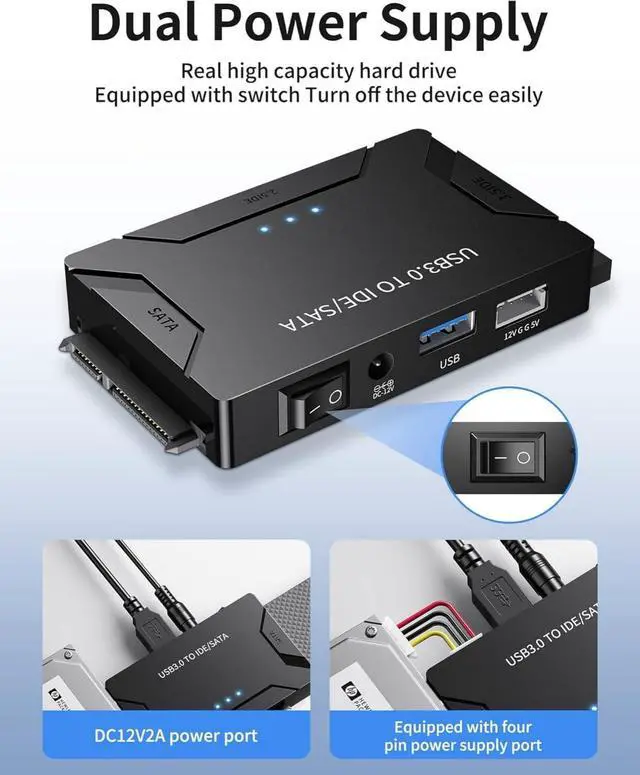
1* to 4PIN power cable
1*12V 2A Power Adapter
English User Manual + Beautifully packaged (perfect gift for the holidays)


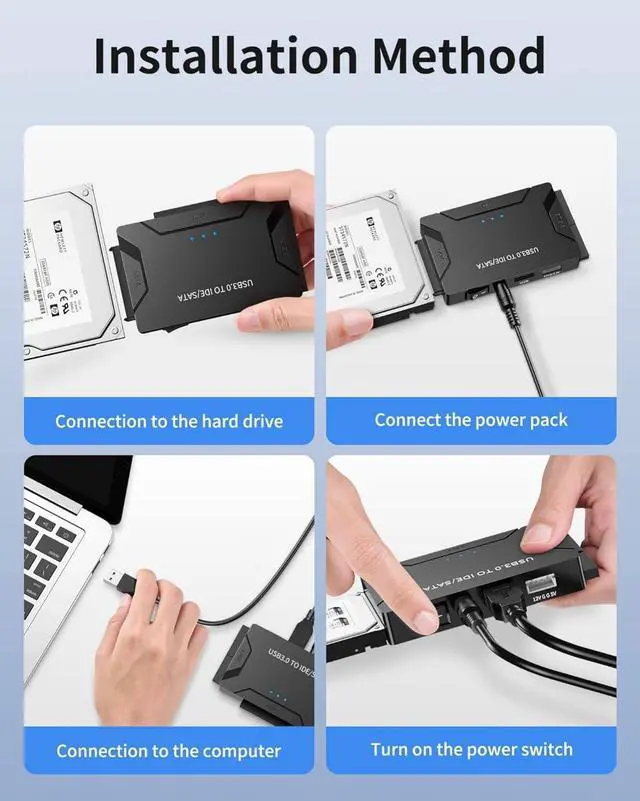
- 1.Connect the 2.5.3.5 inch IDE SATA hard disk drive to the appropriate port on the adapter.
- 2.Connect the hard disk drive adapter to the computer using the attached USB 3.0 cable. and connect a 12V 2A power supply to the power source for power. For 3.5" IDE drives, a 4 pin power cable must also be connected;
- 3. Press the ON/OFF button to turn on the adapter.
- 4. Check Disk Management (or Device Manager) to see if the computer detects connected SSD and HHD drives. If the disks are not already partitioned, partition them before using them. Otherwise, they will not be recognized by the computer or show up in Disk Management.
- 5. If the hard drive is spinning but not showing up in Disk Management, try formatting and repartitioning it. Your partitioning method may not be compatible with this adapter.
- 6. If the capacity of your hard drive is not fully recognized, try powering the enclosure with a 12V 3A power adapter instead of the original 12V 2A power supply. If your drive is larger than 2TB, try formatting and partitioning it using GPT (GUID Partition Table).


POSUGEAR is a senior manufacturer with 20 years of research and development experience. Since 2003, it has focused on consumer electronics products. It has independent brand factories, production lines and research and development teams. Its products are exported to more than 100+ regions, with a total of 800000+ users and a repurchase rate of 36% higher than that of the same industry. It has won unanimous acclaim in the global market.






???????????? ??????????????????
???????????? ????????????????????
The hard drive data recovery kit supports Windows 10/8/7 Vista, Linux, Mac OS 9.0 to 10.13.3, PS4, Xbox One.The USB 3.0 hard drive to usb adapter is largely compatible with 2.5.3.5 inch SATA IDE hard drives and SSD HDD up to 6TB.
?????????? ??????????????????
Applicable hard disks include Western Digital, Seagate, Toshiba, Samsung and others. It is also suitable for DVD-ROM, CD-ROM, CD-RW, DVD-RW, DVD, RW, and so on. The wide range of compatibility makes him superbly practical and great value for money.
?????????? ???????? & ?????????? ????????????????
The compact size includes plenty of storage space. Carrying the handbag with you at work is both convenient and portable. It stores data anywhere, anytime for office entertainment, simple and stress free.
?????????????? ????????
1*USB 3.0 to IDE to SATA Converter
1*USB 3.0 Data Cable
1* to 4PIN power cable
1*12V 2A Power Adapter
English User Manual + Beautifully packaged (perfect gift for the holidays)


- 1.Connect the 2.5.3.5 inch IDE SATA hard disk drive to the appropriate port on the adapter.
- 2.Connect the hard disk drive adapter to the computer using the attached USB 3.0 cable. and connect a 12V 2A power supply to the power source for power. For 3.5" IDE drives, a 4 pin power cable must also be connected;
- 3. Press the ON/OFF button to turn on the adapter.
- 4. Check Disk Management (or Device Manager) to see if the computer detects connected SSD and HHD drives. If the disks are not already partitioned, partition them before using them. Otherwise, they will not be recognized by the computer or show up in Disk Management.
- 5. If the hard drive is spinning but not showing up in Disk Management, try formatting and repartitioning it. Your partitioning method may not be compatible with this adapter.
- 6. If the capacity of your hard drive is not fully recognized, try powering the enclosure with a 12V 3A power adapter instead of the original 12V 2A power supply. If your drive is larger than 2TB, try formatting and partitioning it using GPT (GUID Partition Table).
POSUGEAR is a senior manufacturer with 20 years of research and development experience. Since 2003, it has focused on consumer electronics products. It has independent brand factories, production lines and research and development teams. Its products are exported to more than 100+ regions, with a total of 800000+ users and a repurchase rate of 36% higher than that of the same industry. It has won unanimous acclaim in the global market.