





DELXING is a brand specializing in practical storage connectivity solutions. We mainly produce hard drive adapters, M.2 Nvme SSD enclosures,etc. Our products are designed to provide easy, reliable, and affordable to access, transfer, or repurpose internal drives externally via USB. And your satisfaction is our priority goal.
SATA USB Adapter
USB 3.0 SuperSpeed to SATA and IDE Adapter for 2.5 and 3.5 inch Hard Drives

A Fast Convenient Way to Format Hard Drives or Transfer Files
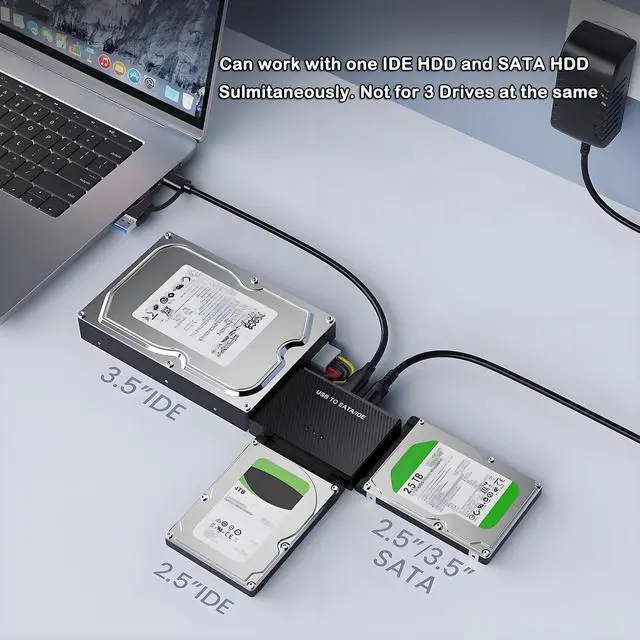
Access hard drive, without having to deal with messy installations! DELXING's USB 3.0 to SATA / IDE Combo Adapter allows individual or simultaneous connection to either a SATA or IDE drive (2.5", 3.5" or 5.25") without having to install it in a computer or external enclosure. With transfer speeds up to 5Gbps (w/ SATA III), the usb drive adapter provides a fast, convenient way to format hard drives or transfer files.
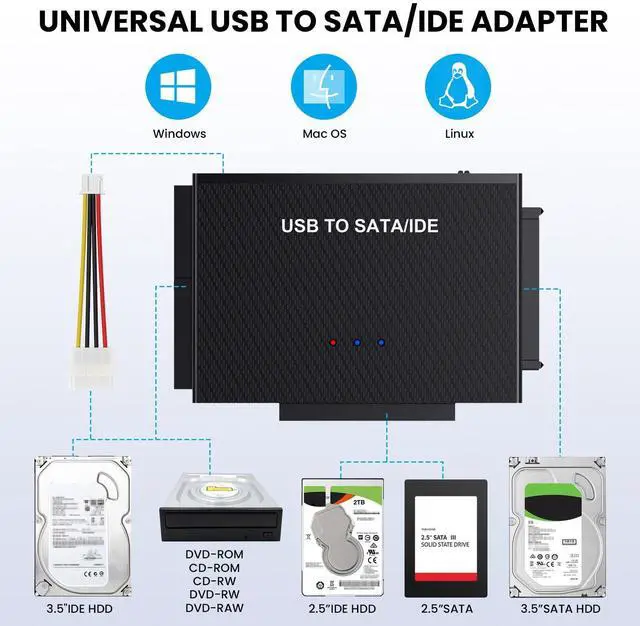
Hard drive reader is widely compatible with Windows, Mac OS, and Linux. Just plug and play! No driver or software is needed!

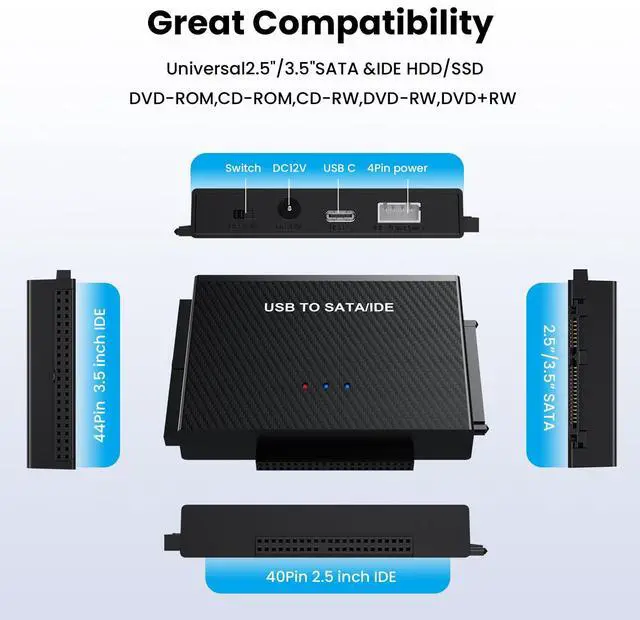
This adapter supports 2.5" and 3.5" SATA/IDE HDDs, SSDs, and optical drives, enabling you to transfer files, perform backups, or recover lost data from a wide range of devices

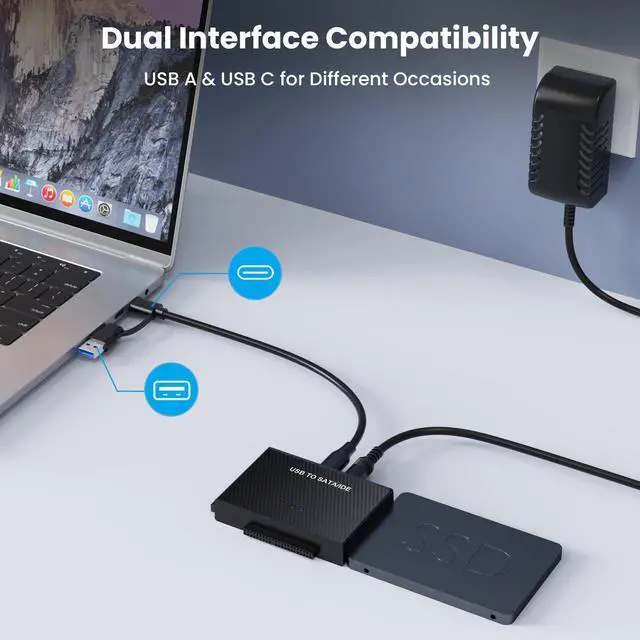
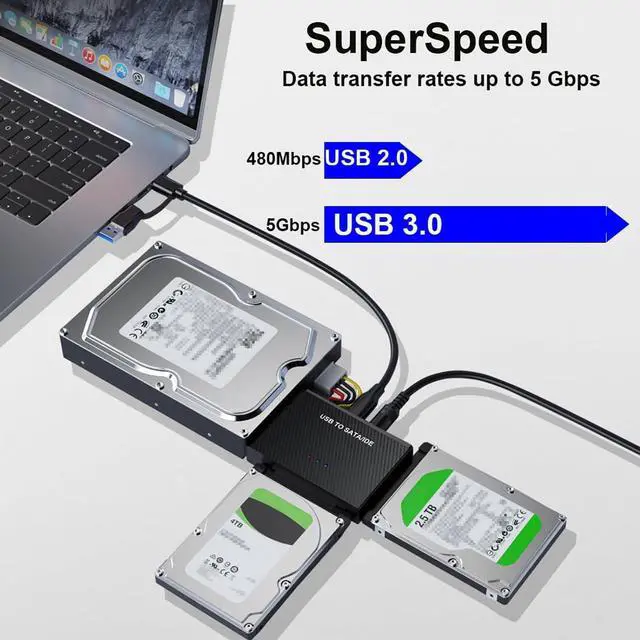
USB 3.0 and USB C ports offer transfer speeds of up to 5Gbps, which is 10 times faster than USB 2.0
The USB SATA IDEe hard drive adapter is equipped with USB 3.0 technology and facilitates rapid data transfer rates up to 5 Gbit/s. This speed enhancement significantly reduces the time required for large file transfers, making it an efficient choice for professionals and enthusiasts alike.


Led Indicator Light
LED indicator light shows power and activity status, allows you to easily understand the current working status of the device.

Stable power supply
The 12V 2A power supply can ensure the normal operation of the hard disk and avoid data transmission failure due to voltage instability. Besides, the 4 Pin power cable is necessary for 3.5"/5.25" IDE device

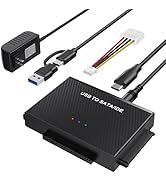
Contents of the package:
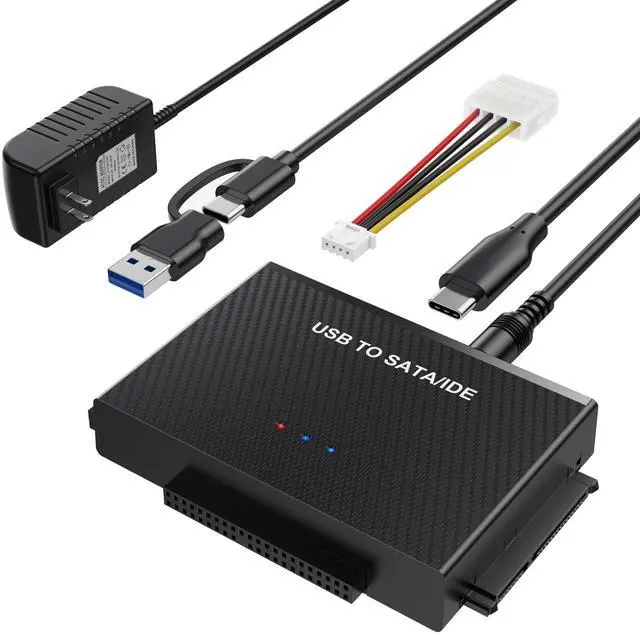
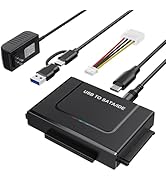
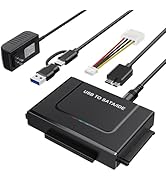
- Hard Drive Reader x1
- 4 Pin Power Adapter x1
- 12V 2A Power Adapter x1
- USB C + USB 2 in 1 Power Adapter x1
- User Manual x1

Easy installation
The integrated USB cable and simple Plug-and-Play interface ensure a hassle-free setup, eliminating the need for complex installation procedures. This user-friendly design makes it accessible to users of all technical levels.
Note: For 3.5” IDE HDD, you need to connect the 4-pin power cable.
Warm Note:
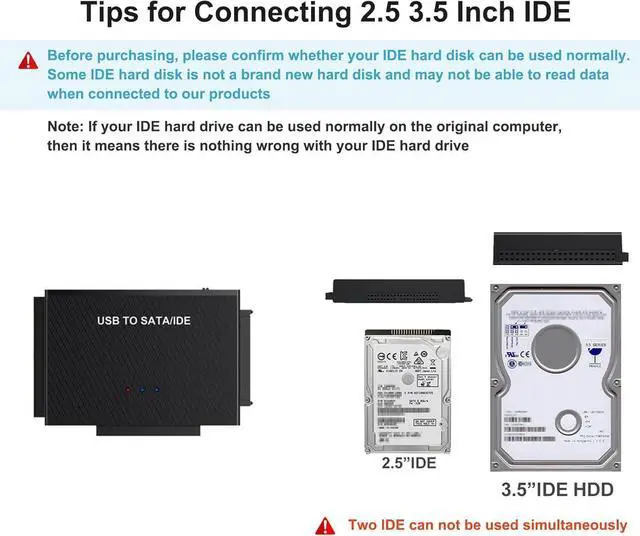
For new hard drive, please go to "Disk Management" to initialize it first, and then your hard drive can be recognized. If 2.5" and 3.5" IDE hard drives are connected simultaneously, you need to set jumper. The default master is 2.5" IDE hard drive, so you need to set jumper for 3.5" IDE hard drive and set it to slave.
Why can't the cable be used with the drive?
New SSD drive or HDD : solution: initialize it first and format it. You can search "How to initialize an external harddrive" for guidance. The instructions differ between Windows and Vista.
Old or removed hard disk: solution: please confirm whetherthe hard disk is intact. lf your hard drive can be used normally on the original computer, that it means your hard drive is intact.
Apple OS mac system: solution: please set the hard disk format.
Wrong hard disk type: solution: please comfirm your hard disk type, this cable is not applicable to SAS/SCShard drive.
Damaged computer usb port: solution: try another USB port or try connecting another computer's USB por
 USB 3.0 to SATA IDE Adapter Hard Drive Reader , USB + Type C to External Hard... |  M.2 NVME SATA SSD Enclosure Adapter, 10Gbps Aluminum USB 3.1 Gen 2 Type C Ext... |  M.2 NVME SSD Enclosure Adapter, 10Gbps USB 3.1 Gen 2 Type C Enclosure fo... |  M.2 Enclosure – NVMe & SATA SSD Enclosure – Supports USB4, 20Gbps Dual Protoc... | |
|---|---|---|---|---|
| Customer Reviews | — | — | — | — |
| Price | — | — no data | — | — no data |
| USB Port | USB 3.0 | USB 3.2 Gen 2 Type C | USB 3.2 Gen 2 Type C | USB C 3.2 Gen 2 |
| Interface Type | USB 3.0+SATA/IDE | USB 3.2 Gen 2 + M.2 NVME / SATA | USB 3.2 Gen 2 + M.2 NVME | USB C 3.2 Gen 2 + M.2 NVME / SATA |
| Transmission Speed | MAX 5Gbps | MAX 10Gbps | MAX 10Gbps | MAX 20Gbps |
| Compatibility | for 2.5" 3.5" IDE HDD, 2.5" SSD | for M.2 NVMe M-Key / B+M Key & SATA B+M key | for M.2 NVMe M-Key / B+M Key | for M.2 NVMe M-Key / B+M Key & SATA B+M key |
USB 3.0 SuperSpeed to SATA and IDE Adapter for 2.5 and 3.5 inch Hard Drives
A Fast Convenient Way to Format Hard Drives or Transfer Files
Access hard drive, without having to deal with messy installations! DELXING's USB 3.0 to SATA / IDE Combo Adapter allows individual or simultaneous connection to either a SATA or IDE drive (2.5", 3.5" or 5.25") without having to install it in a computer or external enclosure. With transfer speeds up to 5Gbps (w/ SATA III), the usb drive adapter provides a fast, convenient way to format hard drives or transfer files.
Hard drive reader is widely compatible with Windows, Mac OS, and Linux. Just plug and play! No driver or software is needed!
This adapter supports 2.5" and 3.5" SATA/IDE HDDs, SSDs, and optical drives, enabling you to transfer files, perform backups, or recover lost data from a wide range of devices
USB 3.0 and USB C ports offer transfer speeds of up to 5Gbps, which is 10 times faster than USB 2.0
The USB SATA IDEe hard drive adapter is equipped with USB 3.0 technology and facilitates rapid data transfer rates up to 5 Gbit/s. This speed enhancement significantly reduces the time required for large file transfers, making it an efficient choice for professionals and enthusiasts alike.
Led Indicator Light
LED indicator light shows power and activity status, allows you to easily understand the current working status of the device.
Stable power supply
The 12V 2A power supply can ensure the normal operation of the hard disk and avoid data transmission failure due to voltage instability. Besides, the 4 Pin power cable is necessary for 3.5"/5.25" IDE device
Contents of the package:
- Hard Drive Reader x1
- 4 Pin Power Adapter x1
- 12V 2A Power Adapter x1
- USB C + USB 2 in 1 Power Adapter x1
- User Manual x1
Easy installation
The integrated USB cable and simple Plug-and-Play interface ensure a hassle-free setup, eliminating the need for complex installation procedures. This user-friendly design makes it accessible to users of all technical levels.
Note: For 3.5” IDE HDD, you need to connect the 4-pin power cable.
Warm Note:
For new hard drive, please go to "Disk Management" to initialize it first, and then your hard drive can be recognized. If 2.5" and 3.5" IDE hard drives are connected simultaneously, you need to set jumper. The default master is 2.5" IDE hard drive, so you need to set jumper for 3.5" IDE hard drive and set it to slave.
Why can't the cable be used with the drive?
New SSD drive or HDD : solution: initialize it first and format it. You can search "How to initialize an external harddrive" for guidance. The instructions differ between Windows and Vista.
Old or removed hard disk: solution: please confirm whetherthe hard disk is intact. lf your hard drive can be used normally on the original computer, that it means your hard drive is intact.
Apple OS mac system: solution: please set the hard disk format.
Wrong hard disk type: solution: please comfirm your hard disk type, this cable is not applicable to SAS/SCShard drive.
Damaged computer usb port: solution: try another USB port or try connecting another computer's USB por
USB 3.0 to SATA IDE Adapter Hard Drive Reader , USB + Type C to External Hard... | M.2 NVME SATA SSD Enclosure Adapter, 10Gbps Aluminum USB 3.1 Gen 2 Type C Ext... | M.2 NVME SSD Enclosure Adapter, 10Gbps USB 3.1 Gen 2 Type C Enclosure fo... | M.2 Enclosure – NVMe & SATA SSD Enclosure – Supports USB4, 20Gbps Dual Protoc... | |
|---|---|---|---|---|
| Customer Reviews | — | — | — | — |
| Price | — | — no data | — | — no data |
| USB Port | USB 3.0 | USB 3.2 Gen 2 Type C | USB 3.2 Gen 2 Type C | USB C 3.2 Gen 2 |
| Interface Type | USB 3.0+SATA/IDE | USB 3.2 Gen 2 + M.2 NVME / SATA | USB 3.2 Gen 2 + M.2 NVME | USB C 3.2 Gen 2 + M.2 NVME / SATA |
| Transmission Speed | MAX 5Gbps | MAX 10Gbps | MAX 10Gbps | MAX 20Gbps |
| Compatibility | for 2.5" 3.5" IDE HDD, 2.5" SSD | for M.2 NVMe M-Key / B+M Key & SATA B+M key | for M.2 NVMe M-Key / B+M Key | for M.2 NVMe M-Key / B+M Key & SATA B+M key |
DELXING is a brand specializing in practical storage connectivity solutions. We mainly produce hard drive adapters, M.2 Nvme SSD enclosures,etc. Our products are designed to provide easy, reliable, and affordable to access, transfer, or repurpose internal drives externally via USB. And your satisfaction is our priority goal.
SATA USB Adapter