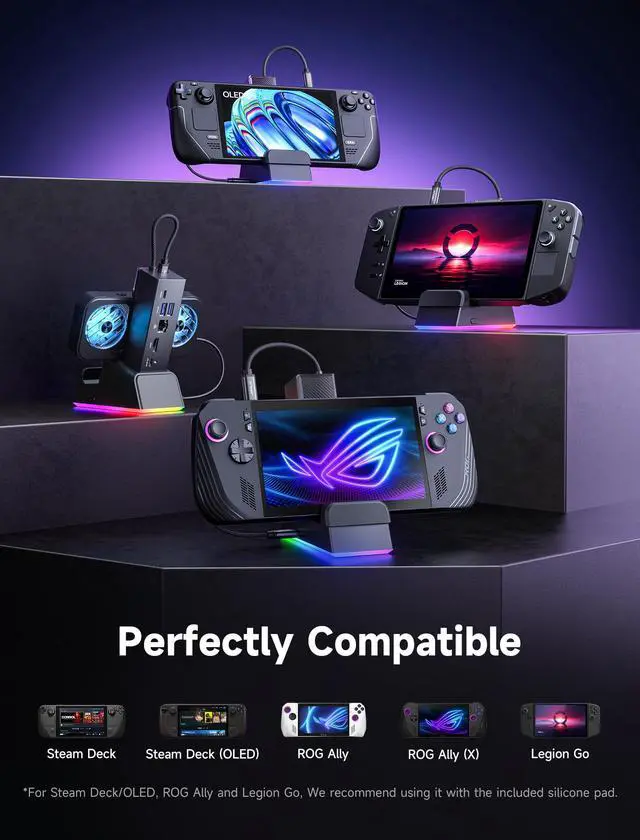
Docking Station for ROG Ally X/ROG Ally/Steam Deck/Legion Go, 7-in-1 ROG Ally X Dock with RGB Cooling Fan, HDMI 4K@120Hz, Gigabit Ethernet, Dual USB & USB C 3.0, 100W PD Charging - HB0705
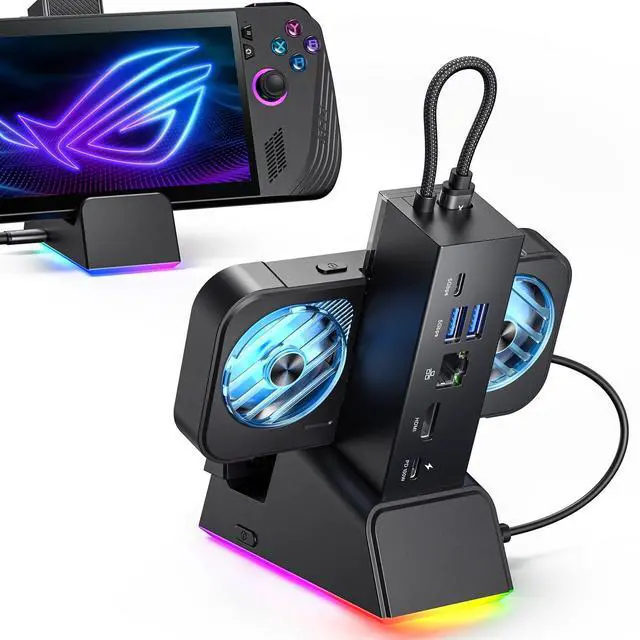
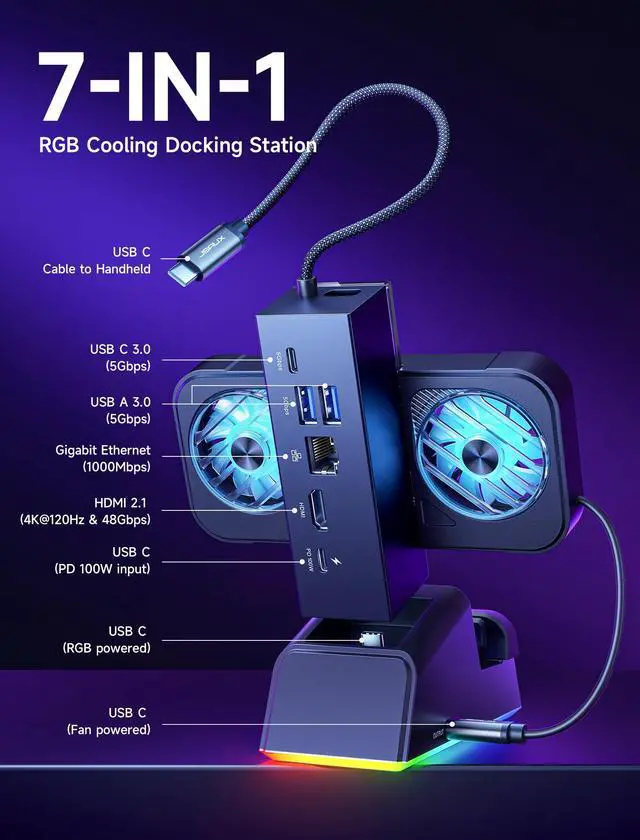
7-in-1 Docking Station for Handhelds: Level up your gaming setup with the JSAUX 7-in-1 dock: 4K@120Hz HDMI 2.1, Gigabit Ethernet, USB C PD charging, USB C 3.0, dual USB A 3.0, and an RGB-powered USB C port. The modular design lets you use the dock in two waysfully assembled for docking, or detached as a standalone stand. A silicone pad is included to improve stability and support angles, and can be used or removed based on your setup preference.
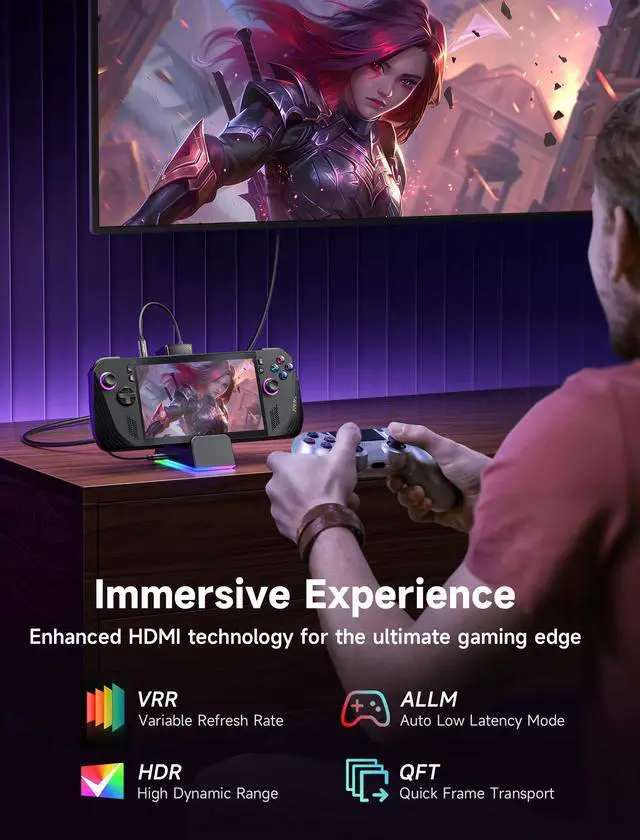
Next-Level 4K Gaming Performance: Supports 4K@120Hz or 1080p@240Hz via HDMI 2.1, along with VRR (Variable Refresh Rate), ALLM (Auto Low Latency Mode), HDR, and QFT (Quick Frame Transport). Enjoy smoother gameplay, faster response, and a more immersive visual experience.
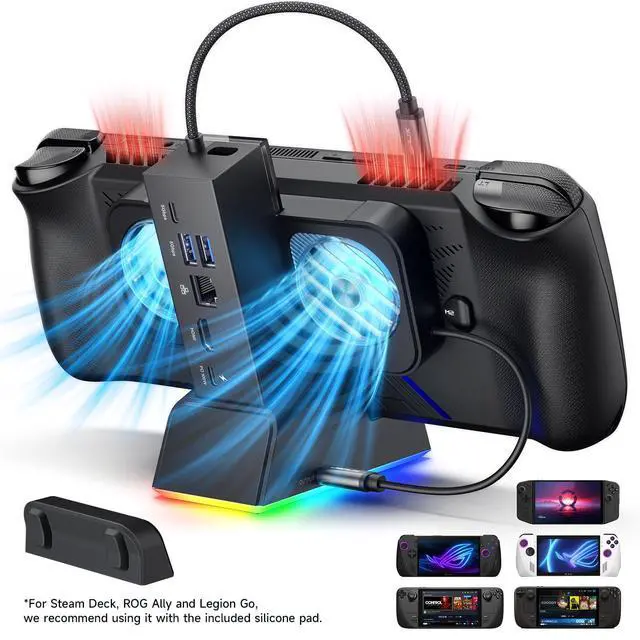
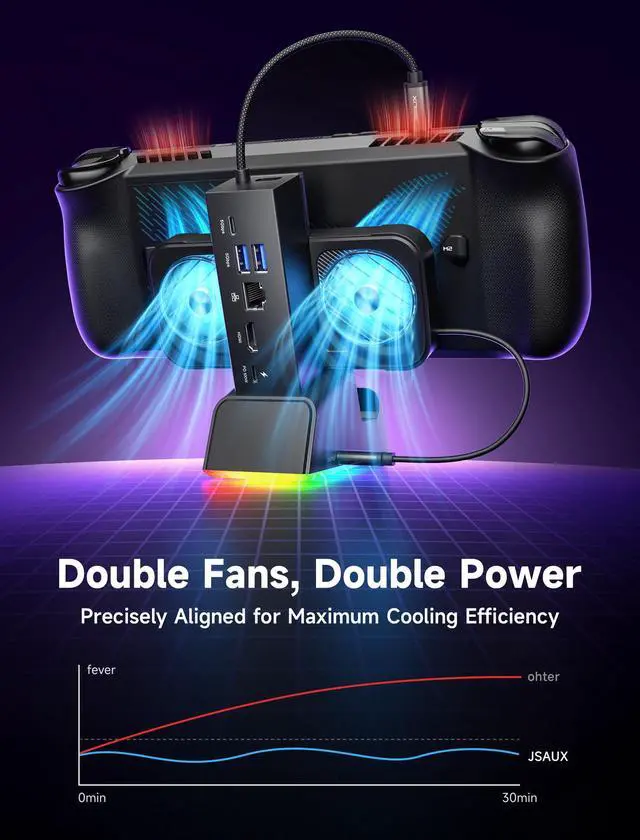
Magnetic RGB Cooling Fan: The included magnetic RGB fan is custom-designed for the ROG Ally (X), aligning precisely with its air intake for efficient cooling. It attaches securely and is easy to remove when not needed. NOTE: Due to variations in intake placement on other handheld devices, cooling efficiency may be reduced when used with non-ROG Ally models.
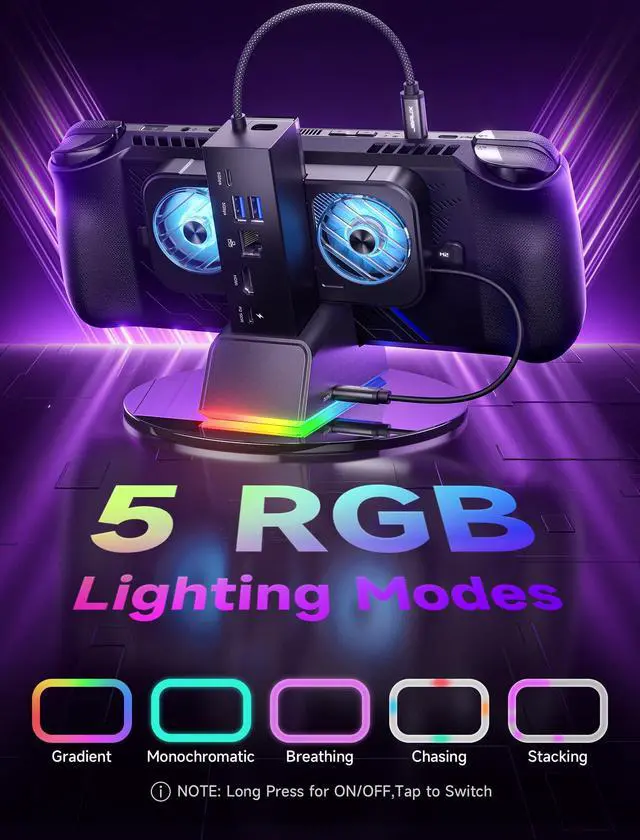
Dynamic RGB Lighting & DIY Custom Card Slot: The dock base offers 5 RGB lighting modesMonochromatic, Breathing, Chasing, Gradient, and Stackingwhile the fan features a 7-color gradient mode. Personalize your setup by adding a custom front card (3.00 x 1.13 x 0.01 inches / 76.3 x 28.7 x 0.3 mm). Just pop off the cover, insert your card, and snap it back.
+
+
Overview
Specs
Reviews
Any questions? Our AI beta will help you find out quickly.
Display issues may occur due to resolution compatibility between certain handheld devices and specific monitors.
About Steam Deck
For LG 850, Acer, LG 950, LG TV, and Sony TV, display anomalies were observed in both Game Mode and Desktop Mode at the following resolutions: 3840×2160 @ 24Hz, 1920×1200 @ 60Hz, 1600×1200 @ 60Hz, 1680×1050 @ 60Hz, 1440×900 @ 60Hz, 1280×800 @ 60Hz, and 1280×1024 @ 60Hz.
About ROG Ally (X)/Legion Go
For PHILIPS 2K Monitor, a screen response delay of approximately 15–20 seconds occurred at 50Hz across all resolutions and pixel formats, including 8bpc (4:4:4, 4:2:2, 4:2:0), 10bpc (4:2:2, 4:2:0), and 12bpc (4:2:0).
About ROG Ally (X)/Legion Go
For LG 950 Monitor, no display output was observed when set to 3840×2160 @ 120Hz with 8bpc / 4:2:0 pixel format, while other 120Hz resolutions and pixel formats functioned normally.
-
Due to the limited availability of monitors for testing, not all models have been evaluated, and some may not be covered. We apologize for any inconvenience this may cause.
Important Notes
Note
Display issues may occur due to resolution compatibility between certain handheld devices and specific monitors.
About Steam Deck
For LG 850, Acer, LG 950, LG TV, and Sony TV, display anomalies were observed in both Game Mode and Desktop Mode at the following resolutions: 3840×2160 @ 24Hz, 1920×1200 @ 60Hz, 1600×1200 @ 60Hz, 1680×1050 @ 60Hz, 1440×900 @ 60Hz, 1280×800 @ 60Hz, and 1280×1024 @ 60Hz.
About ROG Ally (X)/Legion Go
For PHILIPS 2K Monitor, a screen response delay of approximately 15–20 seconds occurred at 50Hz across all resolutions and pixel formats, including 8bpc (4:4:4, 4:2:2, 4:2:0), 10bpc (4:2:2, 4:2:0), and 12bpc (4:2:0).
About ROG Ally (X)/Legion Go
For LG 950 Monitor, no display output was observed when set to 3840×2160 @ 120Hz with 8bpc / 4:2:0 pixel format, while other 120Hz resolutions and pixel formats functioned normally.
-
Due to the limited availability of monitors for testing, not all models have been evaluated, and some may not be covered. We apologize for any inconvenience this may cause.
Docking Station for ROG Ally X/ROG Ally/Steam Deck/Legion Go, 7-in-1 ROG Ally X Dock with RGB Cooling Fan, HDMI 4K@120Hz, Gigabit Ethernet, Dual USB & USB C 3.0, 100W PD Charging - HB0705
Learn more about the Detailed Specifications
Additional Information
First Listed on Newegg
March 17, 2026
There are no reviews yet.
Do you own this product?
Warranty & Returns
Warranty, Returns, And Additional Information
Warranty
Please contact the Seller directly for warranty information. Warranty information may also be found on the Manufacturer's website.