


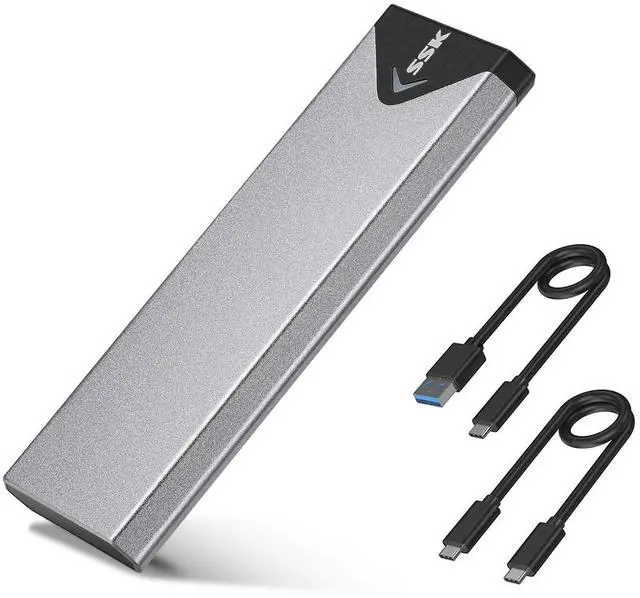
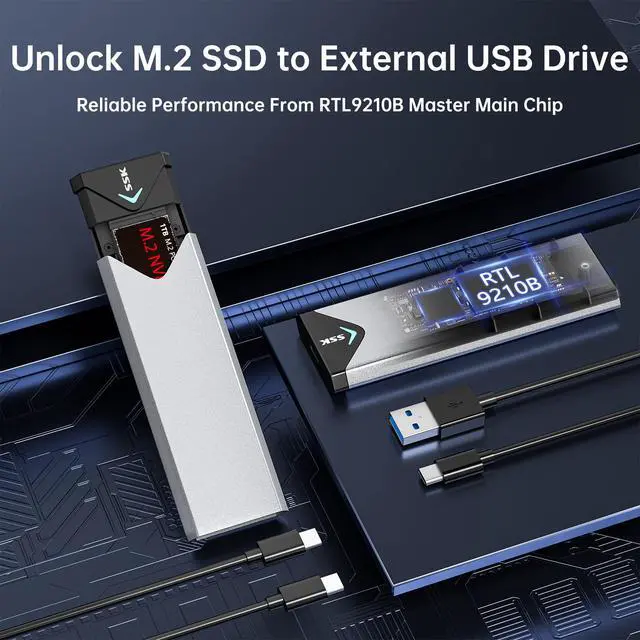



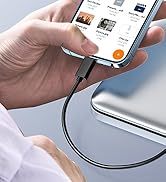
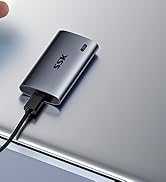

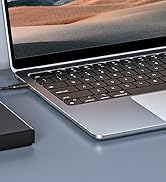

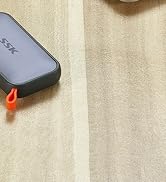
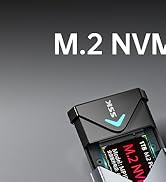

Improved RTL9210B Chip Version: The SSK M.2 enclosure now adopts the industry-leading RTL9210B master chip, boasting broader SSD compatibility, enhanced heat performance, and more reliable stability.

Compatible with all M.2 NVMe and SATA SSD based enclosure adapter

Package Included
- 1 x M.2 NVME SATA to USB 3.2 SSD Enclosure
- 1 x 10Gbps USB C to USB C Cable
- 1 x 10Gbps USB A to USB C Cable
- 1 x Thermal Conductive Pad
- 1 x Screw Pack : 4 screws (2*Scews A, 2*Screws B), 2 washers
SSK USB C M.2 NVMe SATA(NGFF)SSD Enclosure (Double Protocol SSD)
M.2 NVMe PCIE /SATA(NGFF)SSD Based
SSK M.2 NVME SATA SSD Enclosure adopts RTL9210B master chip speeds up to 10Gbps, 1GB file only takes 1 second
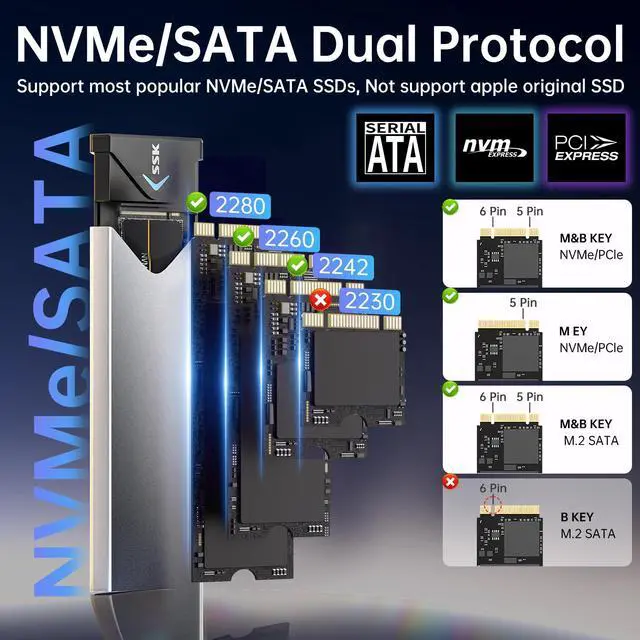
Attention: Supports PCI-E based M key / B&M key M.2 NVME SSD speed up to 10Gbps; SATA-based B&M Key M.2 SSD speed up to 6bps.
Not compatible with B Key Connectors. Does not support M.2 PCIe AHCI SSDs, M.2 PCIe devices such as WiFi and capture cards, mSATA SSDs, and non-M.2 form factor SSDs
- Interface type: M.2 NVME and SATA to USB 3.1 Gen 2
- Support SSD Drivers Size: 2242, 2260, 2280mm
- Case Size: 115*39*11mm
- Cable 1 : USB C to USB C(150MM)
- Cable 2 : USB3.0 AM to USB C(150MM)
- Color: Grey+Black

How to confirm if this NVMe/SATA M.2 SSD Enclosure supports your SSDs
- Check SSD Key: This SSD enclosure can install M Key and B+M Key SSDs.
- Confirm Protocol/Label: This M.2 enclosure supports both NVMe and SATA SSDs.
- Right SSD length: This M.2 enclosure accommodates SSDs in the length of 2242/2260/2280.
This enclosure should support most popular SSDs in the market.
Below are some devices that are not supported.
- Not compatible with B Key Connector.
- Not compatible with MacBook original SSD.
- Can't install SSDs with thick heatsink.
- Not support M.2 PCIe AHCI SSDs, M.2 PCIe devices such as WiFi and capture cards, mSATA SSDs, and non-M.2 form factor SSDs.
Attention: NVMe and SATA SSDs are not included. If youdon't know which type is your SSD and you have any questions, please ask SSK Direct before purchasing.
Main Features

RTL9210B Chip Low Heat Stability
SSK M.2 enclosure now adopts the industry-leading RTL9210B master chip, a premium improvement that elevates both compatibility and performance to new heights.
Boasting significantly broader SSD compatibility, it seamlessly supports a full range of M.2 NVMe and SATA-based SSDs across various capacities and brands. What’s more, the chip is engineered to enhance heat dissipation performance: when paired with the enclosure’s advanced thermal design, it effectively reduces heat buildup during prolonged, high-speed data transfers, extending the longevity of your SSD with more reliable stability, ensuring smooth, uninterrupted file transfers.

Extreme Data Transfer
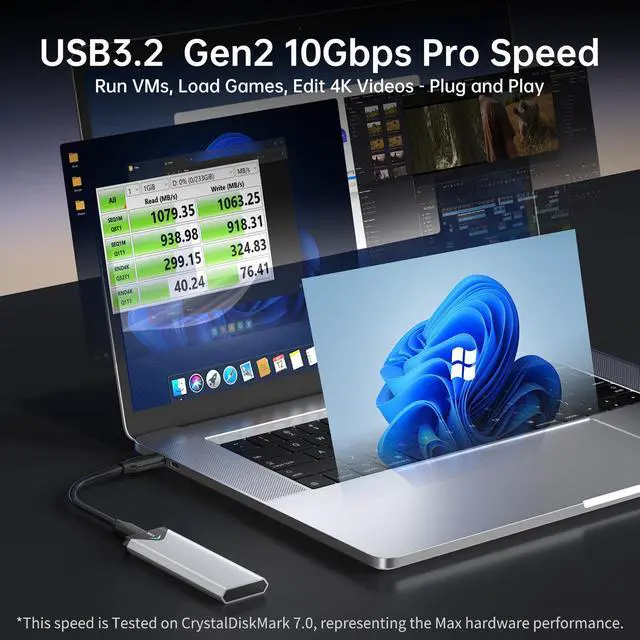
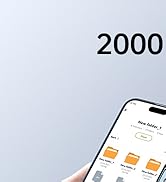
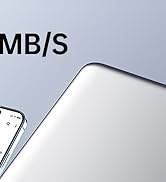
With USB 3.1 Gen2 interface,provides transfer speeds of up to 1000MB/s,1GB file1 second. Backward compatible with USB 3.1/3.2 Gen2 and USB 3.1 up to 10Gbps.
Notice :
Insert your NVMe or SATA SSD into the enclosure and connect to your laptop’s USB-C or Thunderbolt 3 port to transfer movies, music.
The actual speed depends on the speed of your SSD, USB Port type, your computer performance etc, nvme ssd is not included.

Insert SSD fully to use
If there is a fatal errors or SSD can not be recognized:
First, Please confirm your SSD is M.2 PCIE NVME or M.2 SATA SSD.
Second, please confirm whether your SSD is fully inserted into theNVME Slot. If not, you need to push the SSD into the enclosure M.2 Slot at a 45 degree angle. The pins of the SSD will be fully seated and covered.
Third, new SSD must be initialized (partitioned and formatted) before first use. Format the SSD to meet your system's requirements. For use with both Mac and Windows, select the exFAT file system.
Main Features

Easy Installation
SSK M.2 enclosure comes with all essential accessories – screwdriver, screws, washer, thermal pads, two data cables. Easily access NVMe or SATA SSD via SSD enclosure adapter, simplifying SSD data transfer and management—no more disassembling computer
Supports Plug & Play and Hot-Swapping

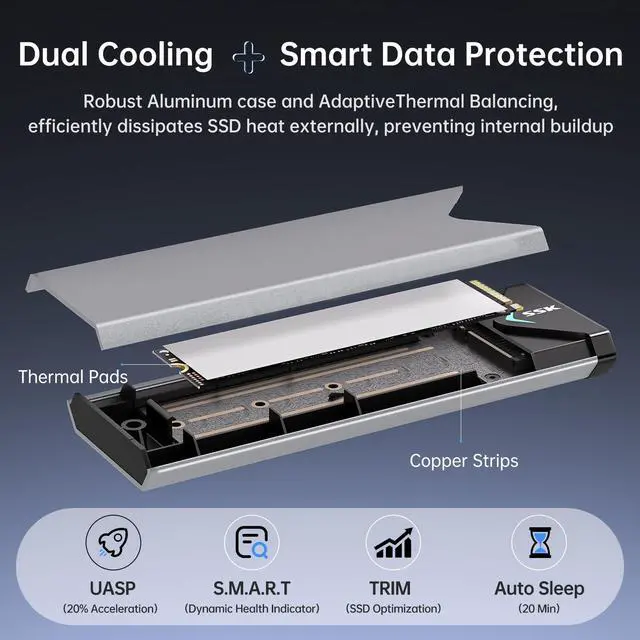
Copper Strip + Thermal Conductive Pad for Excellent Heat Dissipation
SSK Enclosure not only adopts the larger copper strip for heat dissipation, but also have a special design, it adds a plastic shrapnel which can lift SSD slightly.
With the thermal pad, the lifted SSD can be tightly attached to the Aluminium shell, so as to achieve the purpose of rapid heat dissipation.

Multi OS Compatible
- Windows 7 or above, Mac OS 10.10.5 or above, Linux, and Type C Android Phones.
- Blue Indicator is always on when plug in, and flash when read or write data.
- Equipped with both USB-C and USB-A cables, this NVMe enclosure delivers seamless plug-and-play compatibility across desktops, laptops, tablets and smartphones. It’s the ultimate universal M.2 storage solution for most USD devices.
Installation Instructions

Installation Attention:
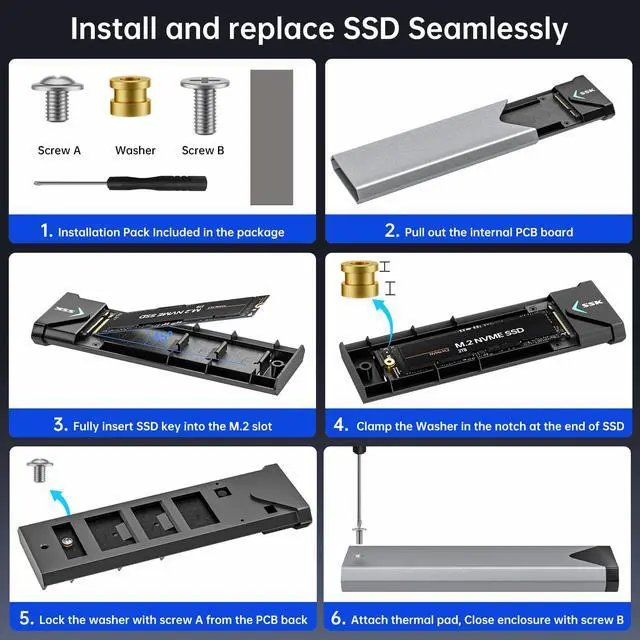
- The package contains all necessary tools: a screwdriver, screws, a washer, thermal pads, and two data cables.
- Confirm the SSD is M-Key or B+M Key, then insert it into the enclosure's M.2 slot at a 45-degree angle until fully seated. Not compatible with MacBook original SSD!
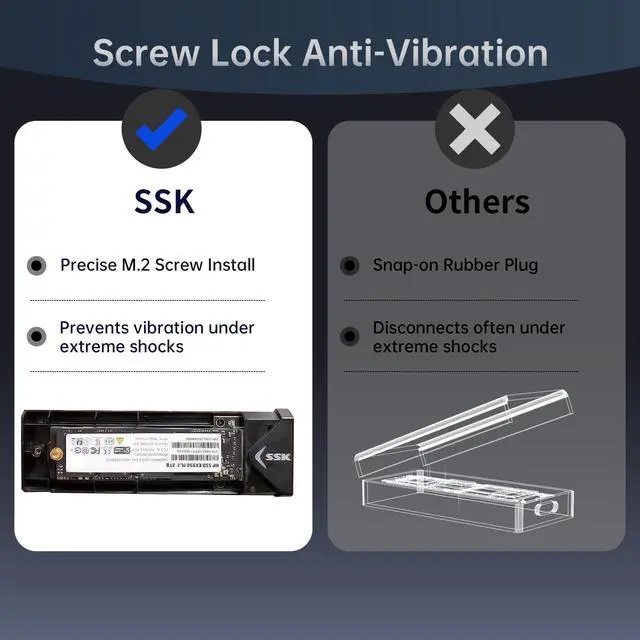
- When install the round washer to assemble SSD and PCB, please pay attention to the thickness of the washer, it has two directions, please keep upper thin and bottom thick. When insert the pcb to house casing, as it is shrapnel design, pls press down the PCB slightly to ensure the proper insertion.
- Apply the thermal pad onto the SSD, close the enclosure, and tighten the screw to complete installation.
Easy Troubleshooting Steps for SSD Recognition Issues:
- Ensure the data cable is firmly connected to both the enclosure and the computer, and that the SSD is properly installed.
- A new SSD must be initialized (partitioned and formatted) before first use. Format the SSD to meet your system's requirements. For use with both Mac and Windows, select the exFAT file system.
Is heat normal?
Moderate heat during operation is expected for all high-performance SSDs. The enclosure metal case the thermal pad can actively conducts heat away from critical components, protecting both your data and drive integrity.
About transfer Speed
Our SSD enclosure follows USB 3.2 Gen2 10Gbps protocol. For optimal speed, connect the enclosure to a USB 3.2 Gen 2 (10Gbps) port. If used with a older USB 2.0 standard port, speeds will be limited to approximately 40-50 MB/s. The 1000MB/s speed, tested via CrystalDiskMark, represents the enclosure peak capability. Actual transfer speeds will vary based on the SSD used, the host device's USB port, the files being transferred, and the current state of the drive.
Due to the inherent properties of hard drives, and in order to protect your data, please : Back up any important data promptly. Always perform a safe “eject” operation each time before unplugging the enclosure. Never unplug the enclosure during data transfers, and avoid any sudden power loss.
 NVME/SATA Enclosure |  NVME/SATA Enclosure |  NVME Enclosure |  SATA Enclosure |  NVME Enclosure | |
|---|---|---|---|---|---|
| Customer Reviews | — | — | — | — | — |
| Price | — | — | — | — | — no data |
| SSD Protocol | NVME/SATA | NVME/SATA | NVME | SATA | NVME |
| Supported sizes | 2242/2260/2280 | 2230/2242/2260/2280 | 2230/2242/2260/2280 | 2242/2260/2280 | 2230/2242/2260/2280 |
| Interface type | USB 3.2 Gen2 | USB 3.2 Gen2 | USB 3.2 Gen2 | USB 3.2 Gen1 | USB 4 |
| Max speed | 1000MB/s | 1000MB/s | 1000MB/s | 600MB/s | 4000MB/s |
| Installation type | Screw-Secured | Tool-Free Plug | Tool-Free Plug | Screw-Secured | Screw-Secured |
| Included cables | USB-C + USB-A | USB-C + USB-A | USB-C + USB-A | USB-C + Adapter | USB-C 40Gbps |
| Status Indicator | LED Indicator | LED Indicator | LED Indicator | LED Indicator | LED Indicator |
| SSD Optimize | TRIM/SMART | TRIM/SMART | TRIM/SMART | TRIM/SMART | TRIM/SMART |
Improved RTL9210B Chip Version: The SSK M.2 enclosure now adopts the industry-leading RTL9210B master chip, boasting broader SSD compatibility, enhanced heat performance, and more reliable stability.
SSK USB C M.2 NVMe SATA(NGFF)SSD Enclosure (Double Protocol SSD)
Package Included
- 1 x M.2 NVME SATA to USB 3.2 SSD Enclosure
- 1 x 10Gbps USB C to USB C Cable
- 1 x 10Gbps USB A to USB C Cable
- 1 x Thermal Conductive Pad
- 1 x Screw Pack : 4 screws (2*Scews A, 2*Screws B), 2 washers
Compatible with all M.2 NVMe and SATA SSD based enclosure adapter
M.2 NVMe PCIE /SATA(NGFF)SSD Based
SSK M.2 NVME SATA SSD Enclosure adopts RTL9210B master chip speeds up to 10Gbps, 1GB file only takes 1 second
Attention: Supports PCI-E based M key / B&M key M.2 NVME SSD speed up to 10Gbps; SATA-based B&M Key M.2 SSD speed up to 6bps.
Not compatible with B Key Connectors. Does not support M.2 PCIe AHCI SSDs, M.2 PCIe devices such as WiFi and capture cards, mSATA SSDs, and non-M.2 form factor SSDs
- Interface type: M.2 NVME and SATA to USB 3.1 Gen 2
- Support SSD Drivers Size: 2242, 2260, 2280mm
- Case Size: 115*39*11mm
- Cable 1 : USB C to USB C(150MM)
- Cable 2 : USB3.0 AM to USB C(150MM)
- Color: Grey+Black
How to confirm if this NVMe/SATA M.2 SSD Enclosure supports your SSDs
- Check SSD Key: This SSD enclosure can install M Key and B+M Key SSDs.
- Confirm Protocol/Label: This M.2 enclosure supports both NVMe and SATA SSDs.
- Right SSD length: This M.2 enclosure accommodates SSDs in the length of 2242/2260/2280.
This enclosure should support most popular SSDs in the market.
Below are some devices that are not supported.
- Not compatible with B Key Connector.
- Not compatible with MacBook original SSD.
- Can't install SSDs with thick heatsink.
- Not support M.2 PCIe AHCI SSDs, M.2 PCIe devices such as WiFi and capture cards, mSATA SSDs, and non-M.2 form factor SSDs.
Attention: NVMe and SATA SSDs are not included. If youdon't know which type is your SSD and you have any questions, please ask SSK Direct before purchasing.
Main Features
RTL9210B Chip Low Heat Stability
SSK M.2 enclosure now adopts the industry-leading RTL9210B master chip, a premium improvement that elevates both compatibility and performance to new heights.
Boasting significantly broader SSD compatibility, it seamlessly supports a full range of M.2 NVMe and SATA-based SSDs across various capacities and brands. What’s more, the chip is engineered to enhance heat dissipation performance: when paired with the enclosure’s advanced thermal design, it effectively reduces heat buildup during prolonged, high-speed data transfers, extending the longevity of your SSD with more reliable stability, ensuring smooth, uninterrupted file transfers.
Extreme Data Transfer
With USB 3.1 Gen2 interface,provides transfer speeds of up to 1000MB/s,1GB file1 second. Backward compatible with USB 3.1/3.2 Gen2 and USB 3.1 up to 10Gbps.
Notice :
Insert your NVMe or SATA SSD into the enclosure and connect to your laptop’s USB-C or Thunderbolt 3 port to transfer movies, music.
The actual speed depends on the speed of your SSD, USB Port type, your computer performance etc, nvme ssd is not included.
Insert SSD fully to use
If there is a fatal errors or SSD can not be recognized:
First, Please confirm your SSD is M.2 PCIE NVME or M.2 SATA SSD.
Second, please confirm whether your SSD is fully inserted into theNVME Slot. If not, you need to push the SSD into the enclosure M.2 Slot at a 45 degree angle. The pins of the SSD will be fully seated and covered.
Third, new SSD must be initialized (partitioned and formatted) before first use. Format the SSD to meet your system's requirements. For use with both Mac and Windows, select the exFAT file system.
Main Features
Easy Installation
SSK M.2 enclosure comes with all essential accessories – screwdriver, screws, washer, thermal pads, two data cables. Easily access NVMe or SATA SSD via SSD enclosure adapter, simplifying SSD data transfer and management—no more disassembling computer
Supports Plug & Play and Hot-Swapping
Copper Strip + Thermal Conductive Pad for Excellent Heat Dissipation
SSK Enclosure not only adopts the larger copper strip for heat dissipation, but also have a special design, it adds a plastic shrapnel which can lift SSD slightly.
With the thermal pad, the lifted SSD can be tightly attached to the Aluminium shell, so as to achieve the purpose of rapid heat dissipation.
Multi OS Compatible
- Windows 7 or above, Mac OS 10.10.5 or above, Linux, and Type C Android Phones.
- Blue Indicator is always on when plug in, and flash when read or write data.
- Equipped with both USB-C and USB-A cables, this NVMe enclosure delivers seamless plug-and-play compatibility across desktops, laptops, tablets and smartphones. It’s the ultimate universal M.2 storage solution for most USD devices.
Installation Instructions
Installation Attention:
- The package contains all necessary tools: a screwdriver, screws, a washer, thermal pads, and two data cables.
- Confirm the SSD is M-Key or B+M Key, then insert it into the enclosure's M.2 slot at a 45-degree angle until fully seated. Not compatible with MacBook original SSD!
- When install the round washer to assemble SSD and PCB, please pay attention to the thickness of the washer, it has two directions, please keep upper thin and bottom thick. When insert the pcb to house casing, as it is shrapnel design, pls press down the PCB slightly to ensure the proper insertion.
- Apply the thermal pad onto the SSD, close the enclosure, and tighten the screw to complete installation.
Easy Troubleshooting Steps for SSD Recognition Issues:
- Ensure the data cable is firmly connected to both the enclosure and the computer, and that the SSD is properly installed.
- A new SSD must be initialized (partitioned and formatted) before first use. Format the SSD to meet your system's requirements. For use with both Mac and Windows, select the exFAT file system.
Is heat normal?
Moderate heat during operation is expected for all high-performance SSDs. The enclosure metal case the thermal pad can actively conducts heat away from critical components, protecting both your data and drive integrity.
About transfer Speed
Our SSD enclosure follows USB 3.2 Gen2 10Gbps protocol. For optimal speed, connect the enclosure to a USB 3.2 Gen 2 (10Gbps) port. If used with a older USB 2.0 standard port, speeds will be limited to approximately 40-50 MB/s. The 1000MB/s speed, tested via CrystalDiskMark, represents the enclosure peak capability. Actual transfer speeds will vary based on the SSD used, the host device's USB port, the files being transferred, and the current state of the drive.
Due to the inherent properties of hard drives, and in order to protect your data, please : Back up any important data promptly. Always perform a safe “eject” operation each time before unplugging the enclosure. Never unplug the enclosure during data transfers, and avoid any sudden power loss.
NVME/SATA Enclosure | NVME/SATA Enclosure | NVME Enclosure | SATA Enclosure | NVME Enclosure | |
|---|---|---|---|---|---|
| Customer Reviews | — | — | — | — | — |
| Price | — | — | — | — | — no data |
| SSD Protocol | NVME/SATA | NVME/SATA | NVME | SATA | NVME |
| Supported sizes | 2242/2260/2280 | 2230/2242/2260/2280 | 2230/2242/2260/2280 | 2242/2260/2280 | 2230/2242/2260/2280 |
| Interface type | USB 3.2 Gen2 | USB 3.2 Gen2 | USB 3.2 Gen2 | USB 3.2 Gen1 | USB 4 |
| Max speed | 1000MB/s | 1000MB/s | 1000MB/s | 600MB/s | 4000MB/s |
| Installation type | Screw-Secured | Tool-Free Plug | Tool-Free Plug | Screw-Secured | Screw-Secured |
| Included cables | USB-C + USB-A | USB-C + USB-A | USB-C + USB-A | USB-C + Adapter | USB-C 40Gbps |
| Status Indicator | LED Indicator | LED Indicator | LED Indicator | LED Indicator | LED Indicator |
| SSD Optimize | TRIM/SMART | TRIM/SMART | TRIM/SMART | TRIM/SMART | TRIM/SMART |
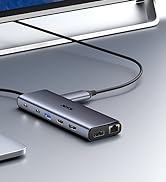
8K + 10Gbps Hub
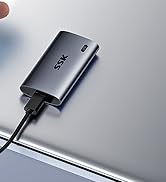
Portable SSD

2.5/3.5 HDD Dock
External SSD
M.2 SSD Enclosure
