





Brand Promise
VCOM Beyond your imagination.
VCOM is a brand of mobile phone & computer storage and accessories.
Our aim is to make customers' work easier and life more convenient.
VCOM has a strong R&D team
And from the factory side through the direct sales to end users, more cost-effective,
the real quality and price.
VVCOM is committed to developing high quality products and providing the most satisfactory after-sales service!
VCOM Beyond your Imagination

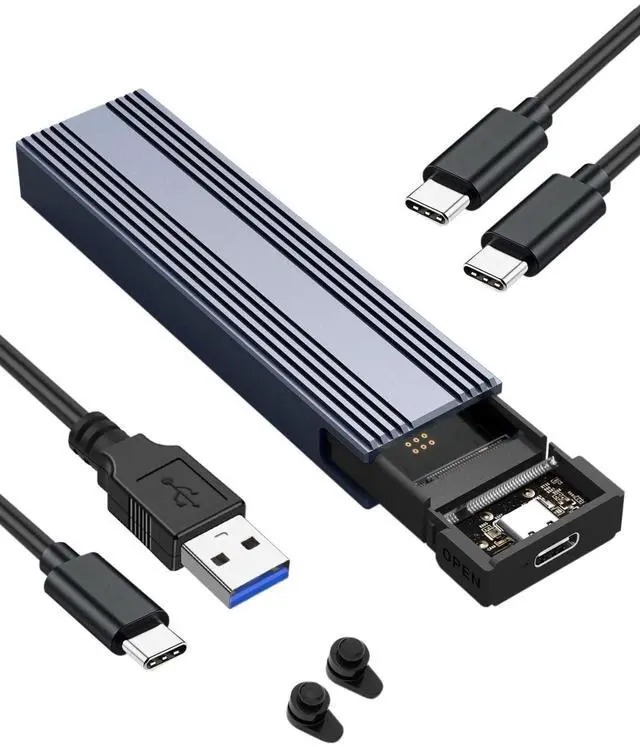
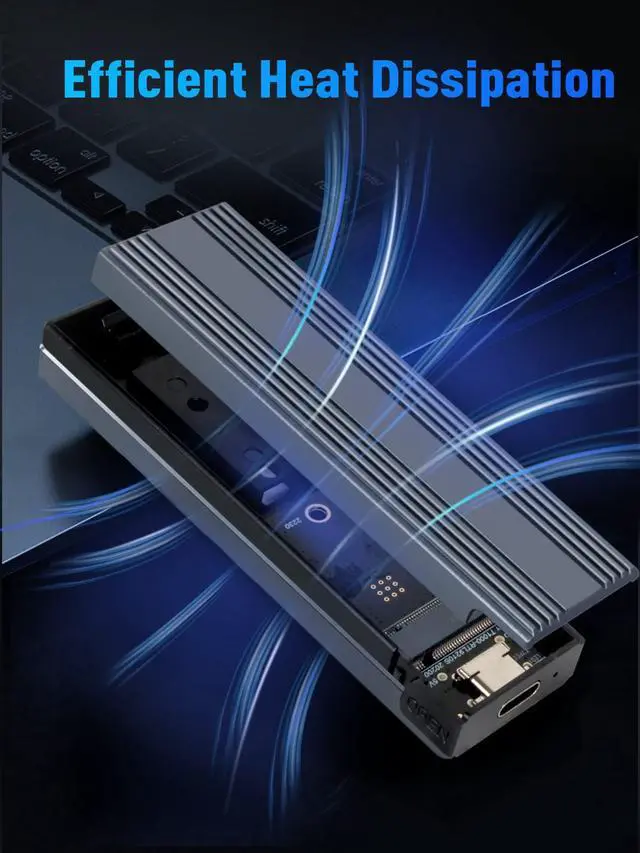
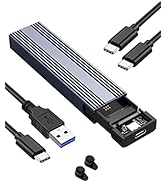
V VCOM M.2 NVMe SSD Enclosure


V VCOM M.2 Enclosure
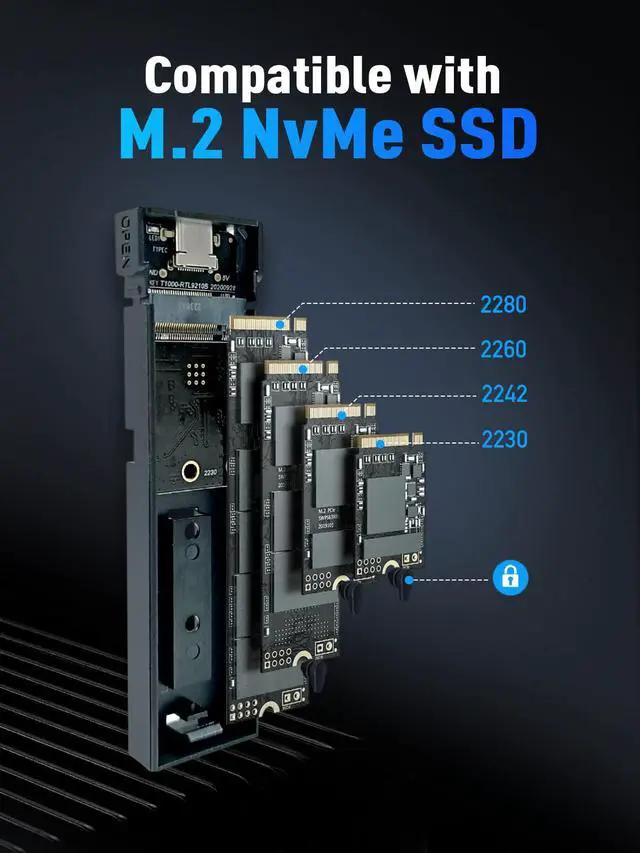
- This Enclosure Not supported SATA-based B Key & (B+M) Key M.2 SSD or PCIe AHCI SSD or MacBook original SSD.
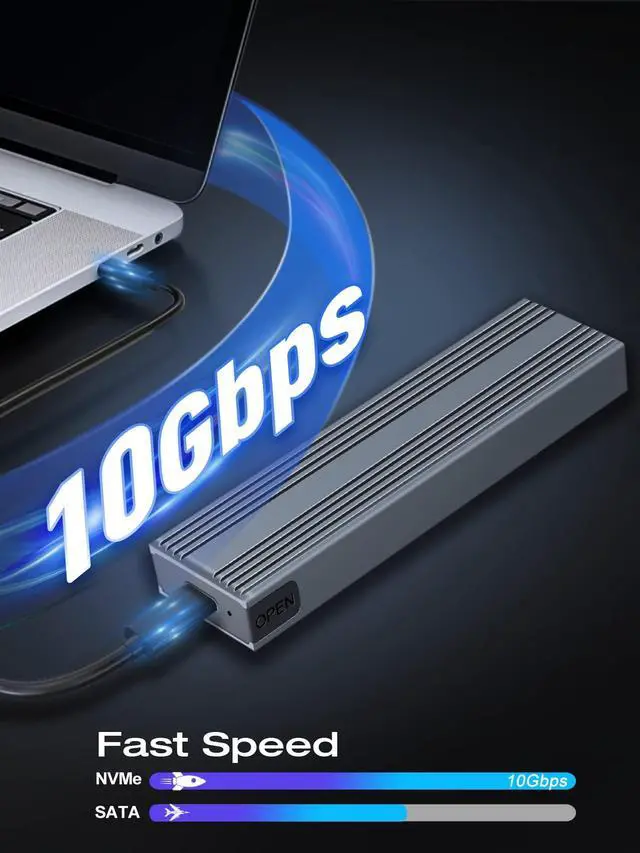
- To get a 10Gbps data transmission rate, the USB 3.1 interface on your PC should be USB 3.1 Gen 2. Some PCs only come with USB 3.1 Gen1 whose max speed is 5Gbps.
- Your computer won't recognize the actual SSD's brand with this NVME to USB Adapter, so for Samsung SSD that you couldn't use the Samsung disk cloning software.
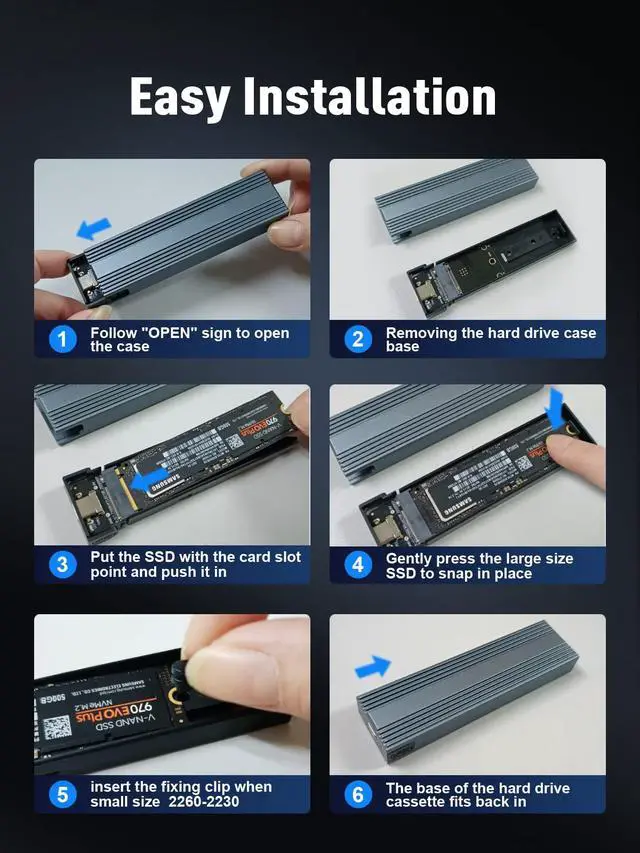
- For the new SSD hard disk, the drive may not be found, because the new SSD hard disk needs to be formatted before the first use, and the SSD drive partition needs to be made. (Please check the instructions for operation) If you have important data in your hard disk, please make a backup in advance.
 10Gbps M.2 NVMe SSD Enclosure |  10Gbps M.2 NVMe SATA SSD Enclosure |  40Gbps M.2 NVMe SSD Enclosure |  80Gbps M.2 NVMe SSD Enclosure |  Fingerprint Encryption SSD Enclosure | |
|---|---|---|---|---|---|
| Customer Reviews | — | — | — | — | — |
| Price | — | — | — | — | — |
| Agreement | NVME PCI-E | NVME PCI-E & SATA(NGFF) | NVME PCI-E | NVME PCI-E | NVME PCI-E & SATA(NGFF) |
| Hard Disk Interface | M.2 NVMe M-Key & (M+B) Key 2230/2242/2260/2280 | M.2 NVMe M-Key & (M+B) Key, M.2 SATA (M+B) Key 2230/2242/2260/2280 | M.2 NVMe M-Key & (M+B) Key 2230/2242/2260/2280 | M.2 NVMe M-Key & (M+B) Key 2230/2242/2260/2280 | M.2 NVMe M-Key & (M+B) Key, M.2 SATA (M+B) Key 2230/2242/2260/2280 |
| Transmission Speed | 10Gbps | 10Gbps / 6Gbps | 40Gbps | 80Gbps | 10Gbps / 6Gbps |
| no data | no data | no data | no data | Fingerprint Encryption SSD Enclosure with LCD Screen |
V VCOM M.2 NVMe SSD Enclosure
V VCOM M.2 Enclosure
- This Enclosure Not supported SATA-based B Key & (B+M) Key M.2 SSD or PCIe AHCI SSD or MacBook original SSD.
- To get a 10Gbps data transmission rate, the USB 3.1 interface on your PC should be USB 3.1 Gen 2. Some PCs only come with USB 3.1 Gen1 whose max speed is 5Gbps.
- Your computer won't recognize the actual SSD's brand with this NVME to USB Adapter, so for Samsung SSD that you couldn't use the Samsung disk cloning software.
- For the new SSD hard disk, the drive may not be found, because the new SSD hard disk needs to be formatted before the first use, and the SSD drive partition needs to be made. (Please check the instructions for operation) If you have important data in your hard disk, please make a backup in advance.
10Gbps M.2 NVMe SSD Enclosure | 10Gbps M.2 NVMe SATA SSD Enclosure | 40Gbps M.2 NVMe SSD Enclosure | 80Gbps M.2 NVMe SSD Enclosure | Fingerprint Encryption SSD Enclosure | |
|---|---|---|---|---|---|
| Customer Reviews | — | — | — | — | — |
| Price | — | — | — | — | — |
| Agreement | NVME PCI-E | NVME PCI-E & SATA(NGFF) | NVME PCI-E | NVME PCI-E | NVME PCI-E & SATA(NGFF) |
| Hard Disk Interface | M.2 NVMe M-Key & (M+B) Key 2230/2242/2260/2280 | M.2 NVMe M-Key & (M+B) Key, M.2 SATA (M+B) Key 2230/2242/2260/2280 | M.2 NVMe M-Key & (M+B) Key 2230/2242/2260/2280 | M.2 NVMe M-Key & (M+B) Key 2230/2242/2260/2280 | M.2 NVMe M-Key & (M+B) Key, M.2 SATA (M+B) Key 2230/2242/2260/2280 |
| Transmission Speed | 10Gbps | 10Gbps / 6Gbps | 40Gbps | 80Gbps | 10Gbps / 6Gbps |
| no data | no data | no data | no data | Fingerprint Encryption SSD Enclosure with LCD Screen |
Brand Promise
VCOM Beyond your imagination.
VCOM is a brand of mobile phone & computer storage and accessories.
Our aim is to make customers' work easier and life more convenient.
VCOM has a strong R&D team
And from the factory side through the direct sales to end users, more cost-effective,
the real quality and price.
VVCOM is committed to developing high quality products and providing the most satisfactory after-sales service!
VCOM Beyond your Imagination