


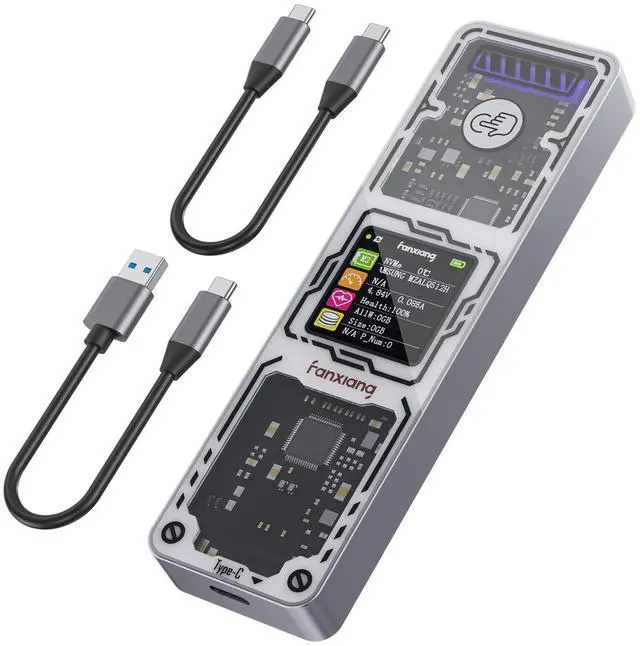
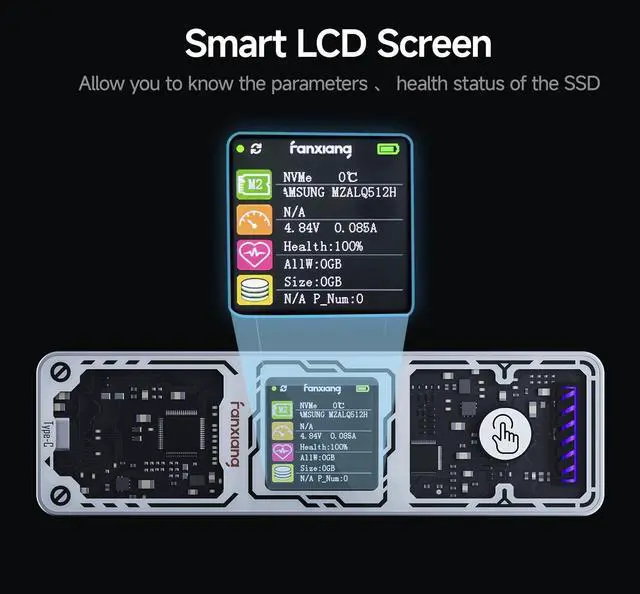


Functional Operation Instructions
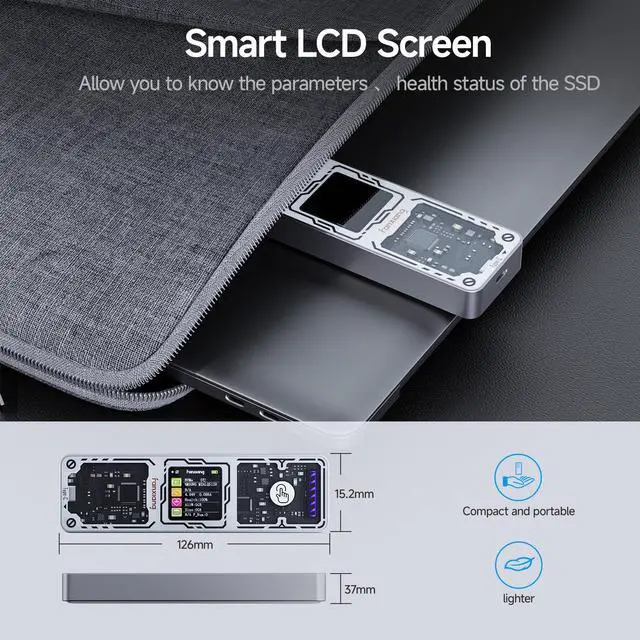
- Short press "1" to switch pages.
- Short press "2" to switch screen rotation mode (manual/automatic modes).
- Short press "3" to switch between Chinese and English interfaces.
- To adjust the screen orientation, short press "4" to rotate the screen direction.
- Sleep mode: Displays "ECO" (enters sleep mode after 10 minutes without any read/write activity).
- Enable write protection: In standby mode, wait for 5 seconds, then press the button 5 times consecutively to enable write protection. The red light on the top left corner of the display will turn on. (When write protection is enabled, files cannot be copied to or deleted from the hard drive.)
- Disable write protection: In standby mode, wait for 5 seconds, then press the button 5 times consecutively to disable write protection. The green light on the top left corner of the display will turn on.
fanxiang SSD Enclosures
 MD86 Smart SSD Enclosure |  MD87 NVME/SATA Enclosure |  MD85 with Cooling Fan |  MP83 Mini SSD Enclosure |  MP400 40Gbps Enclosure | |
|---|---|---|---|---|---|
Customer Reviews | — | — | — | — | — |
Price | — | — | — | — | — |
Features | Smart M.2 NVMe/SATA Enclosure | M.2 NVMe/SATA SSD Enclosure | SSD Enclosure with Cooling Fan | 2230 SSD Enclosure | 40Gbps M.2 NVMe SSD Enclosure |
Output interface | Type-C(USB3.2 Gen2) | Type-C(USB3.2 Gen2) | Type-C(USB3.2 Gen2) | Type-C(USB3.2 Gen2) | Type-C USB4/Thunderbolt 4/3 |
Input Interface | B&M-Key | B&M-Key | B&M-Key | B&M-Key | M-Key |
Speed | 10Gbps | 10Gbps | 10Gbps | 10Gbps | 40Gbps |
Compatible with Max Capacity | 4TB | 4TB | 4TB | 2TB | 8TB |
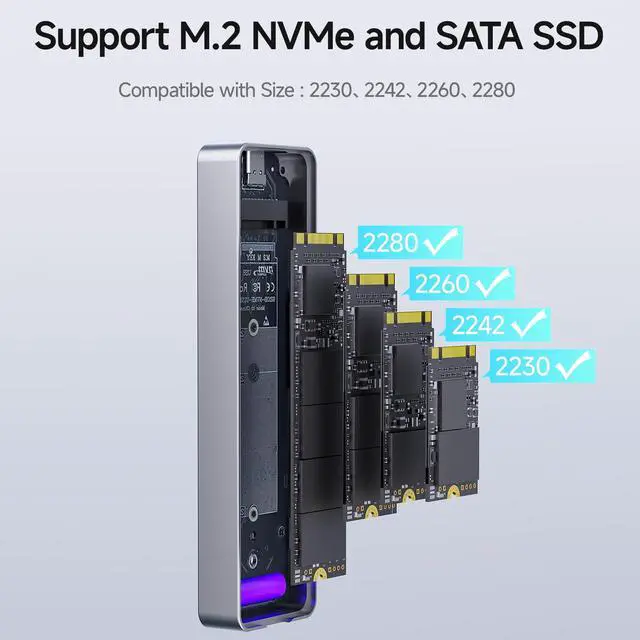
Compatible Size | 2230/2242/2260/2280 | 2230/2242/2260/2280 | 2230/2242/2280 | 2230 | 2230/2242/2260/2280 |


Functional Operation Instructions
- Short press "1" to switch pages.
- Short press "2" to switch screen rotation mode (manual/automatic modes).
- Short press "3" to switch between Chinese and English interfaces.
- To adjust the screen orientation, short press "4" to rotate the screen direction.
- Sleep mode: Displays "ECO" (enters sleep mode after 10 minutes without any read/write activity).
- Enable write protection: In standby mode, wait for 5 seconds, then press the button 5 times consecutively to enable write protection. The red light on the top left corner of the display will turn on. (When write protection is enabled, files cannot be copied to or deleted from the hard drive.)
- Disable write protection: In standby mode, wait for 5 seconds, then press the button 5 times consecutively to disable write protection. The green light on the top left corner of the display will turn on.
fanxiang SSD Enclosures
MD86 Smart SSD Enclosure | MD87 NVME/SATA Enclosure | MD85 with Cooling Fan | MP83 Mini SSD Enclosure | MP400 40Gbps Enclosure |
|---|---|---|---|---|
| Customer Reviews | ||||
| — | — | — | — | — |
| Price | ||||
| — | — | — | — | — |
| Features | ||||
| Smart M.2 NVMe/SATA Enclosure | M.2 NVMe/SATA SSD Enclosure | SSD Enclosure with Cooling Fan | 2230 SSD Enclosure | 40Gbps M.2 NVMe SSD Enclosure |
| Output interface | ||||
| Type-C(USB3.2 Gen2) | Type-C(USB3.2 Gen2) | Type-C(USB3.2 Gen2) | Type-C(USB3.2 Gen2) | Type-C USB4/Thunderbolt 4/3 |
| Input Interface | ||||
| B&M-Key | B&M-Key | B&M-Key | B&M-Key | M-Key |
| Speed | ||||
| 10Gbps | 10Gbps | 10Gbps | 10Gbps | 40Gbps |
| Compatible with Max Capacity | ||||
| 4TB | 4TB | 4TB | 2TB | 8TB |
| Compatible Size | ||||
| 2230/2242/2260/2280 | 2230/2242/2260/2280 | 2230/2242/2280 | 2230 | 2230/2242/2260/2280 |