


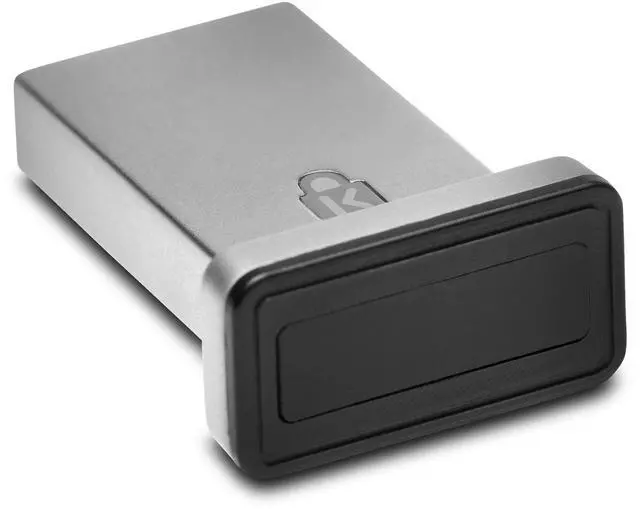


VeriMark IT Fingerprint Key
Business-class security. At your fingertips.

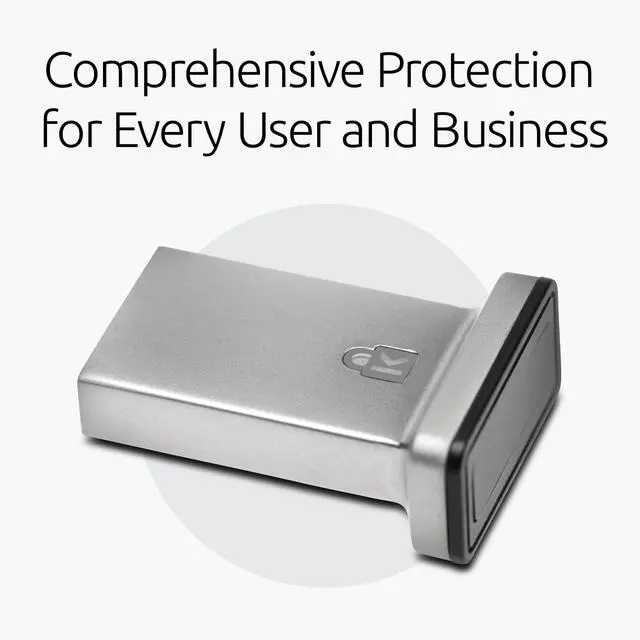
Comprehensive Protection for Every User and Business
•Compatible with Leading Software
•Easy to Manage Access and Security
•Convenient and User-Friendly
•Reliable and Consistent
•Robust Protection

Comprehensive Protection for Every User and Business
In today's world of increasing data breaches, both individuals and organizations are seeking a secure, simple, and reliable solution to protect their valuable information. Whether you're a consumer looking to safeguard personal data or a business professional focused on protecting organizational assets, having a security solution that's compatible with leading software like Windows Hello, Microsoft Entra ID, Office 365, Skype, OneDrive, and Outlook is essential. The transition from old authentication methods can be daunting, but this solution is designed to ease the process. For IT managers, it simplifies the setup process, requiring configuration just once per employee rather than on every device they access, saving time and ensuring robust security for all users.
Specifications:
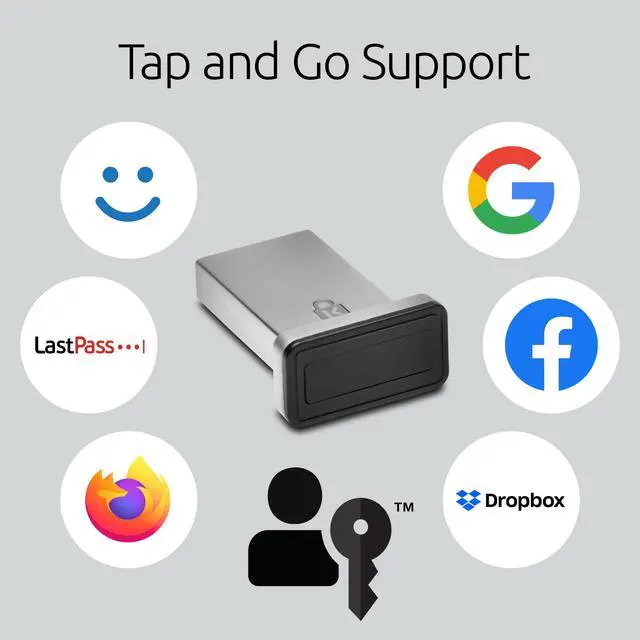
Compatible with Leading Software: Works seamlessly with solutions like Windows Hello, Microsoft Entra ID, Office 365, Skype, OneDrive, and Outlook, ensuring protection across both personal and professional platforms.
Easy to Manage Access and Security: For businesses: Simplifies the management of employee access, permissions, and passwords. For consumers: Provides easy-to-use security settings, giving you control over your personal data and access permissions.
Convenient and User-Friendly: Whether you're setting it up for a team or just for yourself, the process is straightforward, making it easy to secure your data without hassle.
Reliable and Consistent: Provides consistent protection that you can count on, whether for business operations or safeguarding personal information.
Robust Protection: Built to offer strong security features that keep both your business and personal data safe from threats.

FAQ
Q: Is it necessary to install driver before using?
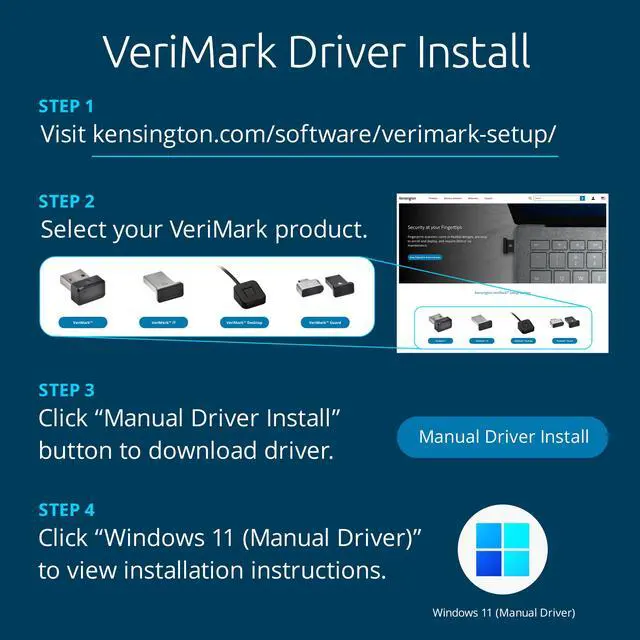
A: A driver is necessary for VeriMark, VeriMark IT and VeriMark Desktop for Windows 10 and 11. User can either manually install by downloading the latest driver from our support page and following the step instructions or using the Windows Optional driver install from Synaptics. VeriMark Guard is a plug and play dongle and no drivers are needed.
Q: Where can I download the driver that I need?
A: Drivers can be downloaded from our official site support page: kensington.com/software/verimark-setup/ by selecting the device and following the installation instructions.
Q: What's the difference between manual and optional driver?
A:
- Manual driver is for advanced users or hosts managed by an organization that don’t have Windows Updates rights due to limitations on the Windows policies. Also, some users might want to use manual driver install to either upgrade to latest driver or for troubleshooting purposes.
- Optional drivers are managed by Windows Updates. The VeriMark drivers are marked as optional drivers for any unknown device connected to the host. Make sure Windows is up to date, running the latest release for optional drivers to become available.
Q: What should I do if VeriMark couldn't recognize my device? (Unknown device issue)
A: Unknown device issue is simply a unrecognized peripheral connected to the host. In order to fix this issue the user has to install the drivers for VeriMark using one of the methods explained on the support page.
Q: How to solve error code 10 issue? A: Error 10 is generated when Device Manager can't start the hardware device, usually caused by outdated or corrupted drivers. Reinstalling the latest drivers may solve the issue.
Q: Is there a risk of biometric information being hacked?
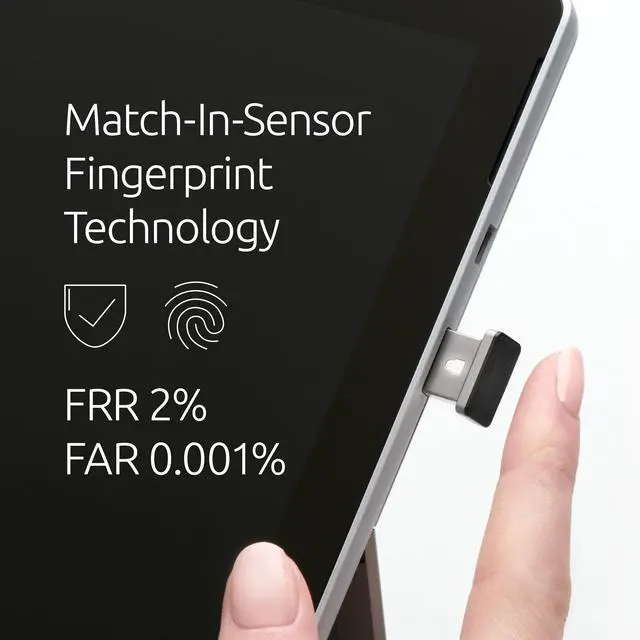
A: Match in Sensor technology authenticates all the fingerprint scans on the sensor. If there is a stored fingerprint template match when compared to the scanned finger, the dongle will send an "Allow" if not a "Deny" will be sent to the authentication server. The communication between the sensor and the host is encrypted using the Transport Layer Security (TLS) protocol.
Q: Are ARM based processors supported?
A: ARM based processors may have limited functionality
 VeriMark Gen2 |  VeriMark Desktop |  VeriMark Guard USB-A |  VeriMark Guard USB-C |  VeriMark | |
|---|---|---|---|---|---|
| Customer Reviews | — | — | — | — | — |
| Price | — | — | — | — no data | — no data |
| Best for | Office/Enterprise | Personal/office/Enterprise/Desktop computers | Personal/office/Enterprise | Personal/office/Enterprise | Home/Office |
| FIDO Certification | no data | FIDO U2F certified, FIDO2/WebAuth, compatible | FIDO U2F certified ,FIDO2/WebAuth, CTAP2 certified | FIDO U2F certified ,FIDO2/WebAuth, CTAP2 certified | FIDO U2F Certified for Universal 2nd Factor Authentication |
| Windows Security login | Windows Hello & Windows Hello for Business certified | Windows Hello & Windows Hello for Business certified, U2F security key (Tap-and-Go) | Cross platform OS , U2F security key (Tap-and-Go) Microsoft service account login as security key (no Windows Hello) | Cross platform OS , U2F security key (Tap-and-Go) Microsoft service account login as security key (no Windows Hello) | Windows Hello certified |
| False Rejection Rate (FRR) | 2% | 2% | 2% | 2% | 3% |
| False Acceptance Rate (FAR) | 0.001% | 0.001% | 0.001% | 0.001% | 0.002% |
| Fingerprint Technology | Synaptics FS7600 (Match-in-sensor) | Synaptics FS7600 (Match-in-sensor) | Synaptics FS7600 (Match-in-sensor) | Synaptics FS7600 (Match-in-sensor) | Synaptics FS4300 (Match-on-host) |
| USB Data Encryption | •AES-256/SHA-256 Elliptic Curve Cryptography for key exchange, authentication, and data validation with unique keys for every sensor •AES-256/HMAC-SHA-256 authenticated encryption for credential and template data wrapping | •AES-256/SHA-256 Elliptic Curve Cryptography for key exchange, authentication, and data validation with unique keys for every sensor •AES-256/HMAC-SHA-256 authenticated encryption for credential and template data wrapping | •AES-256/SHA-256 Elliptic Curve Cryptography for key exchange, authentication, and data validation with unique keys for every sensor •AES-256/HMAC-SHA-256 authenticated encryption for credential and template data wrapping | •AES-256/SHA-256 Elliptic Curve Cryptography for key exchange, authentication, and data validation with unique keys for every sensor •AES-256/HMAC-SHA-256 authenticated encryption for credential and template data wrapping | •AES-256/SHA-256 •SSLv3 for secure session establishment •RSA-2048 public key cryptography for key exchange, authentication, and data validation •Match on Host |
| Material | Zinc Alloy | Robust Metal Material (Zinc alloy) Cable length: 3.9 foot (1.2M) | Robust Metal Material (Zinc alloy) & Plastic USB-cap | Robust Metal Material (Zinc alloy) & Plastic USB-cap | Plastic & Plastic USB-cap |
| Operating System and browsers support | •Windows 10 OS 19H1 (or later) •Windows 11 OS 21H2 (or later) •Microsoft Edge •Mozilla Firefox •Google Chrome | •Windows 10 OS 19H1 (or later) •Windows 11 OS 21H2 (or later) •Microsoft Edge •Mozilla Firefox •Google Chrome | •Windows 10 OS 19H1 (or later) •Windows 11 OS 21H2 (or later) •macOS 10.15 (or later) •Chrome OS •Microsoft Edge •Mozilla Firefox •Google Chrome | •Windows 10 OS 19H1 (or later) •Windows 11 OS 21H2 (or later) •macOS 10.15 (or later) •Chrome OS •Microsoft Edge •Mozilla Firefox •Google Chrome | •Windows 10 OS 19H1 (or later) •Windows 11 OS 21H2 (or later) •Microsoft Edge •Mozilla Firefox •Google Chrome |
VeriMark IT Fingerprint Key
Business-class security. At your fingertips.
Comprehensive Protection for Every User and Business
•Compatible with Leading Software
•Easy to Manage Access and Security
•Convenient and User-Friendly
•Reliable and Consistent
•Robust Protection
Comprehensive Protection for Every User and Business
In today's world of increasing data breaches, both individuals and organizations are seeking a secure, simple, and reliable solution to protect their valuable information. Whether you're a consumer looking to safeguard personal data or a business professional focused on protecting organizational assets, having a security solution that's compatible with leading software like Windows Hello, Microsoft Entra ID, Office 365, Skype, OneDrive, and Outlook is essential. The transition from old authentication methods can be daunting, but this solution is designed to ease the process. For IT managers, it simplifies the setup process, requiring configuration just once per employee rather than on every device they access, saving time and ensuring robust security for all users.
Specifications:
Compatible with Leading Software: Works seamlessly with solutions like Windows Hello, Microsoft Entra ID, Office 365, Skype, OneDrive, and Outlook, ensuring protection across both personal and professional platforms.
Easy to Manage Access and Security: For businesses: Simplifies the management of employee access, permissions, and passwords. For consumers: Provides easy-to-use security settings, giving you control over your personal data and access permissions.
Convenient and User-Friendly: Whether you're setting it up for a team or just for yourself, the process is straightforward, making it easy to secure your data without hassle.
Reliable and Consistent: Provides consistent protection that you can count on, whether for business operations or safeguarding personal information.
Robust Protection: Built to offer strong security features that keep both your business and personal data safe from threats.
FAQ
Q: Is it necessary to install driver before using?
A: A driver is necessary for VeriMark, VeriMark IT and VeriMark Desktop for Windows 10 and 11. User can either manually install by downloading the latest driver from our support page and following the step instructions or using the Windows Optional driver install from Synaptics. VeriMark Guard is a plug and play dongle and no drivers are needed.
Q: Where can I download the driver that I need?
A: Drivers can be downloaded from our official site support page: kensington.com/software/verimark-setup/ by selecting the device and following the installation instructions.
Q: What's the difference between manual and optional driver?
A:
- Manual driver is for advanced users or hosts managed by an organization that don’t have Windows Updates rights due to limitations on the Windows policies. Also, some users might want to use manual driver install to either upgrade to latest driver or for troubleshooting purposes.
- Optional drivers are managed by Windows Updates. The VeriMark drivers are marked as optional drivers for any unknown device connected to the host. Make sure Windows is up to date, running the latest release for optional drivers to become available.
Q: What should I do if VeriMark couldn't recognize my device? (Unknown device issue)
A: Unknown device issue is simply a unrecognized peripheral connected to the host. In order to fix this issue the user has to install the drivers for VeriMark using one of the methods explained on the support page.
Q: How to solve error code 10 issue? A: Error 10 is generated when Device Manager can't start the hardware device, usually caused by outdated or corrupted drivers. Reinstalling the latest drivers may solve the issue.
Q: Is there a risk of biometric information being hacked?
A: Match in Sensor technology authenticates all the fingerprint scans on the sensor. If there is a stored fingerprint template match when compared to the scanned finger, the dongle will send an "Allow" if not a "Deny" will be sent to the authentication server. The communication between the sensor and the host is encrypted using the Transport Layer Security (TLS) protocol.
Q: Are ARM based processors supported?
A: ARM based processors may have limited functionality
VeriMark Gen2 | VeriMark Desktop | VeriMark Guard USB-A | VeriMark Guard USB-C | VeriMark | |
|---|---|---|---|---|---|
| Customer Reviews | — | — | — | — | — |
| Price | — | — | — | — no data | — no data |
| Best for | Office/Enterprise | Personal/office/Enterprise/Desktop computers | Personal/office/Enterprise | Personal/office/Enterprise | Home/Office |
| FIDO Certification | no data | FIDO U2F certified, FIDO2/WebAuth, compatible | FIDO U2F certified ,FIDO2/WebAuth, CTAP2 certified | FIDO U2F certified ,FIDO2/WebAuth, CTAP2 certified | FIDO U2F Certified for Universal 2nd Factor Authentication |
| Windows Security login | Windows Hello & Windows Hello for Business certified | Windows Hello & Windows Hello for Business certified, U2F security key (Tap-and-Go) | Cross platform OS , U2F security key (Tap-and-Go) Microsoft service account login as security key (no Windows Hello) | Cross platform OS , U2F security key (Tap-and-Go) Microsoft service account login as security key (no Windows Hello) | Windows Hello certified |
| False Rejection Rate (FRR) | 2% | 2% | 2% | 2% | 3% |
| False Acceptance Rate (FAR) | 0.001% | 0.001% | 0.001% | 0.001% | 0.002% |
| Fingerprint Technology | Synaptics FS7600 (Match-in-sensor) | Synaptics FS7600 (Match-in-sensor) | Synaptics FS7600 (Match-in-sensor) | Synaptics FS7600 (Match-in-sensor) | Synaptics FS4300 (Match-on-host) |
| USB Data Encryption | •AES-256/SHA-256 Elliptic Curve Cryptography for key exchange, authentication, and data validation with unique keys for every sensor •AES-256/HMAC-SHA-256 authenticated encryption for credential and template data wrapping | •AES-256/SHA-256 Elliptic Curve Cryptography for key exchange, authentication, and data validation with unique keys for every sensor •AES-256/HMAC-SHA-256 authenticated encryption for credential and template data wrapping | •AES-256/SHA-256 Elliptic Curve Cryptography for key exchange, authentication, and data validation with unique keys for every sensor •AES-256/HMAC-SHA-256 authenticated encryption for credential and template data wrapping | •AES-256/SHA-256 Elliptic Curve Cryptography for key exchange, authentication, and data validation with unique keys for every sensor •AES-256/HMAC-SHA-256 authenticated encryption for credential and template data wrapping | •AES-256/SHA-256 •SSLv3 for secure session establishment •RSA-2048 public key cryptography for key exchange, authentication, and data validation •Match on Host |
| Material | Zinc Alloy | Robust Metal Material (Zinc alloy) Cable length: 3.9 foot (1.2M) | Robust Metal Material (Zinc alloy) & Plastic USB-cap | Robust Metal Material (Zinc alloy) & Plastic USB-cap | Plastic & Plastic USB-cap |
| Operating System and browsers support | •Windows 10 OS 19H1 (or later) •Windows 11 OS 21H2 (or later) •Microsoft Edge •Mozilla Firefox •Google Chrome | •Windows 10 OS 19H1 (or later) •Windows 11 OS 21H2 (or later) •Microsoft Edge •Mozilla Firefox •Google Chrome | •Windows 10 OS 19H1 (or later) •Windows 11 OS 21H2 (or later) •macOS 10.15 (or later) •Chrome OS •Microsoft Edge •Mozilla Firefox •Google Chrome | •Windows 10 OS 19H1 (or later) •Windows 11 OS 21H2 (or later) •macOS 10.15 (or later) •Chrome OS •Microsoft Edge •Mozilla Firefox •Google Chrome | •Windows 10 OS 19H1 (or later) •Windows 11 OS 21H2 (or later) •Microsoft Edge •Mozilla Firefox •Google Chrome |