KVM Switch VGA 2 Port - KVM Switcher for 2 Computers Share 1 Monitor & 3 USB 2.0 Devices,Keyboard Mouse Printer,Driver-Free for All OS,2 KVM Cables 1 Desktop Controller Included
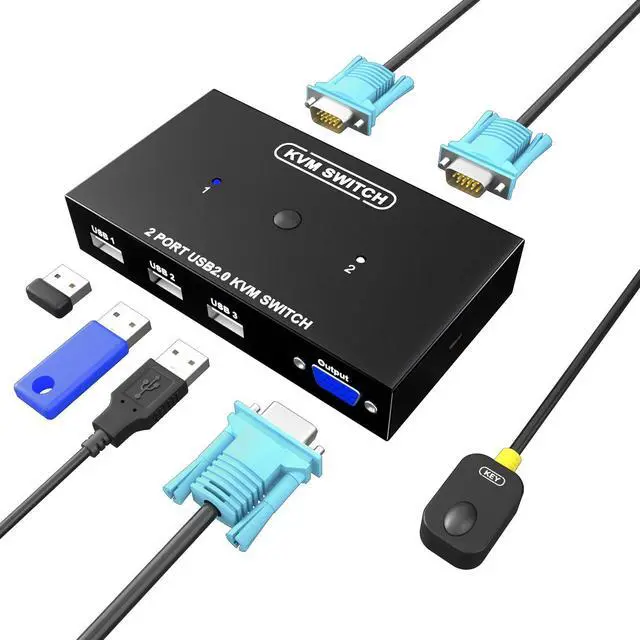
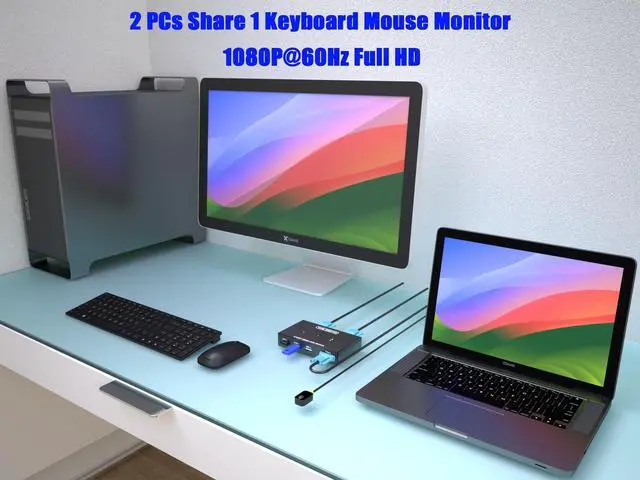
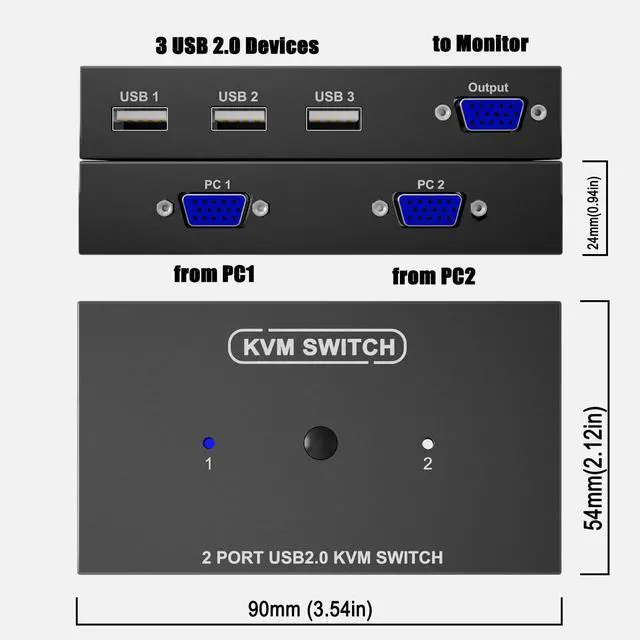
VGA KVM Switch - 2 Port USB KVM Switch allows 2 computers to share a keyboard mouse monitor, this VGA KVM switch can also share 3 USB 2.0 devices such as printer, scanner, keyboard, mouse, card reader, USB stick, flash drive, portable hard drive, SSD drive between two computers.
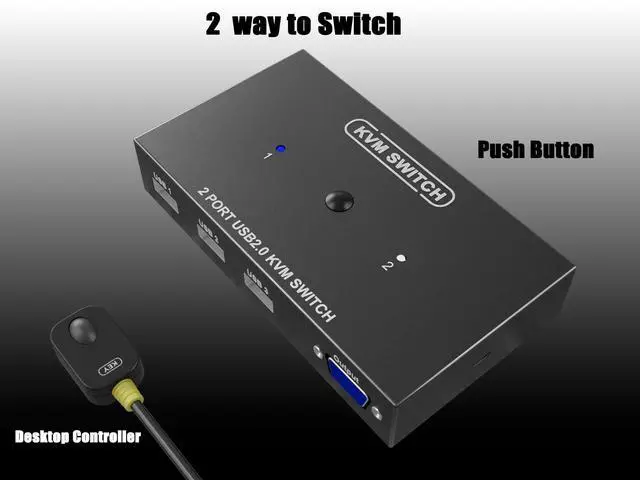
2 ways to switch - 2 port USB VGA KVM switch can be controlled by buttons or desktop controller, using the desktop controller will clean the office desktop, no messy cables on the desktop, clean and clear
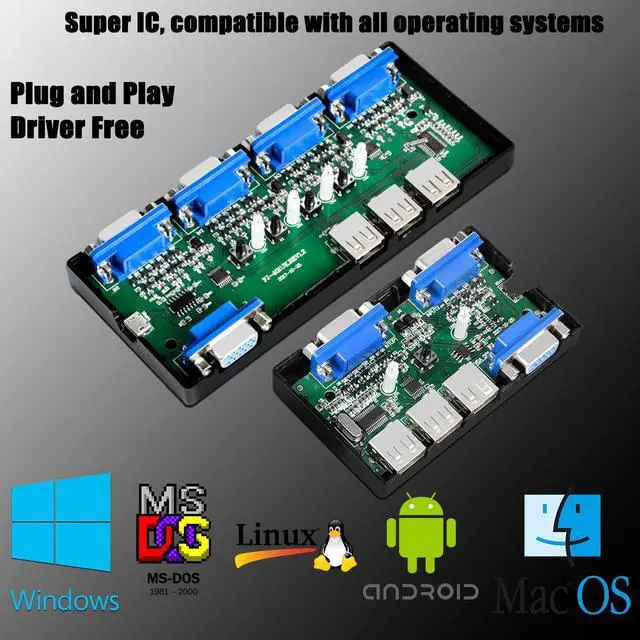
Compatible OS Systems - Printer share switch selector for Windows 11/10/8/7/Vista/XP, Mac OS X, DOS, Android, Linux and Chrome OS. No driver, plug and play, KVM switch VGA 2 port supports up to 1920*1440 resolution and ultra-wide screen display, supports high quality auto-recognition. KVM switch USB includes 2 KVM VGA cables, 1 desktop controller.
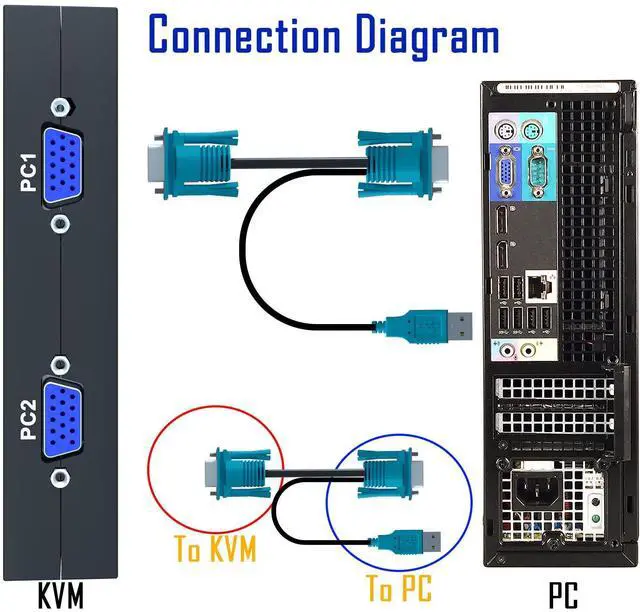
Easy to install - connect and use, specially made VGA KVM cable, one end of the cable is a USB 2.0 port and VGA high-quality durable cable, when in use, plug the USB + VGA head cable into the computer, USB is used to power the KVM Switch and transfer USB Data, VGA is used for computer audio and video transfer. The other end of the cable (ONLY VGA Male) is connected to the VGA input of the 2 port KVM Switch. Plug and play, no need for additional power supply.
+
+
Overview
Specs
Reviews
Any questions? Our AI beta will help you find out quickly.
Try me now
KVM Switch With VGA Port
2 4 8 VGA Port KVM Switch
KVM Switch With VGA Port
2 4 8 VGA Port KVM Switch
KVM Switch VGA 2 Port - KVM Switcher for 2 Computers Share 1 Monitor & 3 USB 2.0 Devices, Keyboard Mouse Printer, Driver-Free for All OS, 2 KVM Cables 1 Desktop Controller Included
Learn more about the Detailed Specifications
Additional Information
First Listed on Newegg
March 17, 2026
There are no reviews yet.
Do you own this product?
Warranty & Returns
Warranty, Returns, And Additional Information
Warranty
Please contact the Seller directly for warranty information. Warranty information may also be found on the Manufacturer's website.