




USB 3.0 to Dual HDMI Adapter

Weton USB 3.0 Dual HDMI Adapter
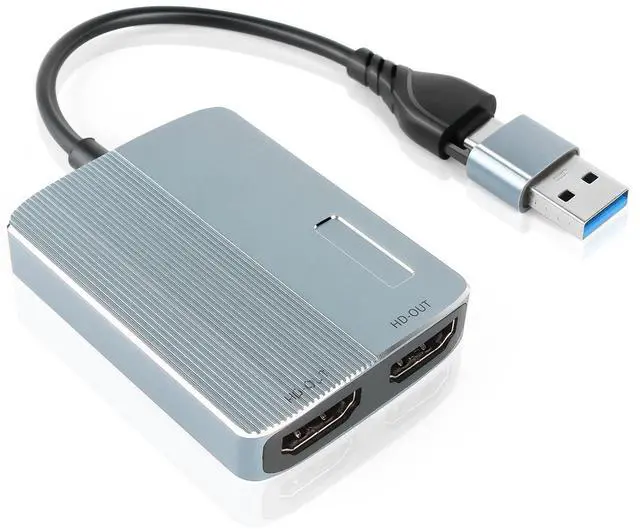
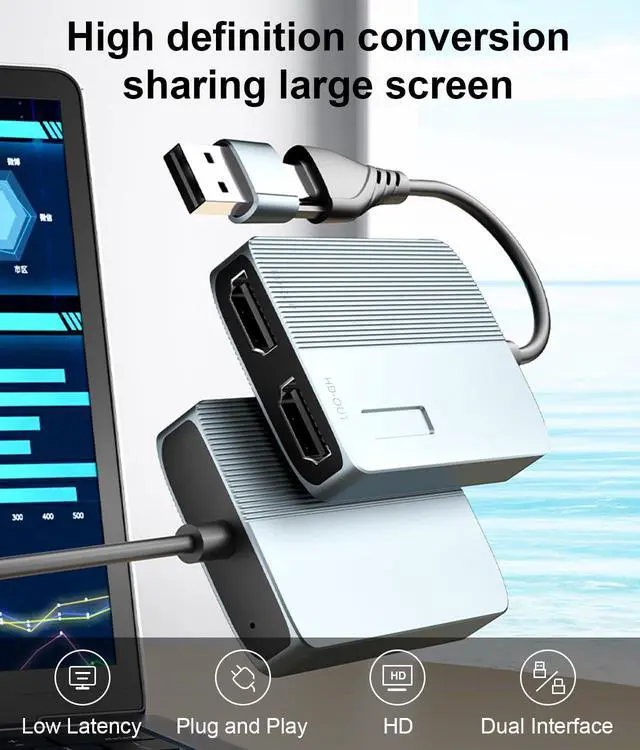
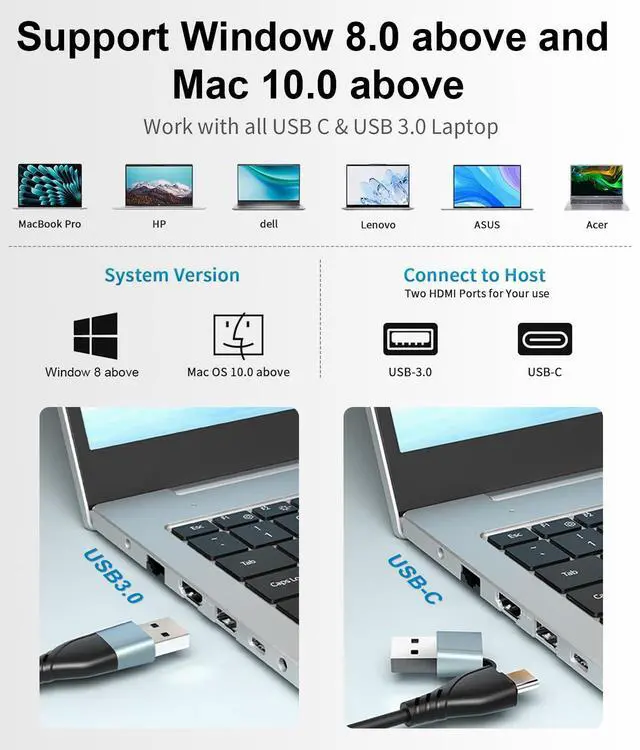
- USB Type C to Dual HDMI Universal Video Graphics Adapter for Mac and Windows, bring you Dual 1080P Visual Experience. With this USB 3.0 and USB C to Dual HDMI Adapter keeps things simple.
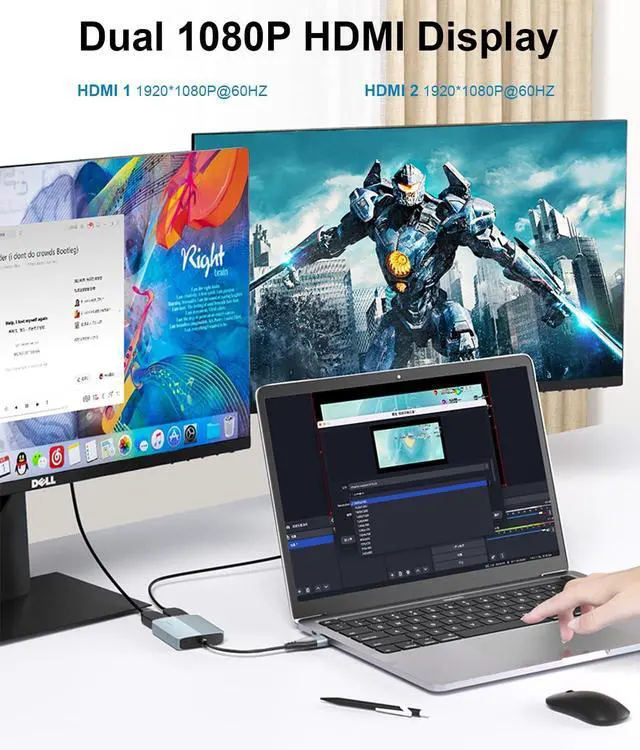
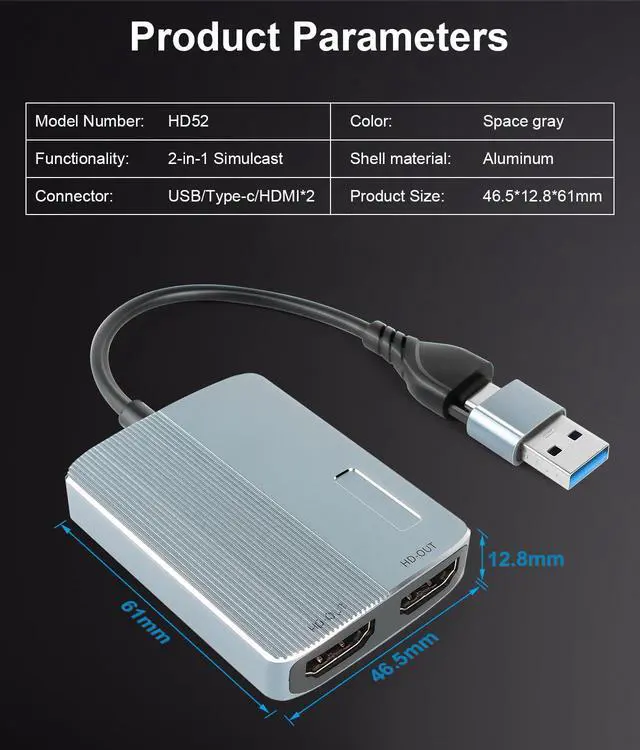
- This dual hdmi output ports can work simultaneously, which allow you to connect device with USB 3.0 Type A/Type C port to two external monitors or HDTV via hdmi cable. Providing a high-definition graphic image/video to your HDTV or monitors at resolution up to 1080P.
- Whether you need to expand for work, the stock market, movies, or meetings, the USB 3.0 or USB C to HDMI Adapter for Dual Monitors greatly helps you get the job done, juggling your work and play.
- When there is an exception in the Extended Mode,please confirm that the Mac is used as a built-in display in the Mac display settings. Opening the extended screen function for the first time requires confirmation according to prompts Install the device as shown in Figure 1 or Firgure 2(Note: During the installation process, the computer may restart,which is a normal phenomenon.). Please read the User Manual carefually before you use it.
HDMI Splitter Extended Display

Supported Operating Systems:
- - Windows 10/ 11 and above; - Mac OS 10.15 and above, please upgrade your computer to the latest system.
- -This USB C to HDMI adapter don 't support Linux,Android and iPad OS.
- -Driver installation is required, this USB C to HDMI adapter don 't support plug and play. Please follow the instructions of the manual to download the latest driver.
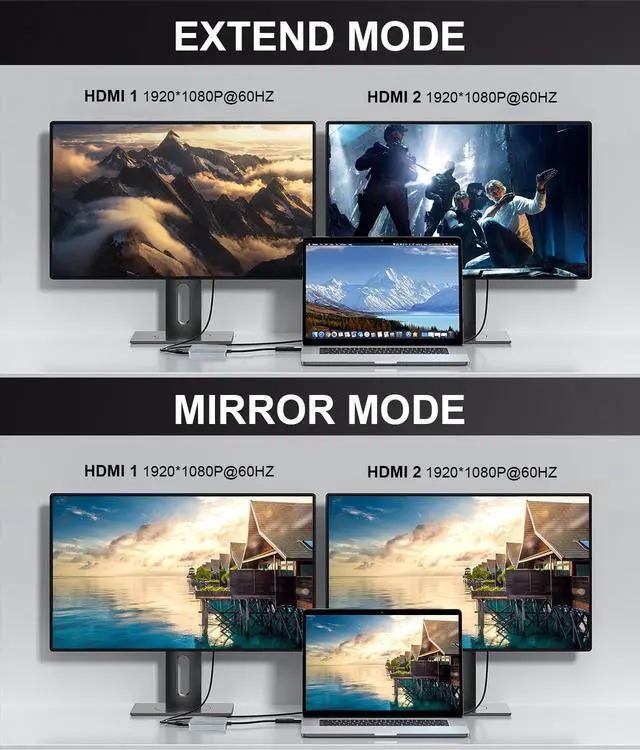
Mirror & Extend Modes

Mirror & Extend Modes:
- Mirror or extend your screen with the USB C adapter to improve your work efficiency and visual enjoyment.
- Support AAB & ABB & ABC extend modes. it makes your laptop visible for multiple tasks at the same time.
- Adding more displays to your workstation can be difficult, especially if your computer does not support MST or offer many external video ports. This USB to dual HDMI adapter features two video outputs, boosting your productivity by giving you more screen space to work from.
- Opening the extended screen function for the first time requires confirmation according to prompts Install the device as shown in Figure 1 or Firgure 2 (Note: During the installation process, the computer may restart,which is a normal phenomenon.).
- Please read the User Manual carefually before you use it.
HDMI Dual Monitor Adapter

USB to HDMI Cable
Be Attention!
- If you open the Udisplay application and this error pop-up appears,then open the appstore, search for "UDisplay Repair Tool" application. Then click on download.
- Open the Repair Tool,wait for the new version of the device to be detected before clicking Star Repair, waiting for auto-repair...Uninstall the repair tool after repair iscomplete. Re-open the CDrom driver again to run.
Dual Monitor Adapter

USB 3.0 to Dual HDMI Adapter
Weton USB 3.0 Dual HDMI Adapter
- USB Type C to Dual HDMI Universal Video Graphics Adapter for Mac and Windows, bring you Dual 1080P Visual Experience. With this USB 3.0 and USB C to Dual HDMI Adapter keeps things simple.
- This dual hdmi output ports can work simultaneously, which allow you to connect device with USB 3.0 Type A/Type C port to two external monitors or HDTV via hdmi cable. Providing a high-definition graphic image/video to your HDTV or monitors at resolution up to 1080P.
- Whether you need to expand for work, the stock market, movies, or meetings, the USB 3.0 or USB C to HDMI Adapter for Dual Monitors greatly helps you get the job done, juggling your work and play.
- When there is an exception in the Extended Mode,please confirm that the Mac is used as a built-in display in the Mac display settings. Opening the extended screen function for the first time requires confirmation according to prompts Install the device as shown in Figure 1 or Firgure 2(Note: During the installation process, the computer may restart,which is a normal phenomenon.). Please read the User Manual carefually before you use it.
HDMI Splitter Extended Display
Supported Operating Systems:
- - Windows 10/ 11 and above; - Mac OS 10.15 and above, please upgrade your computer to the latest system.
- -This USB C to HDMI adapter don 't support Linux,Android and iPad OS.
- -Driver installation is required, this USB C to HDMI adapter don 't support plug and play. Please follow the instructions of the manual to download the latest driver.
Mirror & Extend Modes
Mirror & Extend Modes:
- Mirror or extend your screen with the USB C adapter to improve your work efficiency and visual enjoyment.
- Support AAB & ABB & ABC extend modes. it makes your laptop visible for multiple tasks at the same time.
- Adding more displays to your workstation can be difficult, especially if your computer does not support MST or offer many external video ports. This USB to dual HDMI adapter features two video outputs, boosting your productivity by giving you more screen space to work from.
- Opening the extended screen function for the first time requires confirmation according to prompts Install the device as shown in Figure 1 or Firgure 2 (Note: During the installation process, the computer may restart,which is a normal phenomenon.).
- Please read the User Manual carefually before you use it.
HDMI Dual Monitor Adapter
USB to HDMI Cable
Be Attention!
- If you open the Udisplay application and this error pop-up appears,then open the appstore, search for "UDisplay Repair Tool" application. Then click on download.
- Open the Repair Tool,wait for the new version of the device to be detected before clicking Star Repair, waiting for auto-repair...Uninstall the repair tool after repair iscomplete. Re-open the CDrom driver again to run.
Dual Monitor Adapter