




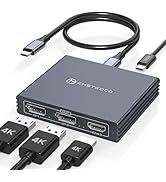
USB-C to Dual HDMI Adapter for 2 Monitors

Pre-purchase Notice:
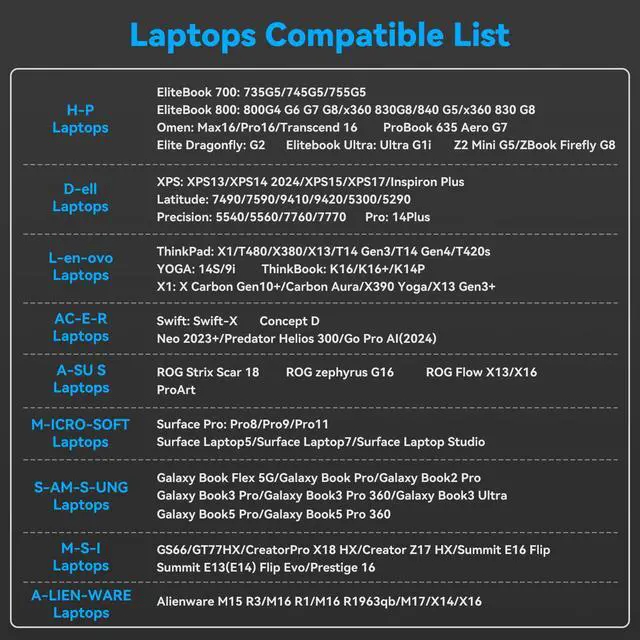
Adapter Compatible List

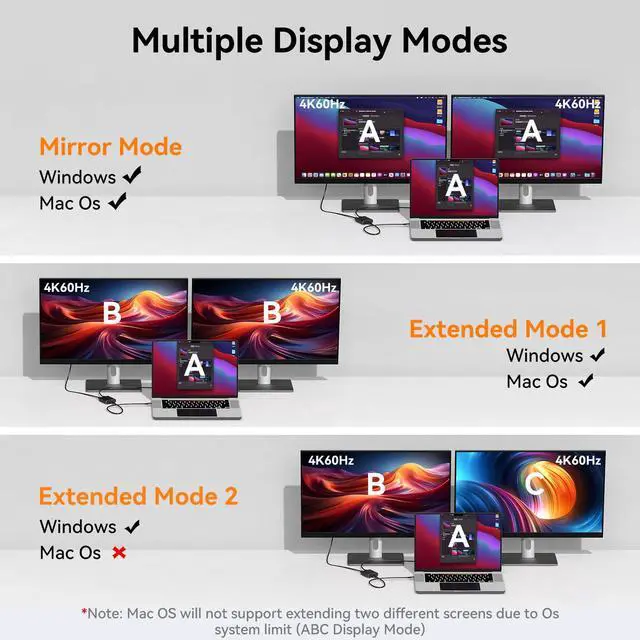
Support Multiple Display Mode
- Mac OS: Only supports mirror mode, i.e. AAA and ABB display modes, and the two monitors display the same picture.
- Windows operating system: Supports mirror mode and extended mode, i.e. AAA, ABB and ABC display modes, and the two monitors can display the same picture or different pictures.
It is not recommended to connect any other intermediate devices between the computer and the adapter, as there may be compatibility issues that prevent the extended mode from being implemented. If you are not sure how to set up the different modes, we can help you.

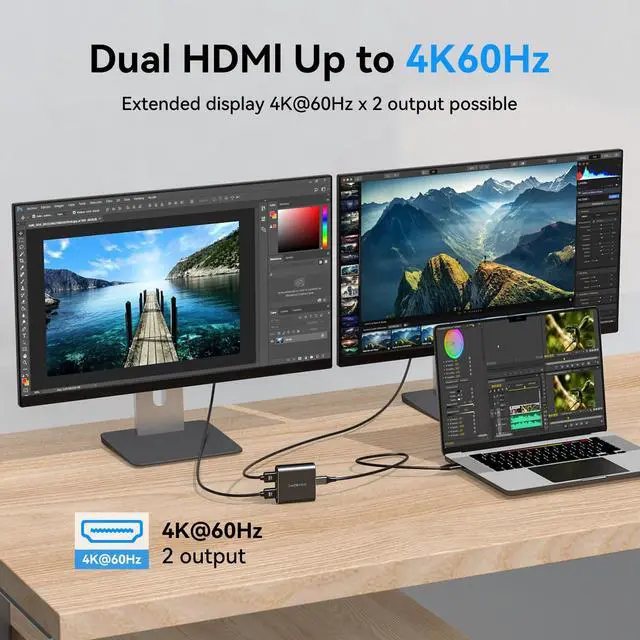
Supports resolutions up to 4K60Hz in both extended and mirrored modes
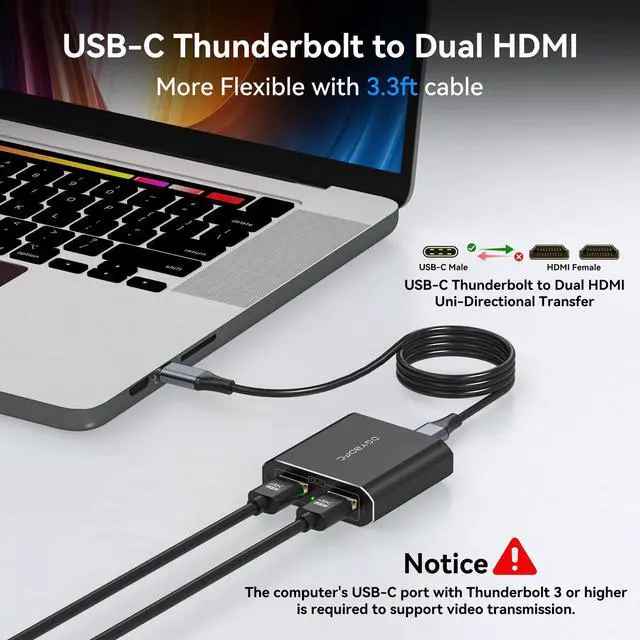
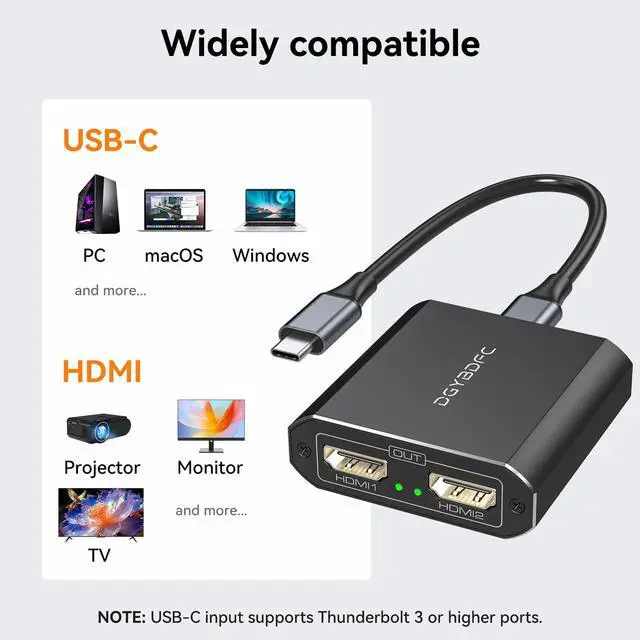
- Support Thunderbolt 3 Port Input.
- Supports two HDMI 2.0 port outputs.
- Supports up to 3840*2160@60Hz resolution for two displays simultaneously.
- Supports dual screen expansion mode(Namely MST,only support WIN series OS,Need graphics card support MST also).
- Dual screen mirror mode (Windows/ista/XP OS and macOS,Linux OS and Unix OS).
- No additional power supply required.
- Note: macOS extension mode is not supported (Mirror mode only).
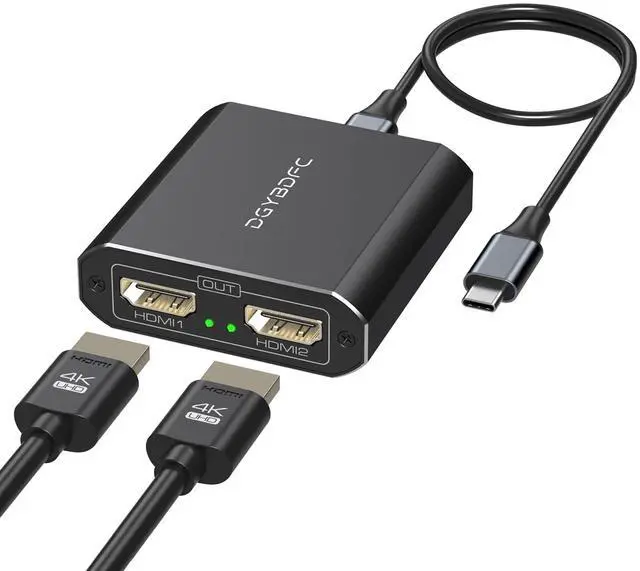
The USB-C to HDMI adapter can connect up to 2 monitors, both in mirror mode or extended mode, and both monitors can support resolution and refresh rate up to 4K@60Hz.
Please note: The final resolution of HDMI output depends on your host device, and the video output will be 4K60Hz only if your device supports 4K60Hz resolution. To ensure a stable signal, please make sure to use an HDMI 2.0 or better cable.

Plug and Play, Easy to Use
The adapter does not require installation of a driver system, it is easy to use as long as it is connected to your device.

Meet Various Connection Length Requirements
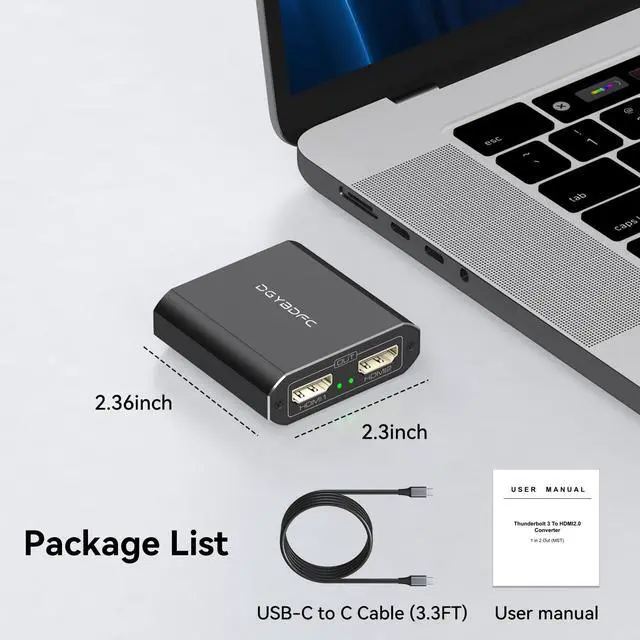
Compared to other adapters, our adapter does not have a fixed cable connected at the input end. The package includes a 3.3-foot (1-meter) USB C to USB C cable for connecting the computer and the adapter. You can also connect USB cables of different lengths to the input end as needed. It is recommended that the input end cable length does not exceed 5 feet (1.5 meters)

Sturdy Aluminum Housing, Compact and Lightweight
The dual HDMI adapter is small and can be easily carried. The aluminum shell ensures good heat dissipation and durability, allowing the adapter to maintain a stable working condition even in long-term operation.
 Thunderbolt 3 to Dual HDMI |  USB A/C to Dual HDMI |  DP to Dual DP |  DP to Dual HDMI | |
|---|---|---|---|---|
| Customer Reviews | — | — | — | — |
| Price | — | — | — | — |
| Input Port | Thunderbolt 3 | USB A or C | DP 1.4 | DP 1.4 |
| Output port | HDMI*2 | HDMI*2 | Displayport*2 | HDMI*2 |
| Maximum Resolution | 4K60Hz*2 | 4K30Hz+1080P60Hz | 4K120Hz*2 | 4K60Hz*2 |
| Power Supply | ? | ? | ? | ? |
| Installation of Drivers | ? | ? | ? | ? |
| Windows System Display Mode | AAA/ABB/ABC | AAA/ABB/ABC | AAA/ABB/ABC | AAA/ABB/ABC |
| Mac System Display Mode | AAA/ABB | AAA/ABB/ABC | AAA/ABB | AAA/ABB |
| Video Dandwidth | 18Gbps | 12Gbps | 32.4Gbps | 18Gbps |


DGYBDFC is a high-tech company integrating innovation, R&D and production. Since its inception, it has been committed to designing and manufacturing high quality, customer-centered, premium products. Our main products include video/audio transmission equipment. DGYBDFC delivers best-in-class, quality and affordable products backed by an exceptional customer experience.
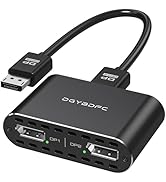
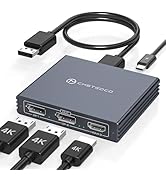
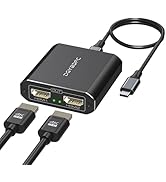
DP Splitter (NO Data Cable)
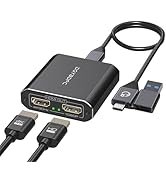
USB-C/A Laptop Docking Station
KVM Docking Station (2PC-4PC)
Analog Audio Extender
USB-C to Dual HDMI Adapter for 2 Monitors
Pre-purchase Notice:
Adapter Compatible List
| H-P Laptops | EliteBook 700 (735G5/745G5/755G5), EliteBook 800 (800G4 G6 G7 G8/x360 830G8/840 G5/x360 830 G8), Omen (Max16/Pro16/Transcend 16), Elite Dragonfly ( G2), Elitebook Ultra (Ultra G1i), Z2 Mini G5/ZBook Firefly G8, ProBook 635 Aero G7 |
| D-e-ll Laptops | XPS (XPS13/XPS14 2024/XPS15/XPS17/Inspiron Plus), Latitude (7490/7590/9410/9420/5300/5290), Precision (5540/5560/7760/7770), Pro Series (14 Plus) |
| L-eno-vo Laptops | ThinkPad (X1/T480/X380/X13/T14 Gen3/T14 Gen4/T420s), YOGA (14S/9i), ThinkBook (K16/K16+/K14P), X1 (X Carbon Gen10+/Carbon Aura/X390 Yoga/X13 Gen3+) |
| A-c-er Laptops | Swift (swift-X), Concept D, NeO 2023+, Predator Helios 300, Go Pro AI (2024) |
| A-SU-S notebooks | ROG Strix Scar 18, ROG zephyrus G16, ROG Flow X13/X16, ProArt |
| Mi-cro-soft Laptops | Surface Pro (8/9/11), Surface Laptop (5/7/Studio) |
| M-S-I Laptops | GS66/GT77HX/CreatorPro X18 HX/Creator Z17 HX/Summit E16 Flip, Summit E13(E14) Flip Evo/Prestige 16 |
| Sam-s-ung Laptops | Galaxy Book (Flex 5G/Pro), Galaxy Book2 Pro, Galaxy Book3 (Pro/Pro 360/Ultra), Galaxy Book5 (Pro/Pro 360) |
| A-lien-ware Laptops | Alienware M15 R3/M16 R1/M16 R1963qb/M17/X14/X16 |
Support Multiple Display Mode
- Mac OS: Only supports mirror mode, i.e. AAA and ABB display modes, and the two monitors display the same picture.
- Windows operating system: Supports mirror mode and extended mode, i.e. AAA, ABB and ABC display modes, and the two monitors can display the same picture or different pictures.
It is not recommended to connect any other intermediate devices between the computer and the adapter, as there may be compatibility issues that prevent the extended mode from being implemented. If you are not sure how to set up the different modes, we can help you.
Supports resolutions up to 4K60Hz in both extended and mirrored modes
- Support Thunderbolt 3 Port Input.
- Supports two HDMI 2.0 port outputs.
- Supports up to 3840*2160@60Hz resolution for two displays simultaneously.
- Supports dual screen expansion mode(Namely MST,only support WIN series OS,Need graphics card support MST also).
- Dual screen mirror mode (Windows/ista/XP OS and macOS,Linux OS and Unix OS).
- No additional power supply required.
- Note: macOS extension mode is not supported (Mirror mode only).
The USB-C to HDMI adapter can connect up to 2 monitors, both in mirror mode or extended mode, and both monitors can support resolution and refresh rate up to 4K@60Hz.
Please note: The final resolution of HDMI output depends on your host device, and the video output will be 4K60Hz only if your device supports 4K60Hz resolution. To ensure a stable signal, please make sure to use an HDMI 2.0 or better cable.
Plug and Play, Easy to Use
The adapter does not require installation of a driver system, it is easy to use as long as it is connected to your device.
Meet Various Connection Length Requirements
Compared to other adapters, our adapter does not have a fixed cable connected at the input end. The package includes a 3.3-foot (1-meter) USB C to USB C cable for connecting the computer and the adapter. You can also connect USB cables of different lengths to the input end as needed. It is recommended that the input end cable length does not exceed 5 feet (1.5 meters)
Sturdy Aluminum Housing, Compact and Lightweight
The dual HDMI adapter is small and can be easily carried. The aluminum shell ensures good heat dissipation and durability, allowing the adapter to maintain a stable working condition even in long-term operation.
Thunderbolt 3 to Dual HDMI | USB A/C to Dual HDMI | DP to Dual DP | DP to Dual HDMI | |
|---|---|---|---|---|
| Customer Reviews | — | — | — | — |
| Price | — | — | — | — |
| Input Port | Thunderbolt 3 | USB A or C | DP 1.4 | DP 1.4 |
| Output port | HDMI*2 | HDMI*2 | Displayport*2 | HDMI*2 |
| Maximum Resolution | 4K60Hz*2 | 4K30Hz+1080P60Hz | 4K120Hz*2 | 4K60Hz*2 |
| Power Supply | ? | ? | ? | ? |
| Installation of Drivers | ? | ? | ? | ? |
| Windows System Display Mode | AAA/ABB/ABC | AAA/ABB/ABC | AAA/ABB/ABC | AAA/ABB/ABC |
| Mac System Display Mode | AAA/ABB | AAA/ABB/ABC | AAA/ABB | AAA/ABB |
| Video Dandwidth | 18Gbps | 12Gbps | 32.4Gbps | 18Gbps |
DGYBDFC is a high-tech company integrating innovation, R&D and production. Since its inception, it has been committed to designing and manufacturing high quality, customer-centered, premium products. Our main products include video/audio transmission equipment. DGYBDFC delivers best-in-class, quality and affordable products backed by an exceptional customer experience.
DP Splitter (NO Data Cable)
USB-C/A Laptop Docking Station
KVM Docking Station (2PC-4PC)
Analog Audio Extender