


![Main image of USB C to Dual HDMI Adapter, Dual Monitor Adapter Converter Supports 4K@60Hz and Dual 4K@30Hz, for MacBook HP Dell Surface Thinkpad Type C Laptops, [macOS only Support SST Mode]](https://c1.neweggimages.com/productimage/nb640/C5MSD260318071XUW84.jpg)
![Alt view image 2 of 7 - USB C to Dual HDMI Adapter, Dual Monitor Adapter Converter Supports 4K@60Hz and Dual 4K@30Hz, for MacBook HP Dell Surface Thinkpad Type C Laptops, [macOS only Support SST Mode]](https://c1.neweggimages.com/productimage/nb640/C5MSD260318071XT79B.jpg)
![Alt view image 3 of 7 - USB C to Dual HDMI Adapter, Dual Monitor Adapter Converter Supports 4K@60Hz and Dual 4K@30Hz, for MacBook HP Dell Surface Thinkpad Type C Laptops, [macOS only Support SST Mode]](https://c1.neweggimages.com/productimage/nb640/C5MSD260318071XYPB4.jpg)
![Alt view image 4 of 7 - USB C to Dual HDMI Adapter, Dual Monitor Adapter Converter Supports 4K@60Hz and Dual 4K@30Hz, for MacBook HP Dell Surface Thinkpad Type C Laptops, [macOS only Support SST Mode]](https://c1.neweggimages.com/productimage/nb640/C5MSD260318071XTI9C.jpg)
![Alt view image 5 of 7 - USB C to Dual HDMI Adapter, Dual Monitor Adapter Converter Supports 4K@60Hz and Dual 4K@30Hz, for MacBook HP Dell Surface Thinkpad Type C Laptops, [macOS only Support SST Mode]](https://c1.neweggimages.com/productimage/nb640/C5MSD260318071XY20F.jpg)
![Alt view image 6 of 7 - USB C to Dual HDMI Adapter, Dual Monitor Adapter Converter Supports 4K@60Hz and Dual 4K@30Hz, for MacBook HP Dell Surface Thinkpad Type C Laptops, [macOS only Support SST Mode]](https://c1.neweggimages.com/productimage/nb640/C5MSD260318071Y3N6B.jpg)
![Alt view image 7 of 7 - USB C to Dual HDMI Adapter, Dual Monitor Adapter Converter Supports 4K@60Hz and Dual 4K@30Hz, for MacBook HP Dell Surface Thinkpad Type C Laptops, [macOS only Support SST Mode]](https://c1.neweggimages.com/productimage/nb640/C5MSD260318071Y5184.jpg)



Connection, simpler than ever
Lemorele understands your desire for efficiency in a fast-paced world where efficiency is key. We create more than just digital accessories—we build bridges that connect your work and entertainment. With outstanding transmission performance and broad compatibility, Lemorele ensures every casting, every expansion, and every capture is a seamless, stable, and enjoyable experience.
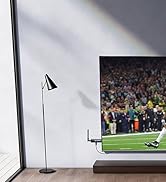
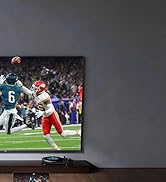

Wireless HDMI TX and HDMI RX


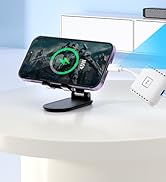
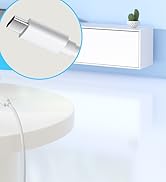
Wireless USB C TX and HDMI RX

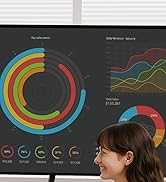


G500 Presentation System
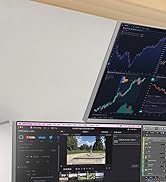
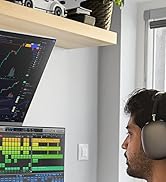
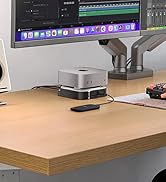
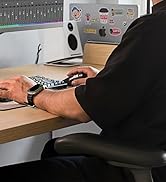
9-in-1 Mac mini M4 Dock
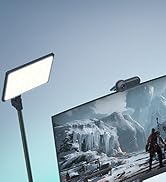
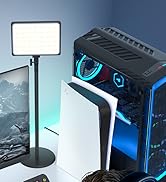
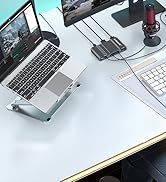

Video Capture Card


HDMI to USB Type C Adapter
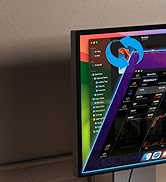
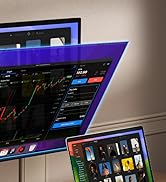
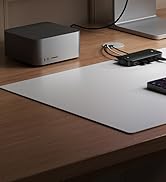
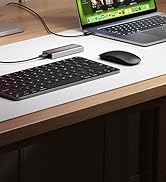
KVM Switch
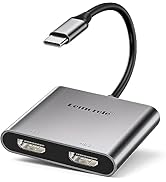
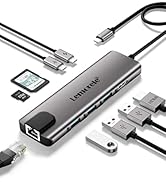
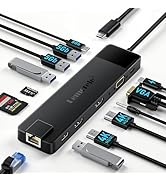
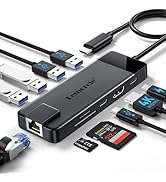
USB C HUB

1. How to set Dual display on MacBook?
"Setting" ? "Display" ? click the "mirror display" box to switch to Extend mode ? then you can drag a window of website/movie to the rightest side of your desktop screen until it disappears on your desktop screen and shows up on the external monitor screen.
( Important Note: On Mac devices, CAN NOT extend two different screen, ONLY Mirror Screens due to Mac OS limitation)
2. How to connect Extend Mode for Windows OS?
Right-click desktop? select Intel display Settings ? pop-up Settings screen select display? select multi-screen display? expand the desktop
(If the display 3 is not displayed, please to manually select the display?click to apply to confirm can set OK)
3. If one the display does not display, How to do?
Right-click desktop > Graphics Settings > Select One or More Active Displays.


Compatible Computers and Models:

1. How to set Dual display on MacBook?
"Setting" ? "Display" ? click the "mirror display" box to switch to Extend mode ? then you can drag a window of website/movie to the rightest side of your desktop screen until it disappears on your desktop screen and shows up on the external monitor screen.
( Important Note: On Mac devices, CAN NOT extend two different screen, ONLY Mirror Screens due to Mac OS limitation)
2. How to connect Extend Mode for Windows OS?
Right-click desktop? select Intel display Settings ? pop-up Settings screen select display? select multi-screen display? expand the desktop
(If the display 3 is not displayed, please to manually select the display?click to apply to confirm can set OK)
3. If one the display does not display, How to do?
Right-click desktop > Graphics Settings > Select One or More Active Displays.


Compatible Computers and Models:
| For Apple: | Macbook 12 inch, Macbook Pro 2016/2017/2018/2019, Macbook Air 2018/2019/2020, iPad Pro 2018/2020 |
|---|---|
| For Asus: | Ling Yao 3, Ling Yao 3PRO, Ling Yao X series, ROG series, U4100ROG, U5100UQ series |
| For Dell: | XPS13, XPS15, G3 / G5 / G7 series, Lingyue 5000/7000 |
| For Lenovo: | Saviour Y7000/Y7000P/Y9000K, YOGA6 Pro, ThinkPad X1 Carbon/Yoga |
| For HP: | EliteBook Folio G1, EliteBook 1050 G1, Shadow Elf 4 Pro |
| Others: | Google PixelBook; Xiaomi Air 12.5/13.3 inch, Pro 15; Surface Book2, Surface Go |
| Compatible with Mobile Phone: | Huawei P40,P40 Pro,Mate 30,Mate30 Pro,Mate10, Mate10 Pro,P20,P20 Pro,Mate20,Mate 20 Pro,Mate 20 X, Honor V20/Note10; Samsung S8 / S8 +, S9 / S9 +, S10 / S10 +, Note9; OPPO R17 Pro |
| Not Compatible with: | HP EliteBook 745 G4 / HP Elitebook 820 G3 / HP EliteBook 828 G4 / HP 14s-be102TX / HP 14-ce1004TX 14 / HP Probook 650 G2 / HP Probook 455 G4 / HP Probook 430 G5 / HP Pavilion-14 bf116tx / HP Pavilion 15 ck009 / HP Pavilion Power Laptop 15-cb / Lenovo ideapad 340s, Tablets / Google Pixel phones / Nintendo Switch / Acer Aspire A5 / Oneplus 5T Phone/MSI GL65 / Lenovo ThinkCentre /Microsoft Surface Dock 2/vr /iPad before 2021 /desktop dell 3020 |
| Note 1: | Not Support Apple devices to output two different split screens, including MacBook Air / Pro, iMac, etc |
| Note 2: | This adapter only usb-c input and dual hdmi output, without DP, power, audio and usb port. |
| Note 3: | MacBook only support AAA and ABB mode, not support ABC mode. |
| Note 4: | MacBook with M1/M2 chips only support one monitor extend!!! |
| Note 5: | Don't support displaylink!!! |
Connection, simpler than ever
Lemorele understands your desire for efficiency in a fast-paced world where efficiency is key. We create more than just digital accessories—we build bridges that connect your work and entertainment. With outstanding transmission performance and broad compatibility, Lemorele ensures every casting, every expansion, and every capture is a seamless, stable, and enjoyable experience.
Wireless HDMI TX and HDMI RX
Wireless USB C TX and HDMI RX
G500 Presentation System
9-in-1 Mac mini M4 Dock
Video Capture Card
HDMI to USB Type C Adapter
KVM Switch
USB C HUB