


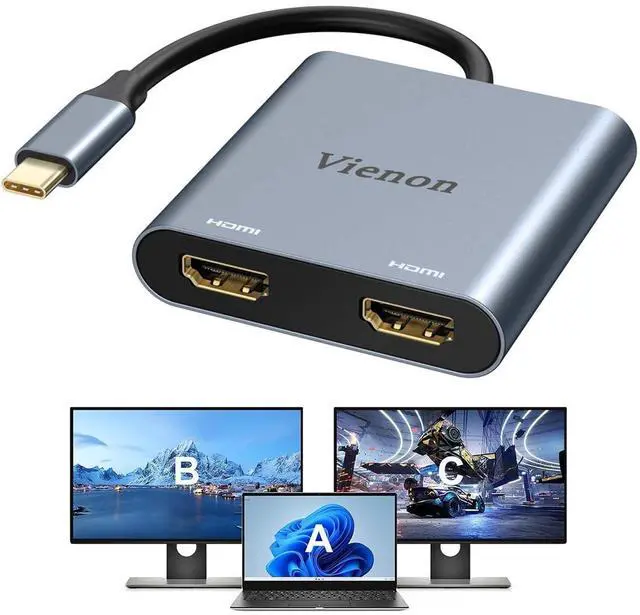


Before you purchase it, Please Attetion:
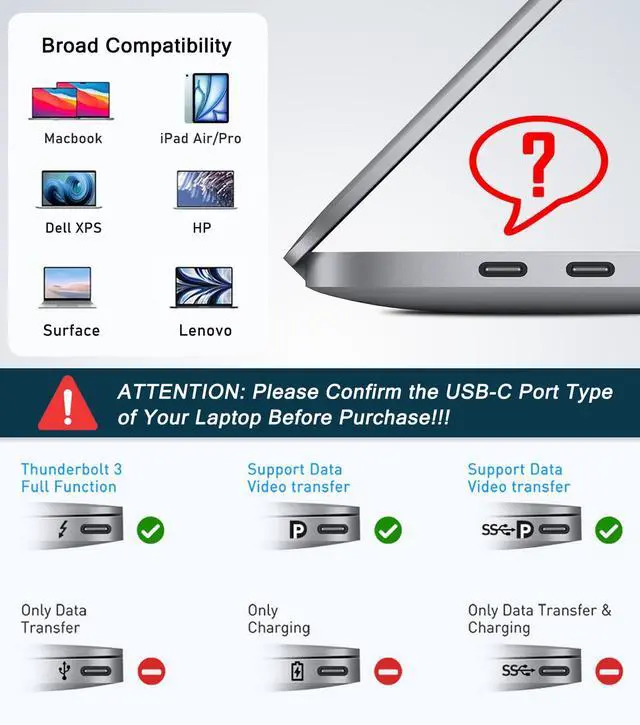
- This dual monitor adapter only support usb c laptops with thunderbolt3/usb c port with video output function, otherwise it won't support if your laptops with usb c port only with data function without video function.
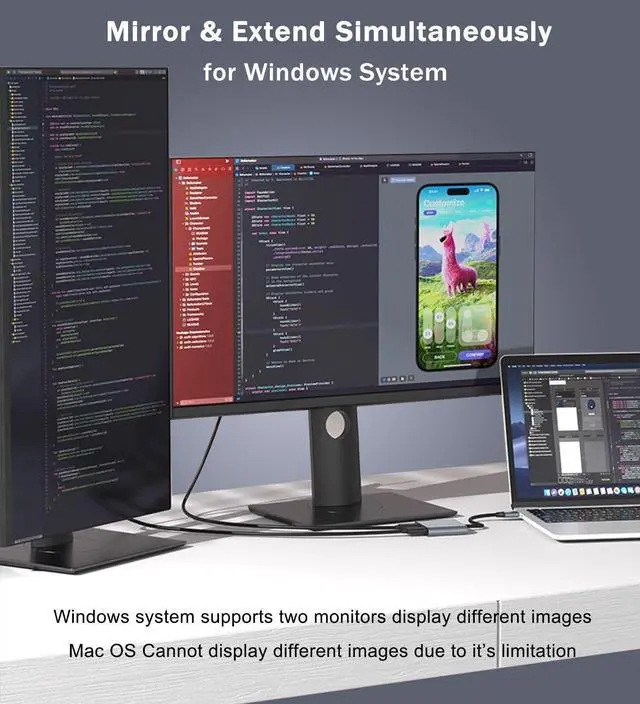
- If you use this dual hdmi adapter for macbook pro/air, it won't allow you to extend two different monitors for your mac, due to Mac Os Limitation.

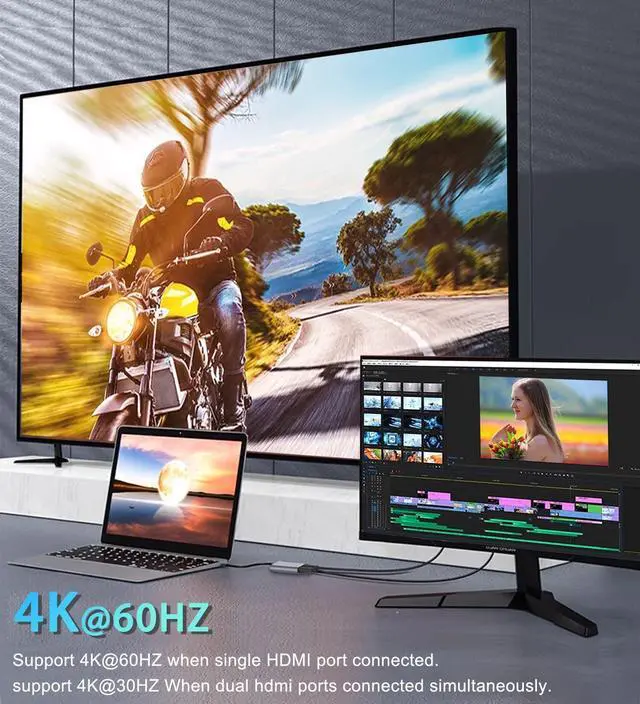
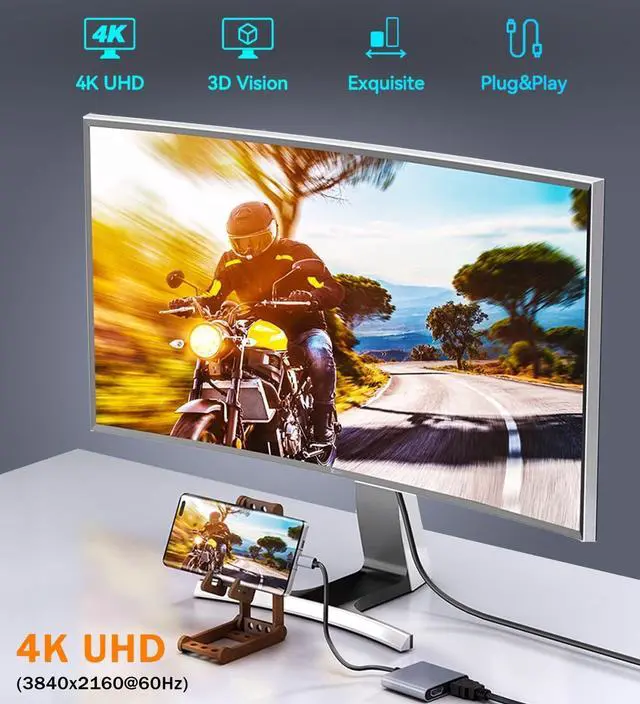
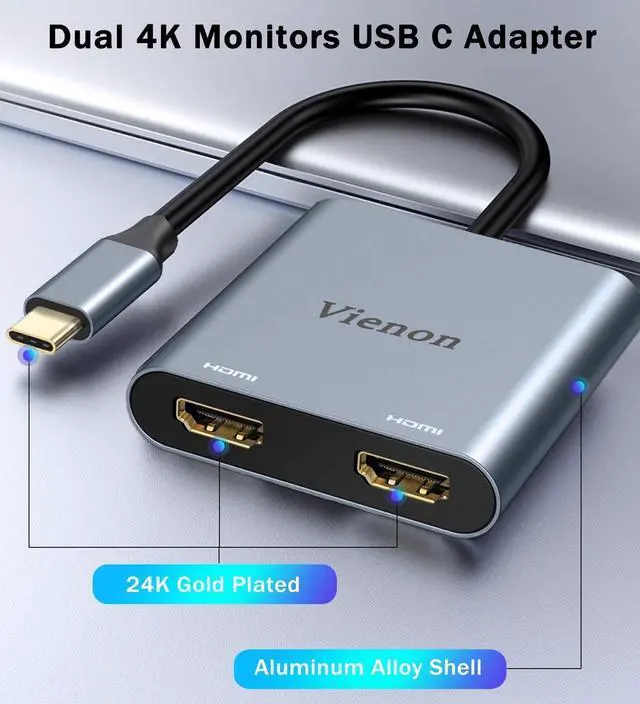
Supports 4K@60HZ Ultra HD Display, More Vivid Picture Quality Experience
- Single hdmi port: resolution up to 4K(3840X2160P@60HZ)
- Dual hdmi port used Simultaneously: resolution up to 4K(3840X2160P@30HZ),down compatible with 2K (2560x1440@60Hz),1080P(1920x1080)@60Hz
- Please Noted: The final resolution of HDMI output depends on your host devices, (Only when your devices support 4K resolution, the video output will be 4K).

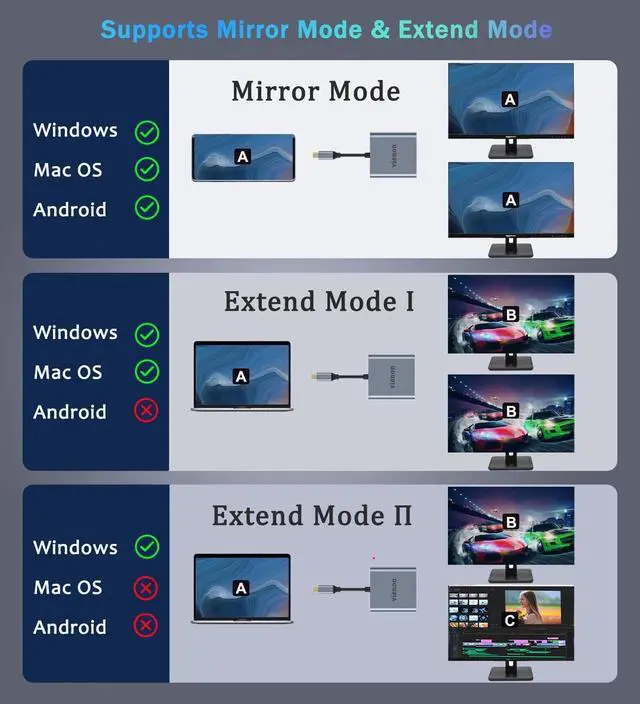
Mirror Mode
For Windows/Mac OS/Android
Please supply power for Samsung cellphone when setting Samsung DeX Mod.

Extend Mode 1
For Windows/Mac OS
Does not support 2 external displays show different images for Apple computers in extend mode.

Extend Mode 2
For Windows
Only Windows Laptop Support Extend & MST Mode(Triple Display) Simultaneously.

Not For All USB C Laptop. Please Check If your laptop owns a USB Type-c Thunderbolt 3 port and support DisplayPort Alternate Mode.
USB to HDMI Adapter Compatible List(Not a full list)

FAQ:
- How to switch Mac device to Extend Mode?
"Setting" ? "Display" ? click the "mirror display" box to switch to Extend mode ? then you can drag a window of website/movie to the rightest side of your desktop screen until it disappear on your desktop screen and show up on the external monitor screen.
( Important Note: As Apple company itself limited, for Mac OS devices use in extend mode, the image on the two external screens will be the same.)
- How to connect Extend Mode for Windows OS?
Right-click desktop? select Intel display Settings ? pop-up Settings screen select display? select multi-screen display? expand the desktop
(If the display 3 is not display, please to manually select the display?click apply confirm can set OK).
- If one of display does not display, How to do?
Right click desktop > Graphics Settings > Select One or More Active Displays.
Before you purchase it, Please Attetion:
- This dual monitor adapter only support usb c laptops with thunderbolt3/usb c port with video output function, otherwise it won't support if your laptops with usb c port only with data function without video function.
- If you use this dual hdmi adapter for macbook pro/air, it won't allow you to extend two different monitors for your mac, due to Mac Os Limitation.
Supports 4K@60HZ Ultra HD Display, More Vivid Picture Quality Experience
- Single hdmi port: resolution up to 4K(3840X2160P@60HZ)
- Dual hdmi port used Simultaneously: resolution up to 4K(3840X2160P@30HZ),down compatible with 2K (2560x1440@60Hz),1080P(1920x1080)@60Hz
- Please Noted: The final resolution of HDMI output depends on your host devices, (Only when your devices support 4K resolution, the video output will be 4K).
Mirror Mode
For Windows/Mac OS/Android
Please supply power for Samsung cellphone when setting Samsung DeX Mod.
Extend Mode 1
For Windows/Mac OS
Does not support 2 external displays show different images for Apple computers in extend mode.
Extend Mode 2
For Windows
Only Windows Laptop Support Extend & MST Mode(Triple Display) Simultaneously.
Not For All USB C Laptop. Please Check If your laptop owns a USB Type-c Thunderbolt 3 port and support DisplayPort Alternate Mode.
USB to HDMI Adapter Compatible List(Not a full list)
| MacBook Laptop | MacBook (2024/2023/2021/2020/2019/18/17/16/15), MacBook Pro (2024/2023/2022/2021/2020/2019/18/17/16) Apple MacBook Air (2024/2023/2022/2021/2020/2019/2018), Apple iMac (Mid 2017), iMac Pro, iPad Pro (2024/2023/2022/2021/2020/2019/2018) |
| Dell Laptop | XPS 13,9310/9350/9360/9365/,15,9550/9560/7390,17 M7710,Dell Precision3520/5510/M750, Dell Latitude 5540/5440/7340/7440/5340/3520/7280/ Latitude 5310 2-in-1/9330 2in1; New Inspiron 14/16 Plus/13/16 ; Precision 7730/ Precision 7750; Laptop 5590 |
| HP Laptop | HP Elitebook 840 G5/ Elitebook X2/ Elitebook x360 1030 G3/ Elitebook 745 g6/ Elitebook 830 g6/ 2018 Elite 800 G4/ Elitebook 850 g5; Envy Geforce mx250/ Envy x360 15-ds1063cl/ ENVY Laptop 13-aq1/ ENVY 13 (13-ad000, 13-ad100) Series; Zbook 16 G6/ Zbook studio z5; Probook 440 G7/ ProBook 450 G7. |
| For Lenovo Laptop | Yoga 370/ Yoga 720-13IKB/ Yoga 730/ Yoga 900-13ISK/ Yoga 910/ Yoga 920/ Yoga 930/ Yoga 940-14IIL / 3rd generation Thinkpad Yoga / Yoga15 Ultrabook Pro / Yoga C930/ Yoga c940/ Yoga C740-15IML/ Yoga 7i; Thinkpad E590/ Thinkpad P72/ Thinkpad T470/ Thinkpad T470s/ Thinkpad T490/ Thinkpad Carbon X1 Gen6/ ThinkPad E14/ ; Legion Y530/ Legion 5-15IMH05H/ Legion-5-17-82GN0000US; Lenovo C930/ T480s/ X390/ 81N8/ Y720; Ideapad 720S/ Ideapad S540/ Ideapad 5 81yk006xus, Lenovo C930/ T480s/ X390. |
| Other Laptops | urface Pro 9/8/7; Microsoft Surface Book 2/ Surface Go/ Surface Laptop 4/3; Google Chromebook Pixel, New Acer Switch Alpha 12; Acer Spin 7/ Chromebook R13, Acer Aspire V Nitro 15; Samsung Galaxy Tab S4/S5e, HUAWEI MateBook X/ Par |
| For iPhone | iPhone 15/iPhone 15 Pro/iPhone 15 Pro Max/iPhone 15 Plus |
| Samsung | Galaxy S22 series/S21 Ultra 5G/S21/S20/S20 fe/S20 Ultra/S10/S10 Plus/S8/S8 Plus/S9/S9 Plus/ Note 8/9/10/ Note 10 plus/ Note20 series |
| For Huawei | P60/P60 Pro/P60 Art/P50/P50 Pro/P50E/P50 Pocket/P40/P40 Pro/P30/P30 Pro/P20/P20 Pro/Mate 50 /Mate 50 Pro/Mate 50E/Mate 40/Mate 40 Pro/Mate 40E/40E Pro/Mate 30/Mate 30 Pro/Mate 30 Pro 5G/30E Pro 5GMate 20/Mate 20 pro/Mate 10/Mate 10 Pro |
FAQ:
- How to switch Mac device to Extend Mode?
"Setting" ? "Display" ? click the "mirror display" box to switch to Extend mode ? then you can drag a window of website/movie to the rightest side of your desktop screen until it disappear on your desktop screen and show up on the external monitor screen.
( Important Note: As Apple company itself limited, for Mac OS devices use in extend mode, the image on the two external screens will be the same.)
- How to connect Extend Mode for Windows OS?
Right-click desktop? select Intel display Settings ? pop-up Settings screen select display? select multi-screen display? expand the desktop
(If the display 3 is not display, please to manually select the display?click apply confirm can set OK).
- If one of display does not display, How to do?
Right click desktop > Graphics Settings > Select One or More Active Displays.