| ??Apple | MacBook Pro/Air(M1/M2/M3/M4), iPad Pro (2018 and later), iPad Air (4th generation and later), iPad mini (6th generation), iPhone 15 Pro/Pro Max, iPhone 16 Pro/Pro Max |
| ??Samsung | Galaxy S(S8/S9/S10/S20/S21/S22/S23/S24), Galaxy Note(Note 8/9/10/20 Ultra), Galaxy Z Fold series / Z Flip series, Galaxy Tab S4 / S5e / S6 / S7 / S7+ / S8 / S8+ / S8 Ultra / S9 |
| ??Dell | XPS 13 (9300 / 9310 / 9315), XPS 15 (9500 / 9510), Latitude 7410 / 7420 / 7430, Latitude 5000 series (5310 / 5320), Precision 5550 / 5560, Precision 7000 series (7550 / 7560), Inspiron 5000 series (5501 / 5502), Inspiron 7000 series (7501 / 7502), Vostro 14/15 5000 series (5490 / 5590) |
| ??HP | Spectre x360 13.5/14/15, EliteBook 840 G8, EliteBook 800 (840 G8), ProBook 400(450 G8), Spectre x360 13/14/15, Envy x360 13/14/15, Pavilion x360 14/15, Elite Dragonfly G2/G3, ZBook Studio x360 G5/G6, Chromebook x360 11/14 |
| ??Lenovo | T14, T14s, T15, T16, T16s, X1 Carbon Gen 10?X1 Yoga Gen 10?X13 Gen 5, P14s Gen 3, P15v Gen 3, P16 Gen 1, L14 Gen 2, L15 Gen 2, E14 Gen 6, E15 Gen 6, Yoga 9i, Legion 5 / 5i / Slim 5 |
| ??Acer | Swift 5 (SF514-55T), Swift X 14, Nitro 5 AN515-57, Aspire 3 (CB515-1HT-C2AE), Helios 16, Helios 18 |
| ??ASUS | ZenBook 13/14/15, ZenBook Pro Duo, ZenBook Flip, VivoBook S14/S15, VivoBook Flip, VivoBook Ultra, ROG Flow X13/X16, ROG Zephyrus G14/G15, ROG Strix G15/G17, TUF Dash F15/F17, TUF Gaming A15/A17, ProArt StudioBook Pro 16, ProArt StudioBook 15, ExpertBook B1/B9, ExpertBook P1/P2/P3/P4 |
| Not Compatible | ?iPhone(Lightning), MacBook air 7.2 |
| Not Compatible | ?Samsung Galaxy A20/ A20E/ A50/ A70/ A80; Samsung Galaxy Tab A/ 10.1/ 10.5; Galaxy Tab S3; Samsung S6/ S7/ J6/ J7/ M20/ M30 |
| Not Compatible | ?Motorola G6 Plus, Motorola G7 Supra, GoPro, LG Stylo 4/5, Google Pixel phones, AMZ Fire Tablets, OnePlus 2/3/3T/5/5T/6/6T, etc. |
| Not Compatible | ?Huawei: P9/P10/P10 Lite/P20 Lite/P30 Lite, Mate 9/Mate 20 Lite, Mediapad T5/M5/M5 Lite, NOVA, Honor 9 |
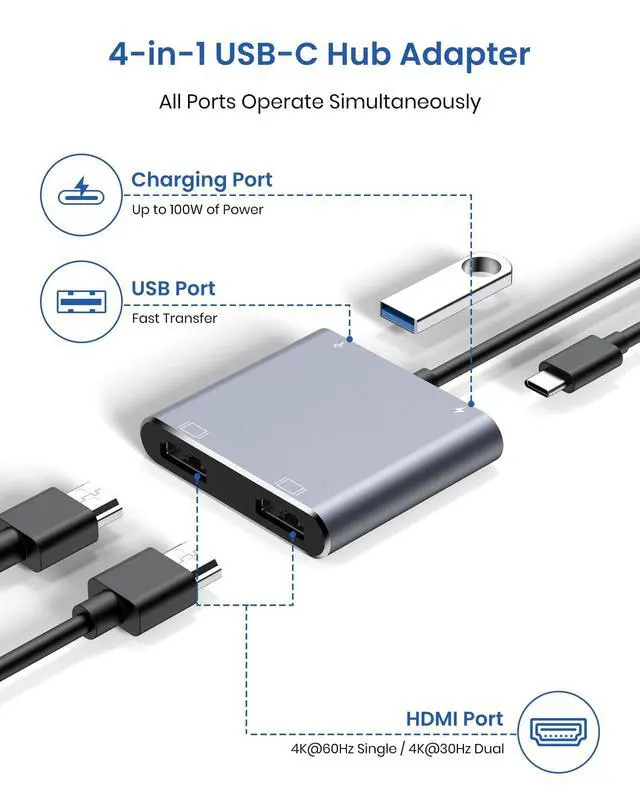
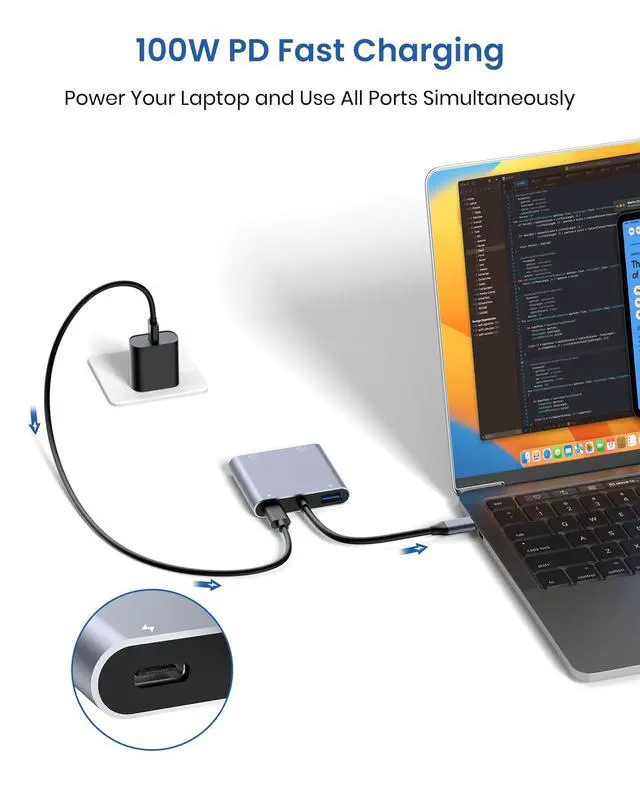
| About charging | The PD charging port is for charging only, not for data transfer. For a better experience, when you use the usb c adapter hub, please charge via the original PD charger. Please plug in your laptop's power adapter before connecting multiple monitors. If your laptop's c-port does not support the PD protocol, charging will not be possible. |
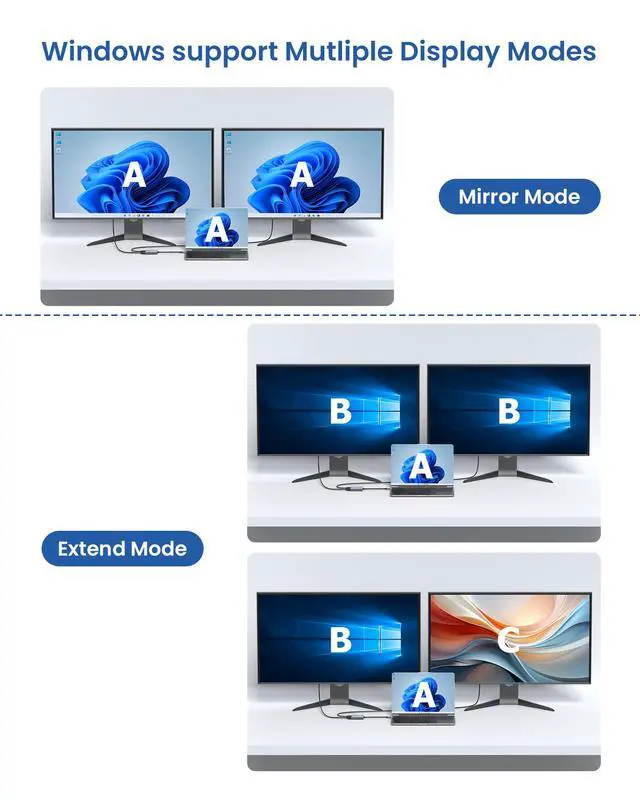
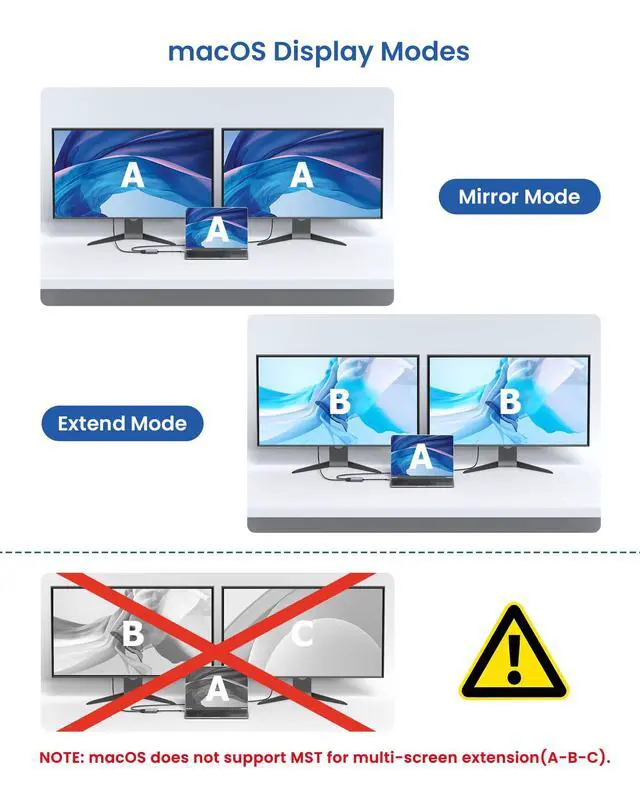
| Set Mirror Mode or Extend Mode | For Windows laptops: Click the Graphic Settings or Win+P to choose mirror or extend mode---(If the display 3 is not display, Right click desktop>Graphics Settings > Select One or More Active Displays).---For MacBook laptops: Apple logo-System Preferences-Displays-Mirror Display(Yes or Not) |