


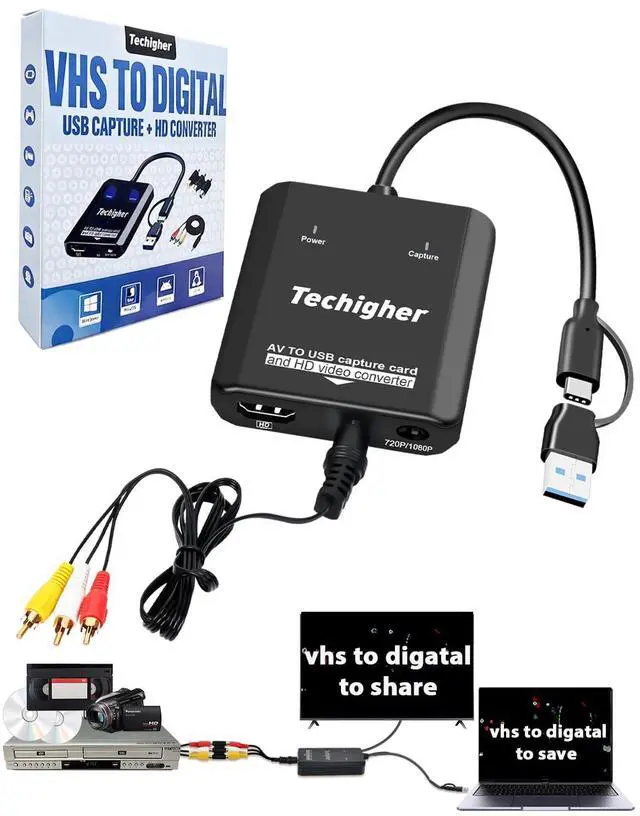
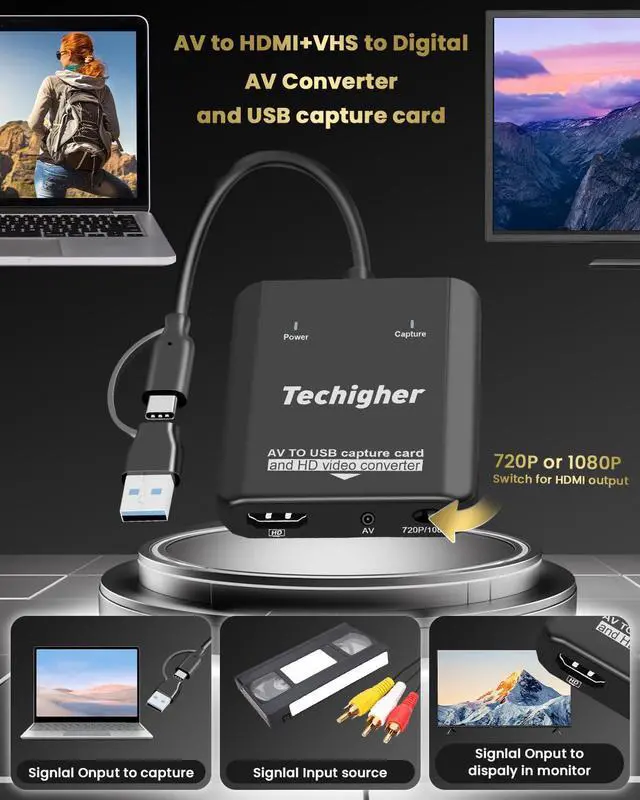
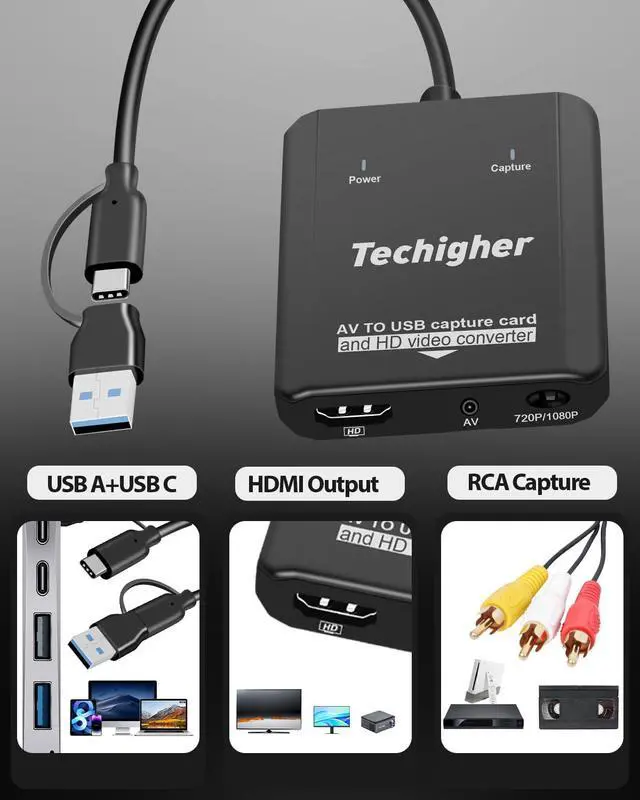


Two functions can be used separately capture or conversion function
or work simultaneously: when capture video and loop the display

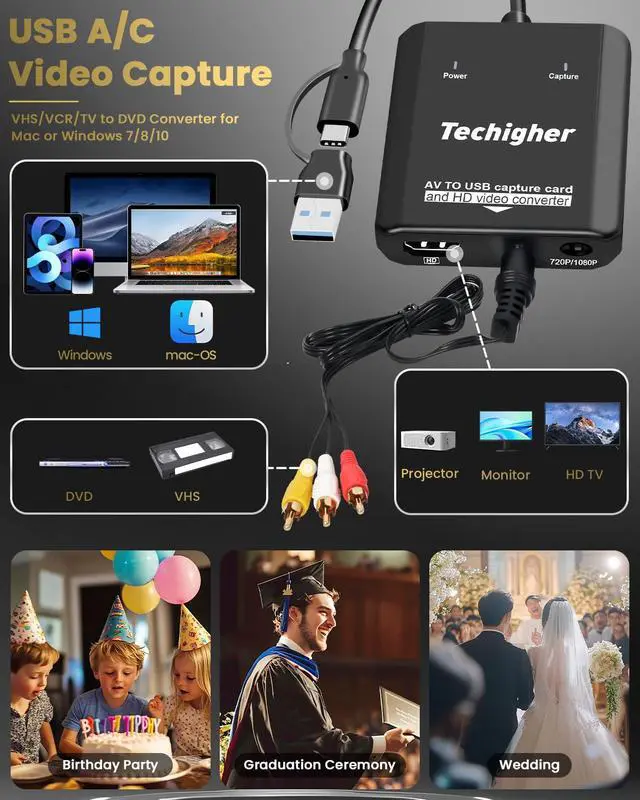
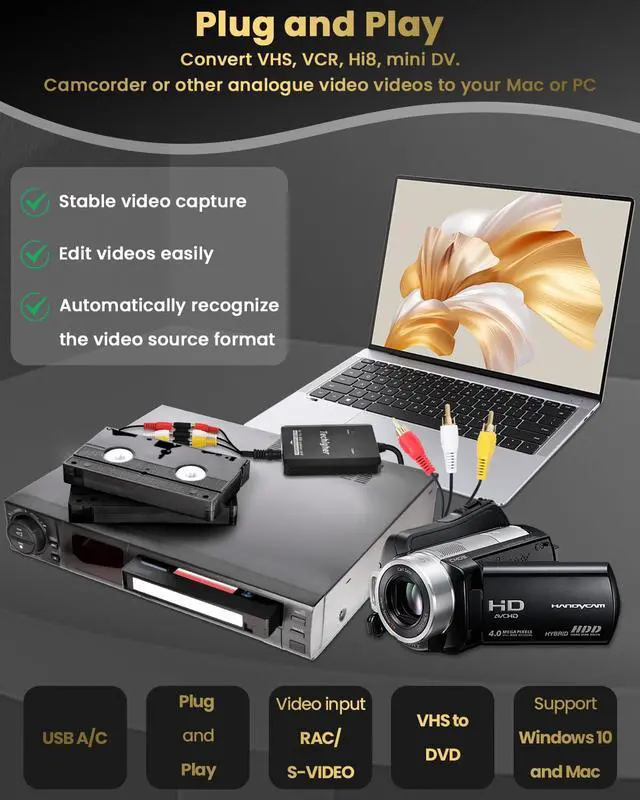
Work with WIN /Mac OS10.9 higher/Android,/Linux...support For PS2,PS3,Xbox,N64,STB, VHS, VCR, DVD Players and more with standard composite AV input.

- Protective carton
- Converter Body
- User Manual
- RCA Cable male to male
- RCA Adapter femle to female

widely suitable for multiple platforms,recommend OBS or PotPlayer for Windows, QuickTime Player for Mac(Software comes with MAC OS)
How to use -Plug and Play, Easy to use

How to capture/Record video to your PC?
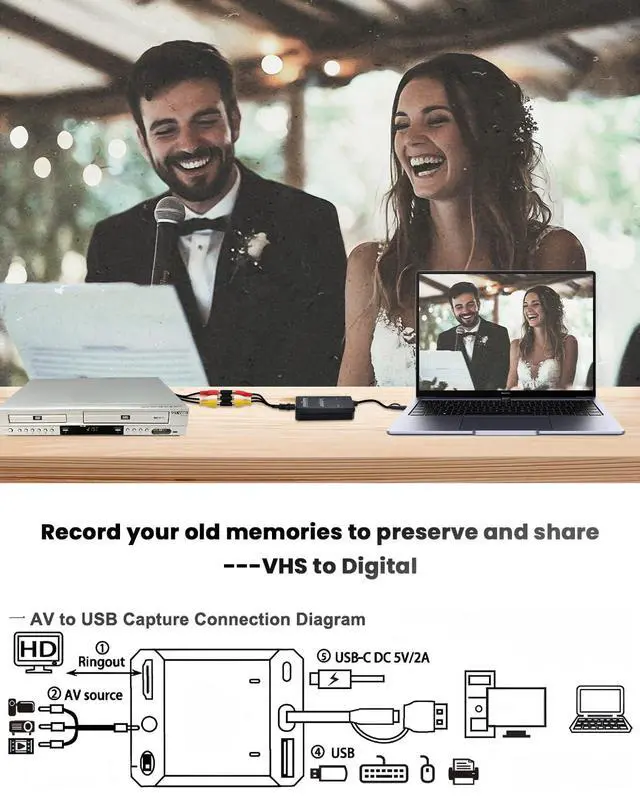
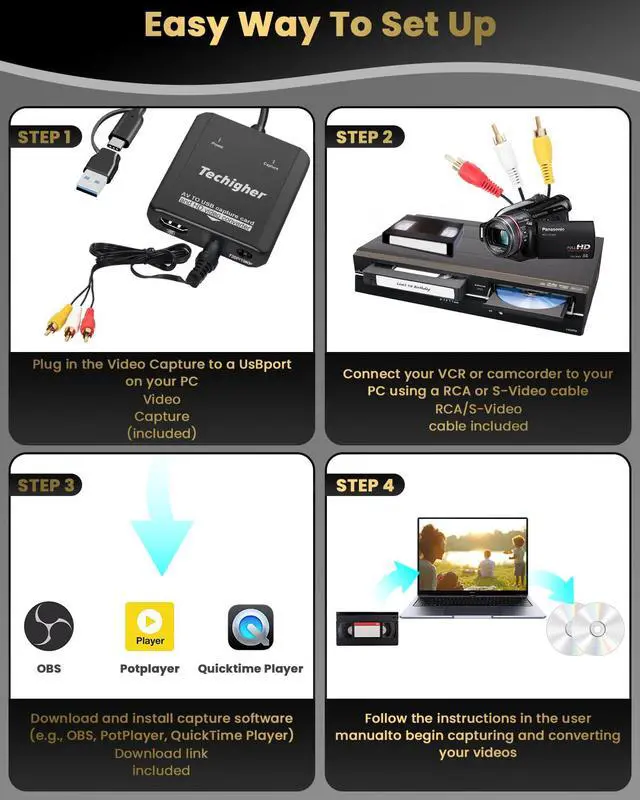
- Step 1 Insert the Device to a USB A/C port on your PC/laptop.
- Step 2 Connect Video Converter to your video sources with RCA or S-Video cable.
- Step 3 Open OBS Studio or Potplayer or QuickTime Player and run it.
- Step 4 Follow Above instructions or the user manual to begin capture / convert your videos.

How to convert video to your TV/Monitor?
- Step 1 Connect the device's HD port to the TV/monitor with HD cable
- Step 2 Connect the devices to Video source with RCA cable(Included)
- Step 3 Provide power supply (can be powered by USBC port or connected to laptop)
- Step 4 Follow Above instructions or the user manual to begin convert/disp;ay.


Two functions can be used separately capture or conversion function
or work simultaneously: when capture video and loop the display
Work with WIN /Mac OS10.9 higher/Android,/Linux...support For PS2,PS3,Xbox,N64,STB, VHS, VCR, DVD Players and more with standard composite AV input.
- Protective carton
- Converter Body
- User Manual
- RCA Cable male to male
- RCA Adapter femle to female
widely suitable for multiple platforms,recommend OBS or PotPlayer for Windows, QuickTime Player for Mac(Software comes with MAC OS)
How to use -Plug and Play, Easy to use
How to capture/Record video to your PC?
- Step 1 Insert the Device to a USB A/C port on your PC/laptop.
- Step 2 Connect Video Converter to your video sources with RCA or S-Video cable.
- Step 3 Open OBS Studio or Potplayer or QuickTime Player and run it.
- Step 4 Follow Above instructions or the user manual to begin capture / convert your videos.
How to convert video to your TV/Monitor?
- Step 1 Connect the device's HD port to the TV/monitor with HD cable
- Step 2 Connect the devices to Video source with RCA cable(Included)
- Step 3 Provide power supply (can be powered by USBC port or connected to laptop)
- Step 4 Follow Above instructions or the user manual to begin convert/disp;ay.