


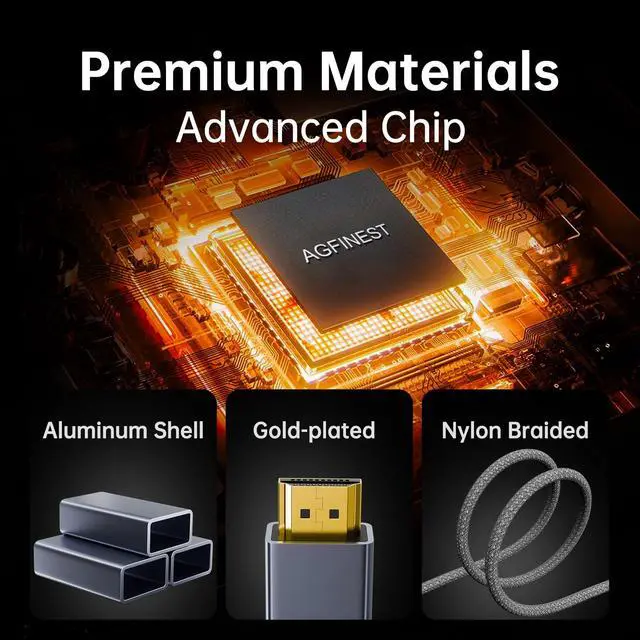


Active Precision Chip
Dedicated chipset re-clocks and amplifies signals for crisp, flicker-free video with minimal latency and no frame drops at high bandwidths.

Aluminum Housing & Gold Plugs
Die-cast aluminum housing improves heat dissipation and durability. Gold-plated connectors resist corrosion for long-lasting, pristine contact.

Tough Nylon Braiding
Abrasion-resistant nylon braid protects the cable core, improves flexibility and prevents tangling—ideal for portable use and frequent plugging.

Multi-Layer Shielding
Multi-layer foil and braided shielding plus high-conductivity cores minimize signal loss and EMI for stable, high-rate 4K/8K video when supported.

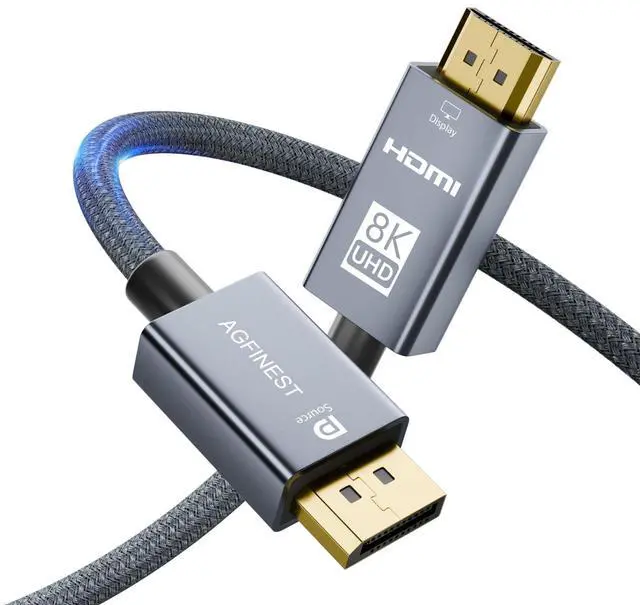
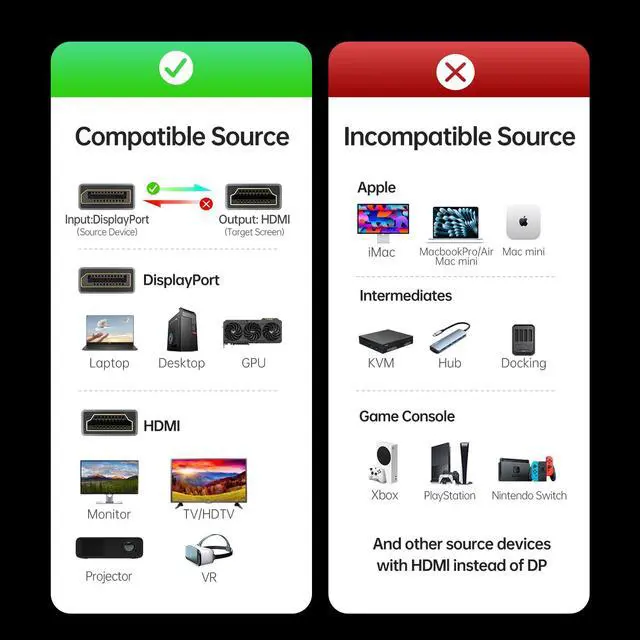
Source (DP):
DP 1.4 Desktop GPUs: NVIDIA RTX 30/40 series, AMD RX 6000/7000 series, Intel Arc A-series, etc.
Laptops/Workstations with DP or USB-C (DP Alt Mode): Dell XPS/Precision, Lenovo ThinkPad/Legion, HP EliteBook/ZBook/Omen, ASUS ROG/TUF, MSI Raider/Stealth, Razer Blade, Acer Predator, etc.
DP source ? HDMI display only. It will not work from HDMI device to DP monitor.

Display (HDMI):
Monitors: UltraSharp, UltraGear, Odyssey, Swift, Acer Predator, AOC Agon, etc. TVs: LG, Samsong Neo QLED, Sony Bravia X/A, TCL, Hisense, Vizio, etc. Projectors & VR: Epson Home Cinema, BenQ 4K, Optoma, Meta Quest, Pico series, etc.
Not compatible: PS5, Xbox, Switch, HDMI docks/KVM.
Can I use this cable to connect an HDMI device to a DisplayPort monitor?
No. This is a unidirectional cable designed only for connecting a DisplayPort source (like a computer) to an HDMI display. It will not work in reverse with HDMI sources like gaming consoles.
Is this cable compatible with PS5, Xbox, or Switch?
No. These consoles are HDMI sources. This cable converts DP to HDMI only. Please use a standard HDMI cable for your PS5, Xbox, or Switch.
Will the converter in the cable overheat during extended use, like gaming? Is this normal?
A slight warmth is normal and safe. Our aluminum casing is specifically engineered for superior heat dissipation, ensuring stable performance and longevity even during high-bandwidth tasks.
Why isn't my monitor being detected with this DP to HDMI cable?
1) Connect the DP end to your PC first, then the HDMI end to the monitor.
2) Set your monitor’s input to HDMI.
3) Update your GPU drivers.
4) Test with another cable or monitor.
5) If the issue persists, contact our support with your order number.
Why only 4K@60Hz instead of 120Hz?
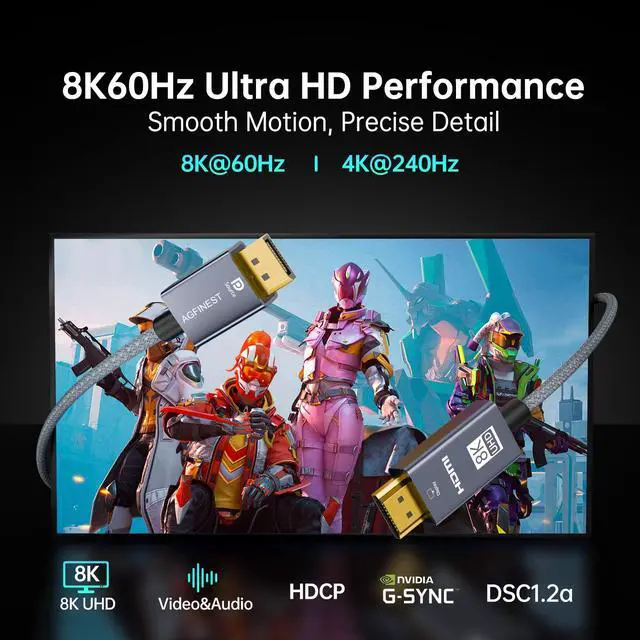
The refresh rate depends on your GPU and monitor. Devices with DP 1.2 or HDMI 2.0 ports can only output up to 4K@60Hz, even with a DP 1.4 cable.


Active Precision Chip
Dedicated chipset re-clocks and amplifies signals for crisp, flicker-free video with minimal latency and no frame drops at high bandwidths.
Aluminum Housing & Gold Plugs
Die-cast aluminum housing improves heat dissipation and durability. Gold-plated connectors resist corrosion for long-lasting, pristine contact.
Tough Nylon Braiding
Abrasion-resistant nylon braid protects the cable core, improves flexibility and prevents tangling—ideal for portable use and frequent plugging.
Multi-Layer Shielding
Multi-layer foil and braided shielding plus high-conductivity cores minimize signal loss and EMI for stable, high-rate 4K/8K video when supported.

Source (DP):
DP 1.4 Desktop GPUs: NVIDIA RTX 30/40 series, AMD RX 6000/7000 series, Intel Arc A-series, etc.
Laptops/Workstations with DP or USB-C (DP Alt Mode): Dell XPS/Precision, Lenovo ThinkPad/Legion, HP EliteBook/ZBook/Omen, ASUS ROG/TUF, MSI Raider/Stealth, Razer Blade, Acer Predator, etc.
DP source ? HDMI display only. It will not work from HDMI device to DP monitor.

Display (HDMI):
Monitors: UltraSharp, UltraGear, Odyssey, Swift, Acer Predator, AOC Agon, etc. TVs: LG, Samsong Neo QLED, Sony Bravia X/A, TCL, Hisense, Vizio, etc. Projectors & VR: Epson Home Cinema, BenQ 4K, Optoma, Meta Quest, Pico series, etc.
Not compatible: PS5, Xbox, Switch, HDMI docks/KVM.
Can I use this cable to connect an HDMI device to a DisplayPort monitor?
No. This is a unidirectional cable designed only for connecting a DisplayPort source (like a computer) to an HDMI display. It will not work in reverse with HDMI sources like gaming consoles.
Is this cable compatible with PS5, Xbox, or Switch?
No. These consoles are HDMI sources. This cable converts DP to HDMI only. Please use a standard HDMI cable for your PS5, Xbox, or Switch.
Will the converter in the cable overheat during extended use, like gaming? Is this normal?
A slight warmth is normal and safe. Our aluminum casing is specifically engineered for superior heat dissipation, ensuring stable performance and longevity even during high-bandwidth tasks.
Why isn't my monitor being detected with this DP to HDMI cable?
1) Connect the DP end to your PC first, then the HDMI end to the monitor.
2) Set your monitor’s input to HDMI.
3) Update your GPU drivers.
4) Test with another cable or monitor.
5) If the issue persists, contact our support with your order number.
Why only 4K@60Hz instead of 120Hz?
The refresh rate depends on your GPU and monitor. Devices with DP 1.2 or HDMI 2.0 ports can only output up to 4K@60Hz, even with a DP 1.4 cable.