


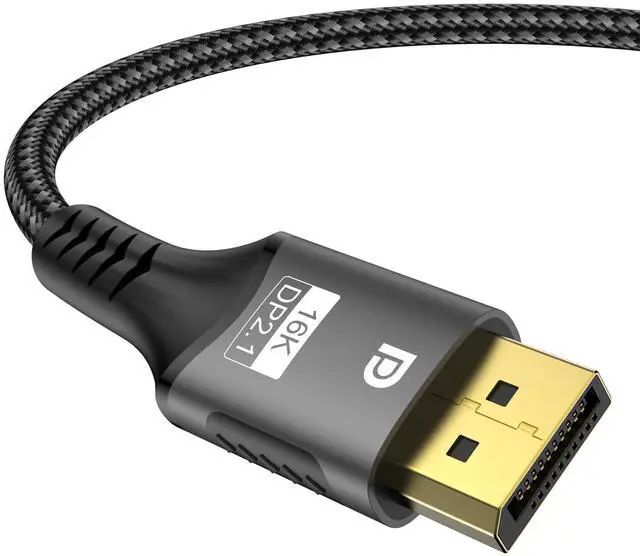
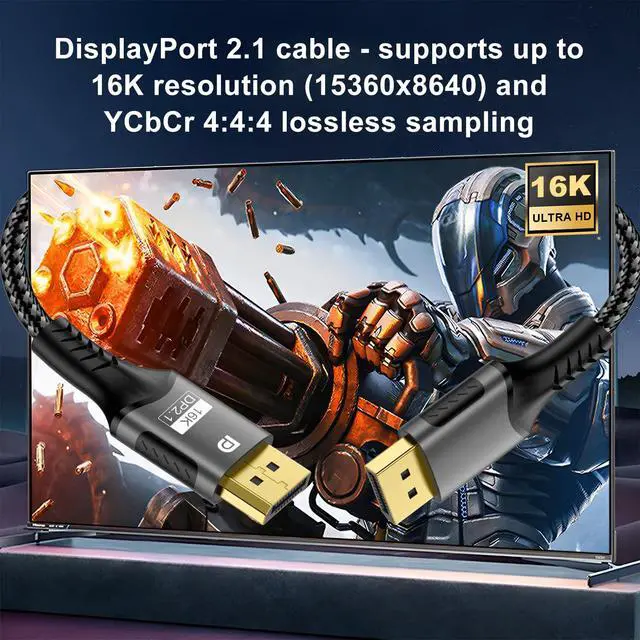


DisplayPort 2.1 cable - with the amazing ability to support even 16K resolution!
- Resolution: 16K (15360x8460, with DSC), 10K (10240x4320), 8K (7680x4320), 4K (3840x2160)
- Refresh rates: 16K@30Hz (with DSC), 10K@60Hz, 8K@120Hz/60Hz, 4K@240Hz/165Hz/144Hz/120Hz/60Hz
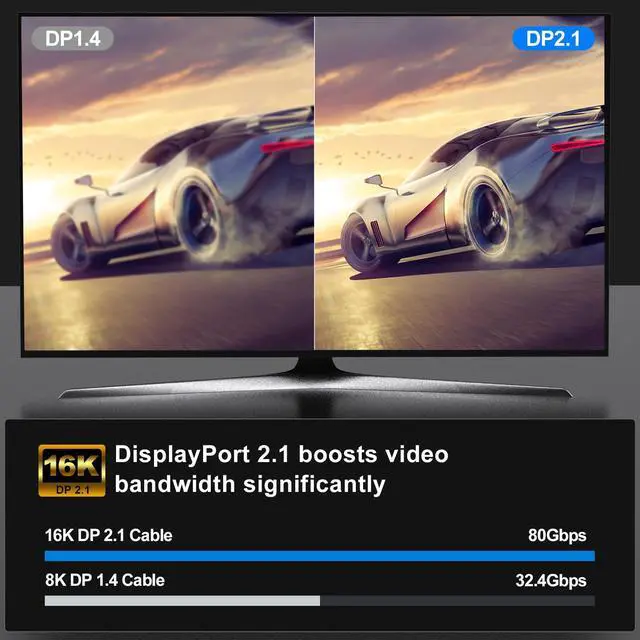
- Bandwidth: up to 80 Gbps
- Colour depth: 12 bit
- Connector: standard DP connector
- Backward compatibility: DisplayPort 2.0/1.4/1.3/1.2/1.1/1.0
- Technologies and protocols: UHBR/HDCP 2.2/Dynamic HDR/DPCP 1.0/DP++/Stereoscopic 3D video/multi-stream transport (MST)/DSC 1.2
- Supported devices: compatible with graphics cards such as GTX 980, GTX 1080, RTX 3060, RTX 3070, RTX 3080, RTX 3090, RX 6800 and RX 6900. Also compatible with various monitors, HDTVs, projectors and other devices with DP ports.

Support for resolutions up to 16K
While there are very few 16K monitors and video devices for the average home user, the development of HD devices is clearly accelerating towards higher resolutions. Only 4K devices are currently in vogue, but devices are moving towards 8K-10K-16K at an unprecedented rate. Within a few years, we will most likely be surrounded by 8K and even 16K resolution film and TV equipment.
This cable is so powerful that it not only supports 16K resolution, but is also backwards compatible with 8K, 4K and many other resolutions. This means that no matter the evolution of our devices to 8K or 16K in the future, we will still be able to connect to them directly using this cable.

DisplayPort 2.1 provides higher refresh rates than DisplayPort 1.4 at 4K resolution
In addition to support for 16K resolutions, DisplayPort 2.1 cables are further enhanced for resolutions such as 4K. Currently available 8K DisplayPort cables (DP 1.4) support refresh rates up to 4K@144Hz, while DP 2.1 cables support refresh rates up to 4K@240Hz.
This means that DP 2.1 cables can bring a more comfortable and smoother picture to the user, as long as the device supports it. For gamers in particular, higher refresh rates mean even more immersive and in-depth gaming experiences.

80 Gbps bandwidth ensures smooth operation of high-resolution and high-refresh rate images.
Higher resolutions and higher refresh rates mean larger amounts of data, which cannot be transmitted without sufficient bandwidth. DP 2.1 can achieve bandwidths of up to 80 Gbps, which is sufficient to support resolutions such as 16K, 10K and 8K.
Furthermore, the ultra-fast transmission speed of DP 2.1 cables can effectively reduce or eliminate image delays and tearing, resulting in a more stable image output.

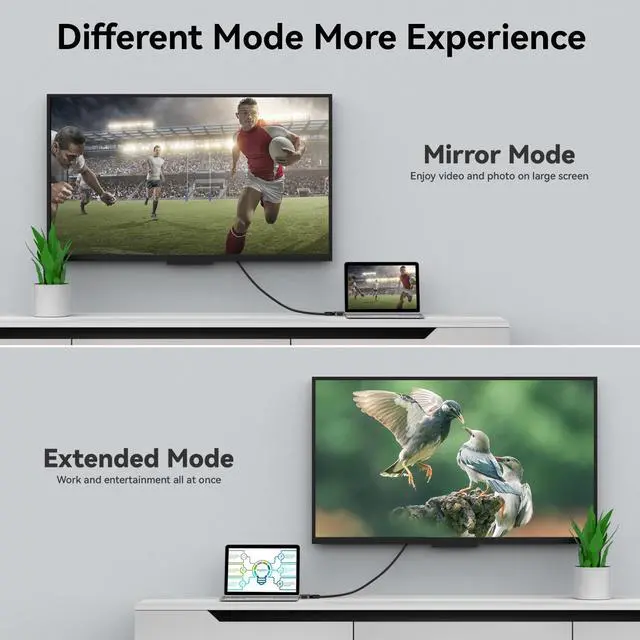
Extended mode
In this mode, one host can display different images on different monitors at the same time, allowing for entertainment and work at the same time.

Mirror mode
In this mode, one host can simultaneously display the same image on different monitors. This can be applied to situations such as meetings and classes, not only to reduce the need for extra equipment, but also to show the same content to several people at the same time.

Splicing Mode
In this mode, multiple displays can be ‘stitched together’ into a single integrated display, further extending the visuals and creating a theatre-like experience.

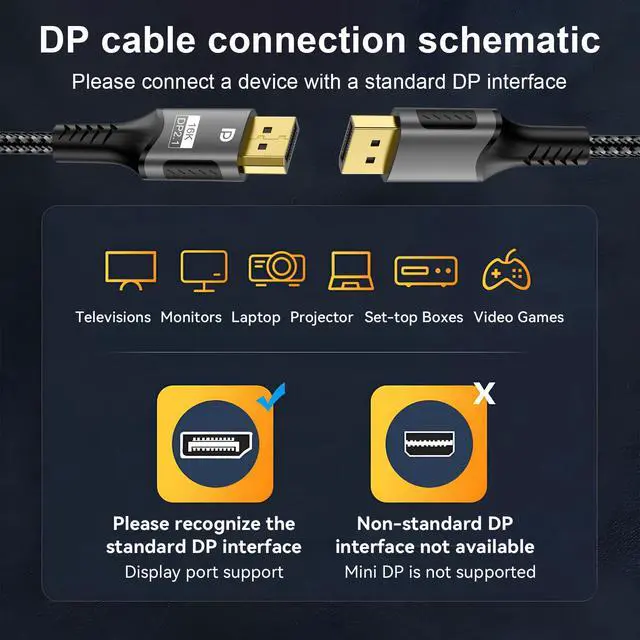
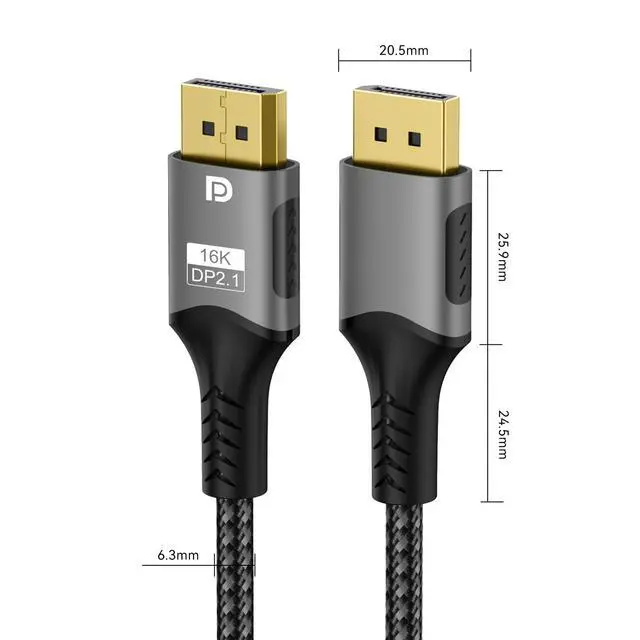
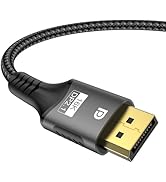
Standard DisplayPort plug
DP and HDMI cables are also high-resolution cable and look similar, but it is important to understand that there are slight differences: the HDMI plug is shaped like a ‘D’, whereas all three corners of the DP plug are right-angled. They cannot be replaced by each other.

Superior conduction performance
This display port cable has an oxygen-free copper core inside and uses multi-layer shielding material to wrap the inner core, resulting in a more stable image and better interference protection.

Abrasion and corrosion resistance
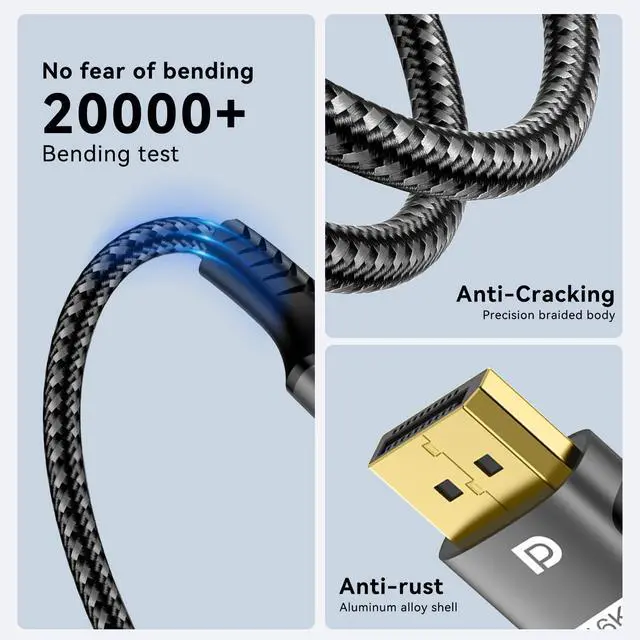
The surface of this DisplayPort 2.1 cable is made of PVC material and wrapped by woven cotton mesh, which provides considerable strength, durability, corrosion resistance and abrasion resistance, thus increasing the service life of the DisplayPort cable.

Non-slip bumps
In certain confined spaces, the direction of force is difficult to adjust and the smooth surface of the plug may prevent the cable from being pulled out properly. But the cable has non-slip bumps on both sides of the plug, which increase friction when gripping the plug part with your fingers and make it easier to pull the plug out.
Notices:
- Q1: Why did I buy this cable but cannot plug in my device when using it?
- A1: Ensure that the interface of the device is the DisplayPort interface before purchasing to avoid purchasing by mistake.
- Q2: Why does my screen not display correctly when using this cable?
- A2: 1, If the cable cannot support high resolution and high refresh rate, check if other devices themselves support the required resolution and refresh rate; 2, If the cable can be recognised but there is no image display, please try reconnecting the cable and restart all devices. If other extensions or switchers are being used together when this occurs, disconnect these devices and reconnect the DP cable directly and try again; 3, Individual TVs and hosts may need to be configured separately to support resolutions above 4K. If you have not used 4K or higher resolution before, try configuring the TV or host.

![FDBRO USB C to HDMI 2.1 Cable 8K@60Hz 4K@120Hz [Thunderbolt 3/4 Compatible] Type-C to HDMI Cord C...](//c1.neweggimages.com/sellingpilot/modules/product/a-plus/f60ec03d23ce0f2b239de2125238d52de0f762f7b9fc2ca2cb8b26c1c1e0024d.jpg)
![FDBRO USB 4 Cable [8K@60Hz Video/240W PD 3.1 Fast Charging/40Gbps Data Transfer] USB C to USB C C...](//c1.neweggimages.com/sellingpilot/modules/product/a-plus/035b0ca36c42e7f2d6b7915dd4878e91f0c48ded59b68c5d5c579b7b53009cb3.jpg)
Cables

FDBRO now mainly focuses on the development of 3C products, especially cables for audio and video, switchers, and other related products. Of course, other products such as sports masks are also waiting to be discovered by customers. We know that there is still room for progress in the design and quality of our products, so we will continue to strive to live up to our customers' trust and move forward.
![FDBRO USB C to HDMI 2.1 Cable 8K@60Hz 4K@120Hz [Thunderbolt 3/4 Compatible] Type-C to HDMI Cord C...](http://c1.neweggimages.com/sellingpilot/modules/product/a-plus/f60ec03d23ce0f2b239de2125238d52de0f762f7b9fc2ca2cb8b26c1c1e0024d.jpg)
![FDBRO USB 4 Cable [8K@60Hz Video/240W PD 3.1 Fast Charging/40Gbps Data Transfer] USB C to USB C C...](http://c1.neweggimages.com/sellingpilot/modules/product/a-plus/035b0ca36c42e7f2d6b7915dd4878e91f0c48ded59b68c5d5c579b7b53009cb3.jpg)
DisplayPort 2.1 cable - with the amazing ability to support even 16K resolution!
- Resolution: 16K (15360x8460, with DSC), 10K (10240x4320), 8K (7680x4320), 4K (3840x2160)
- Refresh rates: 16K@30Hz (with DSC), 10K@60Hz, 8K@120Hz/60Hz, 4K@240Hz/165Hz/144Hz/120Hz/60Hz
- Bandwidth: up to 80 Gbps
- Colour depth: 12 bit
- Connector: standard DP connector
- Backward compatibility: DisplayPort 2.0/1.4/1.3/1.2/1.1/1.0
- Technologies and protocols: UHBR/HDCP 2.2/Dynamic HDR/DPCP 1.0/DP++/Stereoscopic 3D video/multi-stream transport (MST)/DSC 1.2
- Supported devices: compatible with graphics cards such as GTX 980, GTX 1080, RTX 3060, RTX 3070, RTX 3080, RTX 3090, RX 6800 and RX 6900. Also compatible with various monitors, HDTVs, projectors and other devices with DP ports.
Support for resolutions up to 16K
While there are very few 16K monitors and video devices for the average home user, the development of HD devices is clearly accelerating towards higher resolutions. Only 4K devices are currently in vogue, but devices are moving towards 8K-10K-16K at an unprecedented rate. Within a few years, we will most likely be surrounded by 8K and even 16K resolution film and TV equipment.
This cable is so powerful that it not only supports 16K resolution, but is also backwards compatible with 8K, 4K and many other resolutions. This means that no matter the evolution of our devices to 8K or 16K in the future, we will still be able to connect to them directly using this cable.
DisplayPort 2.1 provides higher refresh rates than DisplayPort 1.4 at 4K resolution
In addition to support for 16K resolutions, DisplayPort 2.1 cables are further enhanced for resolutions such as 4K. Currently available 8K DisplayPort cables (DP 1.4) support refresh rates up to 4K@144Hz, while DP 2.1 cables support refresh rates up to 4K@240Hz.
This means that DP 2.1 cables can bring a more comfortable and smoother picture to the user, as long as the device supports it. For gamers in particular, higher refresh rates mean even more immersive and in-depth gaming experiences.
80 Gbps bandwidth ensures smooth operation of high-resolution and high-refresh rate images.
Higher resolutions and higher refresh rates mean larger amounts of data, which cannot be transmitted without sufficient bandwidth. DP 2.1 can achieve bandwidths of up to 80 Gbps, which is sufficient to support resolutions such as 16K, 10K and 8K.
Furthermore, the ultra-fast transmission speed of DP 2.1 cables can effectively reduce or eliminate image delays and tearing, resulting in a more stable image output.
Extended mode
In this mode, one host can display different images on different monitors at the same time, allowing for entertainment and work at the same time.
Mirror mode
In this mode, one host can simultaneously display the same image on different monitors. This can be applied to situations such as meetings and classes, not only to reduce the need for extra equipment, but also to show the same content to several people at the same time.
Splicing Mode
In this mode, multiple displays can be ‘stitched together’ into a single integrated display, further extending the visuals and creating a theatre-like experience.
Standard DisplayPort plug
DP and HDMI cables are also high-resolution cable and look similar, but it is important to understand that there are slight differences: the HDMI plug is shaped like a ‘D’, whereas all three corners of the DP plug are right-angled. They cannot be replaced by each other.
Superior conduction performance
This display port cable has an oxygen-free copper core inside and uses multi-layer shielding material to wrap the inner core, resulting in a more stable image and better interference protection.
Abrasion and corrosion resistance
The surface of this DisplayPort 2.1 cable is made of PVC material and wrapped by woven cotton mesh, which provides considerable strength, durability, corrosion resistance and abrasion resistance, thus increasing the service life of the DisplayPort cable.
Non-slip bumps
In certain confined spaces, the direction of force is difficult to adjust and the smooth surface of the plug may prevent the cable from being pulled out properly. But the cable has non-slip bumps on both sides of the plug, which increase friction when gripping the plug part with your fingers and make it easier to pull the plug out.
Notices:
- Q1: Why did I buy this cable but cannot plug in my device when using it?
- A1: Ensure that the interface of the device is the DisplayPort interface before purchasing to avoid purchasing by mistake.
- Q2: Why does my screen not display correctly when using this cable?
- A2: 1, If the cable cannot support high resolution and high refresh rate, check if other devices themselves support the required resolution and refresh rate; 2, If the cable can be recognised but there is no image display, please try reconnecting the cable and restart all devices. If other extensions or switchers are being used together when this occurs, disconnect these devices and reconnect the DP cable directly and try again; 3, Individual TVs and hosts may need to be configured separately to support resolutions above 4K. If you have not used 4K or higher resolution before, try configuring the TV or host.
Cables
FDBRO now mainly focuses on the development of 3C products, especially cables for audio and video, switchers, and other related products. Of course, other products such as sports masks are also waiting to be discovered by customers. We know that there is still room for progress in the design and quality of our products, so we will continue to strive to live up to our customers' trust and move forward.