




Specification:
Brand: FDBRO
Colour: Gray & Black
Length: 3.3FT/1M, 6.6FT/2M, 10FT/3M
Gross weight: 1M-76g, 2M-117g, 3M-158g
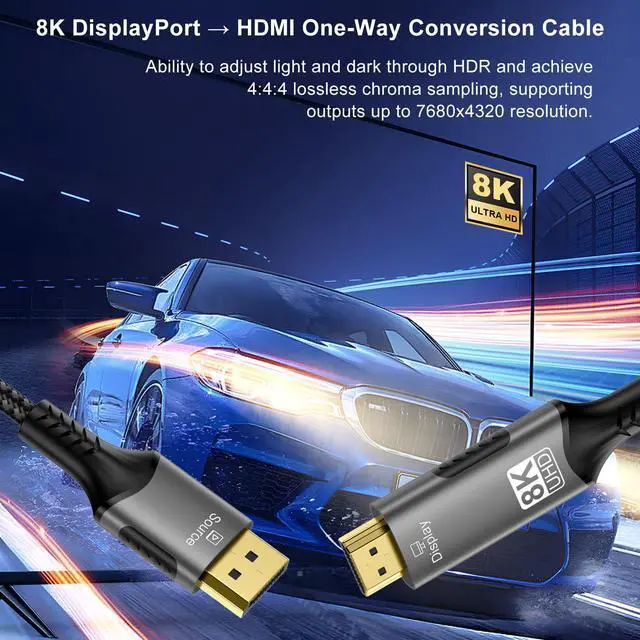
Support resolution: 8K (7680x4320), 4K (3840x2160), 1080P (1920x1080), and etc
Support refresh rate: up to 8K@60Hz
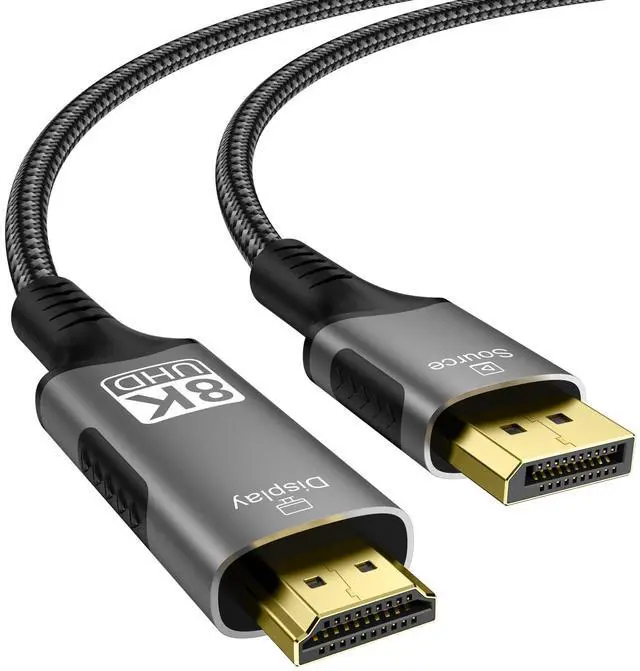
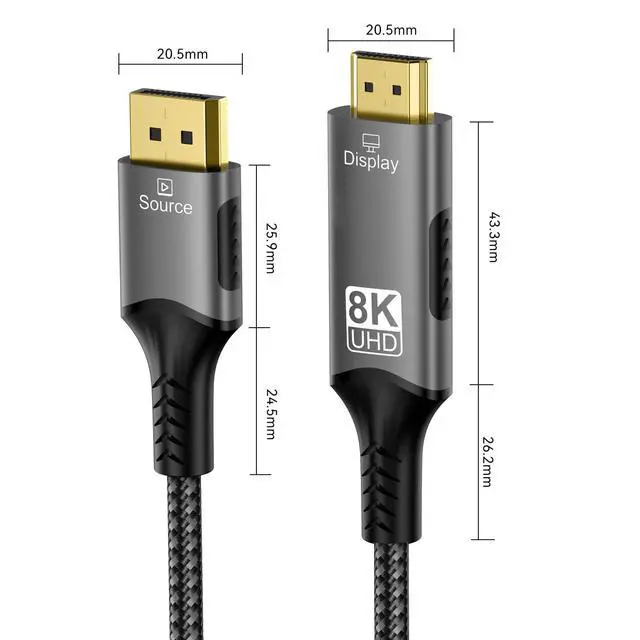
Connector: standard DP plug, standard HDMI Type A plug
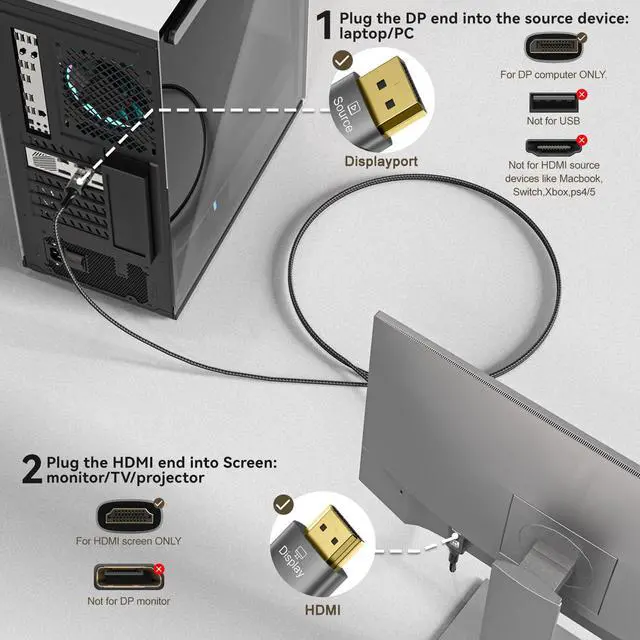
Transmission direction: only DP ? HDMI (uni-directional, not include HDMI ? DP)
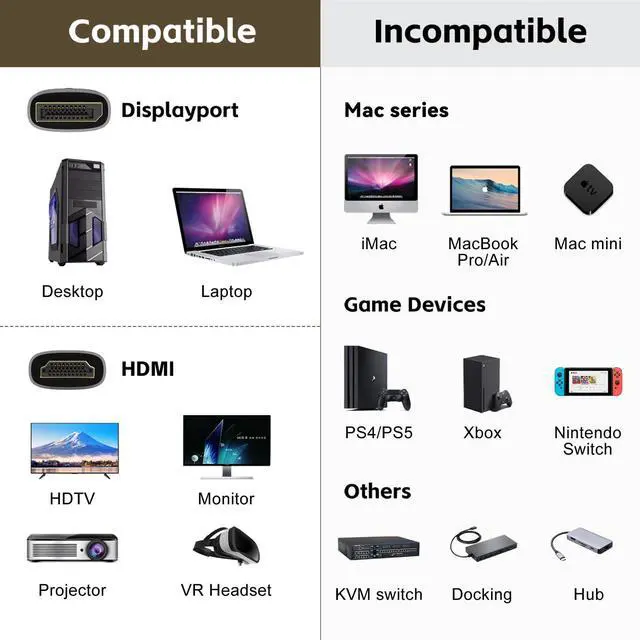
Suitable devices:DisplayPort end of the cable: desktop, laptop, graphics card; HDMI end of the cable: HDTV, monitor, projector, VR headset
Incompatible devices: Mac series: iMac, MacBook air/pro, mac mini; Game console: PS4/PS5, Xbox series, Switch; Other devices: KVM switch, docking, hub

8K DisplayPort to HDMI cable — make the most of your device‘s interface
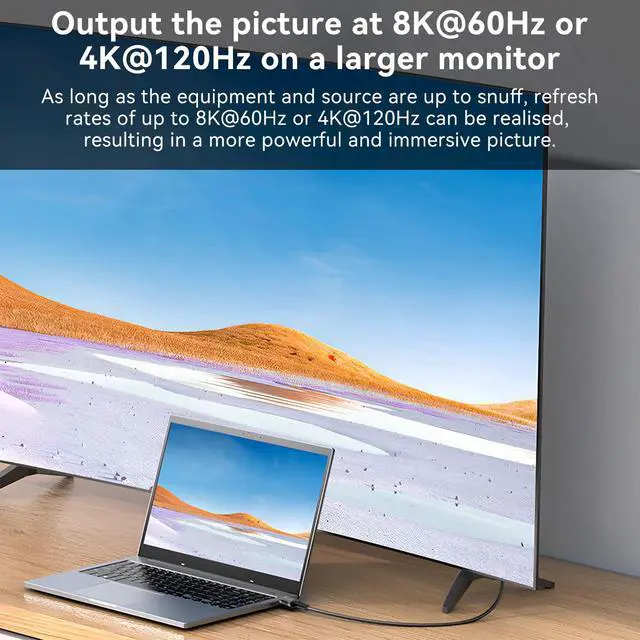
As computers continue to evolve, so do the opportunities to utilize the DisplayPort interface. Currently, the common DisplayPort interface is version 1.4, which can support resolutions up to 8K (7680x4320), and the refresh rate can go up to 60Hz at 8K resolution. At 4K resolution, the refresh rate can even go up to 120Hz. If just look at the picture quality, the performance of DP 1.4 can be said to be almost on par with HDMI 2.1.
Many newer graphics cards now have 1-2 DP ports and are able to connect to a monitor with a DP port via a DP cable. But the standard DP port is only common in some new graphics cards, and most of the monitors still only contain HDMI interfaces. Not all the people think it is necessary to buy a new monitor for his new graphics cards with DP port, after all those HDMI ports and cables can do the same job. However, when users use plural monitors, the number of HDMI ports on the graphics card may not be enough. More importantly, users want to keep this current graphics card and monitor. At this time, the DP to HDMI cable can make full use of the extra DP port on the host computer and connect to the monitor with HDMI port to realize more functions as well as reduce the waste of equipment.


Premium connectors
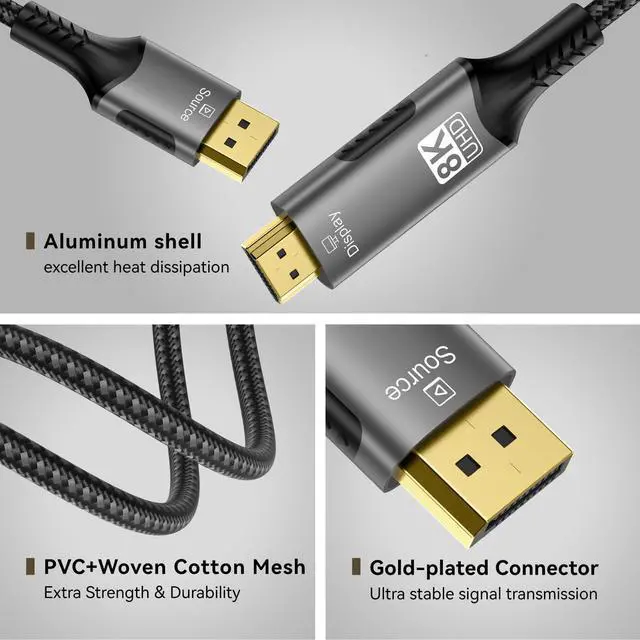
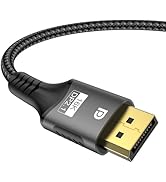
The connectors of this cable is gold-plated, it can increase the abrasion resistance of the connectors so that it maintains its original appearance and good performance even after many insertions and withdrawals.

Sturdy and hard-wearing
The outer layer of this cable is more resistant to abrasion and liquids than a cable that is simply wrapped in a material such as TPE. This helps to ensure proper functioning of the cable when it is laid in various places.

Further protection
The extension of the end of the plug protects the portion of the cable that is connected to the plug and allows that portion of the cable to bend naturally and not break easily.

High quality chip
In order to achieve the conversion of signals from DP to HDMI, a high-quality chip has been added, which contributes to the smooth conversion of signals and maintains the same picture quality as before.
Notice:
? This cable only support DP to HDMI uni-directional transmission and can not be used for reverse transmission. Does NOT support HDMI to DP, so it is NOT compatibele with PS4, PS5, XBOX, Macbook and other HDMI source devices.
? This is an active DP to HDMI cable, it can be used for devices that support DP++ and for devices that do not support DP++.
? To achieve 8K/4K resolution, both the monitor connected to this cable and the video source device themselves need to support 8K/4K resolution. (Tip: Only HDMI 2.1, DP 1.4 and newer versions can support 4K@120Hz and 8K. HDMI 2.0, DP 1.3 and lower versions do NOT have enough bandwidth to support 4K@120Hz and 8K. If 4K@120Hz and 8K cannot be applied, please check the interfaces of your devices too to comfirm if they are compatible with 4K@120Hz and 8K. )
? If all devices support 8K and all settings are done properly but the image still cannot reach the desired resolution or refresh rate, please pay attention to whether the graphics card driver has been upgraded to the latest version.
? It doesn't work if you use this cable to connect a Displayport monitor with a HDMI monitor directly.
? It is not recommended to use it with other extension cables or conversion cables. There is a possibility that the picture may not be displayed properly or not displayed due to chips from these intermediary cables are not necessarily compatible with this cable.
? When outputting the image at a high resolution, the cable plug heating up is normal because the chip is working causing the plug to become hot.
? If the image is not displayed properly when using the cable, please read our Specification List above first to check whether your product is compatible with this product. If the compatibility problem has been eliminated, please refer to the matters of ? ? ? ? ? in this list, and follow these points one by one to check whether the usage of the cable meets the conditions.

![FDBRO USB C to HDMI 2.1 Cable 8K@60Hz 4K@120Hz [Thunderbolt 3/4 Compatible] Type-C to HDMI Cord C...](//c1.neweggimages.com/sellingpilot/modules/product/a-plus/f60ec03d23ce0f2b239de2125238d52de0f762f7b9fc2ca2cb8b26c1c1e0024d.jpg)
![FDBRO USB 4 Cable [8K@60Hz Video/240W PD 3.1 Fast Charging/40Gbps Data Transfer] USB C to USB C C...](//c1.neweggimages.com/sellingpilot/modules/product/a-plus/035b0ca36c42e7f2d6b7915dd4878e91f0c48ded59b68c5d5c579b7b53009cb3.jpg)
Cables

FDBRO now mainly focuses on the development of 3C products, especially cables for audio and video, switchers, and other related products. Of course, other products such as sports masks are also waiting to be discovered by customers. We know that there is still room for progress in the design and quality of our products, so we will continue to strive to live up to our customers' trust and move forward.
![FDBRO USB C to HDMI 2.1 Cable 8K@60Hz 4K@120Hz [Thunderbolt 3/4 Compatible] Type-C to HDMI Cord C...](http://c1.neweggimages.com/sellingpilot/modules/product/a-plus/f60ec03d23ce0f2b239de2125238d52de0f762f7b9fc2ca2cb8b26c1c1e0024d.jpg)
![FDBRO USB 4 Cable [8K@60Hz Video/240W PD 3.1 Fast Charging/40Gbps Data Transfer] USB C to USB C C...](http://c1.neweggimages.com/sellingpilot/modules/product/a-plus/035b0ca36c42e7f2d6b7915dd4878e91f0c48ded59b68c5d5c579b7b53009cb3.jpg)
Specification:
Brand: FDBRO
Colour: Gray & Black
Length: 3.3FT/1M, 6.6FT/2M, 10FT/3M
Gross weight: 1M-76g, 2M-117g, 3M-158g
Support resolution: 8K (7680x4320), 4K (3840x2160), 1080P (1920x1080), and etc
Support refresh rate: up to 8K@60Hz
Connector: standard DP plug, standard HDMI Type A plug
Transmission direction: only DP ? HDMI (uni-directional, not include HDMI ? DP)
Suitable devices:DisplayPort end of the cable: desktop, laptop, graphics card; HDMI end of the cable: HDTV, monitor, projector, VR headset
Incompatible devices: Mac series: iMac, MacBook air/pro, mac mini; Game console: PS4/PS5, Xbox series, Switch; Other devices: KVM switch, docking, hub
8K DisplayPort to HDMI cable — make the most of your device‘s interface
As computers continue to evolve, so do the opportunities to utilize the DisplayPort interface. Currently, the common DisplayPort interface is version 1.4, which can support resolutions up to 8K (7680x4320), and the refresh rate can go up to 60Hz at 8K resolution. At 4K resolution, the refresh rate can even go up to 120Hz. If just look at the picture quality, the performance of DP 1.4 can be said to be almost on par with HDMI 2.1.
Many newer graphics cards now have 1-2 DP ports and are able to connect to a monitor with a DP port via a DP cable. But the standard DP port is only common in some new graphics cards, and most of the monitors still only contain HDMI interfaces. Not all the people think it is necessary to buy a new monitor for his new graphics cards with DP port, after all those HDMI ports and cables can do the same job. However, when users use plural monitors, the number of HDMI ports on the graphics card may not be enough. More importantly, users want to keep this current graphics card and monitor. At this time, the DP to HDMI cable can make full use of the extra DP port on the host computer and connect to the monitor with HDMI port to realize more functions as well as reduce the waste of equipment.
Premium connectors
The connectors of this cable is gold-plated, it can increase the abrasion resistance of the connectors so that it maintains its original appearance and good performance even after many insertions and withdrawals.
Sturdy and hard-wearing
The outer layer of this cable is more resistant to abrasion and liquids than a cable that is simply wrapped in a material such as TPE. This helps to ensure proper functioning of the cable when it is laid in various places.
Further protection
The extension of the end of the plug protects the portion of the cable that is connected to the plug and allows that portion of the cable to bend naturally and not break easily.
High quality chip
In order to achieve the conversion of signals from DP to HDMI, a high-quality chip has been added, which contributes to the smooth conversion of signals and maintains the same picture quality as before.
Notice:
? This cable only support DP to HDMI uni-directional transmission and can not be used for reverse transmission. Does NOT support HDMI to DP, so it is NOT compatibele with PS4, PS5, XBOX, Macbook and other HDMI source devices.
? This is an active DP to HDMI cable, it can be used for devices that support DP++ and for devices that do not support DP++.
? To achieve 8K/4K resolution, both the monitor connected to this cable and the video source device themselves need to support 8K/4K resolution. (Tip: Only HDMI 2.1, DP 1.4 and newer versions can support 4K@120Hz and 8K. HDMI 2.0, DP 1.3 and lower versions do NOT have enough bandwidth to support 4K@120Hz and 8K. If 4K@120Hz and 8K cannot be applied, please check the interfaces of your devices too to comfirm if they are compatible with 4K@120Hz and 8K. )
? If all devices support 8K and all settings are done properly but the image still cannot reach the desired resolution or refresh rate, please pay attention to whether the graphics card driver has been upgraded to the latest version.
? It doesn't work if you use this cable to connect a Displayport monitor with a HDMI monitor directly.
? It is not recommended to use it with other extension cables or conversion cables. There is a possibility that the picture may not be displayed properly or not displayed due to chips from these intermediary cables are not necessarily compatible with this cable.
? When outputting the image at a high resolution, the cable plug heating up is normal because the chip is working causing the plug to become hot.
? If the image is not displayed properly when using the cable, please read our Specification List above first to check whether your product is compatible with this product. If the compatibility problem has been eliminated, please refer to the matters of ? ? ? ? ? in this list, and follow these points one by one to check whether the usage of the cable meets the conditions.
Cables
FDBRO now mainly focuses on the development of 3C products, especially cables for audio and video, switchers, and other related products. Of course, other products such as sports masks are also waiting to be discovered by customers. We know that there is still room for progress in the design and quality of our products, so we will continue to strive to live up to our customers' trust and move forward.