






USB-C to HDMI & DisplayPort Adapter
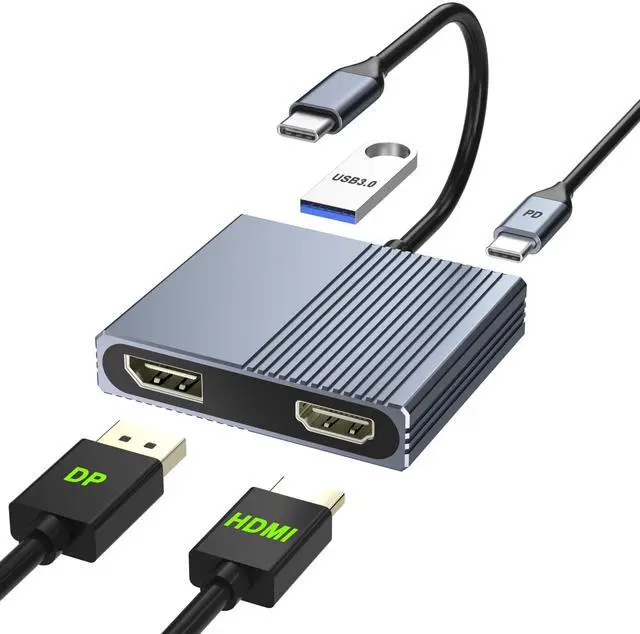
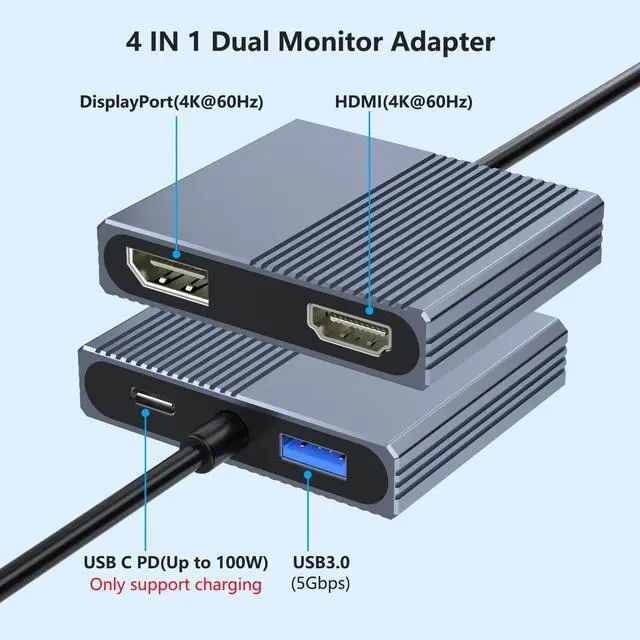
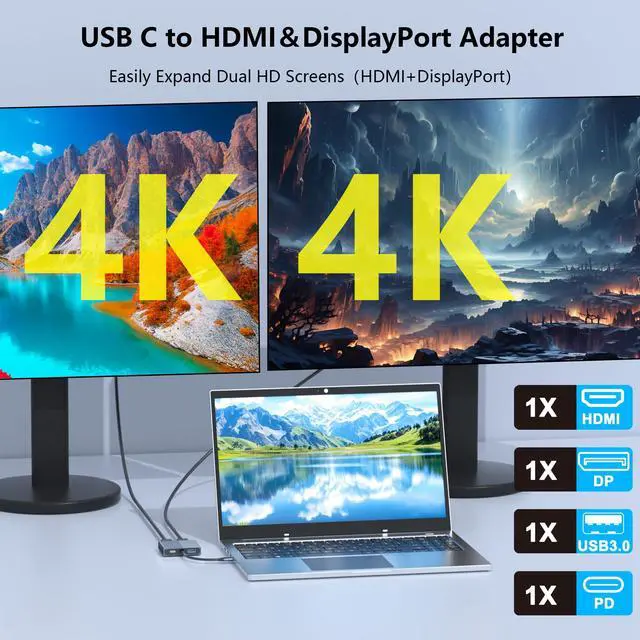
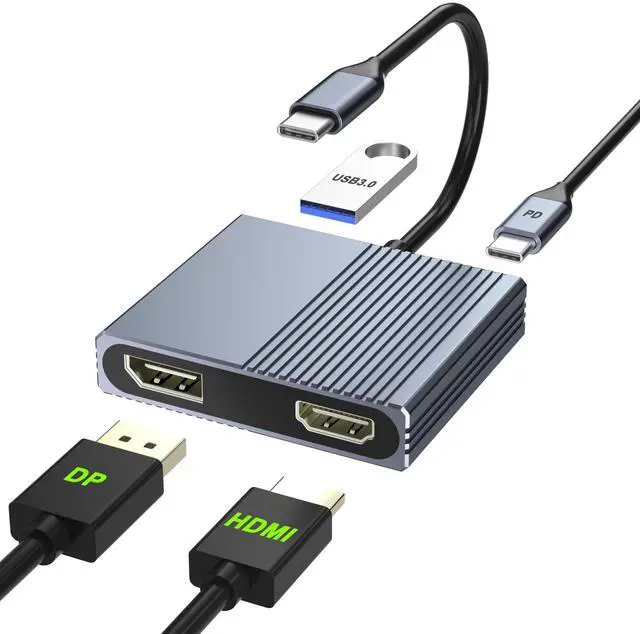
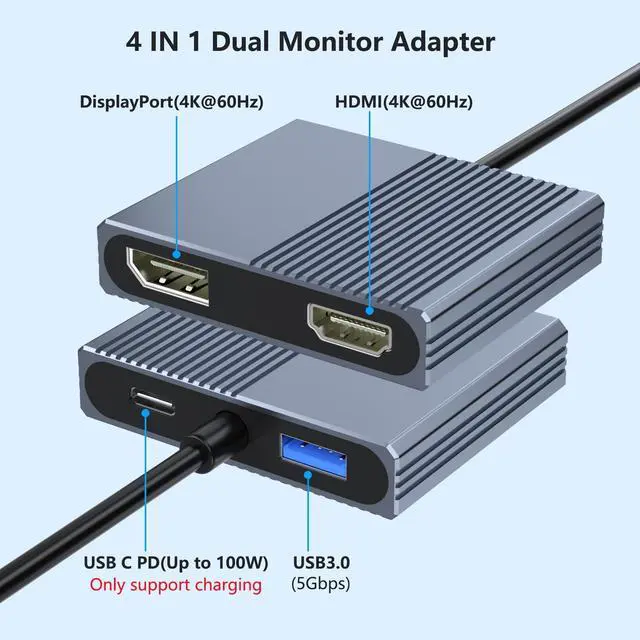
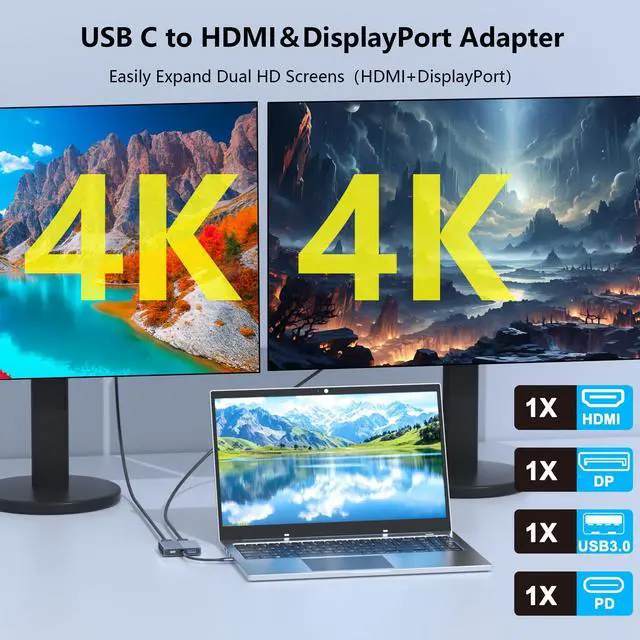
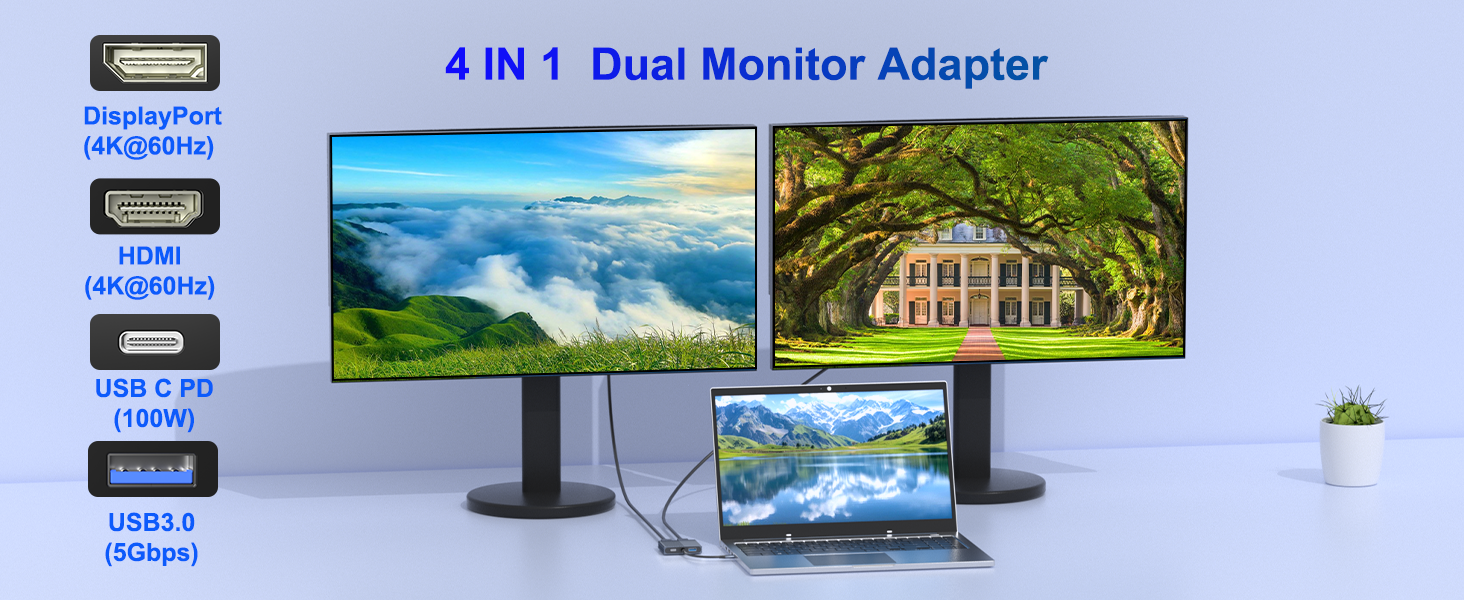
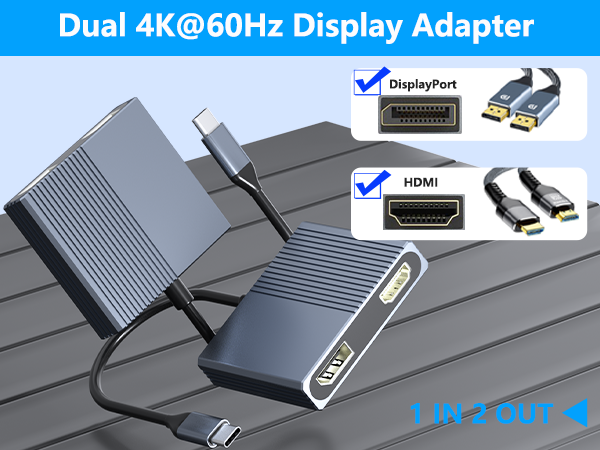
This 4-in-1 dual monitor adapter lets you connect your laptop to the HDMI and DisplayPort monitor. It supports dual 4K@60Hz output for a smooth viewing experience.
The USB-C(PD) port can charge your laptop, and the USB 3.0 port can connect keyboard, mouse, etc.


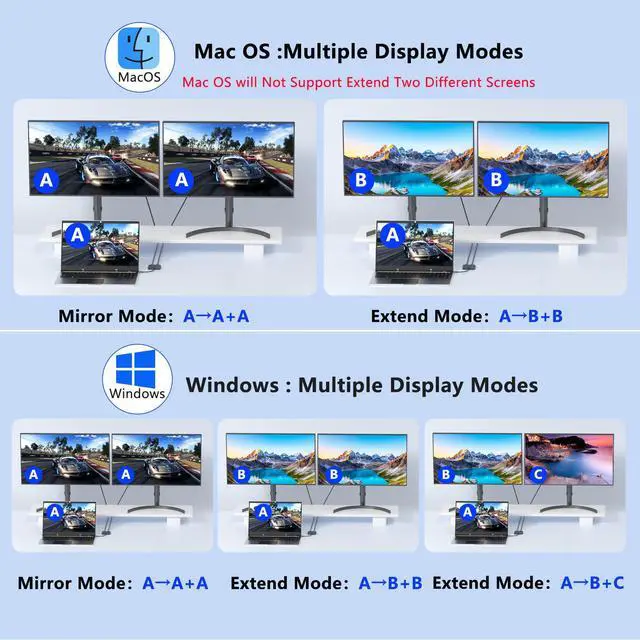
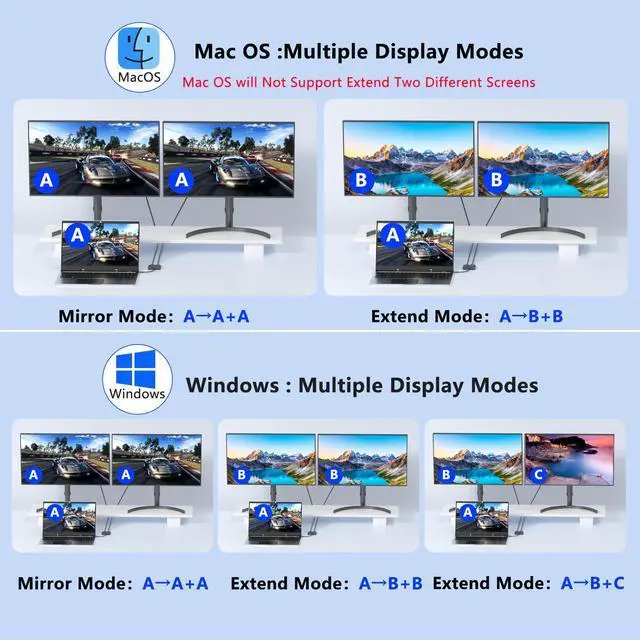
For MacOS system, only support mirror mode(AAA) and extend mode(ABB), not support extend 2 different screens.
How to connect Extend Mode for MacOS?
"Setting" ?"Display" ?check "mirror display" box to switch to Extend mode ?drag a window to the right edge of the screen until it appears on the monitor

For Windows: this monitor splitter for dual monitor support mirror mode(AAA) and extended mode(ABB mode and ABC mode).
How to connect Extend Mode for Windows OS?
Right-click desktop?select Intel display Settings ?pop-up Settings screen select display?select multi-screen display?expand the desktop

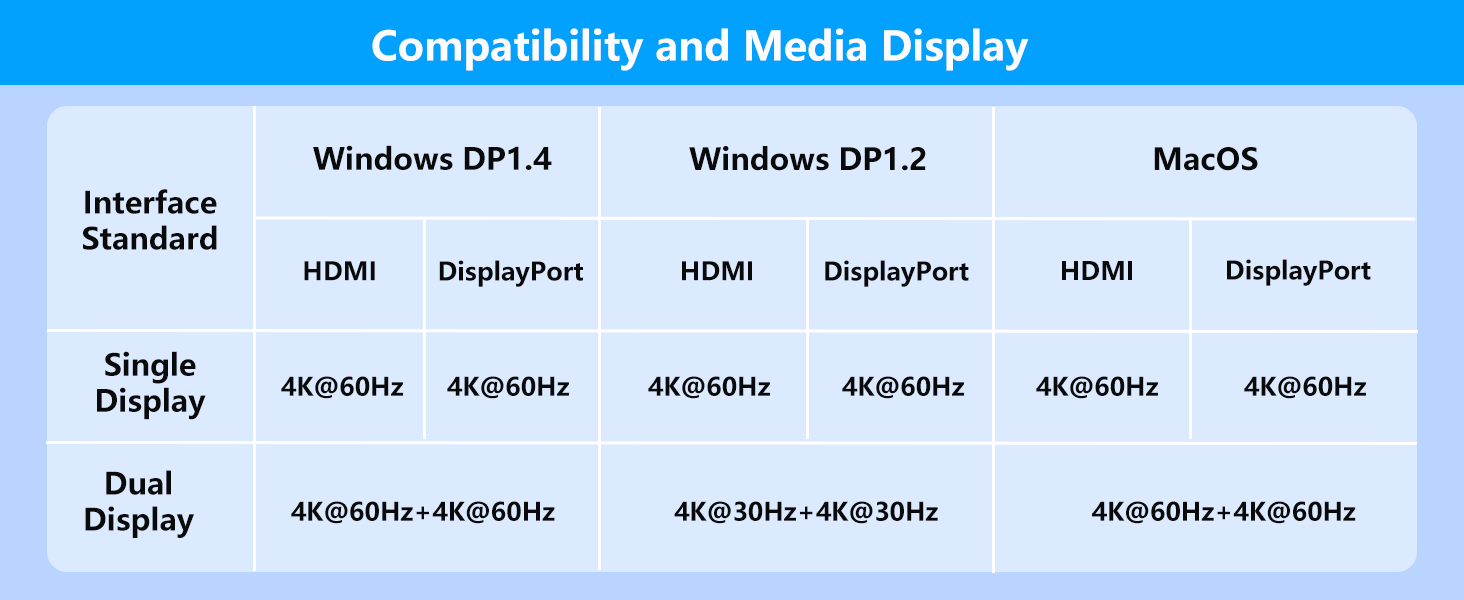
Dual 4K@60Hz Display
This dual display adapter resolution up to 4K @60HZ, it also support 1440p and 1080p at 60Hz offered by the DisplayPort MST technology.
Please Note:Please make sure the USB-C port of your Windows laptop supports DP1.4 that the dual displayport reach a maximum 4K@60Hz resolution.

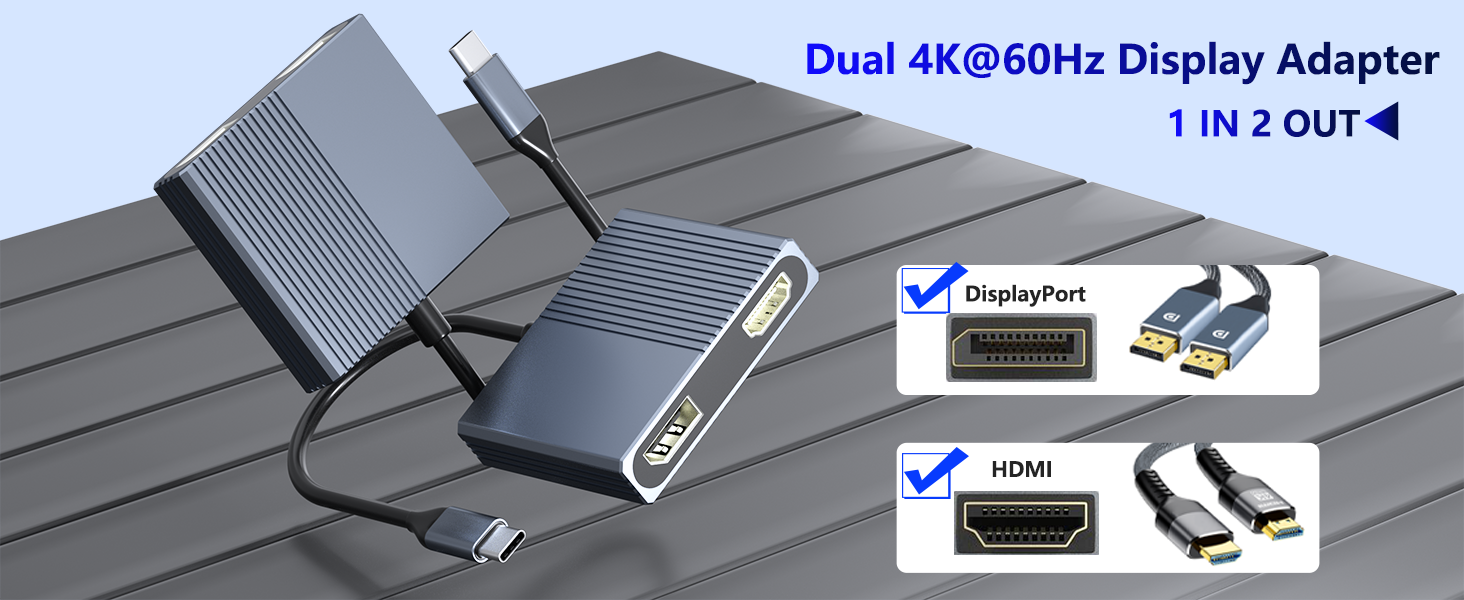
Premium Aluminum Alloy Construction
Crafted from high-quality aluminum alloy, this USB C to HDMI and DisplayPort splitter offers enhanced heat dissipation and a sleek, modern design.
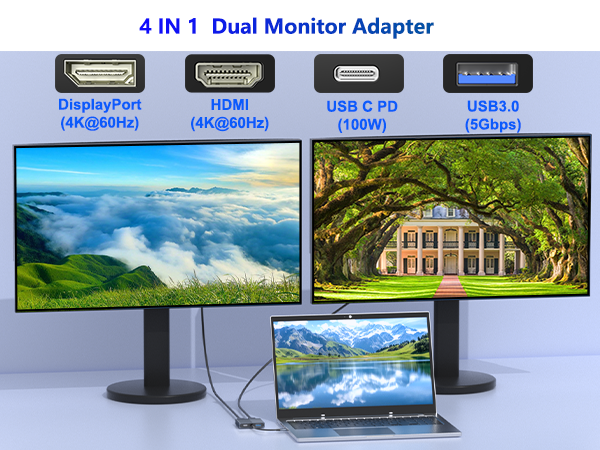
USB-C to HDMI & DisplayPort Adapter
This 4-in-1 dual monitor adapter lets you connect your laptop to the HDMI and DisplayPort monitor. It supports dual 4K@60Hz output for a smooth viewing experience.
The USB-C(PD) port can charge your laptop, and the USB 3.0 port can connect keyboard, mouse, etc.


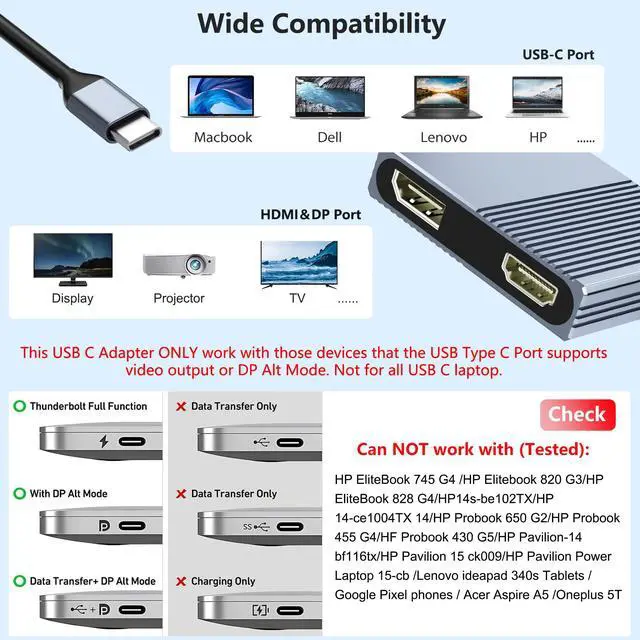
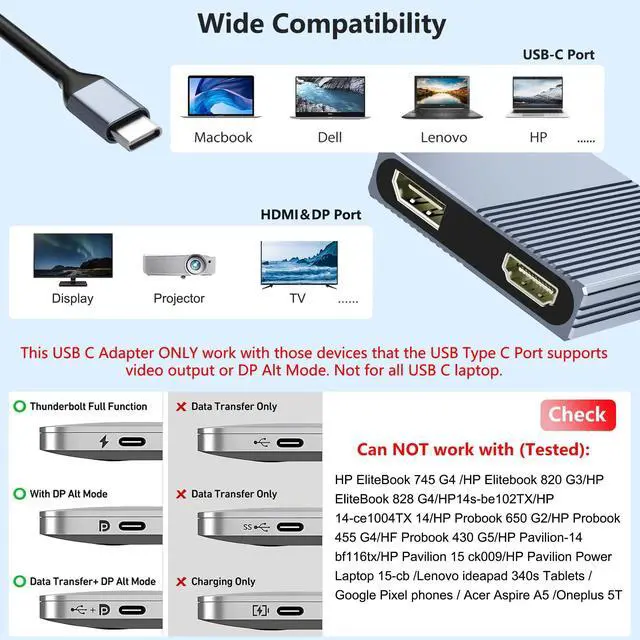
Please Note:Not For All USB C Laptop. Please Check If your laptop owns a USB Type-c Thunderbolt 3 port/Thunderbol 4 port or support DisplayPort Alternate Mode.

For MacOS system, only support mirror mode(AAA) and extend mode(ABB), not support extend 2 different screens.
How to connect Extend Mode for MacOS?
"Setting" ?"Display" ?check "mirror display" box to switch to Extend mode ?drag a window to the right edge of the screen until it appears on the monitor

For Windows: this monitor splitter for dual monitor support mirror mode(AAA) and extended mode(ABB mode and ABC mode).
How to connect Extend Mode for Windows OS?
Right-click desktop?select Intel display Settings ?pop-up Settings screen select display?select multi-screen display?expand the desktop

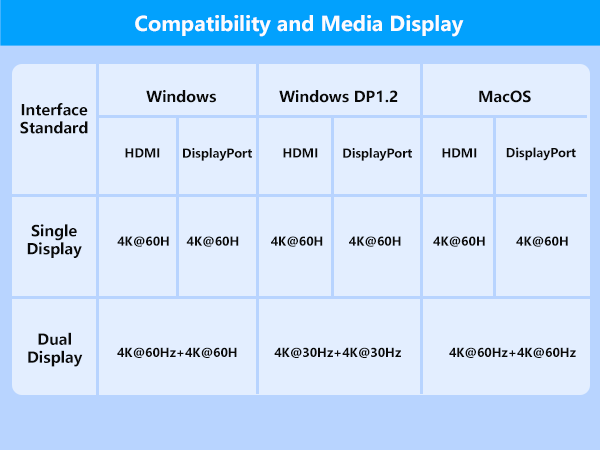
Dual 4K@60Hz Display
This dual display adapter resolution up to 4K @60HZ, it also support 1440p and 1080p at 60Hz offered by the DisplayPort MST technology.
Please Note:Please make sure the USB-C port of your Windows laptop supports DP1.4 that the dual displayport reach a maximum 4K@60Hz resolution.

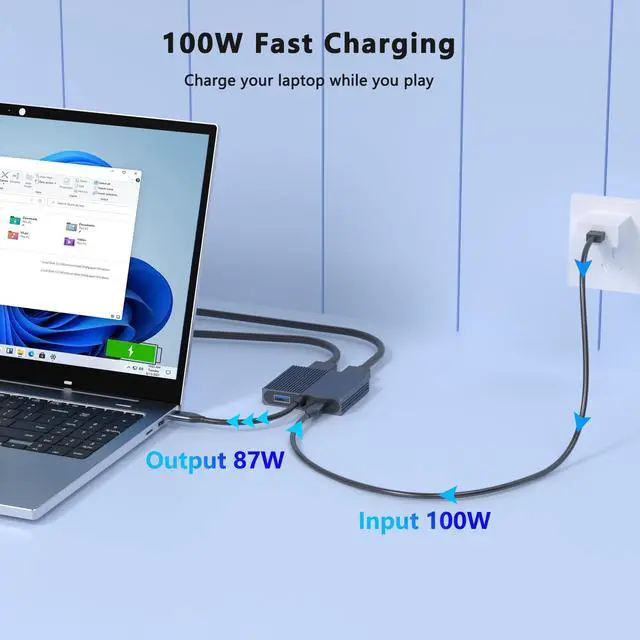
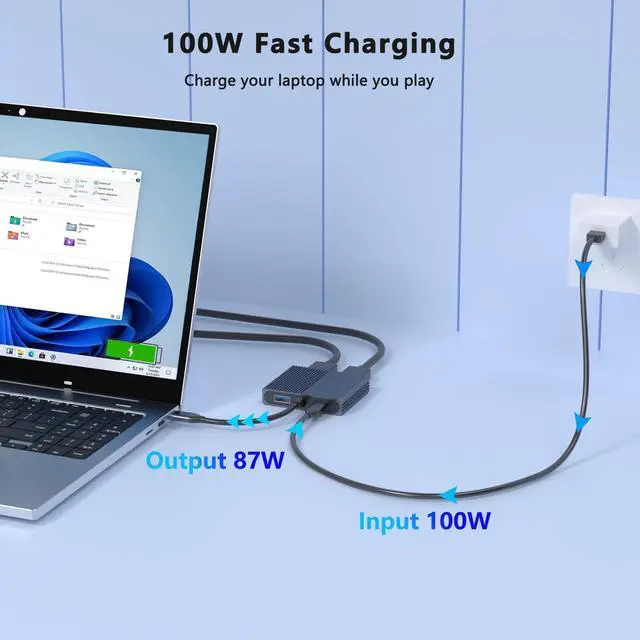
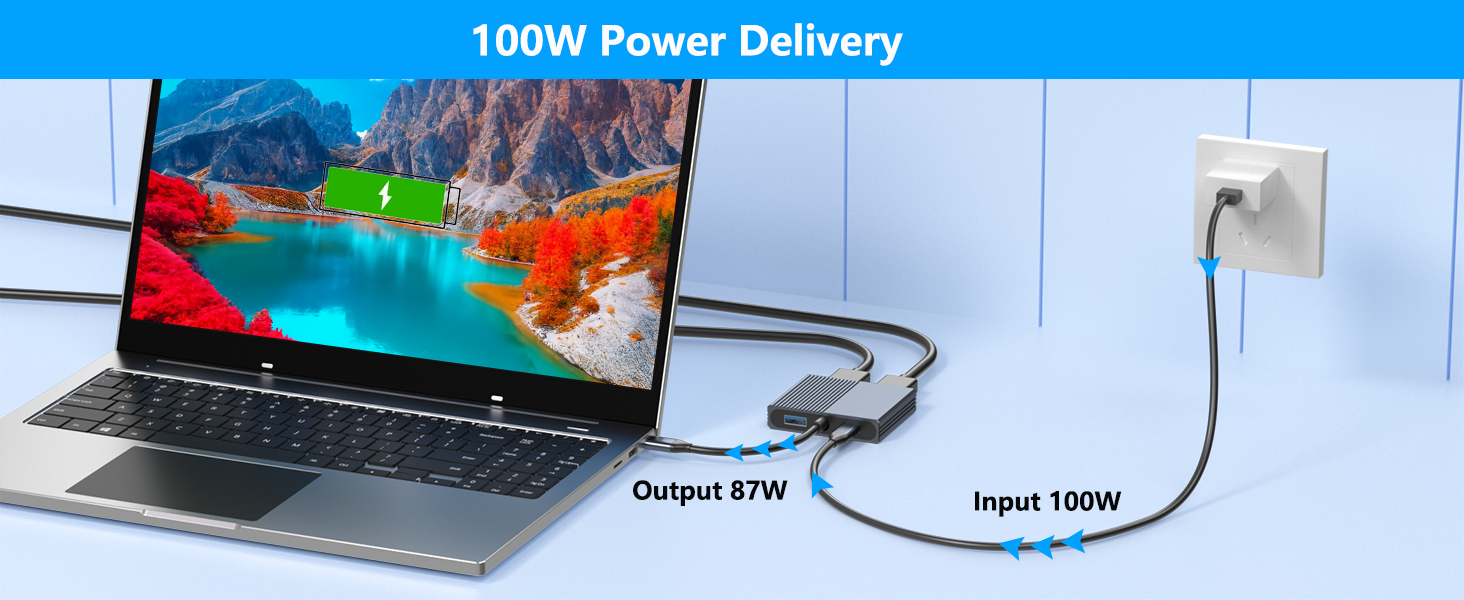
100W Power Delivery
The USB C multiport adapter provide 100W power delivery for your laptops, don't worry about your laptop running out of power.
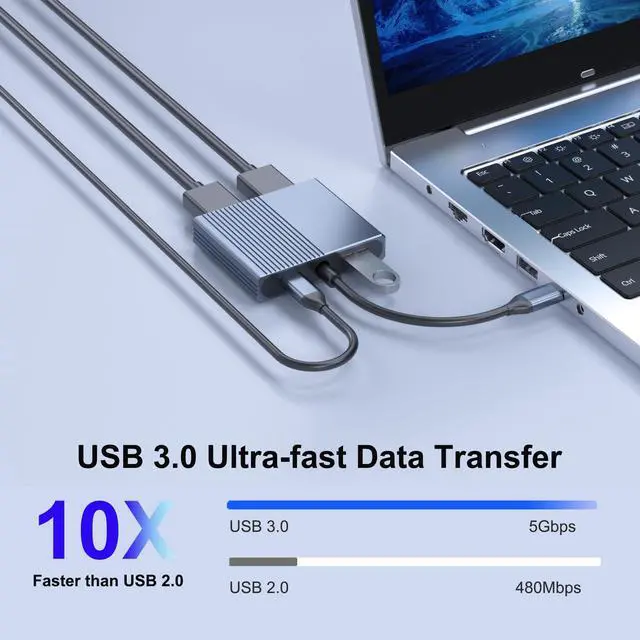
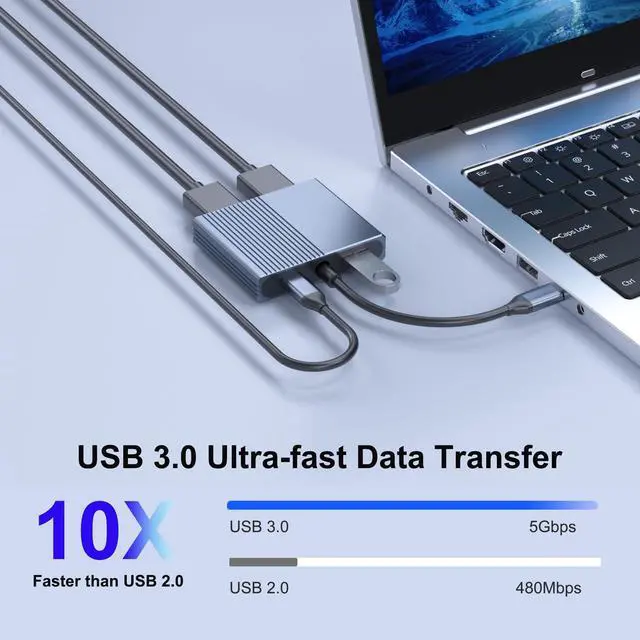
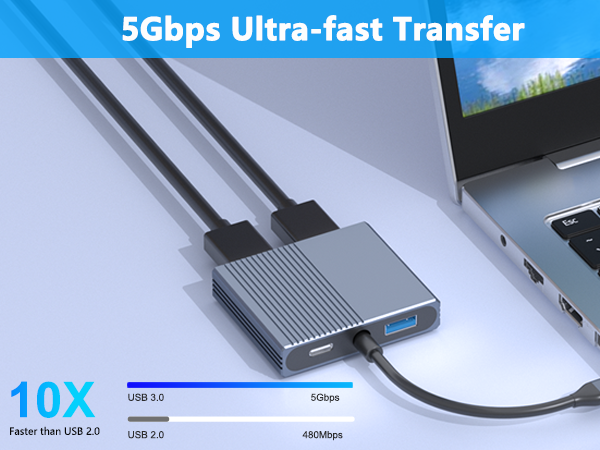
5Gbps High-Speed Data Transfer
offers fast and reliable data transfer, ensuring quickly connect for all your devices.
Premium Aluminum Alloy Construction
Crafted from high-quality aluminum alloy, this USB C to HDMI and DisplayPort splitter offers enhanced heat dissipation and a sleek, modern design.