SIM Card Adapter - CAC Reader Military and Memory Card Adapter 7 in 1 SD/MMC/TF/Memory Stick Pro Duo/M2/IC/PIV/Chip/Smart Card/Standard SIM Reader for Computer Windows/Mac OS/Linux, Plug and Play
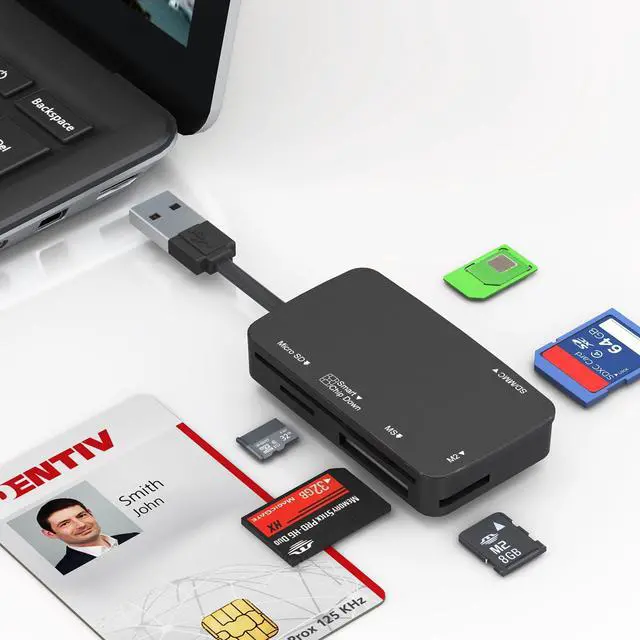
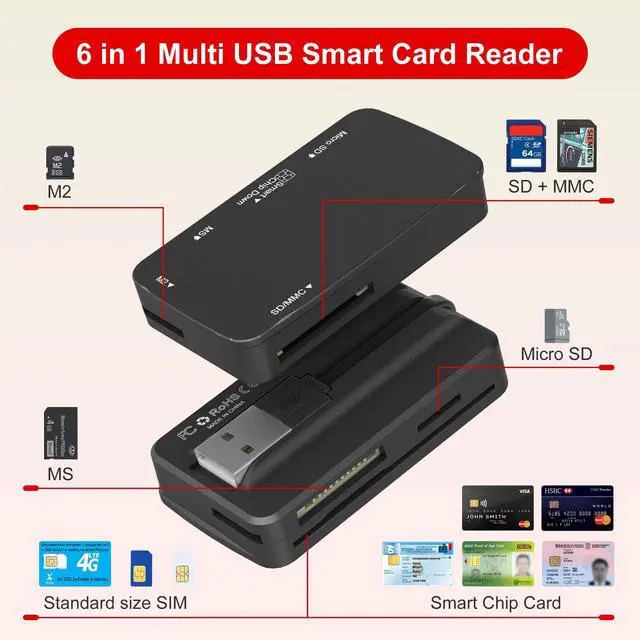
7-in-1 Multi-Card Reader Features five physical slots compatible with 7 types of cards: SD/MMC, MicroSD (TF), M2 (Memory Stick Micro), SIM, MS (Memory Stick Pro Duo), and a Smart/ID card slot. Supports a wide range of formats including SDXC/SDHC/UHS-I, MMC, RS-MMC, and more, with capacity support up to 2TB.
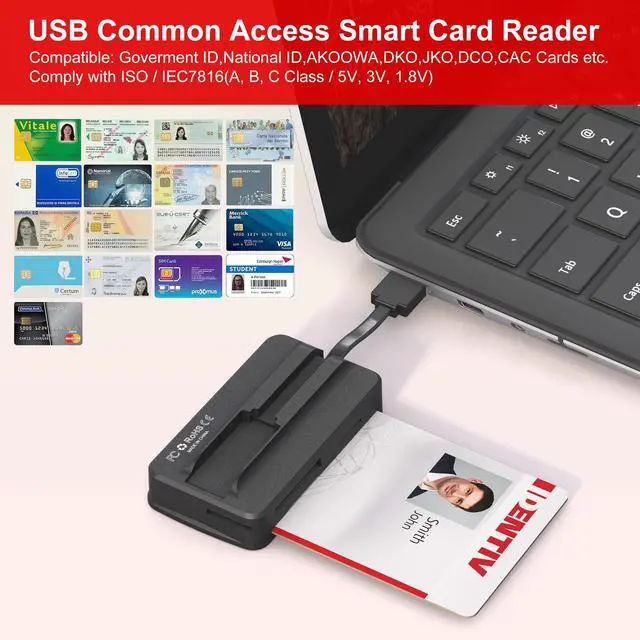
Advanced Chipset & Smart Card Support Equipped with a chipset supporting ISO 7816 Class A, B, and C standards (5V, 3V, 1.8V) and EMV compliance. Specifically designed for military CAC cards, government IDs, credit cards, and various secure applications (e.g., ActivClient, AKO, OWA, enterprise email systems).
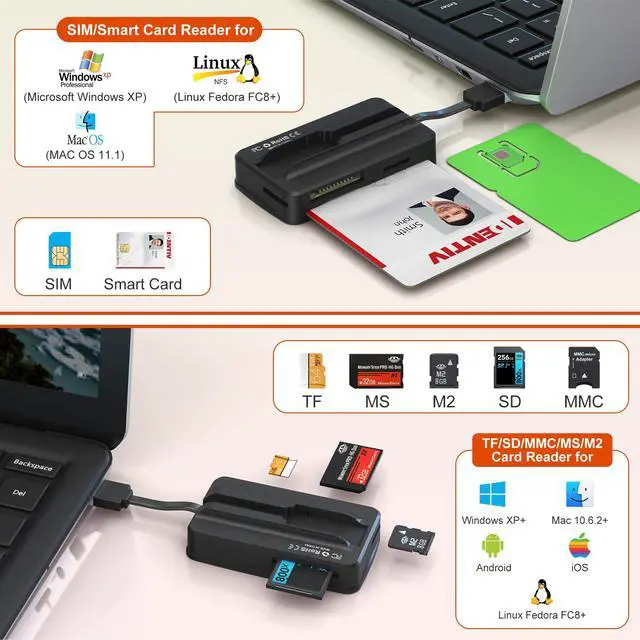
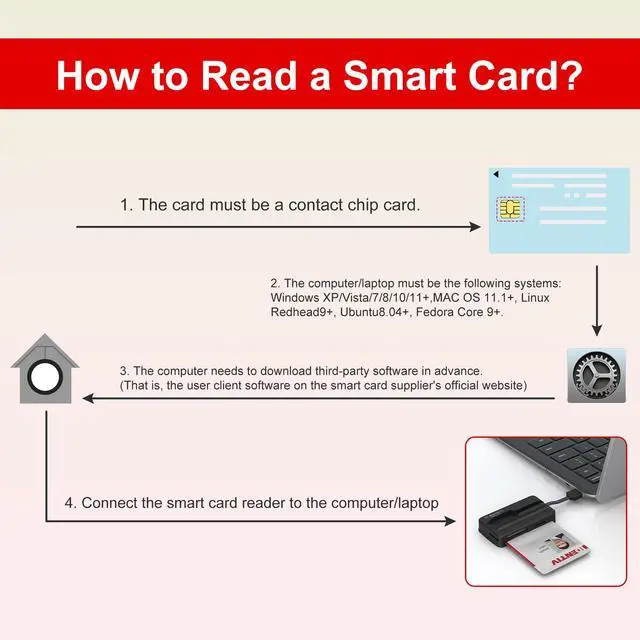
Broad System & Device Compatibility Memory card reader(SD,MMC,TF,MS,M2): Plug-and-play operation requiring no drivers or firmware updates for most systems. CAC/Smart Card/SIM Card Reader Compatible with Windows (Vista/8/10+), macOS (11.1+), and Linux (Fedora FC8+). Works with PCs, laptops, USB-A devices, trail cameras, and more. CCID-certified with an LED connection indicator.
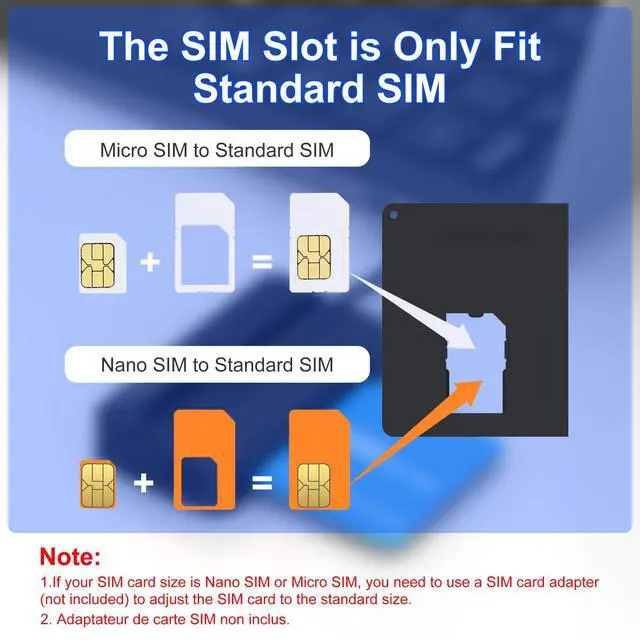
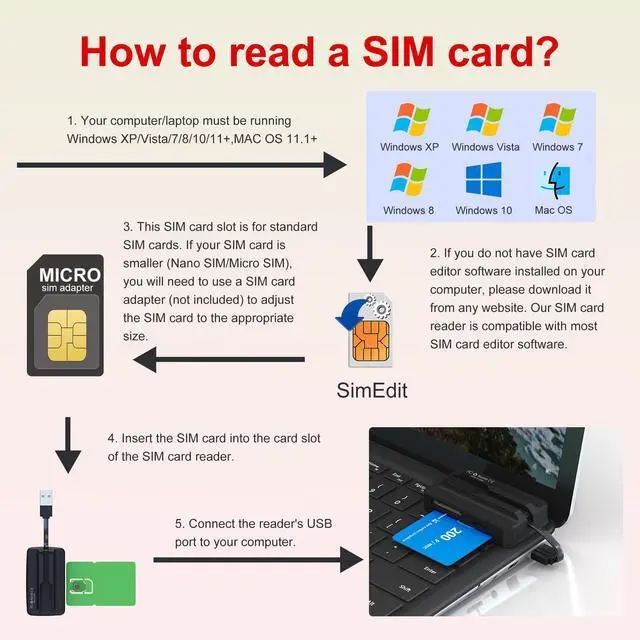
How to Read a SIM Card 1. Ensure you are using a Windows/macOS 11.1+ based computer or laptop. 2. Install a SIM editor program of your choice from a trusted source. This reader is compatible with most common SIM editing applications. 3. Insert your Standard SIM card into the SIM adapter (included in the package), then insert the SIM adapter into the card slot of the card reader. 4. Connect the reader to the computer via the USB port to begin accessing the SIM card data.
+
+
Overview
Specs
Reviews
Any questions? Our AI beta will help you find out quickly.
SIM Card Adapter - CAC Reader Military and Memory Card Adapter 7 in 1 SD/MMC/TF/Memory Stick Pro Duo/M2/IC/PIV/Chip/Smart Card/Standard SIM Reader for Computer Windows/Mac OS/Linux, Plug and Play
Learn more about the Detailed Specifications
Additional Information
First Listed on Newegg
March 22, 2026
There are no reviews yet.
Do you own this product?
Warranty & Returns
Warranty, Returns, And Additional Information
Warranty
Please contact the Seller directly for warranty information. Warranty information may also be found on the Manufacturer's website.