


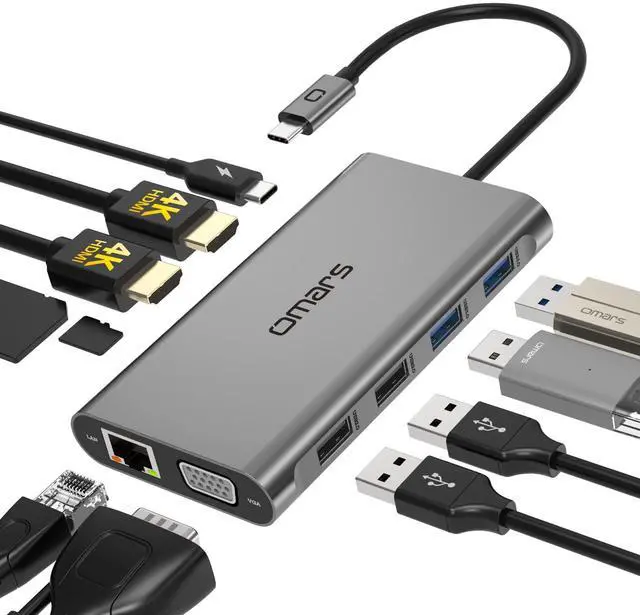
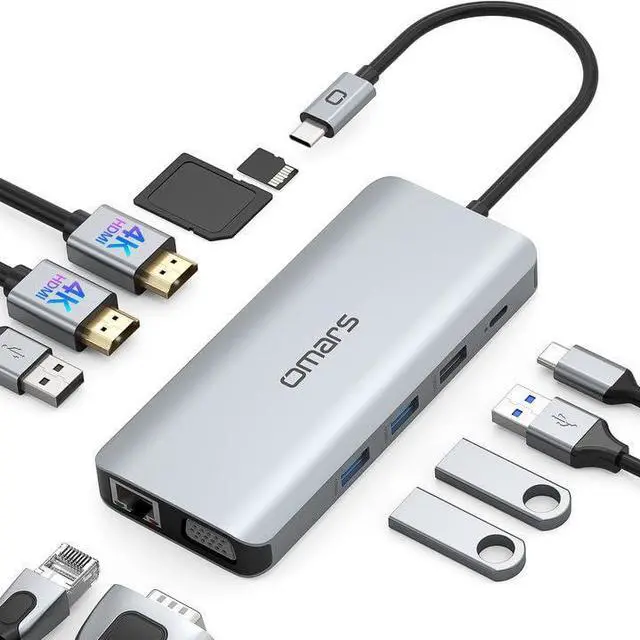



VISION OF Omars
Slogan
Connect with your modern life
Value
Innovation power better life, explore more possibilities between human and digital.
Mission
Omars is a brand which helps you improve your work efficiency then you could have more time to enjoy your life with your family.
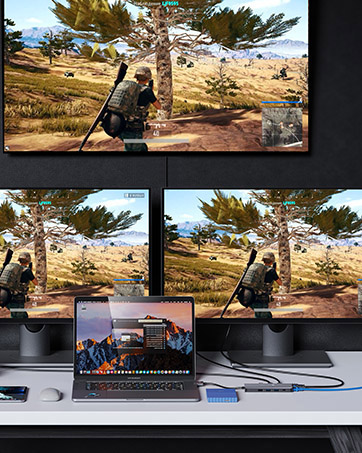
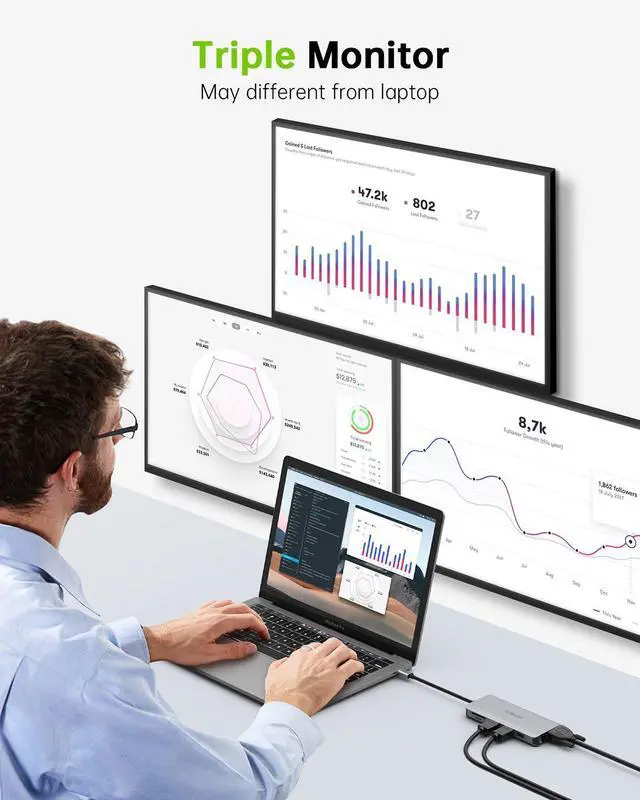
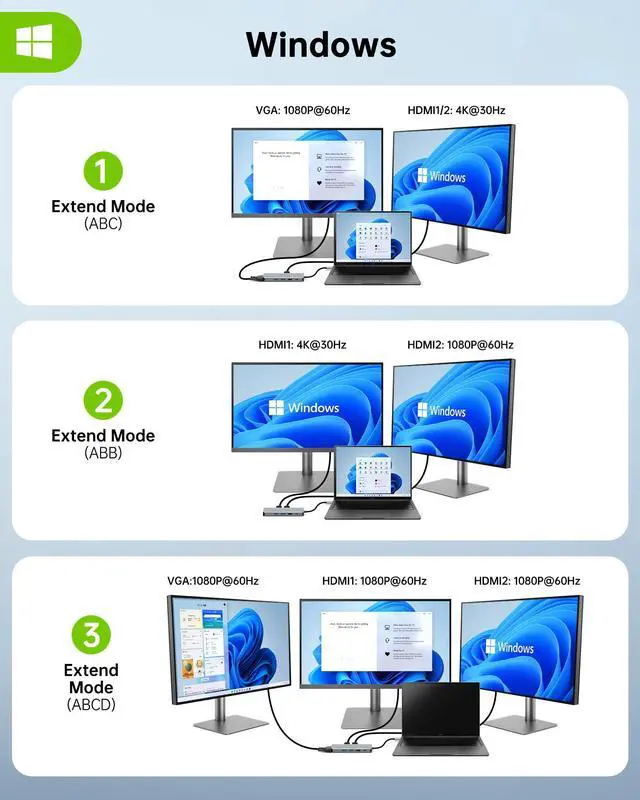
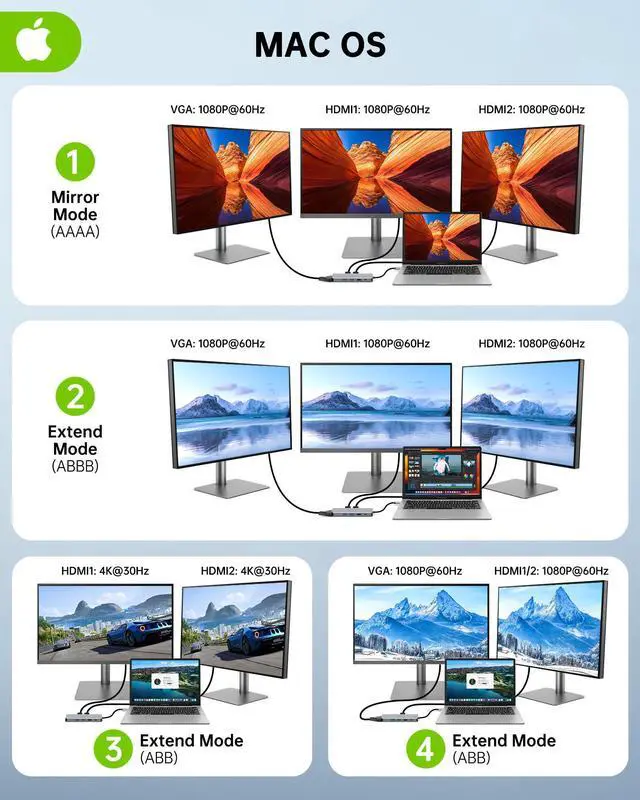
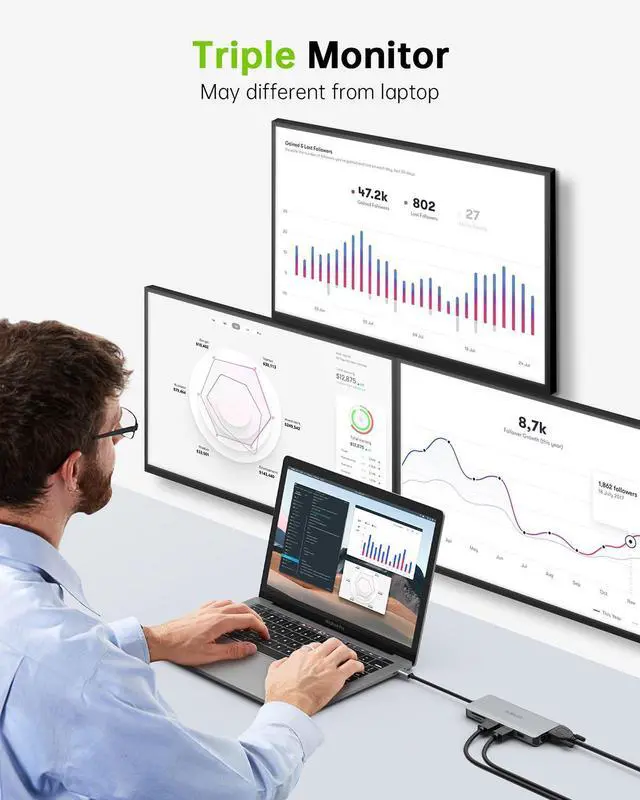
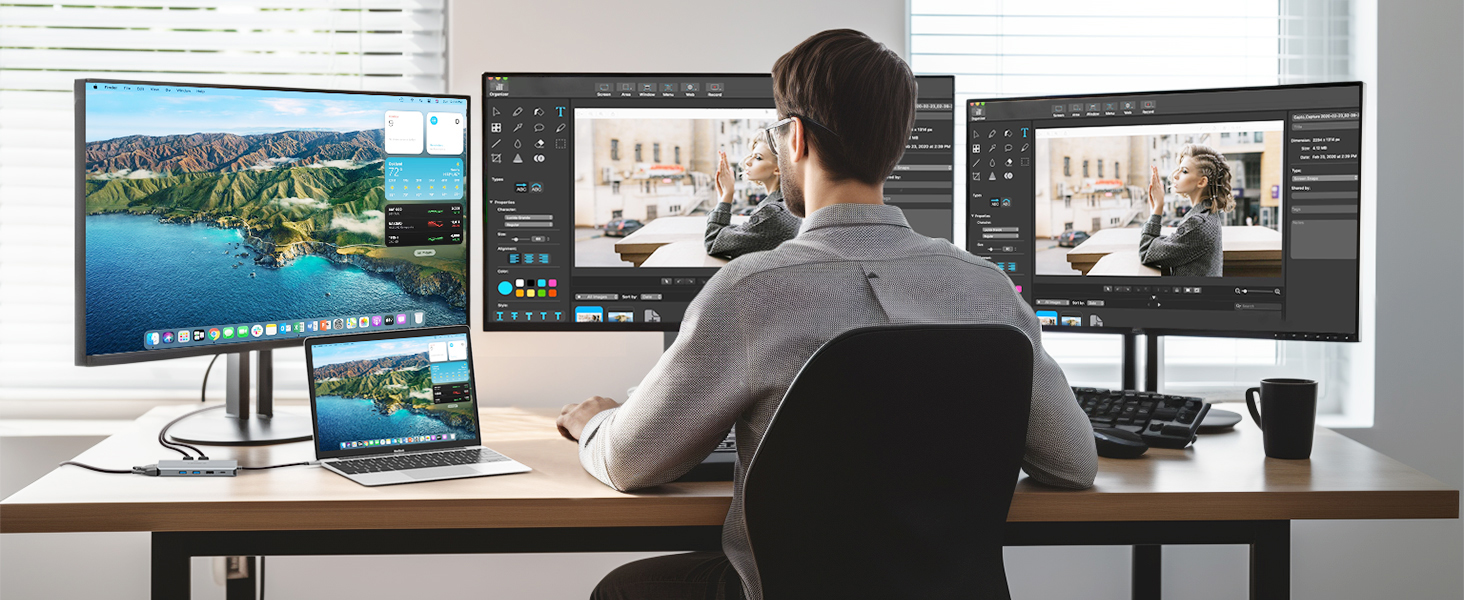
Triple Display
Recommended Products


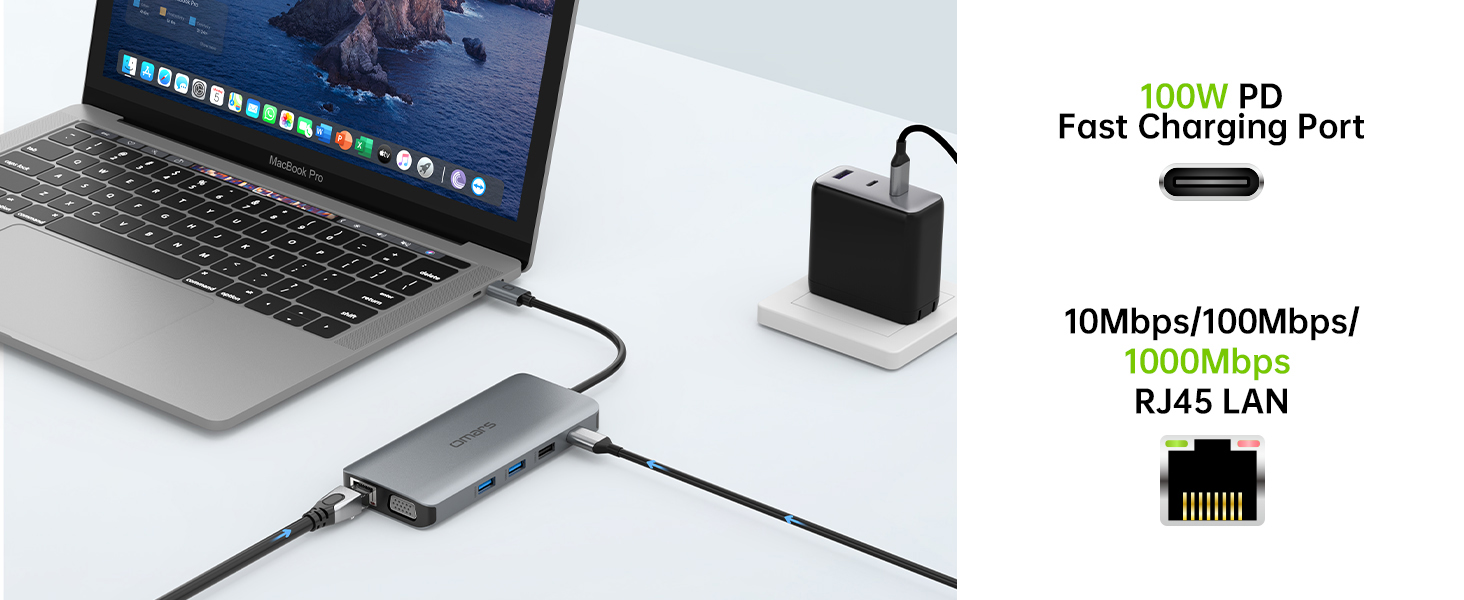
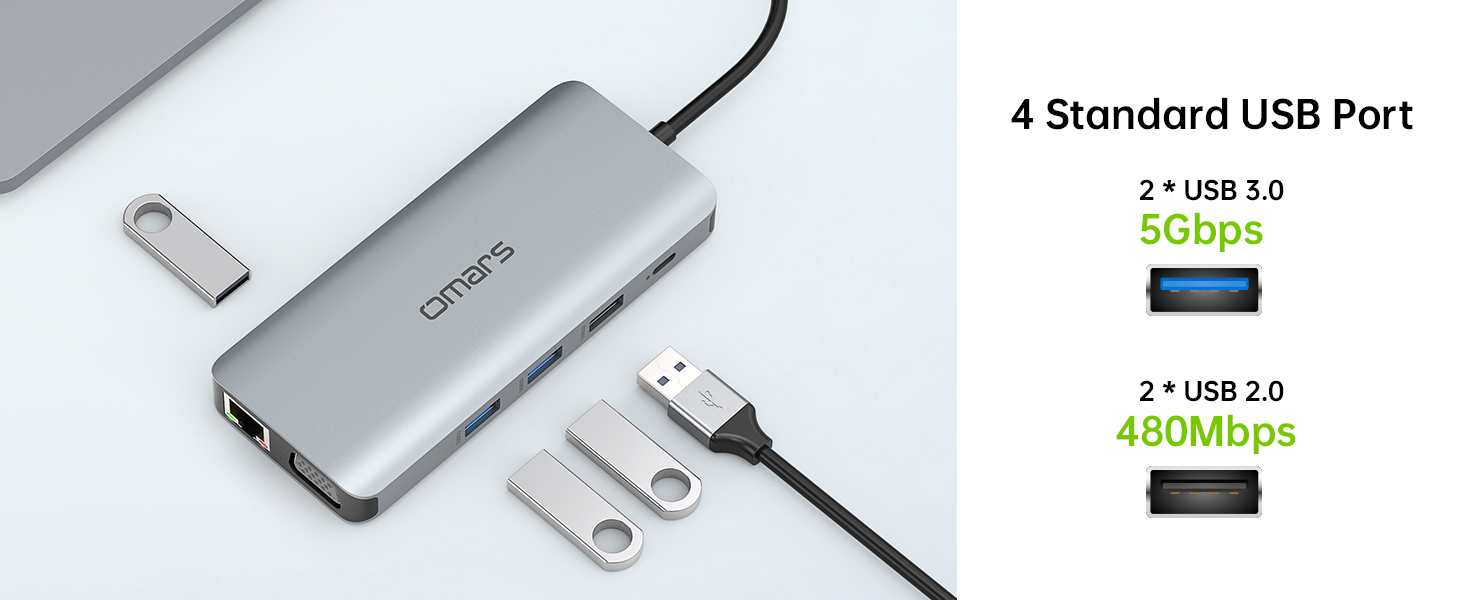
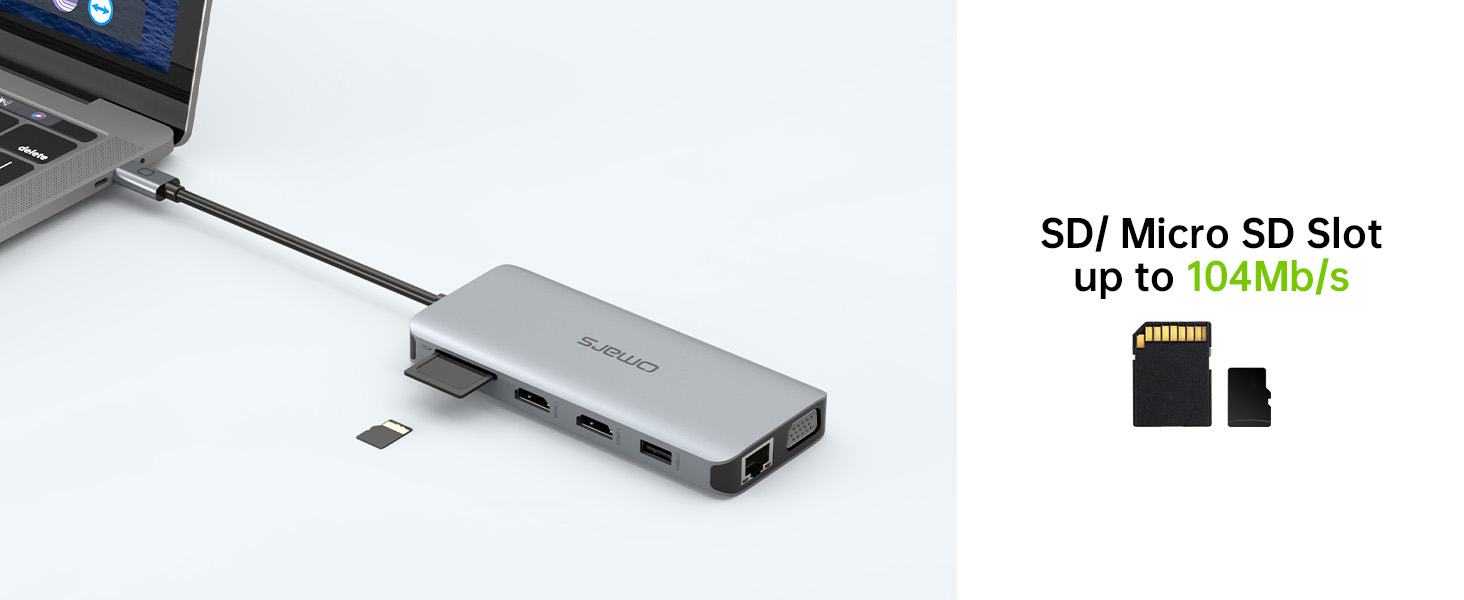

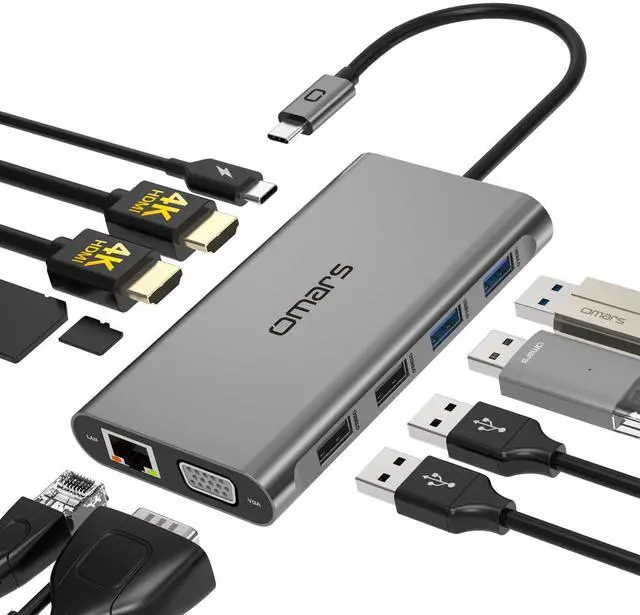
Omars Triple Displays USB C Docking Station Compatible list (Not a full list)
Does this usb c hub compatible with my laptop?
Only if your laptop's built-in USB C port is fully funcitonal port which support Data transfer&Video Display&PD charging,you can use the full functions of this hub. Such as Thunderbolt 3/4, USB4,Type C 3.1/3.2 Gen 2 with Power Delivery & DisplayPort.
Why there is no pictures of the external monitors when I connect the monitors via the HDMI/VGA port of this usb c dock?
1.please check which function supports by your laptop's built-in USB C Port.
2.Check your HDMI cable(HDMI to HDMI).
3. Plugin the Laptop's power adapter to the USB-C PD port before connecting external hard drives or multiple devices to the hub.
Why can't I use this dock station's USB C port to charge my laptop?
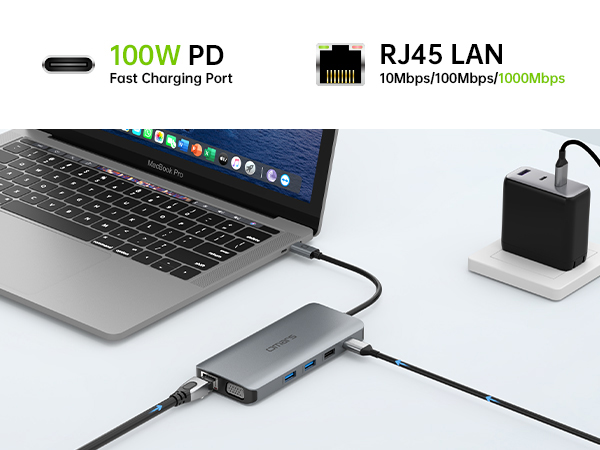
1. Please check the USB C port of your laptop support power delivery or not
2. Please choose Adapter that is over 72W to chargeuse, because power will be a community between all dock-connected USB C devices.
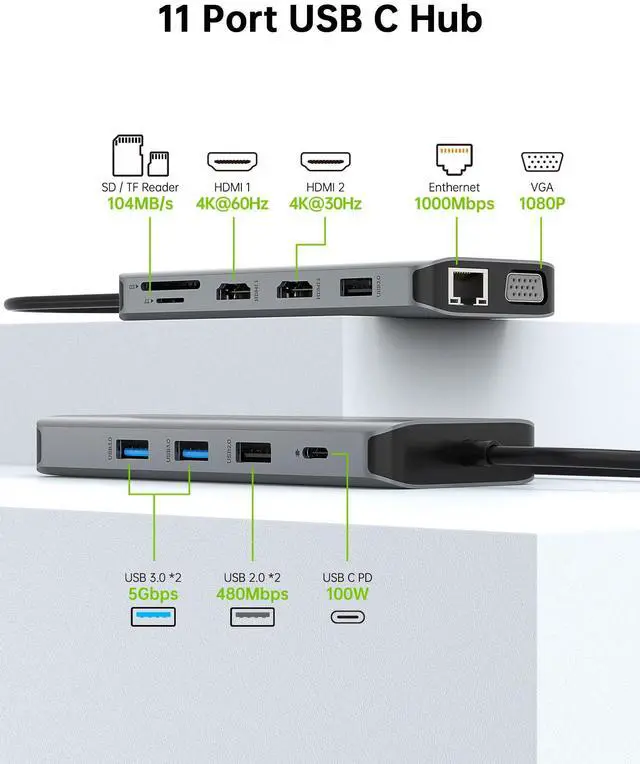
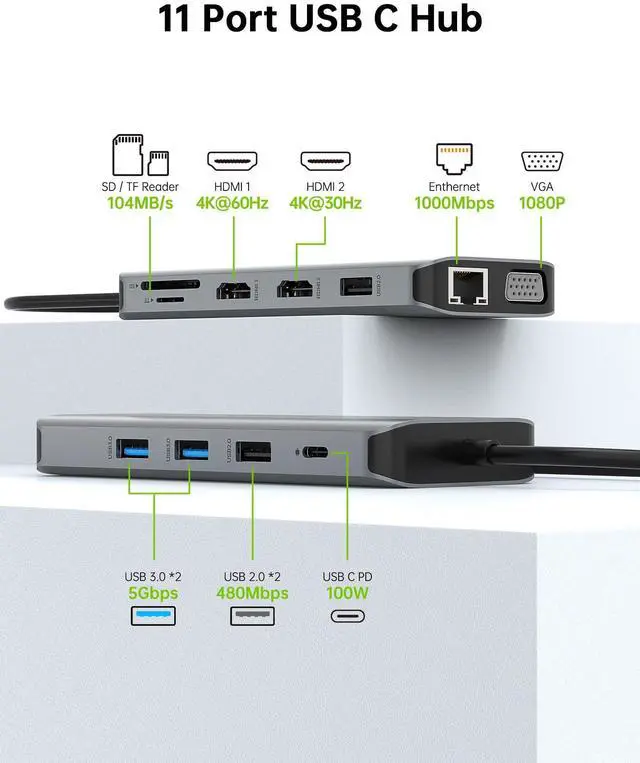
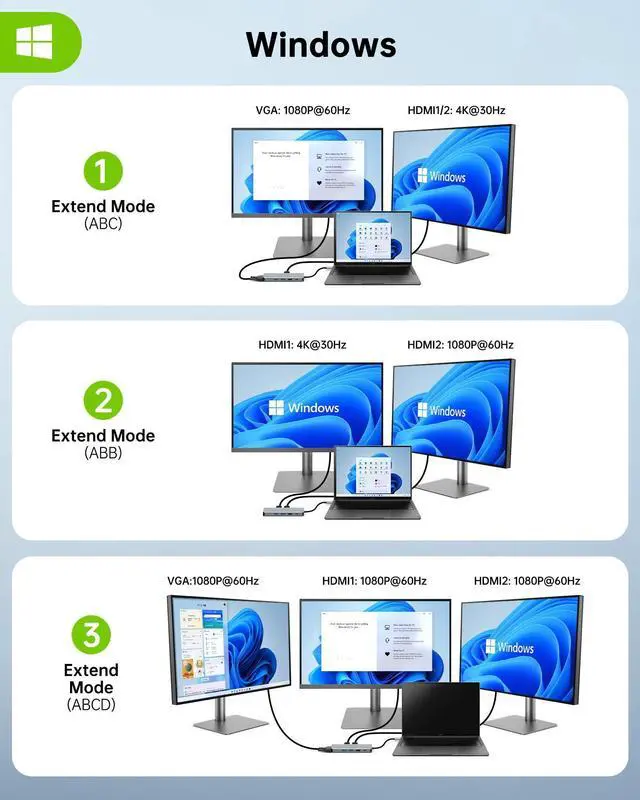
Does this usb c hub support dual 4k monitors at the same time?
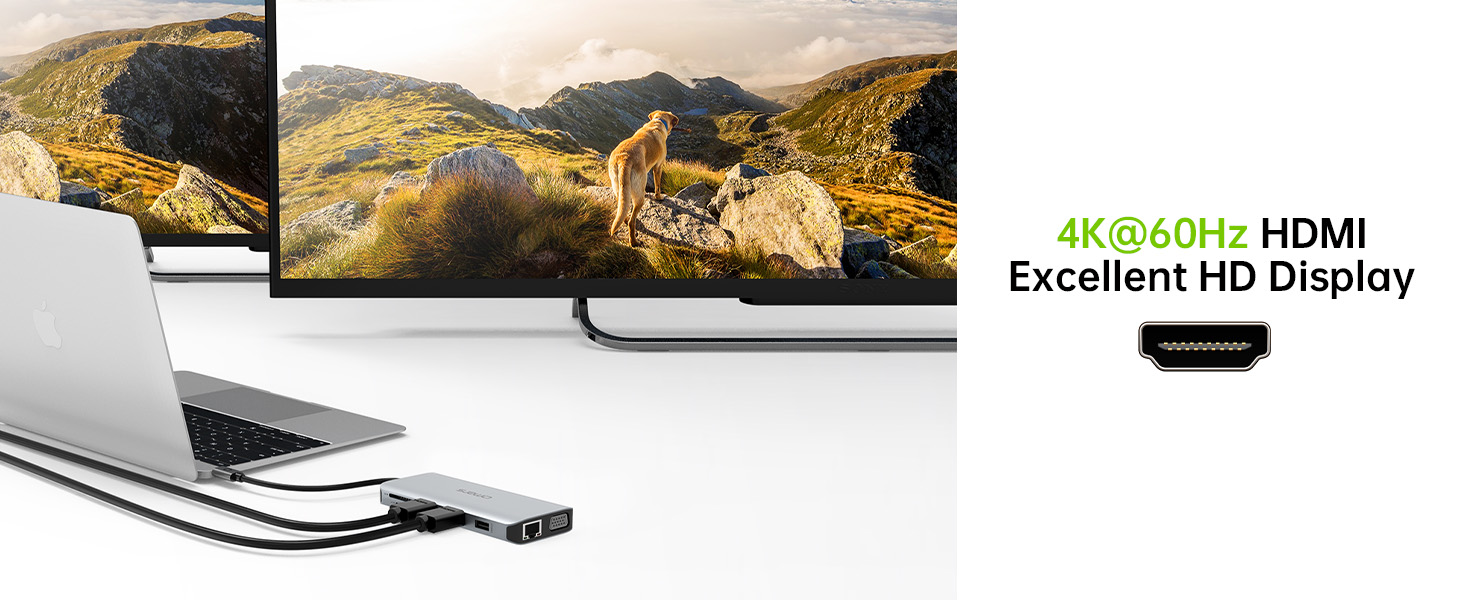
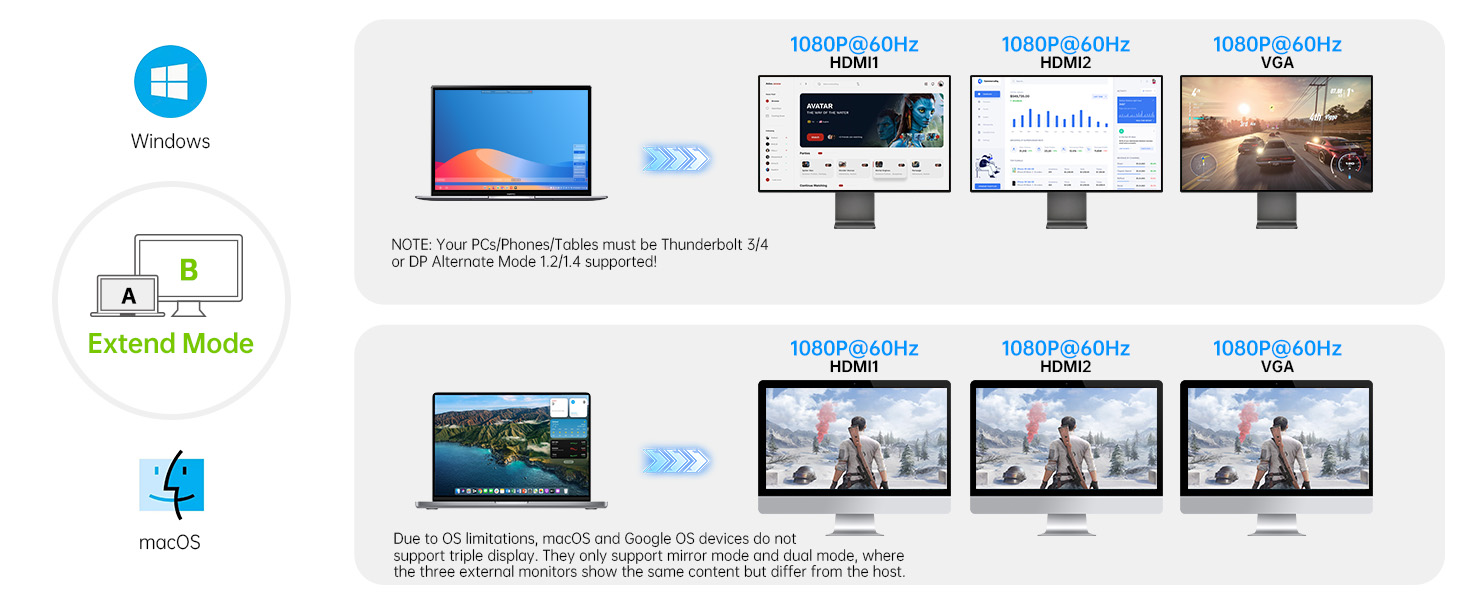
Dual HDMI display simultaneously(Final resolution depends on bandwidth of the laptop graphics card,monitor specification,video cable):
For DP1.4,HDMI 1 max up to 4K@60Hz,HDMI 2 up to 1080@60Hz;
Why does the laptop get hot when it is connected to the hub to work?
The hub temperature will heat up when it works. 0? - 50 ? is the normal and reasonable range. It's a normal situation for all hubs, not a quality problem, please feel relieved about usage.

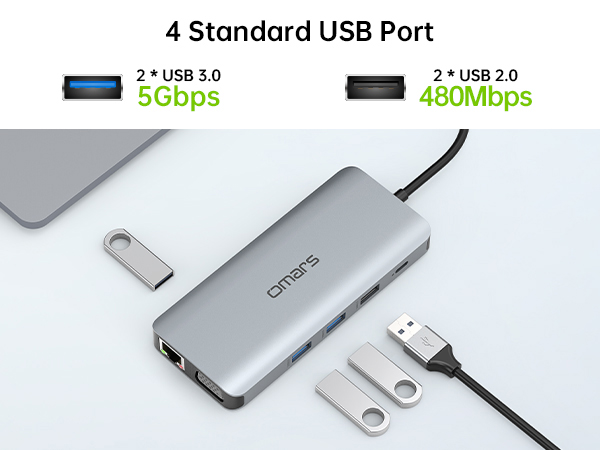
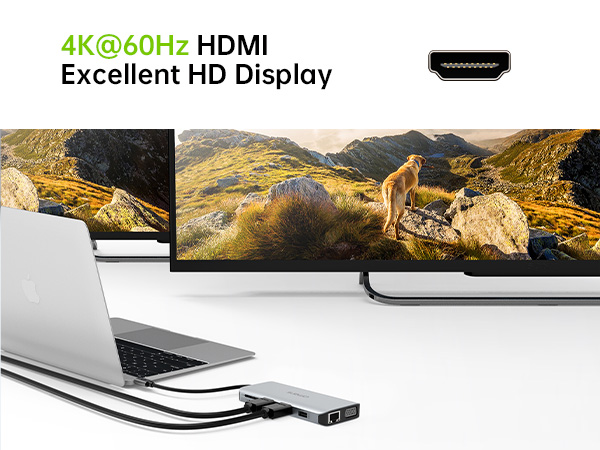
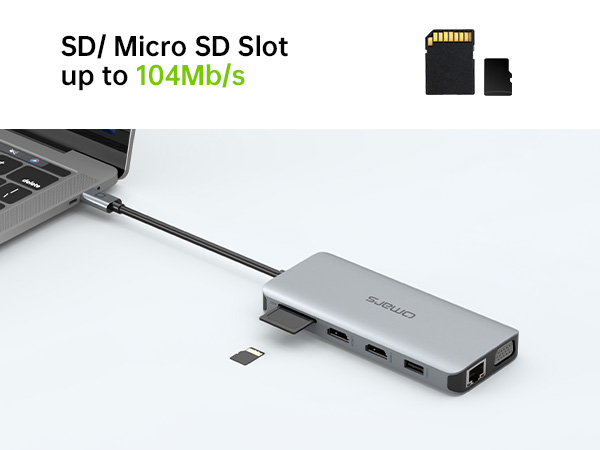
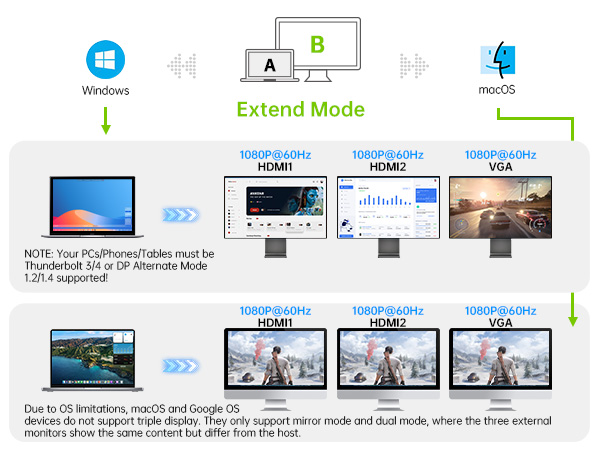
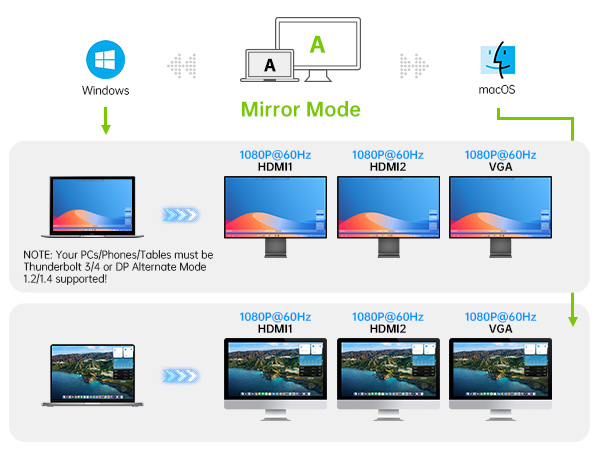
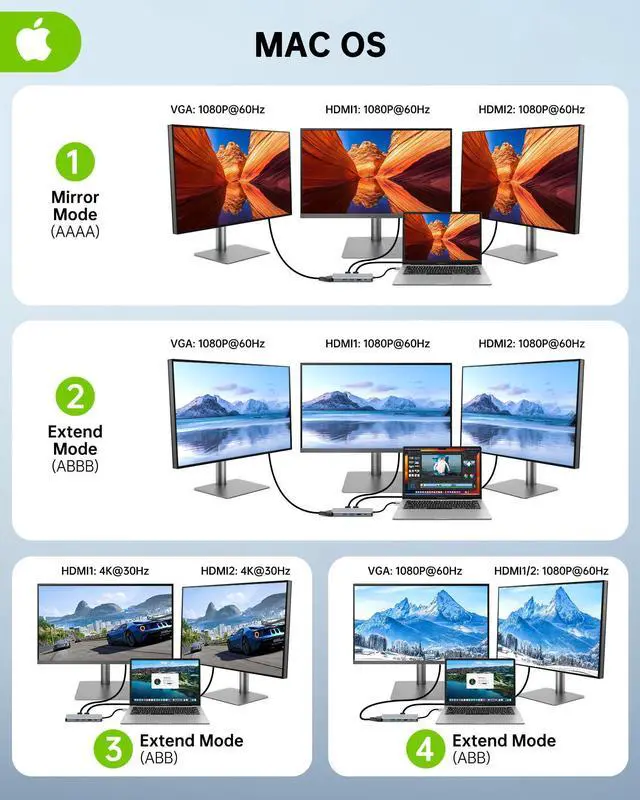
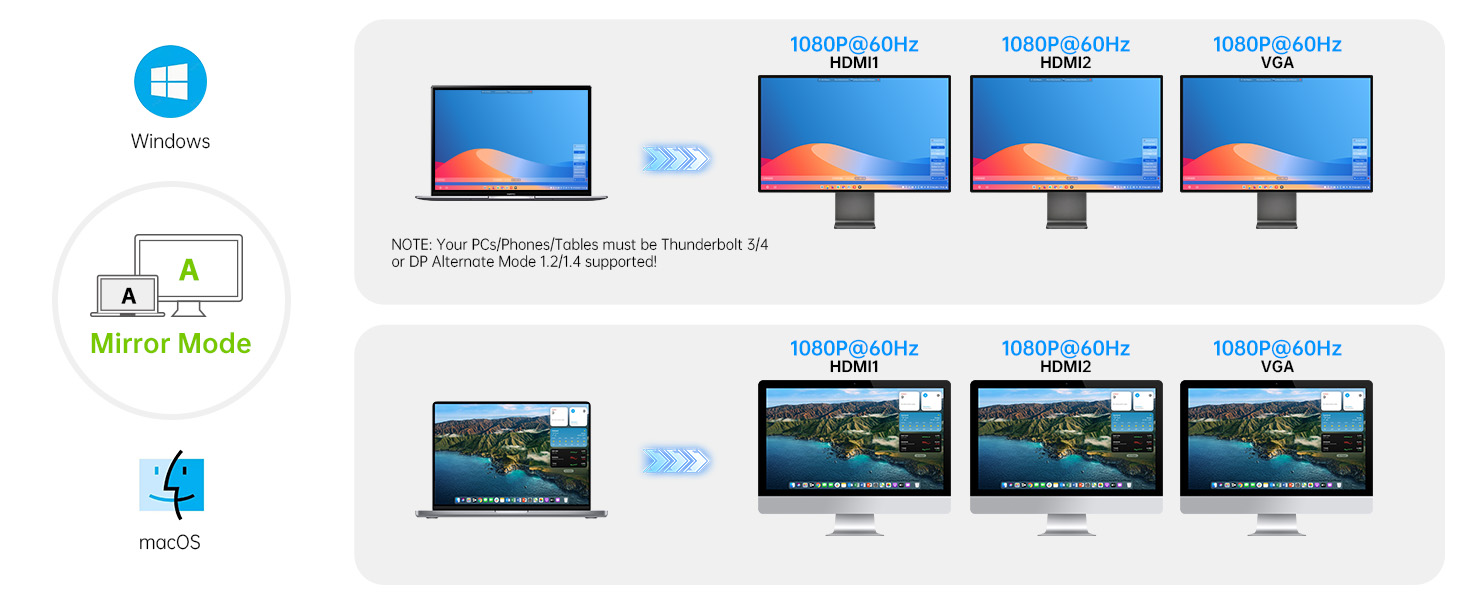
All Macbooks only supports Mirror Mode: AA,AAA,AAAA and Extend Mode : AB,ABB,ABBB. Not support A-B+C or A-B+C+D(which only support for Windows laptops).
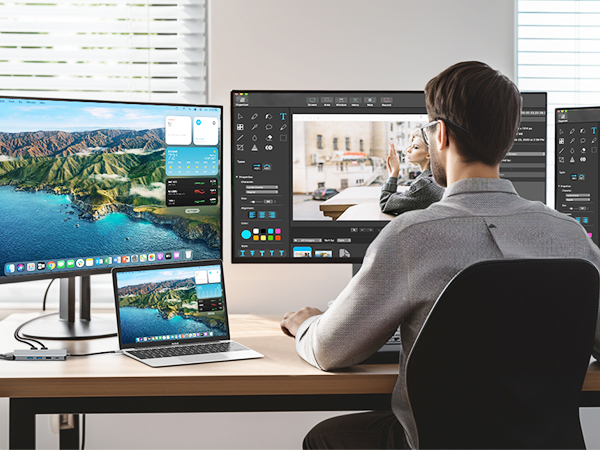

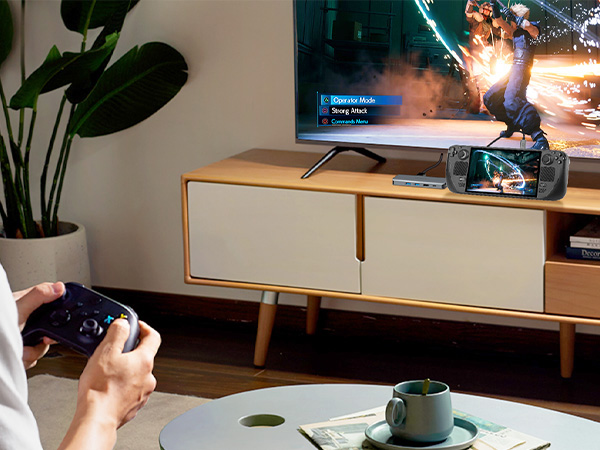
Omars Triple Displays USB C Docking Station Compatible list (Not a full list)
| Important Notice1 | Please make sure your laptop's USB C Port with a fully function(support charging, data transfer and video output) USB-C port or Thunderbolt 3 port. If not sure please check with us. |
|---|---|
| Important Notice2 | Not all laptop's USB-C port support video output. Only USB-C port that support the DP protocol can support external displays, the DP1.4 protocol support resolution up to 4K 60Hz. If you have any confusion about this, be free to reach our support team by providing your laptop’s brand and model so that we could help you out. |
| For Apple | iPhone 15 Series / MacBook / MacBook Pro(2021/2020/2019/2018); Macbook Air 2018-2020, Mac mini 2018-2020, iPad Pro/ Air 2018/2020, iPad mini 6; (won't support dual monbitor/triple display monitors) |
| For Dell Laptop | Dell XPS 13/15/17, Dell Precision 5510,Dell Vostro 5515/Dell Latitude E7470/5290 2 in 1/5285/5480/7280/3520/5300/5410 |
| For HP Laptop | HP Spectre xps13/xps 13 9365/xps 13 9300/xps15/xps 15 2018/xps 9380/5590; latitude 3500/7490/7280/7300/7370/7390/7480/7400/5400/5500/5490/5310 2-in-1/5310 2-in-1; Inspiron 14 7000 series 2-in-1(7405)/15 7000 series 2-in-1/Inspiron 7373; precision 7730/7750/7520/5550/5540 |
| For Lenovo Laptop | Lenovo Yoga 720-13IKB/ Yoga 730/ Yoga 900-13ISK/ Yoga 910/ Yoga 920/ Yoga 930/ Yoga 940-14IIL; 3rd generation Thinkpad Yoga; Yoga15 Thinkpad Ultrabook Pro; Thinkpad E590/ Thinkpad P72/ Thinkpad T470/ Thinkpad X1 Carbon (2019 model); Lenovo C930/ T480s/ X390/ 81N8, Lenovo Thinkpad T490s; X280; Lenovo T570; Lenovo T14; |
| For Microsoft Laptop | Microsoft surface Book 2/surface go/surface laptop 3/surface laptop 4 / Microsoft surface pro 7/surface x pro |
| For Samsung | Samsung Galaxy S10+/S10/S9+ /S9 /S8+ /S8 Plus; Note 10/9/8; Galaxy Book Flex Alpha 2-in-1 13.3" QLED Touch-Screen Laptop; Galaxy Tab S5e/ Galaxy Tab S4; Galaxy S20 Ultra |
| For Asus | Ling Yao 3, Ling Yao 3PRO, Ling Yao X Series, U306/U321 Series, U4100ROG, U5100UQ Series zenbook flip ux370u/TUF Gaming A15 Laptop/Zephyrus G14/rog GX501/zenbook ux434f/zenBook 14 UX433FA |
| For Raze/ Google | Blade stealth Spirit Blade, Spirit Blade Sneak Edition/ ChromeBook Pixels, PixelBook Pen |
| For Huawei | MateBook X Pro 13.9/MateBook 13/MateBook E/MateBook X/Macbook Mate10/Mate10 pro/Mate20/Mate20pro/Mate30/Mate30Pro/P20/P20 pro/P30 pro |
| For Phones Devices | Galaxy S10+/S10/S9+/S9/S8+/S8 plus, note 10/ 9/ 8; galaxy tab s4/S5e/galaxy s20 ultra/galaxy chromebook/galaxy book flex alpha 2-in-1 13.3" QLED Touch-Screen Laptop/T5 hard drive/new S7 tablet, Huawei Mate10/Mate10pro/Mate20/Mate20 X/Mate20 Pro/Mate30/Mate30 Pro/Mate30 RS/P20/P20 Pro/P30/P30 Pro/Honor Note10/Honor V20/Honor Note10;Samsung S8/S8+/S9/S9+/S10/S10+/Note8/Note9/Samsung tablet S4 |
| Not Compatible List | All HP Pavillion Laptop;HP Elitebook x360 1030 G2,HP ENVY model U110nr,HP Elitebook 840 G3/745 G4/820 G3/828 G4/HP Probook 650 G2 / 455 G4 / 430 G5 ; Lenovo IdeaPad Flex 5/330S/S340, Lenovo Yoga Flex 5, lenovo legion y540,Lenovo Tab 4; ll MSI Laptop; Nintendo Switch;Dell inspiron 5379, Dell Chromebook 5190, Dell Latitude 3390/5510; Google pixel book 2, Huawei matebook D15; Acer nitro 5,Acer chromebook model CB515-1HT-C2AE,Acer Aspire E15; ASUS 202C Chromebook/nitro 5 /Aspire E15 / fx571gt/A509JA |
Does this usb c hub compatible with my laptop?
Only if your laptop's built-in USB C port is fully funcitonal port which support Data transfer&Video Display&PD charging,you can use the full functions of this hub. Such as Thunderbolt 3/4, USB4,Type C 3.1/3.2 Gen 2 with Power Delivery & DisplayPort.
Why there is no pictures of the external monitors when I connect the monitors via the HDMI/VGA port of this usb c dock?
1.please check which function supports by your laptop's built-in USB C Port.
2.Check your HDMI cable(HDMI to HDMI).
3. Plugin the Laptop's power adapter to the USB-C PD port before connecting external hard drives or multiple devices to the hub.
Why can't I use this dock station's USB C port to charge my laptop?
1. Please check the USB C port of your laptop support power delivery or not
2. Please choose Adapter that is over 72W to chargeuse, because power will be a community between all dock-connected USB C devices.
Does this usb c hub support dual 4k monitors at the same time?
Dual HDMI display simultaneously(Final resolution depends on bandwidth of the laptop graphics card,monitor specification,video cable):
For DP1.4,HDMI 1 max up to 4K@60Hz,HDMI 2 up to 1080@60Hz;
Why does the laptop get hot when it is connected to the hub to work?
The hub temperature will heat up when it works. 0? - 50 ? is the normal and reasonable range. It's a normal situation for all hubs, not a quality problem, please feel relieved about usage.
VISION OF Omars
Slogan
Connect with your modern life
Value
Innovation power better life, explore more possibilities between human and digital.
Mission
Omars is a brand which helps you improve your work efficiency then you could have more time to enjoy your life with your family.
Triple Display
Recommended Products