



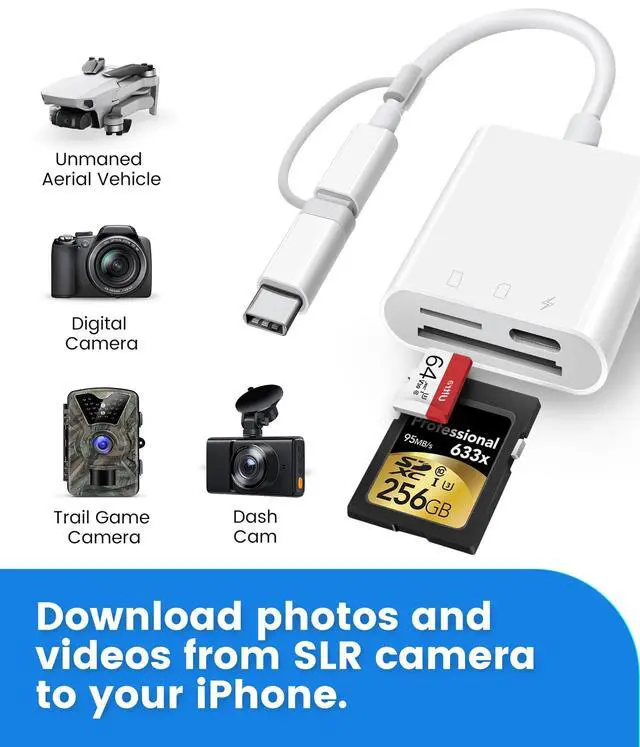


Oyuiasle SD Card Reader for iPhone,iPad and Trail Cameras.
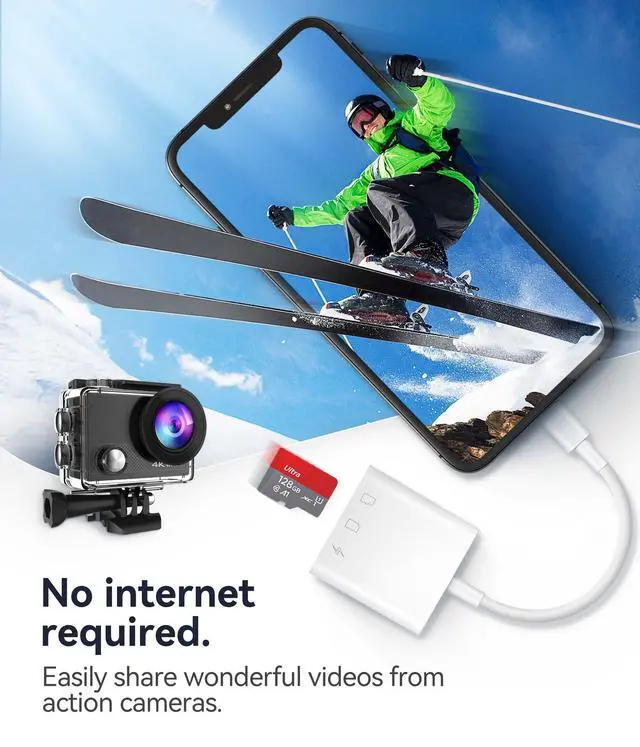
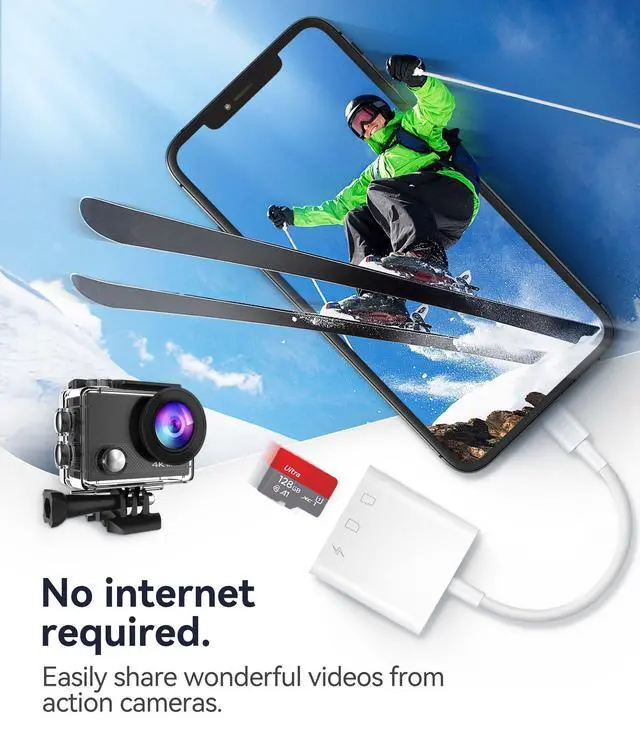
Oyuiasle SD card reader, easily and simply uploads photos and videos from camera roll to iPhone, is ideal for iPhone users.

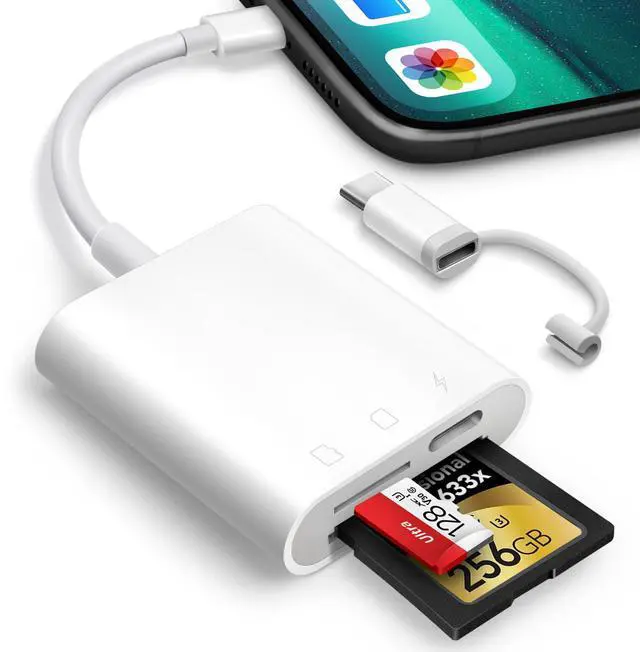
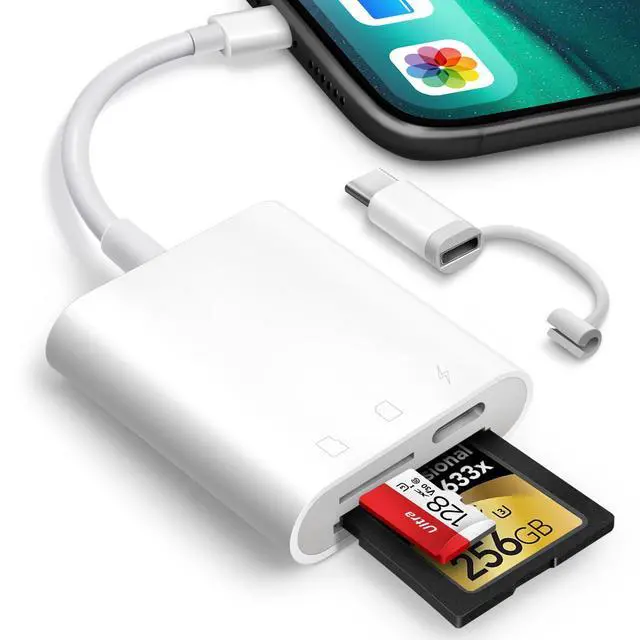
Dual connectors design.
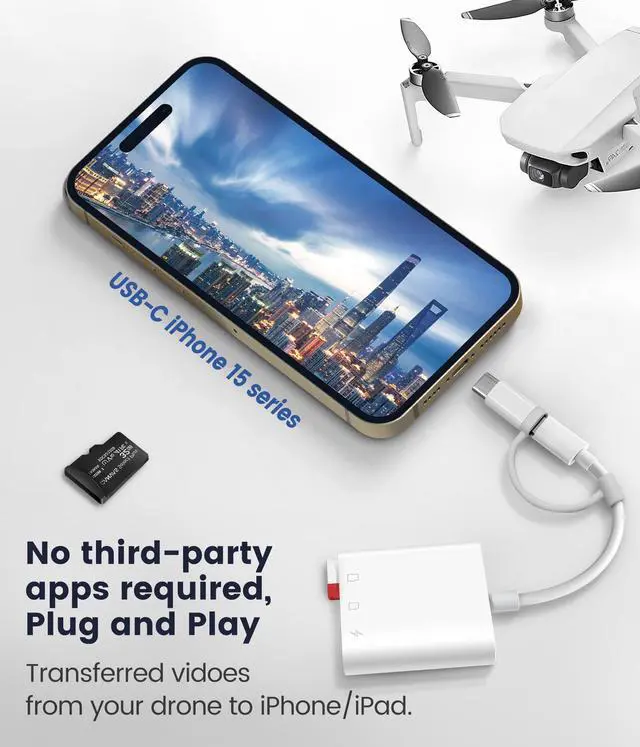
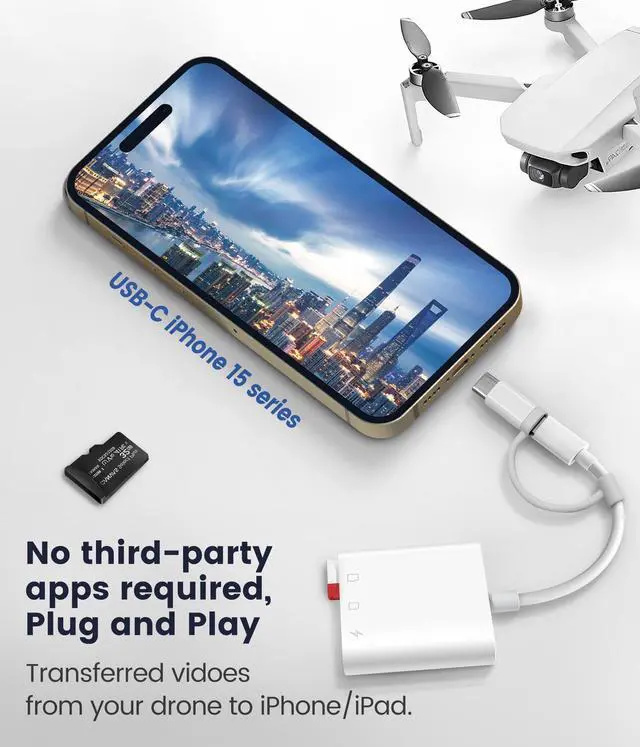
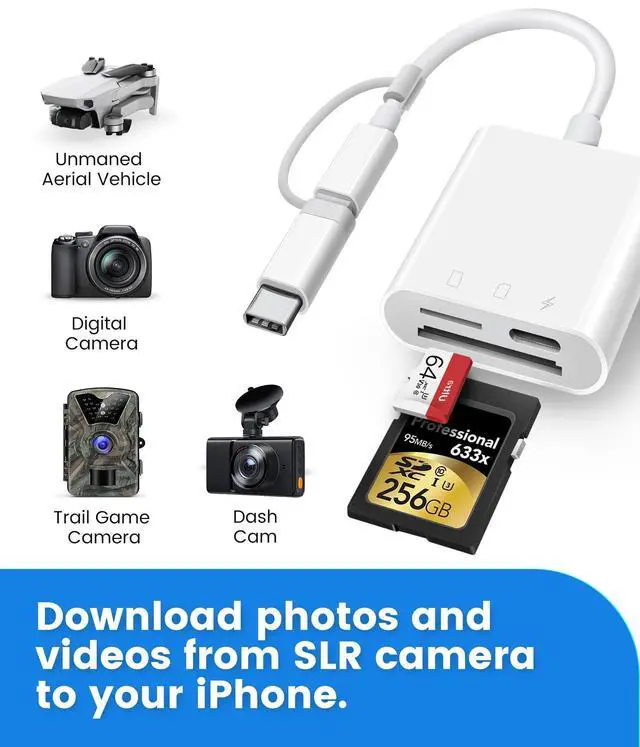
The inclusion of both a Lightening cord card reader and a USB-C to lightening adaptor, ensuring compatibility with almost all your gadgets, from iPhone 5 - 14 to your USB-C iPhone 15, 16, iPad, Mac, Laptop or other devices.
- Supports iPhone 5 to 14 series with Lightening connector.
- Support for iPhone 15 16 series, iPad or Macbook and others with USB-C connector.
- Support for Android phones/tablets/laptops/pcs with USB-C ports.
Warm Tips: Comes with a USB-C to Lightening adapter that conveniently provides data OTG functionality, but not audio or charging.

Dual slots design.
Supports standard size SD SDHC and SDXC cards, as well as newer microSD, microSDHC and microSDXC cards.
Warm Tips: Compactflash, MS or XD cards are not supported.

Usage instructions
For iOS users:
One-way transfer via the iOS built-in Photos app for iOS 9.2 to iOS 12.4 users .
This iOS built-in "Photos" app can only recognize digital camera photos and videos, not other files and can only transfer digital camera photos and videos from memory card to iPhone or iPad.
- The Photos app automatically pops up when the Oyuiasle SD card reader is inserted.
- Long press on a thumbnail in the Photos app to view the full resolution directly.
- Select photos and videos. Import with one click and share to social media quickly and easily.
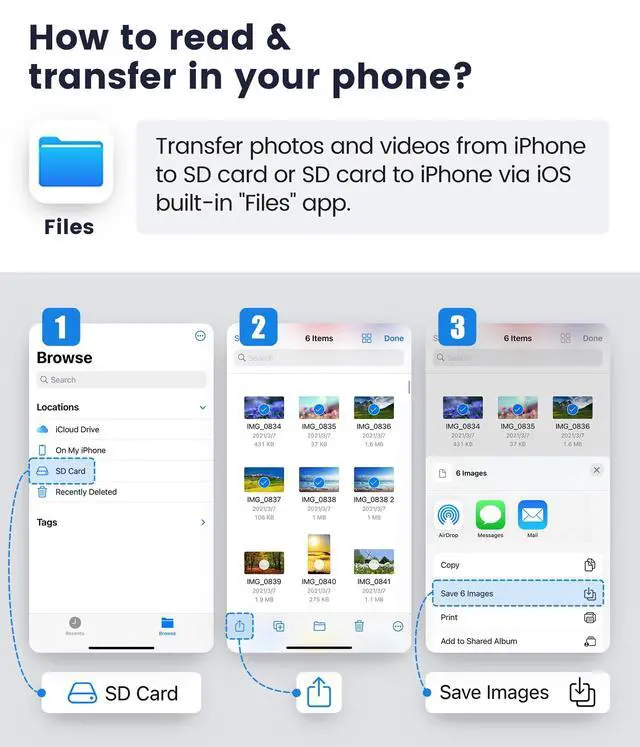
Two-way transfer via the iOS built-in Files app for iOS13 or later users
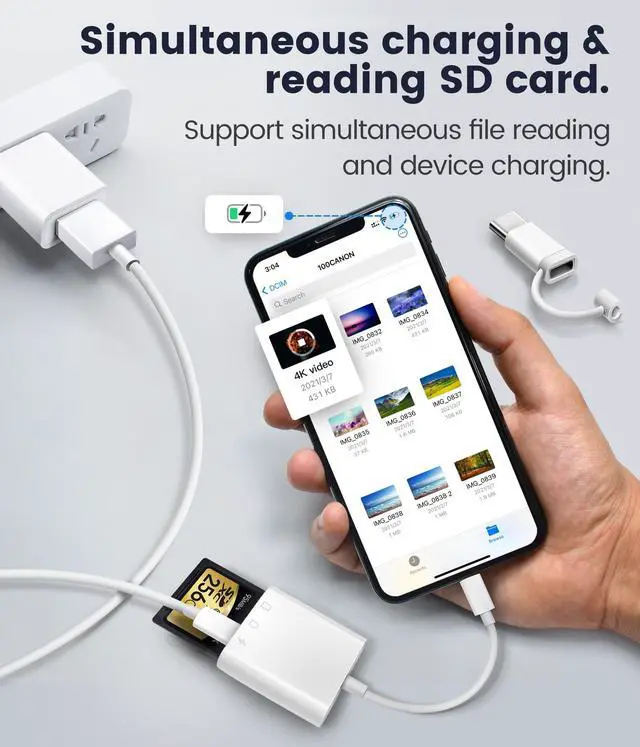
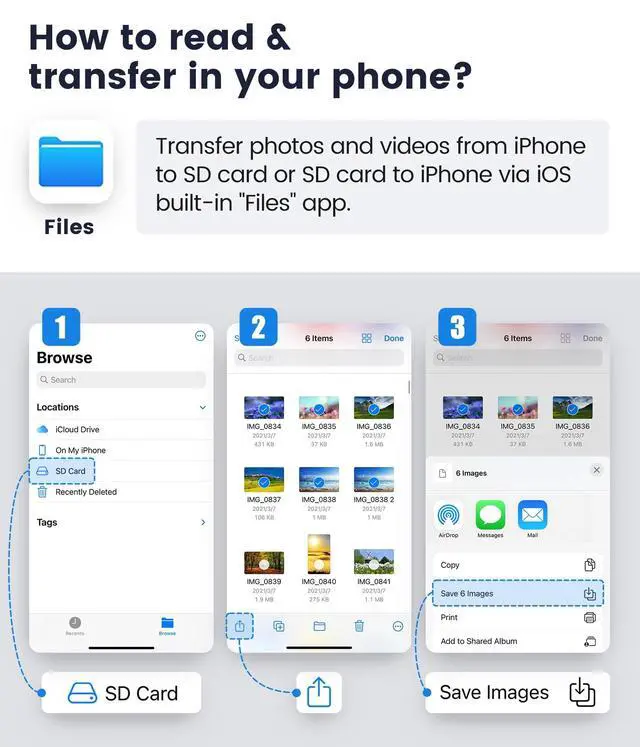
This iOS built-in "Files" app is a key tool for iOS to access external memory cards. On your iPhone or iPad, you can access ,organize and edit your files of external memory card in the iOS built-in Files app.
- Plugged it into your iPhone, inserted the SD card from the camera into it.
- There's no automatic pop-up window, you need to manually pulled up the “Files” app and go to the NONAME (or “Untiled”, which is the name of the memory card) drive to be able to upload any picture to your iPhone.
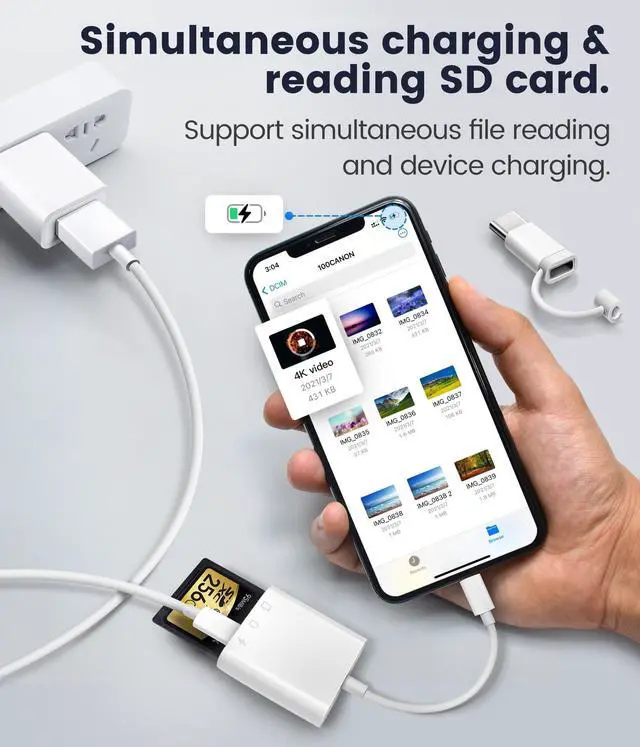
- You can copy move edit or even delete any files on the memory card just like operating on computer, and of course you can copy photos from memory card to iphone, or download photos videos from iPhone to memory card.
For Mac, laptops, tablets or android users: No driver is required - simply plug and play.
Warm tips for android users:
- Please ensure that the memory card format is FAT32/EXFAT, as most phones or tablets do not support NTFS.
- Please enabled your OTG function on your USB-C Android devices before plugging in.
Features and compatibility
Frequently Asked Questions (FAQ) :
- Does not work when plugged into phone?
Please check whether your memory card is inserted correctly first (need to insert it in the direction identified in the instruction manual), and restart your device after confirming.
- Not the right product for my card. Doesn't work with compact flash?
This Oyuiasle sd card adapter supports standard SD cards and micro SD cards. It does not support compact flash, MS and XD cards.
- Incompatible with iPhone 15?
This Oyuiasle card reader features Lightening and USB-C ports (comes with a USB-C to Lightening adapter).
Supports Lightening iPhone and the latest USB-C iPhone 15 16 series.
Simply: Plug the USB-C end of the adapter into the USB-C port on your iPhone or iPad and connect the Lightening card reader.
- It's plug and play, but nothing happens?
IOS13 and later, insert the memory card reader, it will not pop up the window automatically, you need to open the Files APP manually to read the memory card.
Warm tips (important):
- SD and MicroSD cards cannot be recognized simultaneously.
- Compactflash(CF), MS or XD cards are not supported.
- Only FAT32 or exFat format is supported. NTFS format is not recognized.
- This product is a card reader and does not include memory cards.
Oyuiasle SD Card Reader for iPhone,iPad and Trail Cameras.
Oyuiasle SD card reader, easily and simply uploads photos and videos from camera roll to iPhone, is ideal for iPhone users.
Dual connectors design.
The inclusion of both a Lightening cord card reader and a USB-C to lightening adaptor, ensuring compatibility with almost all your gadgets, from iPhone 5 - 14 to your USB-C iPhone 15, 16, iPad, Mac, Laptop or other devices.
- Supports iPhone 5 to 14 series with Lightening connector.
- Support for iPhone 15 16 series, iPad or Macbook and others with USB-C connector.
- Support for Android phones/tablets/laptops/pcs with USB-C ports.
Warm Tips: Comes with a USB-C to Lightening adapter that conveniently provides data OTG functionality, but not audio or charging.
Dual slots design.
Supports standard size SD SDHC and SDXC cards, as well as newer microSD, microSDHC and microSDXC cards.
Warm Tips: Compactflash, MS or XD cards are not supported.
Usage instructions
For iOS users:
One-way transfer via the iOS built-in Photos app for iOS 9.2 to iOS 12.4 users .
This iOS built-in "Photos" app can only recognize digital camera photos and videos, not other files and can only transfer digital camera photos and videos from memory card to iPhone or iPad.
- The Photos app automatically pops up when the Oyuiasle SD card reader is inserted.
- Long press on a thumbnail in the Photos app to view the full resolution directly.
- Select photos and videos. Import with one click and share to social media quickly and easily.
Two-way transfer via the iOS built-in Files app for iOS13 or later users
This iOS built-in "Files" app is a key tool for iOS to access external memory cards. On your iPhone or iPad, you can access ,organize and edit your files of external memory card in the iOS built-in Files app.
- Plugged it into your iPhone, inserted the SD card from the camera into it.
- There's no automatic pop-up window, you need to manually pulled up the “Files” app and go to the NONAME (or “Untiled”, which is the name of the memory card) drive to be able to upload any picture to your iPhone.
- You can copy move edit or even delete any files on the memory card just like operating on computer, and of course you can copy photos from memory card to iphone, or download photos videos from iPhone to memory card.
For Mac, laptops, tablets or android users: No driver is required - simply plug and play.
Warm tips for android users:
- Please ensure that the memory card format is FAT32/EXFAT, as most phones or tablets do not support NTFS.
- Please enabled your OTG function on your USB-C Android devices before plugging in.
Features and compatibility
| Dual-slot | Supports standard size SD SDHC and SDXC cards, as well as newer microSD, microSDHC and microSDXC cards. |
| Dual-connector | Features both Lightening and USB-C port capability (comes with a USB-C to Lightening adapter), lets you to go back and forth from your Android Windows to iOS devices, transferring photo, video or whatever else. |
| Two-way transfer | Transfer photos from digital camera SD card to iPhone or from iPhone to SD card via iOS built-in “Files” APP for iOS users with iOS 13.0 or later. |
| Plug and Play | No drivers or special setup are required. Just plug it in to your iPhone insert the card, manually open the iOS built-in "Photos" or “Files” APP and it will read it automatically. Note: After iOS13, it will not pop up the window automatically. |
| Compatible with iPhone | Compatible With iPhone 16 Pro/16 Pro Max/16, iPhone 15 Pro/15 Pro Max/15/15 Plus, iPhone 14 Pro/14 Pro Max/14/14 Plus, Phone 13 Pro/13 Pro Max/13 mini/13, iPhone SE (3rd generation), iPhone 12 Pro/12 Pro Max/12 mini/12, iPhone 11 Pro/11 Pro Max/11, iPhone SE (2nd generation), iPhone XS/XS Max/XR/X, iPhone 8 Plus/8/7 Plus/7/6s Plus/6s/6 Plus/6, iPhone SE (1st generation) and iPhone 5/5s/5c. |
| Compatible with iPad | Compatible With iPad Pro 13-in. (M4)/11-in. (M4)/11-in. (M2)/11-in. (4th Gen)/11-in. (3rd Gen)/11-in. (2nd Gen)/11-in. (1st Gen)/12.9-in. (6th Gen)/12.9-in. (5th Gen)/12.9-in. (4th Gen)/12.9-in. (3rd Gen)/12.9-in. (2nd Gen)/12.9-in. (1st Gen)/10.5-in./9.7-in., iPad Air 13-in. (M2)/11-in. (M2)/5th Gen/4th Gen/3rd Gen/Air 2/1st Gen, iPad 10th Gen/9th Gen/8th Gen/7th Gen/6th Gen/5th Gen, iPad mini 6th Gen/5th Gen/mini 4/mini 3/mini 2 |
| Compatible with Mac | Comes with a converter from lightening to type c so you can be used on both USB-C enabled iPhone 15, 16, iPad or Mac. |
| Compatible with USB-C Android | Designed with a converter from lightening to type c so you can be used on both USB-C enabled Android devices or laptop. Note: Please enabled your OTG function on your USB-C Android devices before plugging in. |
Frequently Asked Questions (FAQ) :
- Does not work when plugged into phone?
Please check whether your memory card is inserted correctly first (need to insert it in the direction identified in the instruction manual), and restart your device after confirming.
- Not the right product for my card. Doesn't work with compact flash?
This Oyuiasle sd card adapter supports standard SD cards and micro SD cards. It does not support compact flash, MS and XD cards.
- Incompatible with iPhone 15?
This Oyuiasle card reader features Lightening and USB-C ports (comes with a USB-C to Lightening adapter).
Supports Lightening iPhone and the latest USB-C iPhone 15 16 series.
Simply: Plug the USB-C end of the adapter into the USB-C port on your iPhone or iPad and connect the Lightening card reader.
- It's plug and play, but nothing happens?
IOS13 and later, insert the memory card reader, it will not pop up the window automatically, you need to open the Files APP manually to read the memory card.
Warm tips (important):
- SD and MicroSD cards cannot be recognized simultaneously.
- Compactflash(CF), MS or XD cards are not supported.
- Only FAT32 or exFat format is supported. NTFS format is not recognized.
- This product is a card reader and does not include memory cards.