



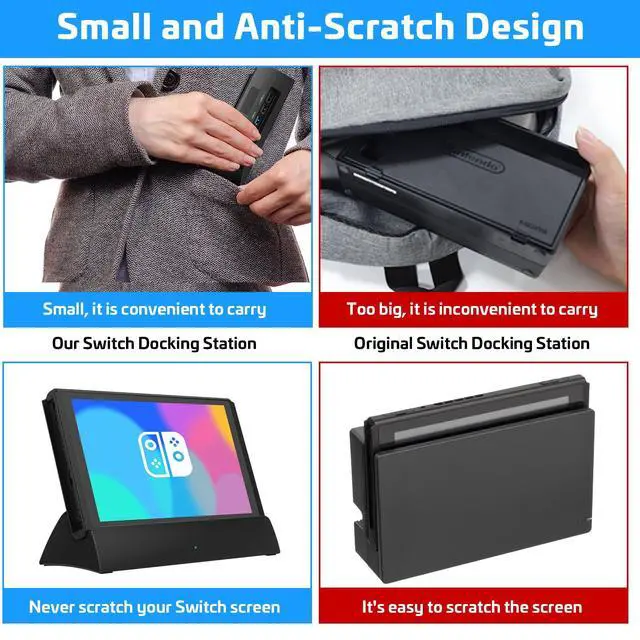


Scratch-Free Switch Screen
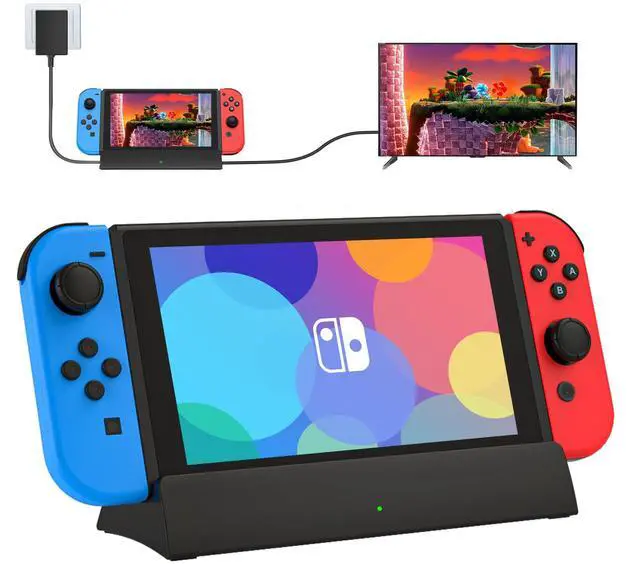
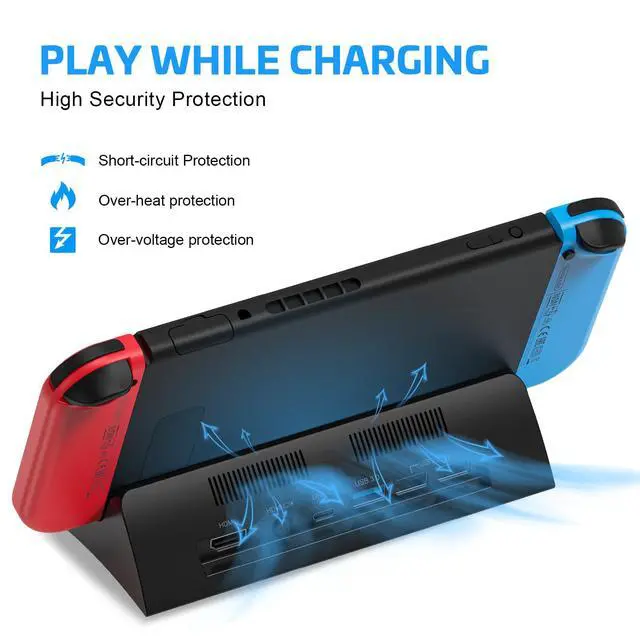
Thanks to the unique design angle, our switch dock prevents the switch from scratching the screen during gaming or charging.

HD 4K/1080P Video Output
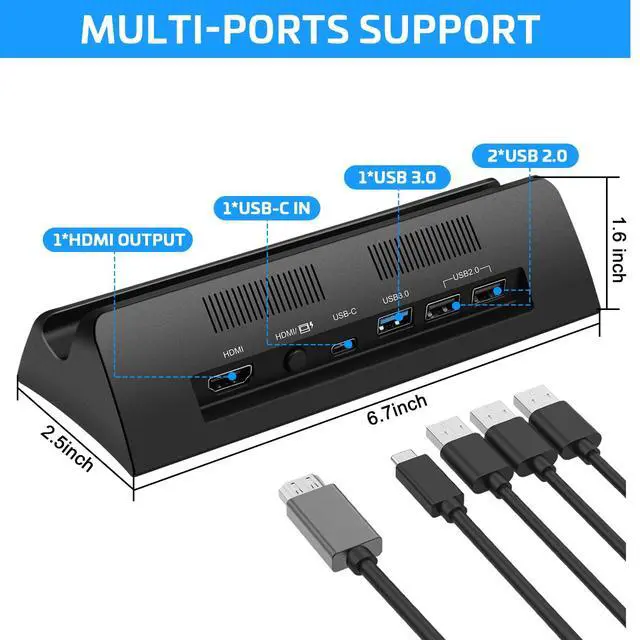
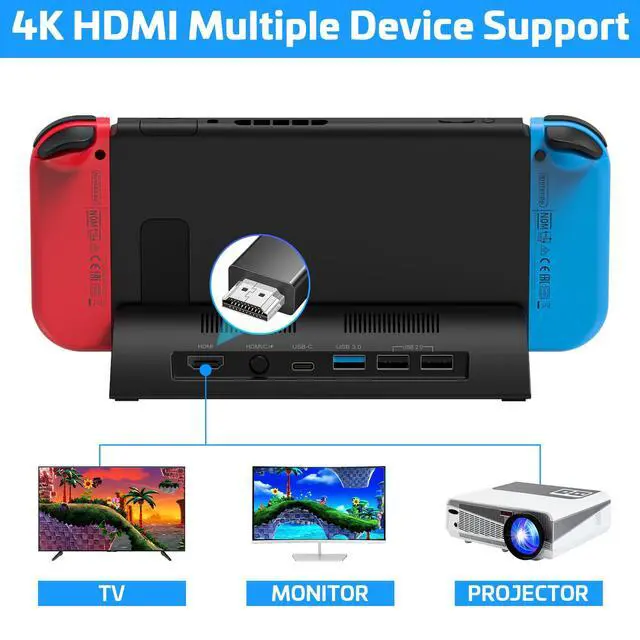
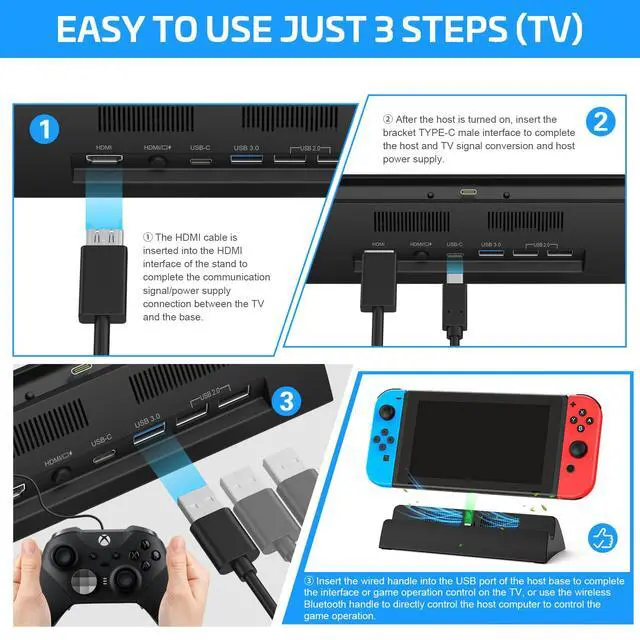
The switching TV dock is designed with 1* 4K HDMI adapter port, which can support up to HD 4K video output.

Non-Slip Mats
This switch TV dock has added rubberized non-slip pads on the bottom to keep the dock stable. It won't easily tip over and damage your switch.

Compact and Lightweight
Switch dock weigh only 95g and measures only 6.7*2.5*1.6 inches, Much smaller than the original switch dock.
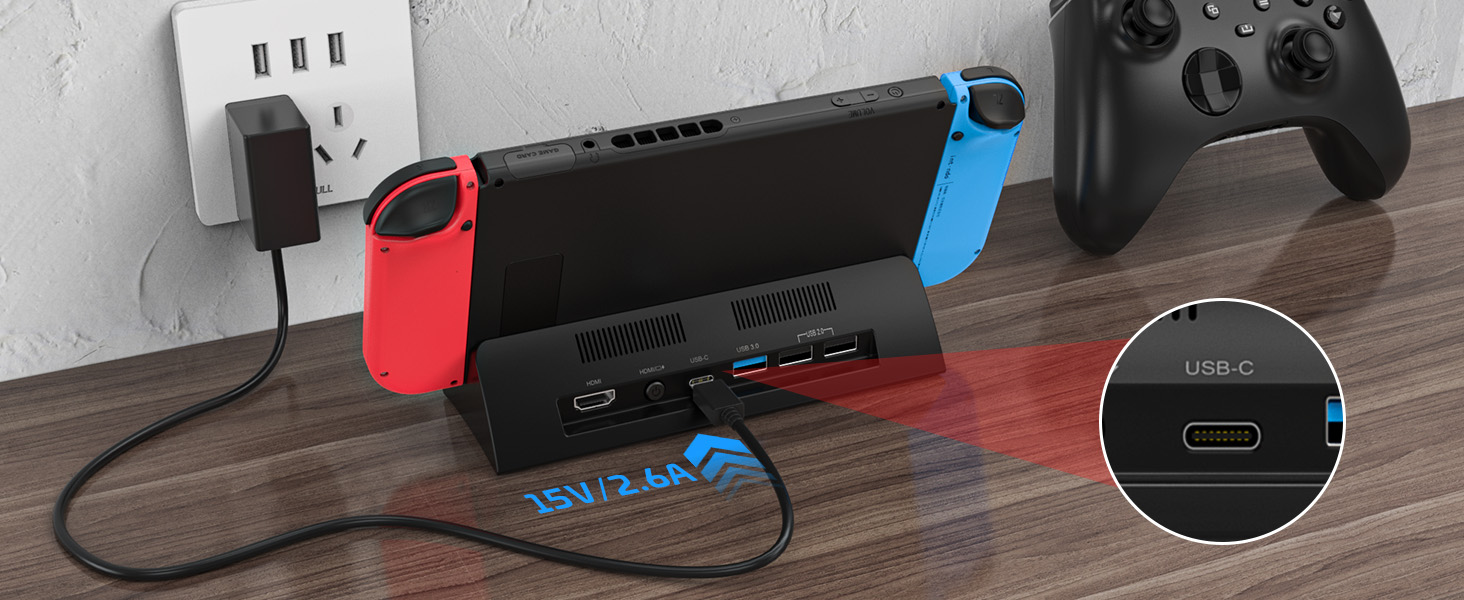
Plug in Power Supply
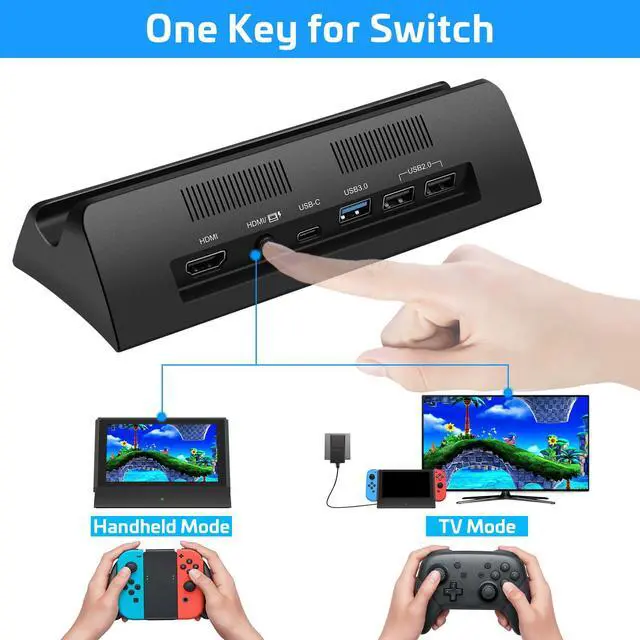
Plug in the official switch original USB-C power adapter for power supply(No power supply included)
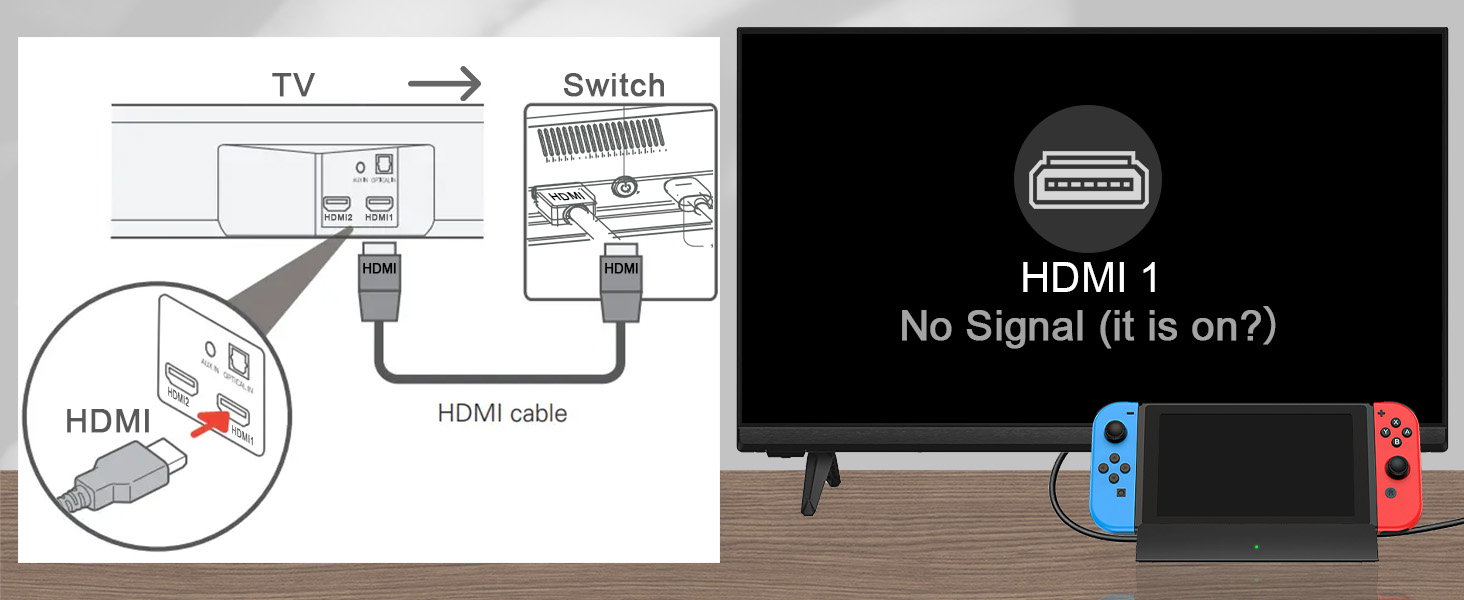
Select HDMI Source
Please access the connector of your TV's HDMI cable and select the corresponding HDMI source.
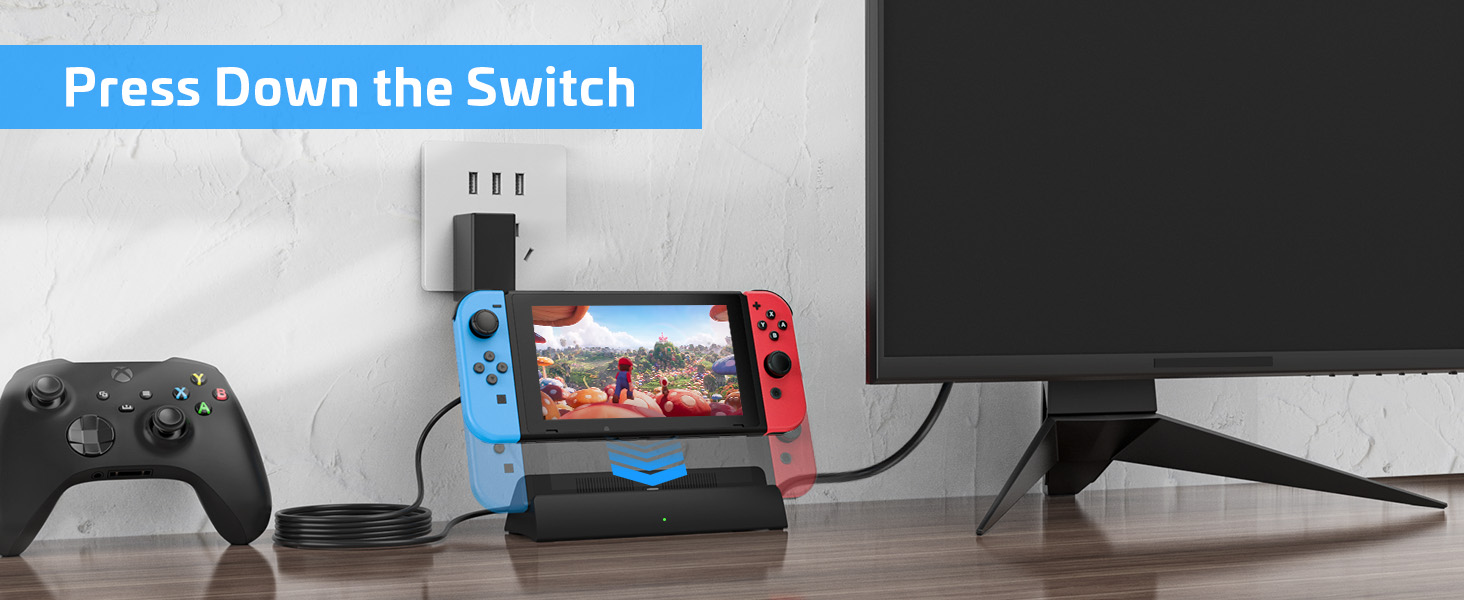
Matching USB-C port
Firmly press down on the USB-C connectors of the switch and the dock so that they fit perfectly.
How to use Switch or Switch OLED dock to connect to your TV?(Doesn't support protective case work)
Switch docking station for tv
Merchant VideoMy Switch comes with a protective case ,Do I have to remove the switch case to use this dock?
Yes,Before use, you will need to remove the switch protective cover to ensure that the switch dock works properly.
After a few days of use,the switch dock won't connect to the TV, what should I do?
Please dial down the USB-C AC adapter charger,Wait for about 30S, then re-plug in the AC power supply,Fully insert the Switch/Switch OLED USB-C connector into the dock . connect the HDMI cable,Select the corresponding HDMI port TV signal source
Does the switch dock come with a power adapter and HDMI cable?
Only switch dock,The switch docking station does not include a USB-C power adapter and HDMI cable. The switch dock is powered by a 15V/2.6A 39W adapter.
The dock is able to charge, but can not be transmitted to display on the TV?
TV connection HDMI port and TV HDMI source settings do not match. Or other devices occupy the signal source of the HDMI cable port of the TV, please re-plug and re-select the corresponding HDMI signal source to match
The switch/switch OLED does not work after using the switch dock?
Please don't worry, Your switch/switch OLED are not broken,Our dock has a short circuit to protect your switch, please long press your switch host power switch button for more than 12S,The switch/switch OLED can be turned back on.

Nintendo Switch Dock

KEKUCULL is committed to providing high quality gaming products for every gamer!
KEKUCULL's switch docking station is the most popular third-party switch docking station that supports 4K HD video output. It is the perfect replacement for the official nintendo switch docking station!
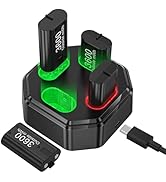
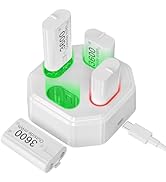
Game Accessories
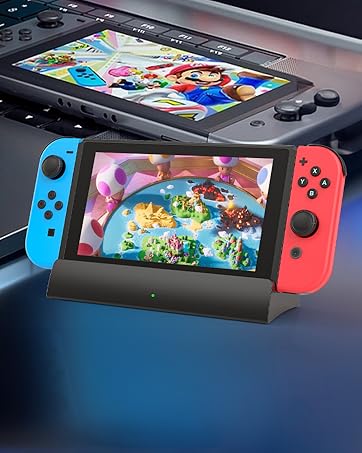
Switch Docking Station for TV


Scratch-Free Switch Screen
Thanks to the unique design angle, our switch dock prevents the switch from scratching the screen during gaming or charging.
HD 4K/1080P Video Output
The switching TV dock is designed with 1* 4K HDMI adapter port, which can support up to HD 4K video output.
Non-Slip Mats
This switch TV dock has added rubberized non-slip pads on the bottom to keep the dock stable. It won't easily tip over and damage your switch.
Compact and Lightweight
Switch dock weigh only 95g and measures only 6.7*2.5*1.6 inches, Much smaller than the original switch dock.


How to use Switch or Switch OLED dock to connect to your TV?(Doesn't support protective case work)
Plug in Power Supply
Plug in the official switch original USB-C power adapter for power supply(No power supply included)
Select HDMI Source
Please access the connector of your TV's HDMI cable and select the corresponding HDMI source.
Matching USB-C port
Firmly press down on the USB-C connectors of the switch and the dock so that they fit perfectly.
Switch docking station for tv
Merchant VideoMy Switch comes with a protective case ,Do I have to remove the switch case to use this dock?
Yes,Before use, you will need to remove the switch protective cover to ensure that the switch dock works properly.
After a few days of use,the switch dock won't connect to the TV, what should I do?
Please dial down the USB-C AC adapter charger,Wait for about 30S, then re-plug in the AC power supply,Fully insert the Switch/Switch OLED USB-C connector into the dock . connect the HDMI cable,Select the corresponding HDMI port TV signal source
Does the switch dock come with a power adapter and HDMI cable?
Only switch dock,The switch docking station does not include a USB-C power adapter and HDMI cable. The switch dock is powered by a 15V/2.6A 39W adapter.
The dock is able to charge, but can not be transmitted to display on the TV?
TV connection HDMI port and TV HDMI source settings do not match. Or other devices occupy the signal source of the HDMI cable port of the TV, please re-plug and re-select the corresponding HDMI signal source to match
The switch/switch OLED does not work after using the switch dock?
Please don't worry, Your switch/switch OLED are not broken,Our dock has a short circuit to protect your switch, please long press your switch host power switch button for more than 12S,The switch/switch OLED can be turned back on.
Nintendo Switch Dock
KEKUCULL is committed to providing high quality gaming products for every gamer!
KEKUCULL's switch docking station is the most popular third-party switch docking station that supports 4K HD video output. It is the perfect replacement for the official nintendo switch docking station!
Game Accessories
Switch Docking Station for TV