




ONE KEY TO TV MODE/HANDHELD MODE
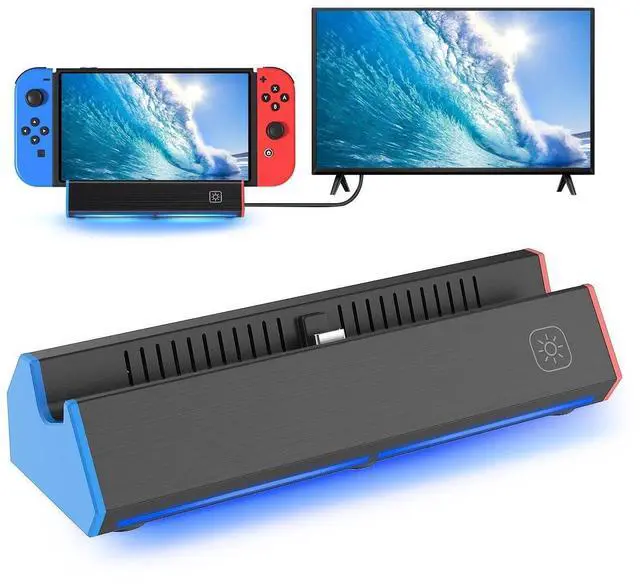
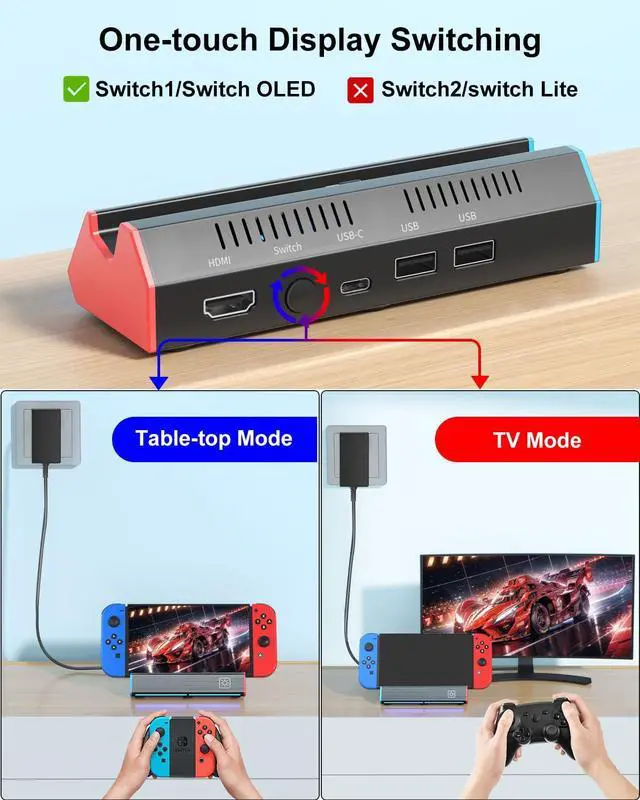
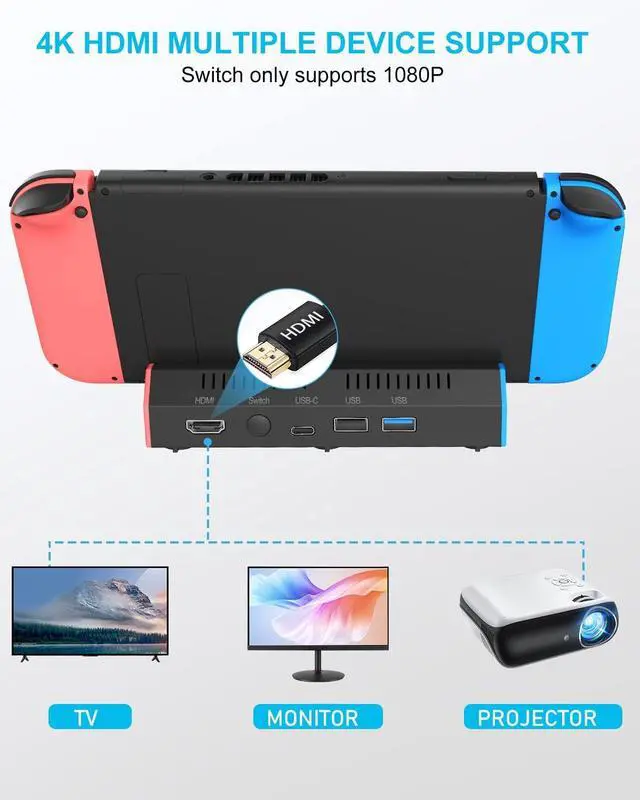
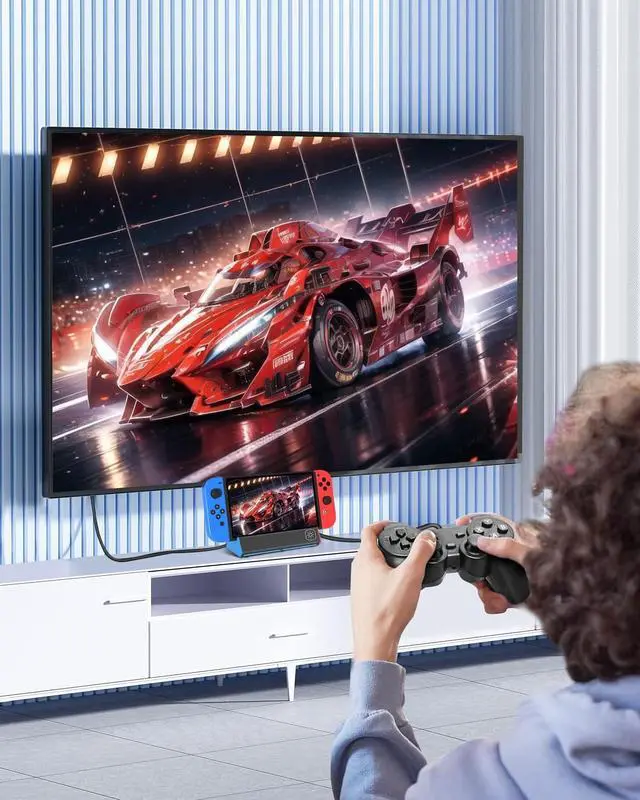
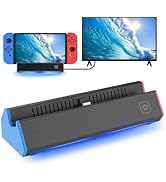
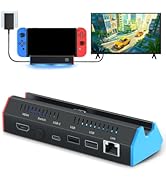
This portable nintendo switch dock replacement support 4K, 1080P and 720P output to TV, computer monitor & laptop,projector.(Switch only supports 1080P), Press the TV/Tabletop Mode button at the back of the dock, you can easily choose Tabletop Mode or TV Output Mode

Enjoy the Game with 4K High Definition
iPLYGAM Switch docking station equequipped with 4K high-definition with HDMI upgrade chip, The high-definition and smooth video synchronization effect brings a more immersive gaming experience.

Eye-catching pulsating light effects
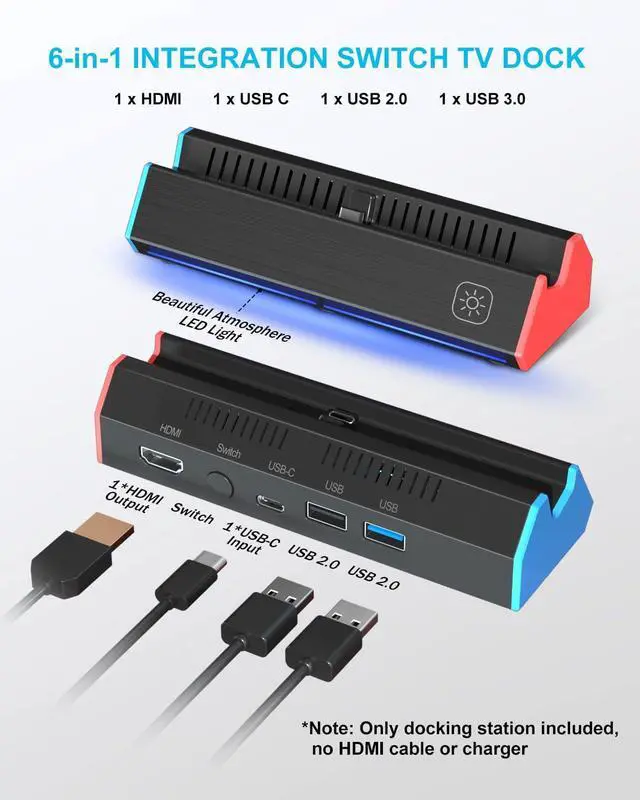
iPLYGAM Switch docking station features vibrant RGB lighting effects, enhancing immersion and creating a thrilling atmosphere that syncs with your gameplay.
P.S. Your can Press the front-right button to turn the lights on or off.

Easy to Carry
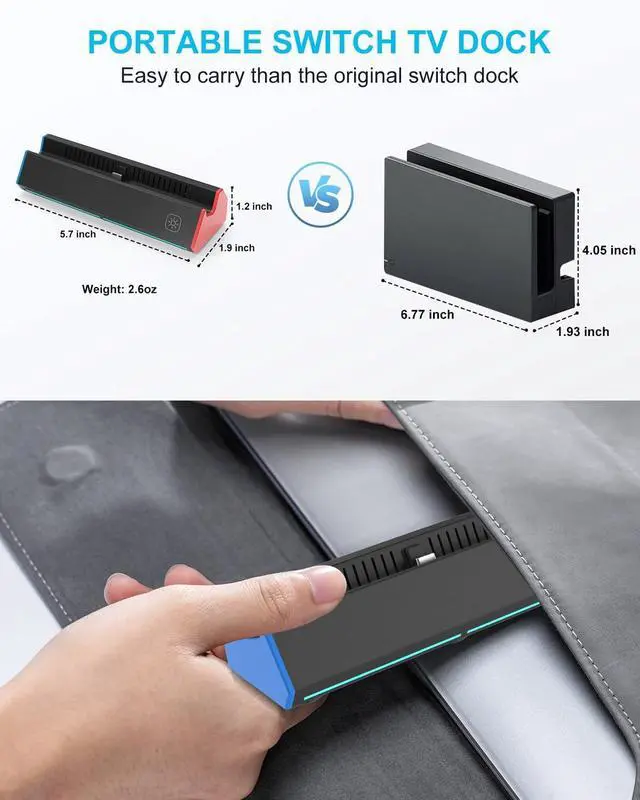
Small & Light Weight & Portable
Our Switch docking station only weigh 2.6oz, and measures 5.64"L x 1.96"W x 1.29"H, which is smaller than offical dock, it is easy to travel.
Anti-Slip Mats
This switch Dock adds three bottom rubber non-slip mats to maintain the stability of the Dock. Will not easily fall over and damage Nintendo Switch.
Scratch-Free Switch Screen
Due to the unique design angle, this switch dock stand prevents the switch from scratching the screen during gaming or charging.

Replacement for Official Switch Dock
Anwser The Question
- Q: Do I have to remove the switch case to use this dock?
A: Yes, you need to remove the switch protective cover to ensure that the switch dock works properly.
- Q: After a few days of use,the switch dock won't connect to the TV, what should I do?
A: Please dial down the USB-C AC adapter charger,Wait for about 30S, then re-plug in the AC power supply,Fully insert the Switch/Switch OLED USB-C connector into the dock . connect the HDMI cable,Select the corresponding HDMI port TV signal source.
- Q: Item doesn't connect to the tv, what should I do?
A: TV connection HDMI port and TV HDMI source settings do not match. Or other devices occupy the signal source of the HDMI cable port of the TV, please re-plug and re-select the corresponding HDMI signal source to match.
- Q: The switch/switch OLED does not work after using the switch dock?
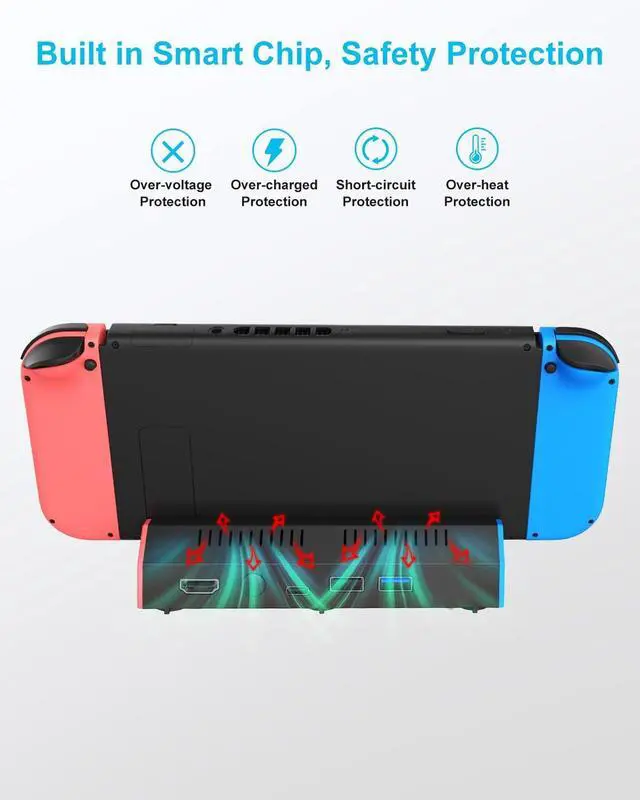
A: Please don't worry, Your switch/switch OLED are not broken,Our dock has a short circuit to protect your switch, please long press your switch host power switch button for more than 12S,The switch/switch OLED can be turned back on.
- Q: Does this work with the Switch Lite?
A: Yes, but just work as charger and dock if you use it with Switch Lite. You can't connect with TV, because Switch Lite doesn't support TV mode.
- Q: Do you have additional questions?
A: Feel free to ask promptly and we'll respond within a few hours!

Game Accessory for Nintendo
Game Accessory--PS5/Nintendo
iPLYGAM builds gamer-approved game accessories, combining robust functionality with minimalist style. Since 2017, our focus has been singular: to elevate your game with every product we make.
ONE KEY TO TV MODE/HANDHELD MODE
This portable nintendo switch dock replacement support 4K, 1080P and 720P output to TV, computer monitor & laptop,projector.(Switch only supports 1080P), Press the TV/Tabletop Mode button at the back of the dock, you can easily choose Tabletop Mode or TV Output Mode
Enjoy the Game with 4K High Definition
iPLYGAM Switch docking station equequipped with 4K high-definition with HDMI upgrade chip, The high-definition and smooth video synchronization effect brings a more immersive gaming experience.
Eye-catching pulsating light effects
iPLYGAM Switch docking station features vibrant RGB lighting effects, enhancing immersion and creating a thrilling atmosphere that syncs with your gameplay.
P.S. Your can Press the front-right button to turn the lights on or off.
Easy to Carry
Small & Light Weight & Portable
Our Switch docking station only weigh 2.6oz, and measures 5.64"L x 1.96"W x 1.29"H, which is smaller than offical dock, it is easy to travel.
Anti-Slip Mats
This switch Dock adds three bottom rubber non-slip mats to maintain the stability of the Dock. Will not easily fall over and damage Nintendo Switch.
Scratch-Free Switch Screen
Due to the unique design angle, this switch dock stand prevents the switch from scratching the screen during gaming or charging.
Replacement for Official Switch Dock
Anwser The Question
- Q: Do I have to remove the switch case to use this dock?
A: Yes, you need to remove the switch protective cover to ensure that the switch dock works properly.
- Q: After a few days of use,the switch dock won't connect to the TV, what should I do?
A: Please dial down the USB-C AC adapter charger,Wait for about 30S, then re-plug in the AC power supply,Fully insert the Switch/Switch OLED USB-C connector into the dock . connect the HDMI cable,Select the corresponding HDMI port TV signal source.
- Q: Item doesn't connect to the tv, what should I do?
A: TV connection HDMI port and TV HDMI source settings do not match. Or other devices occupy the signal source of the HDMI cable port of the TV, please re-plug and re-select the corresponding HDMI signal source to match.
- Q: The switch/switch OLED does not work after using the switch dock?
A: Please don't worry, Your switch/switch OLED are not broken,Our dock has a short circuit to protect your switch, please long press your switch host power switch button for more than 12S,The switch/switch OLED can be turned back on.
- Q: Does this work with the Switch Lite?
A: Yes, but just work as charger and dock if you use it with Switch Lite. You can't connect with TV, because Switch Lite doesn't support TV mode.
- Q: Do you have additional questions?
A: Feel free to ask promptly and we'll respond within a few hours!