



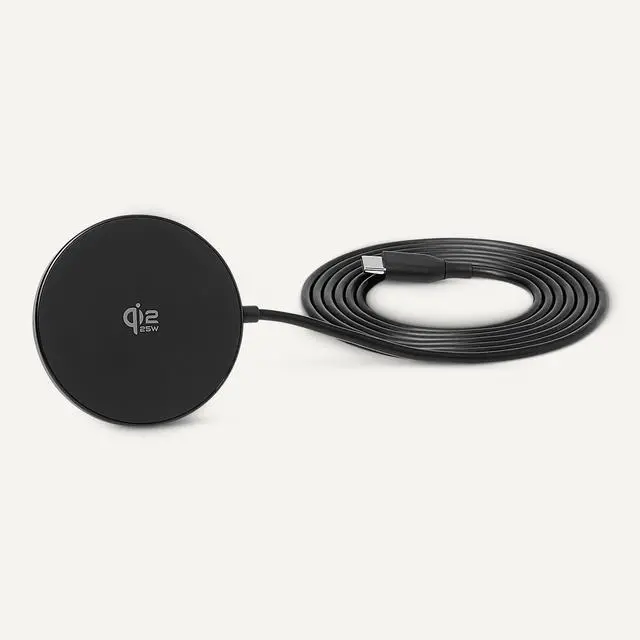


Why is the device not charging?
Ensure device supports wireless charging. Firmly connect the USB-C cable to the adapter and place the device correctly on the pad. Remove or replace any incompatible case. Check cable, adapter, and pad for damage.
Why is the phone charging slowly?
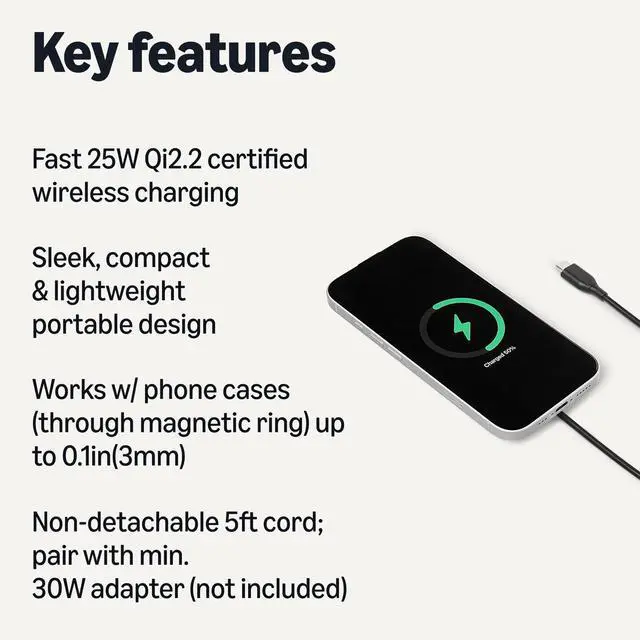
Use a 30W+ power adapter with 12V output. Remove the phone case or use a magnetic case =3mm. Phones not supporting Qi2.2 protocol will charge at reduced speed.
Does the charging pad work with a phone case?
Yes — with MagSafe-compatible cases under 3mm thick. Cases with metal plates, magnetic attachments, or thickness above 3mm may reduce speed or prevent charging.
The charging pad feels warm during use.
Slight warmth is normal during wireless charging. For a better experience, remove the phone case or avoid using the phone while charging. The pad automatically adjusts power output to maintain safe temperature.



















Why is the device not charging?
Ensure device supports wireless charging. Firmly connect the USB-C cable to the adapter and place the device correctly on the pad. Remove or replace any incompatible case. Check cable, adapter, and pad for damage.
Why is the phone charging slowly?
Use a 30W+ power adapter with 12V output. Remove the phone case or use a magnetic case =3mm. Phones not supporting Qi2.2 protocol will charge at reduced speed.
Does the charging pad work with a phone case?
Yes — with MagSafe-compatible cases under 3mm thick. Cases with metal plates, magnetic attachments, or thickness above 3mm may reduce speed or prevent charging.
The charging pad feels warm during use.
Slight warmth is normal during wireless charging. For a better experience, remove the phone case or avoid using the phone while charging. The pad automatically adjusts power output to maintain safe temperature.
Shop Kitchen
Shop Home Essentials
Shop Bed & Bath
Shop Fitness & Sports
Shop Garden & Outdoors
